
Samsung’s Galaxy Note 10 is a beautiful phone, with its curved edge-to-edge screen, large display, and sleek body. That said, it’s not complete without the right apps. Whether you are new to the Android world or just want to know what apps to get put on your brand new device, we’ve got you covered in this article!
We’ll go over everything from how to use your camera like a pro (just one of many camera features) with Google Lens and Adobe Photoshop Express to how listen to podcasts wherever life takes you with Spotify Podcasts!
There will also be some great games like Alto’s Adventure for when you’re ready for some relaxation time after all that hard work. Plus, if you’re looking for an app that will help make all these tasks easier — look no further than Samsung’s own SmartThings app which connects everything from refrigerators
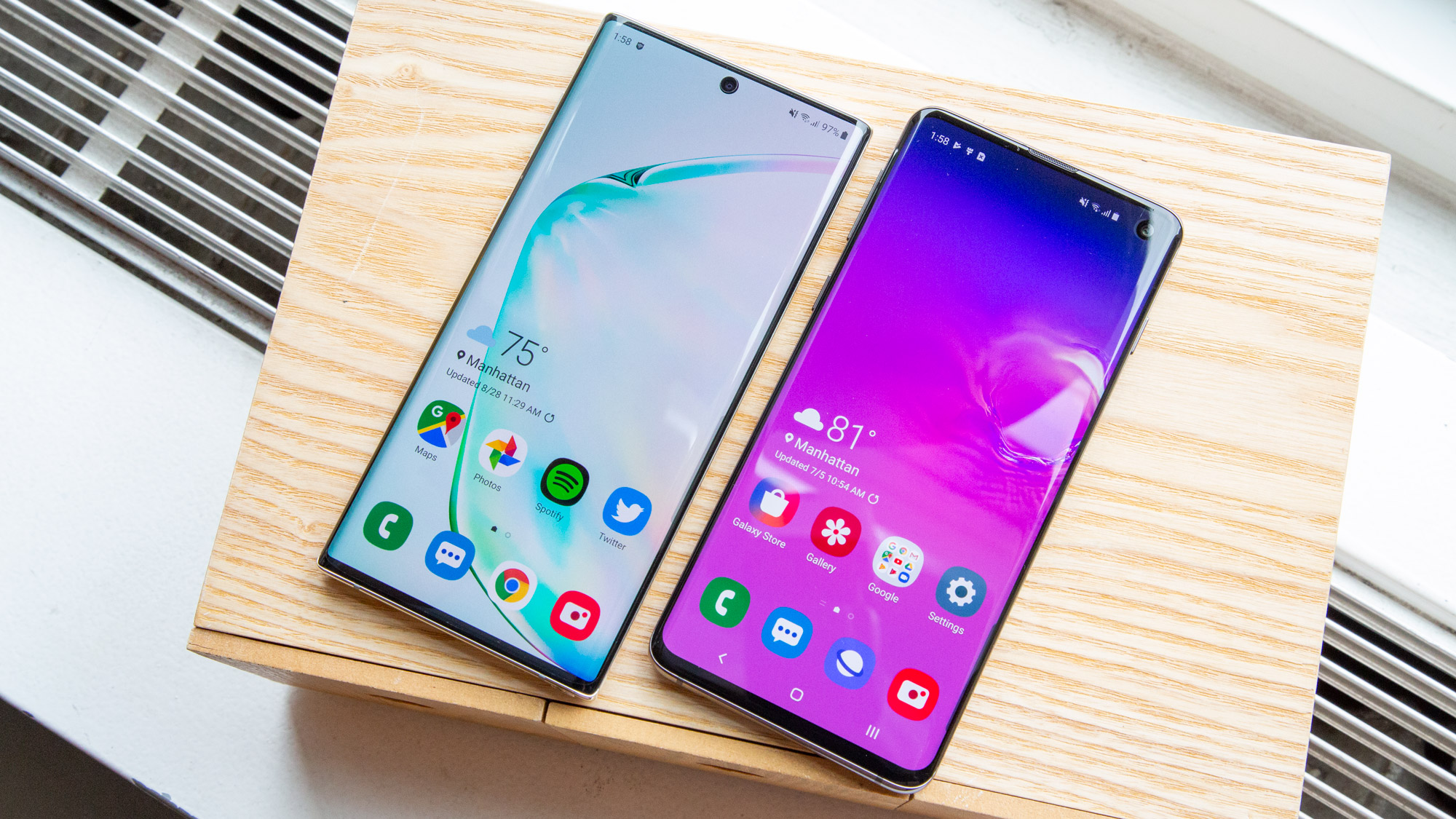
Best Apps For Note 10
With the new Samsung Galaxy Note 10 and Note 10 Plus, Samsung has really outdone itself. The One UI is super smooth, the launcher is fluid as a baby’s bottom. More importantly, the S Pen comes loaded with features. And well, let’s not talk about the nifty video enhancer and the convenient screen recorder.
Top 10 Must Have Apps For Samsung Galaxy Note 10
But at the end of the day, no phone is perfect. The Galaxy Note 10 Plus is no different. It has a few shortcomings, and that’s when third-party apps come into the picture. It lacks a feature-rich image editor or a multi-functional video player.
If you’re someone who is looking to maximize the potential of their new Galaxy Note 10, have a look at these must-have Android apps.
- SELECTIVELY EDIT THOSE IMAGES: SNAPSEED
Whether it’s the wide-angle shots or the detailed HDR photos, it goes without doubt that the Galaxy Note 10 can capture amazing photos. But as we all know, a photo isn’t complete without a generous bit of post-processing.
Snapseed is one of the best apps to do justice to Note 10’s camera. From adding drama (or grunge) to editing RAW images, this app is capable of doing it all. The tool-set is vast, and it doesn’t take long to transform a photo.
Top 10 Must Have Apps For Samsung Galaxy Note 10 13Top 10 Must Have Apps For Samsung Galaxy Note 10 14
One of the best tools of Snapseed is Selective. Using it, you can modify the brightness, contrast, or saturation of a particular area of the image.
Top 10 Must Have Apps For Samsung Galaxy Note 10 15
More importantly, if you happen to shot in the RAW mode, it’ll automatically detect it and suggest the appropriate tools. In a nutshell, if you haven’t tried Snapseed before, now is the best time to try its many filters and settings!
Download Snapseed
- TYPE LIKE A PRO: SWIFTKEY
The default Samsung keyboard is great. It’s smooth and gets the work done. Plus, the fluid animations are the cherry on top. But, the strength of a keyboard is determined by its ability to predict words and phrases correctly.
If you are looking for a smarter keyboard with autocorrect, gesture typing, and accurate predictions for faster input, SwiftKey is the app for you. It has plenty of features like GIF Search, Clipboard, Location Sharing, among others. Plus, you can also add multiple languages to the keyboard, thus making it great for bilingual folks.
Top 10 Must Have Apps For Samsung Galaxy Note 10 16Top 10 Must Have Apps For Samsung Galaxy Note 10 17
If you’re not aware, the Samsung keyboard displays a handwriting pad as soon as you pull out the stylus. And the best thing is that the keyboard is quite good in converting your handwriting into text.
If the above is a feature which you do not use often, Swiftkey is one of the apt replacement for the Samsung keyboard.
Download SwiftKey
- FOR 4K VIDEOS: KM PLAYER
Looking for a replacement for the stock media player? If yes, you must certainly give the KM Player a shot. It supports almost all the popular media formats – something that is usually not supported by stock players. Plus, it lets you play 4K HDR videos without any hiccups.
Best Must Have Apps For Samsung Galaxy Note 10 1
Apart from that, it supports videos and subtitles in almost all formats. From speed control and the option to stream form Network to playing offline music, it hides plenty of tricks in it sleeves. In short, it’s a one-stop destination for all your high-resolution media consumption needs.
Download KM Player
- SHARE FILES LIKE A BOSS: SHAREME
How do you transfer files between phones? Sure, there’s a built-in method for transferring files and folders. However, it’s too much of a hassle. Plus, it won’t function without a SIM card.
If you’re looking for a simple file transfer app, you can give a shot to the ShareMe app by Xiaomi. The remarkable thing about it is that it’s ad-free.
Top 10 Must Have Apps For Samsung Galaxy Note 10 1Top 10 Must Have Apps For Samsung Galaxy Note 10 2
Apart from that, the interface is clean and straightforward. All you have to do is tap on Send or Receive, and then select the files.
With ShareMe, you can share files directly to computers as well. It works by establishing an FTP connection, and you can select the type of connection (private or public). Overall, it’s a good app to have if you are someone who shares files and documents frequently.
Download ShareMe
- SLICE THOSE WIDE-ANGLE PHOTOS: PANORAMACROP
So you captured some amazing wide-angle shots. You think of posting them on Instagram, and that’s when you realize that the default Instagram frame won’t do much justice to the ultra-wide shot. Bummer?
Well, we beg to differ. With apps like PanoramaCrop, you can slice your wide-angle shots into many sizes, without breaking the photo structure. That way, your followers get to see the whole picture without missing out on much. The good thing about this app is that not much of your photo is wasted.
Top 10 Must Have Apps For Samsung Galaxy Note 10 3Top 10 Must Have Apps For Samsung Galaxy Note 10 4
Apart from the Swipeable Post, you can also explore the NoCrop Post feature and the Grid Post feature to give your feed a diverse theme.
Download PanoramaCrop
- ORGANIZE THE CHAOS: SMS ORGANIZER
The SMS box can be a chaotic place. From promotional messages to transaction messages, it is chockablock with messages. And unfortunately, when the time comes to find the right message, the clutter makes it almost impossible to search.
If your experience is similar to the above, it’s time you got your hands on Microsoft’s SMS Organizer app. As suggestive of its name, it categorizes and arranges text messages as per their type. So, a message from a shopping app or a bank promotion, goes under the Promotions tab, while all bank related transaction goes to the Transactions tab.
Top 10 Must Have Apps For Samsung Galaxy Note 10 Sms 1Top 10 Must Have Apps For Samsung Galaxy Note 10 Sms 2
At the time of writing, there are four tabs — Personal, Transactions, Promotions, and Starred (favorites). The best thing is that you don’t get notified about unnecessary promotional messages.
Download SMS Organizer
- MAKE BEAUTIFUL CINEMAGRAPHS: PIXALOOP
I am sure you must have clicked beautiful pictures with your Galaxy Note 10 Plus. How about you breathe life into these pictures? If you are excited by this thought, it’s time you got introduced to Pixaloop.
It’s a straightforward app, with a simple interface, which lets you convert images into neat cinemagraphs. For those unaware, cinemagraphs are images in a loop similar to GIFs. The difference is that the quality is high.
Top 10 Must Have Apps For Samsung Galaxy Note 10 8Top 10 Must Have Apps For Samsung Galaxy Note 10 9
Pixaloop is one of the newest apps in the market, which makes the process of creating a cinemagraph an effortless affair. From gentle flowing streams to cascading waterfalls, you can do a lot with this app.
Download Pixaloop
- CUSTOMIZE FREELY: GOOD LOCK
This is a Samsung’s app. Surprisingly, it doesn’t come pre-installed with the phone. So what does the app bring to the table?
Well for starters, it’s for the customization lovers. From tweaking the lock screen customization to modifying the looks of the task manager, Good Lock opens the doors to the world of Android customization.
Samsung Good Lock
One of my favorite modules is Task Changer Settings. It changes the looks of the task manager completely, thus it easier to use the phone with a single hand.
Top 10 Must Have Apps For Samsung Galaxy Note 10 6Top 10 Must Have Apps For Samsung Galaxy Note 10 7
All you have to do is go to the Galaxy Store, search for Good Lock, and download the individual modules.
- THAT S PEN: PAPERDRAW
Another fun app to have is PaperDraw. This Editor’s Choice app is the perfect one for you if you like drawing or sketching with the S Pen. There is a horde of options using which you can whip up some amazing sketches. The tools are smooth and fluid and do not get stuck, unlike Adobe Draw.
Top 10 Must Have Apps For Samsung Galaxy Note 10 10Top 10 Must Have Apps For Samsung Galaxy Note 10 11
What I loved about PaperDraw is that you can arrange your drawings into projects, thus maintaining a theme. Yeah, I know I am terrible at sketching.
Download PaperDraw
BONUS: DRESS THAT AWESOME DISPLAY: DARKOPS OR WALLI
As a bonus, we have two wallpaper apps for you. If you like dark AMOLED wallpapers, Darkops is the first app you should try.
With black accents, not only do these backgrounds help save battery on your phone but are also pleasant for your eyes. Plus, there are a variety of categories to choose from. From landscapes to superhero wallpapers, you get a library of choices.
Best Must Have Apps For Samsung Galaxy Note 10 3
However, if you are on a lookout for colorful but unique wallpapers, Walli is the app for you.
Best Must Have Apps For Samsung Galaxy Note 10 2
The crux of this app is its artistic images. Plus, the 4K images mean that your home screen and lock screen will not appear pixelated.
best camera apps for note 20
The best Camera phone for Android is already out there, Yes we are talking about the Samsung Galaxy Note 20 and the Note 20 Ultra. So why not have a deep look into the best camera apps Android has to offer for this camera giant Phone. So here we are with the 5 Best Camera apps for Samsung Galaxy Note 20 & Note 20 Ultra.
Just click on to the titles of the Camera Apps and Download the Apps on your device.
Samsung Galaxy Note 20 Ultra Camera Apps
Top 5 Best Camera Apps for Samsung Galaxy Note 20 Ultra:
Table of Contents
Before jumping to the best 5 Camera Apps list. We are going to look into the Camera Specs of the device first. The Galaxy Note 20 Ultra comes with 4 Cameras on the back of the device.
MAIN CAMERA
Triple 108 MP, f/1.8, 26mm (wide), 1/1.33″, 0.8µm, PDAF, Laser AF, OIS
12 MP, f/3.0, 120mm (periscope telephoto), 1.0µm, PDAF, OIS, 5x optical zoom, 50x hybrid zoom
12 MP, f/2.2, 120˚, 13mm (ultrawide), 1/2.55″, 1.4µm
Features LED flash, auto-HDR, panorama
Video 8K@24fps, 4K@30/60fps, 1080p@30/60/240fps, 720p@960fps, HDR10+, stereo sound rec., gyro-EIS & OIS
SELFIE CAMERA
Single 10 MP, f/2.2, 26mm (wide), 1/3.2″, 1.22µm, Dual Pixel PDAF
Features Dual video call, Auto-HDR
Video 4K@30/60fps, 1080p@30fps
Camera Specs details are taken from GsmArena.
1- Open Camera:
Image result for Open Camera App photos 300×300
So this App is very good for camera use. The App will provide you the tag the photo using GPS and lock the focus, which is something very important in a mobile phone. It has something very good shots output and the picture you take will surely make your day.
The App has very good features like Video recording HD, Handy remote controls, timer, auto-repeat mode, voice whistle (taking a photo with voice), Configurable volume keys,auto-stabilize, scene modes, color effects, Optimise GUI for left or right-handed users, Apply date and timestamp and location coordinates and much more. So this will be a great experience if you will use these.
2- GIF’S Camera:
Image result for GIF’S Camera App for Note 8 photos 300×300
The Note 10 plus too comes with a GIF screen recorder that you will like and definitely will try to use it much of the time. But with this camera app, you will definitely enjoy having something extra and great feature. Making GIF on your own is something that is worth making.
Although these are the best quality gifs with very less data consumption. The Gif camera has that it can make gif’s from the photo of your internal photos, save them, and also make the animation of your own choice.
3- FV-5 Camera:
Image result for FV-5 Camera App for Note 8 photos 300×300
What else could you want if you have this App in your Samsung Galaxy Note 10 handset? It is the best camera Application for the Note 8. We can take photos in 16-bit RAW and it has the speed of 1/8000. The best thing about the FV-5 Camera is that the Camera is a set of the many features which is very difficult to compete.
It has Full fledged exposure bracketing: from 3 to 7 frames, unlimited stops spacing, plus custom EV shifting, Built-in intervalometer. They make stunning time-lapses (even bracketed/HDR timelapses) and time-controlled picture series, JPEG, true 16-bit RAW, lossless PNG photo capturing formats, Powerful organization options, Understandable user interface.
I have also free speed priorities. So get it now and enjoy! It has many more features like DSLR viewfinder display, Full fledged exposure bracketing, etc.
4- A Better Camera:
Image result for A Better Camera App for Note 8 photos 300×300
Another camera app that is sure to be used in Galaxy Note 10. The best feature about the App is that a burst mood function. It has many features like HDR, User-friendly Interface, Video recording, Video and photo time-lapse, video pausing.
The phone App has Burst and Pre Shot, Manual Controls, ISO Options, Panorama, multishot and Time out. The App has also Night Mode so the App has very good reviews outputs and need to get it on time.
5- Manual Camera:
Image result for Manual Camera App for Note 8 photos 300×300
Last but not least. A very fluent and fast App. One of the best options is the Manual Camera. Its one of the best things is its pricing criteria which are slighter the same as the FV-5. A very user-friendly UI.
It has a very limited feature but they are worthy manual, ISOManual, White BalanceManual, Exposure Compensation. The Shutter speed is also adjustable and focuses distance to be remembered.
Samsung Galaxy Note 20 Ultra Camera Apps For Free
Also Read:
Download Google Camera Mod apk ported for Samsung Galaxy Note 8.
Download Samsung Galaxy Note 20 Stock Wallpapers for other devices.
Final Words:
So these are the Best Camera Apps for Samsung Galaxy Note 20 & 20 Ultra. If you have the Note 8 then you cant be get away from these high-quality camera Apps.
Because these are the Apps that are going to be your best Apps in the system. Just Install these Apps fro the Google AppStore and enjoy it. This whole list is the used and most recent list of the Apps.
Conclusion
Let us know your thoughts in the comment section below.
Check out other publications to gain access to more digital resources if you are just starting out with Flux Resource.
Also contact us today to optimize your business(s)/Brand(s) for Search Engines