
In a world where we are surrounded by media, it’s easy to forget that news is a precious commodity. News helps us understand the world we live in, and can transform the way we think about our place in it.
So what happens when you find yourself wanting to stay informed and connected, but you can’t afford a daily newspaper? Or maybe you’re not able to keep up with your favorite news shows on TV?
Don’t worry! We’ve got you covered. The mobile revolution has made it possible for everyone to access the news from their phone or tablet. Here are our top five picks for the best apps for world news:
Best Apps For World News
All of these news apps are free to download on Android and Apple devices, although some have premium, paid versions available.
1. Apple News
Apple’s news service keeps iPhone and iPad users fully informed on current affairs. You can browse top headlines or set up notifications based on certain topics or news outlets. So you could get alerted about every politics story, say, if that’s what you really want.
Apple News is also available as a web app for Mac laptop users, but it doesn’t fully sync with the iOS or iPad app versions.
For $9.99 per month you can also subscribe to Apple News+ for access to a bunch of publications (even those with paywalls) and listen to articles narrated as audio stories. That access is across all devices.
A glaring issue with Apple News: Android users are out of luck.

Apple News brings the latest stories to your iOS devices. Credit: Shutterstock / DenPhotos
2. Google News
Google News is basically Apple News for Android users, as you might expect. BUT, even iOS devices are compatible with the Google News app. If you’re already relying on headlines from the “News” section on Google Search on desktop you’ll probably fit right in with the search engine’s news app.
Google News is accessible to anyone and is free to use with your Google account.

Time for some news. Credit: Shutterstock / BigTunaOnline
3. The Week
The Week is an IRL weekly magazine that collects and summarizes news from all over, but its accompanying app can catch you up quickly. If you’re into lists, the app’s daily briefing tab gives you “10 things you need to know today” every day. You can also read some articles on the app without a subscription, but for full digital issues you’ll need to subscribe (50 digital-only issues for $89).
The best experience for The Week is on desktop, but if you’re always on your phone this works just fine.
4. Flipboard
Originally formed as a digital magazine, Flipboard makes news gathering more about topics than individual headlines. It emphasizes community curation to create mini magazine issues customized for you about certain places, categories, or events.
For the dedicated news reader you can customize the app to fit best with your interests and preferred publications.

Flipboard is like a personal magazine. Credit: Flipboard
5. SmartNews
This Japanese-based news aggregator uses machine learning to find top stories for its app. It’s been popular in Japan and the U.S. for many years, with a focus on news from those two countries. Partnerships with select news outlets are also featured on the platform, and there’s a special sections with live coverage, such as for the 2020 U.S. presidential election. Additionally, its local news section is plugged into 6,000 cities across the U.S.
6. News360
This aggregator calls itself a “news reader” with a focus on custom news. It tracks the types of stories you click on to serve up more stories that you’re likely to be interested in. To be sure the computer gets it right you can also manually select topics. But fair warning: The app lists more than 1 million topics to choose from.
7. Yahoo News
Yes, Yahoo still exists. While you may have switched over to Gmail for your email inbox years ago, Yahoo News is still going strong with a robust collection of stories from major news outlets. It’s especially known for breaking news and live events, like the upcoming 2021 Tokyo Olympics.
8. News Break
Instead of surfacing the top stories for a national audience, the News Break app tries to localize news based on cities and metropolitan areas that you care about. So instead of big news from the recent Florida building collapse you can find local news headlines from your city or hometown. The app emerged a few years ago from a former Yahoo executive from China.
You can adjust the number of notifications News Break pings you about, but even the lowest setting can feel like a barrage of daily news.
9. Ground News
With news from around the world and more than 50,000 sources in one place, you’ll maybe be too informed. Ground News has different news products including an app, webpage, browser extension, newsletter, and other news comparison tools based on your subscription level. There’s Free (for, well, free), Pro (for $0.83 cents each month), or Premium (for $2.49 per month).
Free gets you the most basic, limited access which includes Ground News’ headline comparison tool for up to three sources, 20 custom interests, coverage distribution chart, and device support. Premium has unlimited customization, a blind spot detection feature, unlimited headline comparisons, and an exclusive weekly newsletter.
10. Pocket
Pocket is Mozilla’s bookmarking tool, but the app’s homepage has a “Discover” tab that pulls up popular stories that others are saving to the app. You can also connect your Twitter account (and your iOS and Google contact lists) and see the links that people you follow are linking for a more personalized selection. A premium version of the “read later” app with a permanent library and suggested tags for better organizing is either $4.99 per month or $44.99 for a year.
best news apps for android
The following news apps are free to download and offer different features to keep you informed.
1. Google News

Google News tops the list with all the news sources you might need. What this app does is that it gathers news from different sources. If you don’t like how one app displays the news, you can find another one without installing another app.
When you first open the app, you have the 5 most important news waiting for you. Some stories might have an option called Full Coverage. Tap on the option so you can get a long list of news sources on that particular subject.
You’ll see four tabs at the bottom:
- For You
- Headlines
- Following
- Newsstand
Thanks to those tabs, you can have everything nice and organized. If you want to follow a particular site, you can go to Newsstand. To start following, you have the Following tab.
2. Flipboard
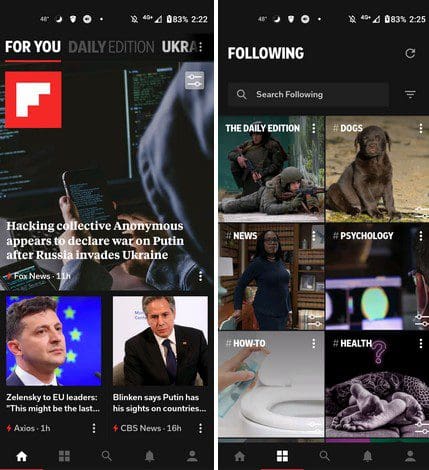
Flipboard is another popular news source to stay updated on what’s going on. The app is divided into 5 tabs:
- The home tab will give the news you’re looking for. Swipe up, and you’ll flip to the next news piece. Under each story, you’ll see options to share, save, and like the story. You’ll also see three dots with options to show less of that story, mute, view the web, copy the link, save the image to the device, and report.
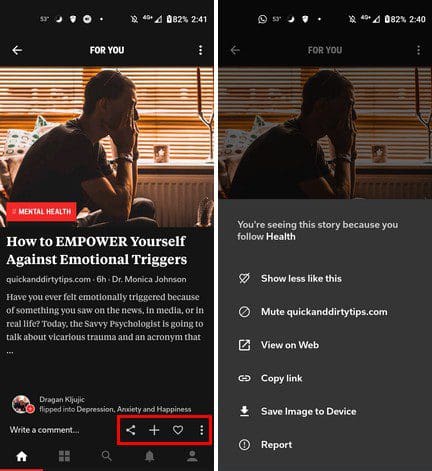
- The four square tabs will show you the topics you’re following. At the top, you can search the topics you’re following.
- The search option lets you explore Flipboard for additional stories.
- Then you have the notifications tab.
- In the end, you have the profile tab, where you can see the number of flips, likes, and magazines. You’ll see to sign in or create an account to use this tab. But, if all you want to do is browse, there is no need to sign up.
3. Opera News
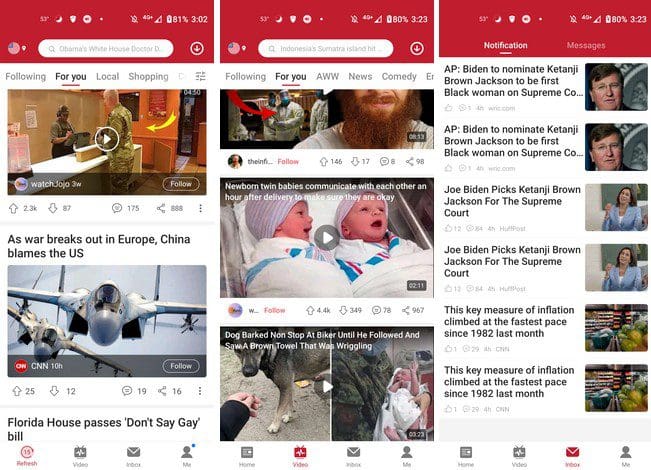
Opera News gives you news stories to read and provides news videos. For those times when you want to know what’s going on, but you don’t feel like reading. When you set up the app, it’ll ask you for your zip code so it can provide local news as well as international.
It also has a search bar at the top, just in case you’re looking for something in particular. If the app has news for you to see, it’ll turn into the refresh button. Tap on it, and you’ll get the latest stories.
4. Dailyhunt News
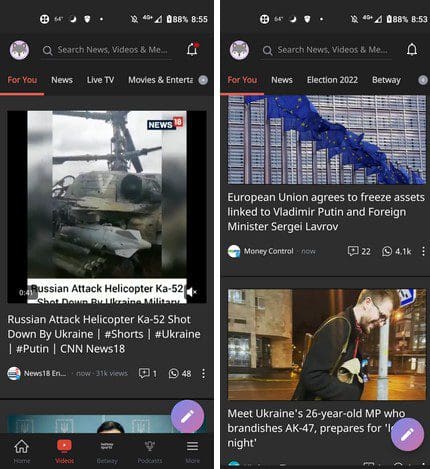
When you first open Dailyhunt, the app gives you a tour of how to use the app. At the top of the app, you’ll see the different topics you can choose from. Simply swipe left to see more options. This app also gives you the option to watch the news in videos, and there is also a tab to listen to podcasts.
5. CNN
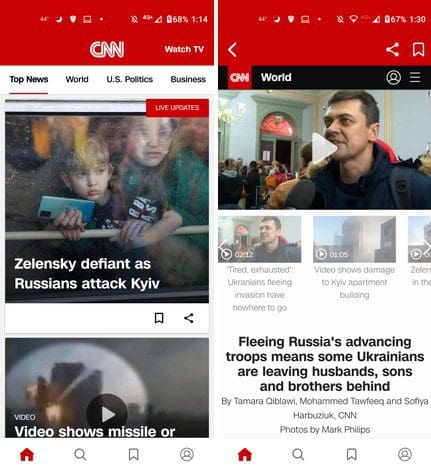
One of many trusted news sources is CNN. This app keeps things simple when it comes to delivering the news. When you first set up the app, it asks you what topics you want to receive news about. When you get to the main page, that’s exactly what you’ll see. At the bottom, you’ll see the bookmark tab, where you can find your saved news articles or videos.
Conclusion
Let us know your thoughts in the comment section below.
Check out other publications to gain access to more digital resources if you are just starting out with Flux Resource.
Also contact us today to optimize your business(s)/Brand(s) for Search Engines