
If you’re a writer, sometimes you just have to accept that sometimes the best ideas can come anywhere, and at any time. That’s why it’s great to have mobile apps on your phone that can help you write down those ideas, or even give you something completely new.
Here are some of our favorite apps for writers for Android:
Table of Contents
Best Apps For Writers Android

Writers come in all shapes and sizes. Some write novels, others do technical writing, and people like me write blog posts. There are also poets, screenwriters, satirists, lyricists, playwrights, librettists, and speechwriters. The funny thing is that we all use more or less the same tools. There are those who prefer something like typewriters over digital word processors, but it’s nice to have those tools on your mobile phone in case inspiration strikes and you want to write it down. By the by, most of these work best with a Bluetooth keyboard rather than a software keyboard. Here are the best writing apps for Android!Find the best new appsJoin thousands of readers to get a weekly digest of the best apps!Subscribe
By signing up, you agree to our Privacy Policy and European users agree to the data transfer policy.
- Character Story Planner 2
- Google Docs, Drive, Keep Notes
- Grammarly Keyboard
- JotterPad
- Markor
- Microsoft Word, OneDrive, OneNote
- Novelist
- Pure Writer
- Writer Plus
- Writer Tools
Character Story Planner 2
Price: Free (with ads)
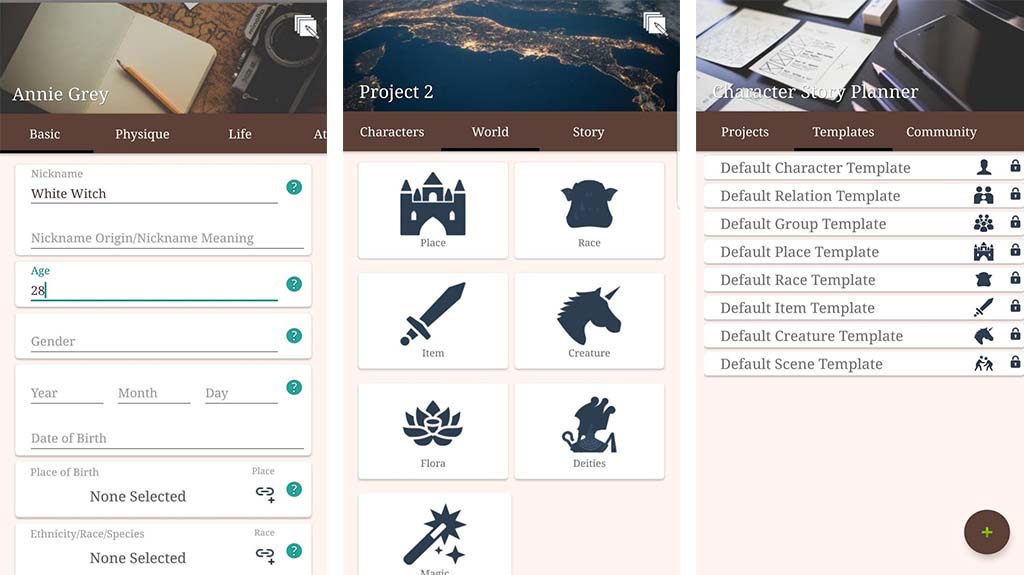
Character Story Planner 2 is actually an app for table top gaming. We’re talking about stuff like Dungeons and Dragons, Hackmaster, and similar types of games. However, this can be an excellent resource for novelists and short story writers. You can create characters with back stories, places, creatures, gods, magic, or whatever else you want. You can basically create an entire world with its own rules, characters, races, and places. In addition, the app includes a creation process for scenarios, story events, and other types of scenes. You can basically write a whole book here and then eventually just transpose it into a word processor later. The app is free with advertising so it’s good for writers on a budget too.
Google Docs, Drive, and Kee
Price: Free / $1.99-$199.99 per month
Google Drive is a fairly powerful online office suite. It has a word processor with Google Docs, cloud storage with Google Drive (or Google One), and a note taking app with Google Keep. This is an excellent set of apps for writers. Google Docs is big enough and powerful enough to house a novel, screenplay, etc. I personally use it for script writing for YouTube videos. Google Drive is a cloud storage platform so you can access your writing on a computer, phone, or any other device with an Internet connection. Finally, Google Keep is a decent, free note taking app where you can house ideas and snippets. It all integrates into Google Drive. All of the apps are free and you get 15GB of free Google Drive space. The subscription costs are in case you need more space.
Grammarly Keyboard
Price: Free
Writing with a virtual keyboard is not the ideal way to write things. However, sometimes it’s unavoidable. Grammarly Keyboard is a decent keyboard app for writers. It does basic things like auto-correction for spelling errors. The app also helps with your grammar. It tells you when it spots a grammar issue and offers a correction. Now, in many cases, things are worded a specific way for a reason and some characters just talk with bad grammar. However, it’s still nice having a keyboard with capabilities like this. To be fair, though, we imagine most people are using a Bluetooth keyboard or a Chromebook for this so a keyboard might not be necessary.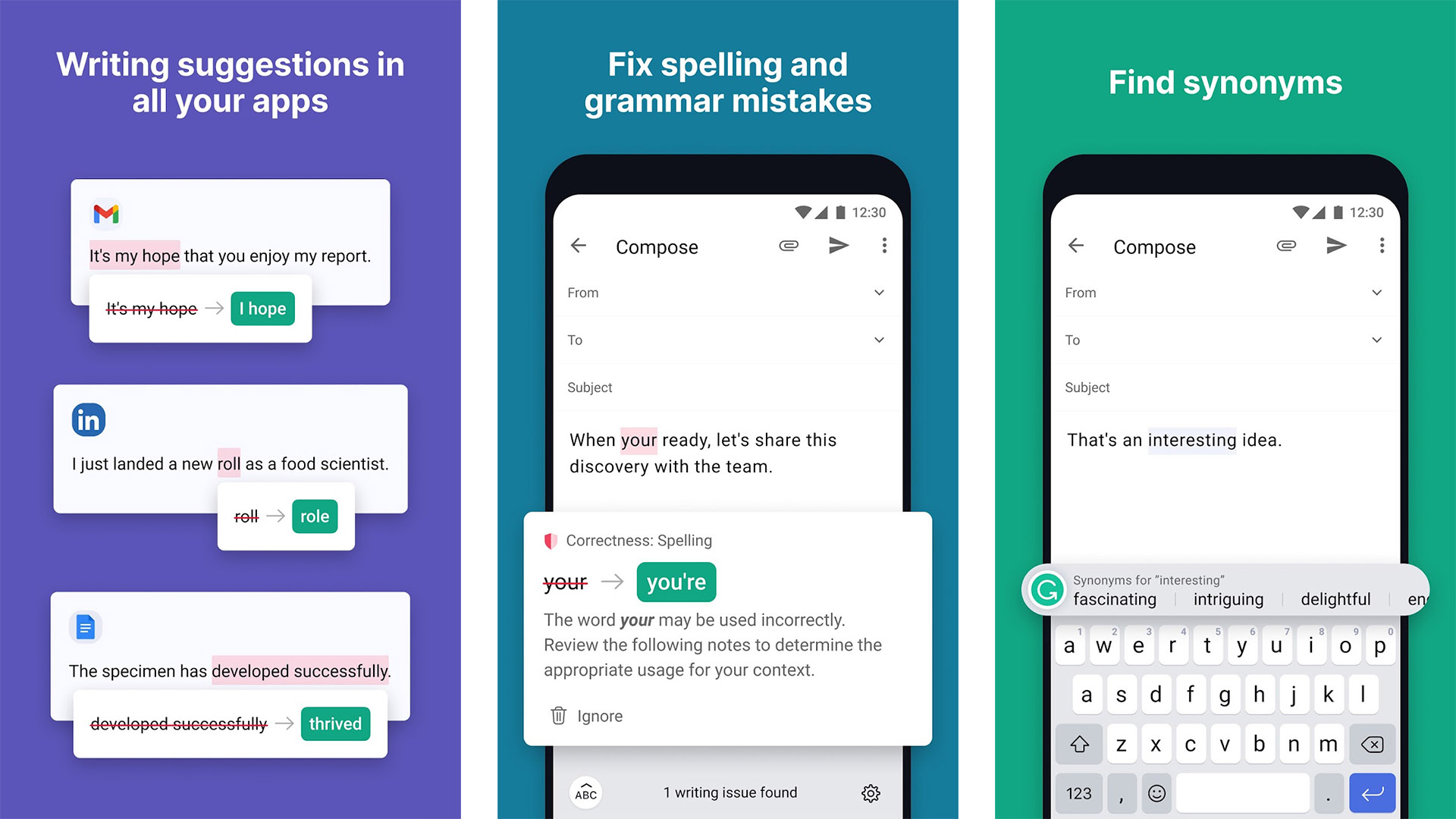 Joe Hindy / Android Authority
JotterPad
Price: Free / $5.99-$14.99 once / $0.99 per month
JotterPad is a writing app specifically for writers. It has a variety of features for things like novels, screenplays, and other similar types of writing work. The app also comes with a no-distraction mode to really get into the zone. Some other features include a dark mode, a word counter, Markdown support, typewriter style scrolling, and support for cloud storage. There is also split-screen support but only on tablets and Chromebooks. The free version comes with most of the features. A single $5.99 purchase adds some extra stuff while the $14.99 option unlocks everything. There is also a $0.99 per month option for cloud storage support. We’re not big fans of paying monthly for support to Google Drive’s free storage, but you can always skip that if you want to.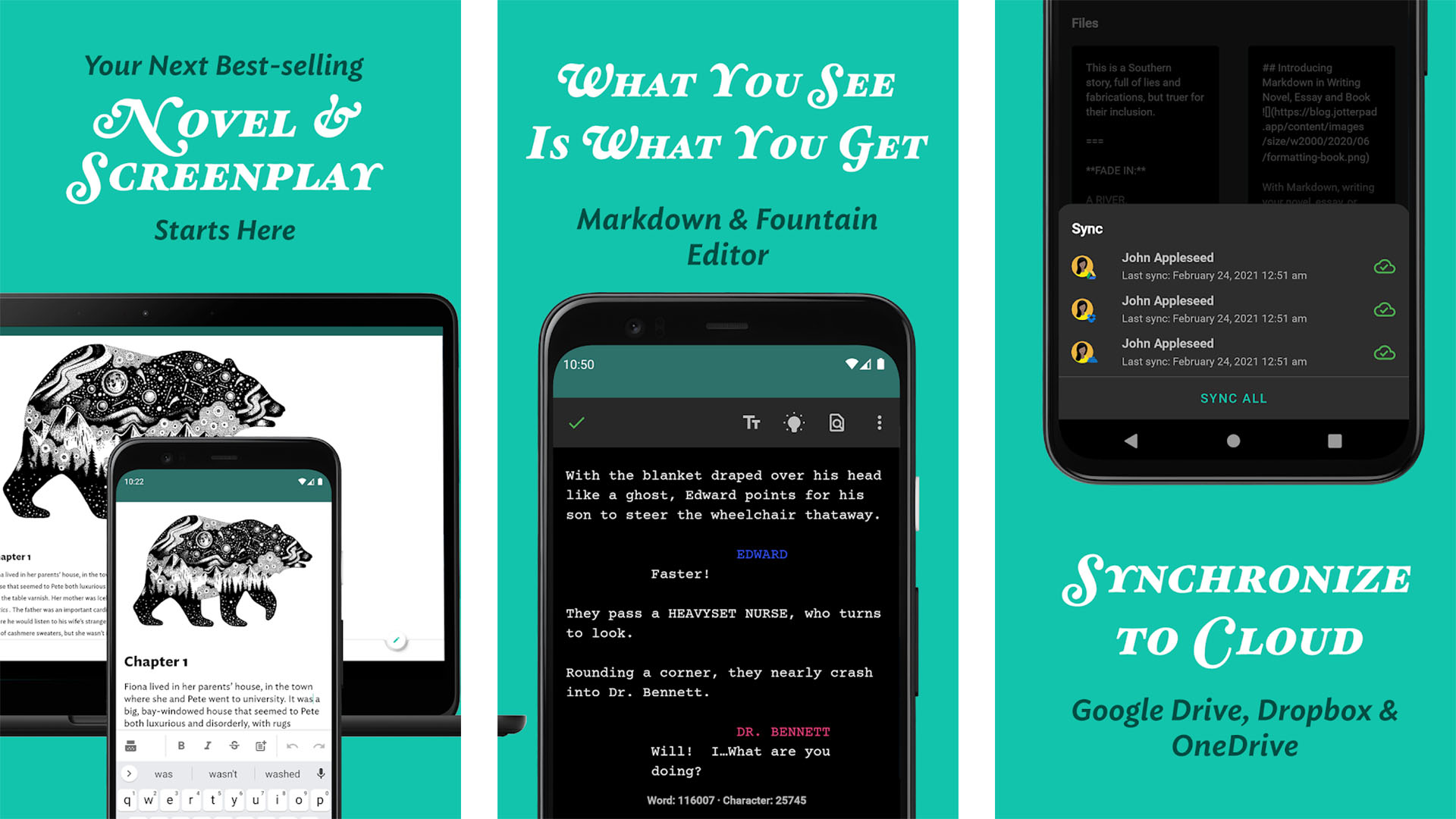 Joe Hindy / Android Authority
Markor
Price: Free
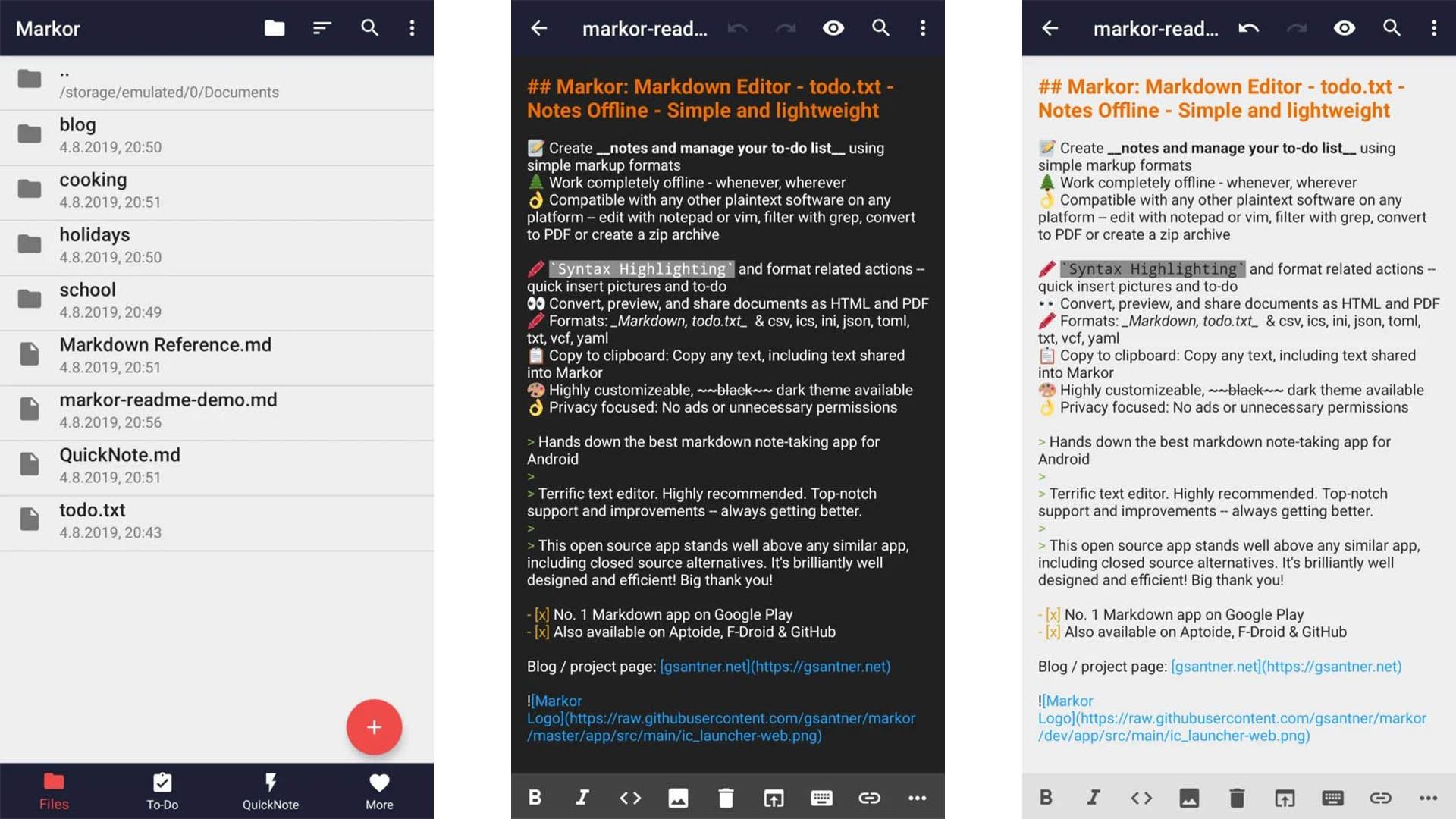
Markor is a simple, minimal writing app. It uses Markdown for its formatting, but it’s otherwise a simple editor. The app works as a basic writing app but also has features for taking notes, to-do lists, and more. You also get offline support, a convert-to-PDF reader function, and some other productivity things. It’s a perfectly serviceable writing app for a variety of applications and it’s also entirely free.
Microsoft Word, OneDrive, OneNote
Price: Free / $5.99-$7.99 per month / $119.99 once
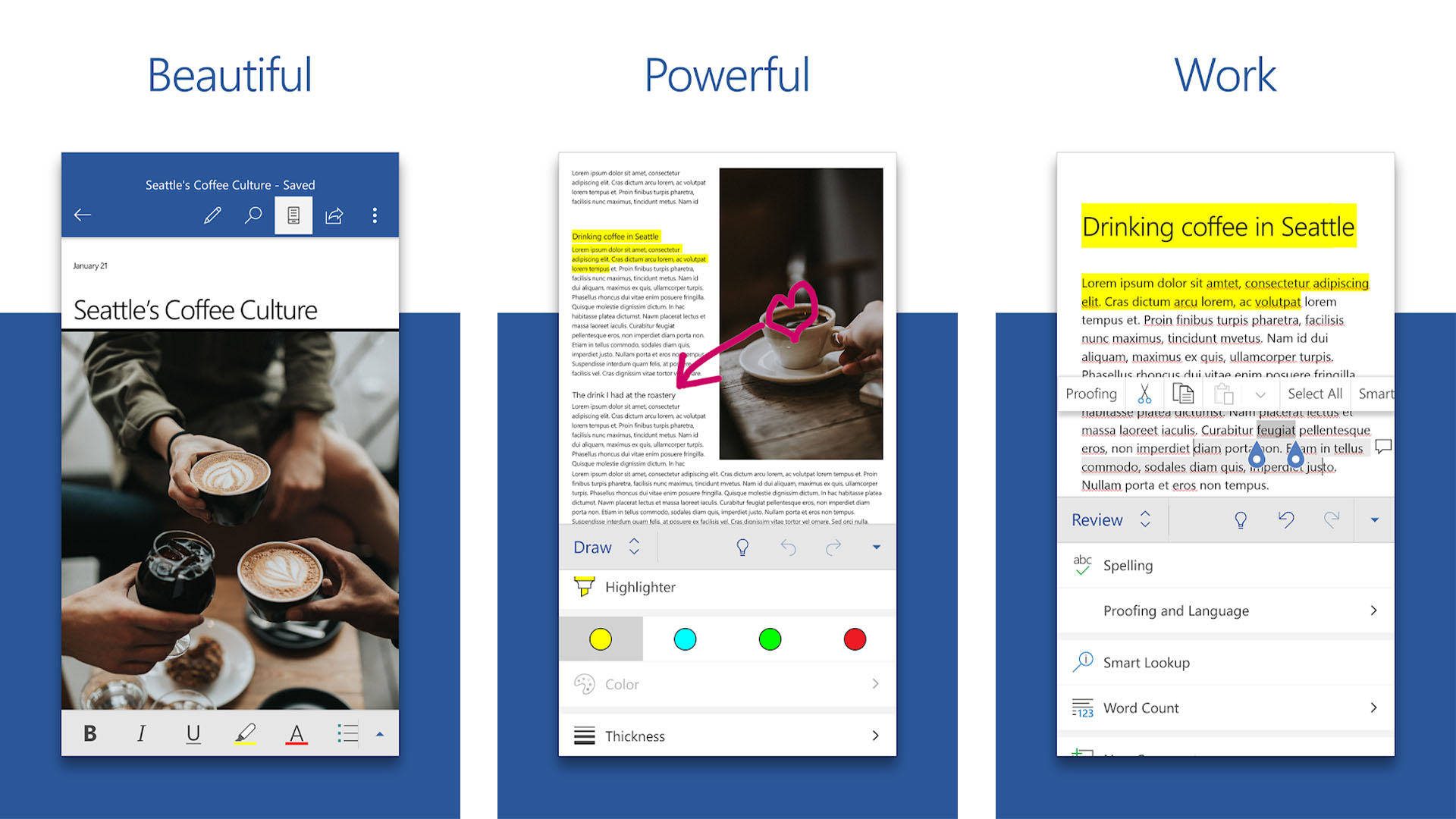
Microsoft Office works a lot like Google Drive. It’s a full office suite with accessibility between all of your devices. Everybody knows about Microsoft Word already. Microsoft OneDrive lets you sync your work between multiple devices and OneNote is a reasonably decent note-taking app. We like Microsoft Office a little more because it comes with native desktop apps for Windows. That’s a nice touch in case you want something on your computer with a little more horsepower. You do need an Office 365 subscription in order to get the desktop apps. The free version lets you use the web version of Word for free. We also appreciate that Microsoft lets you buy the whole Microsoft Office suite for a single $119.99 payment. They used to not do that.
Novelist
Price: Free
Novelist is a free writing app for, well, novelists. It has a variety of features specifically for plotting, writing, preparing, and exporting novels or short stories. That includes a timeline feature for all of the various big scenes in your story. In addition, the app features Google Drive support, multiple formatting options, a powerful book preview feature, and an above average text editor. You can get more features from something like Google Docs or Microsoft Word. However, this app is entirely free and the extra novel specific features make it worthy of consideration. We also like the Material Design UI if that helps.
offline writing app for android
Best Offline Writing App: Google Docs
Google Docs Offline Document
Google
Google Docs (Free) offers full online and offline functionality, and can automatically sync when an internet connection is reestablished. When it’s offline, you can still access saved documents and folders, edit and format documents, and access non-word-document files in Google Drive like your spreadsheets and slideshows.
Google Docs is a pleasure to use, with its streamlined interface, efficient file organization options, and minimalist approach. It has all of the standard document editing tools you’d expect a word processor to have, from italics to grammar suggestions to voice-typing support, plus it makes it easy to share and export your documents when you’re online.
How to Use Google Docs Offline
RELATED
How to Use Google Docs Offline
To enable Google Drive’s offline feature, you’ll need to set it up online first as the feature isn’t on by default. When you’re connected, install and turn on the Google Docs offline Chrome extension. Then, open settings in Google Drive and check the box to sync your documents so you can edit offline, select the documents you want to save offline, and turn on the “available offline” option. You can even preview your offline files by clicking the circled checkmark at the top right of the page, clicking “Ready for offline,” and then clicking “Offline preview.”
LEARN MORE AT GOOGLE
Best Premium Offline Writing App: Microsoft Word
Microsoft Word Document
Microsoft
Microsoft Word (starts at $69.99/yr) has long been the de facto word processor for students, office workers, and writers. Word is included with an annual Office 365 subscription, along with the rest of the Office Suite applications, like Excel, Outlook, PowerPoint, and OneNote. It works both online and offline automatically syncing upon reconnection with your Windows, macOS, Android, and iOS devices.
Word has an extremely powerful editing capacity and offers templates, along with grammar and stylistic suggestions to help you create great documents without stressing. It also enables you to collaborate with others in real time in a variety of languages, a feature that’s great for students or collaborative authors. You can even use your stylus to write or draw in your document if you have a compatible device.
If you’re working online, Microsoft Word’s AutoSave feature is always on regularly saving your work. However, if you work offline (or if your connection just drops for some reason), there’s no need to worry: simply keep typing and Word will automatically sync once you regain connection. Office 365’s only offline caveat is that you need to go online at least once every 30 days in order to maintain your subscription and application access.
LEARN MORE AT MICROSOFT
Best Chrome Extension Writing App: Writer
Writer Document
Writer
If you don’t need all the bells and whistles of a comprehensive word processor and you want a distraction-free writing environment, Writer (Free, subscriptions start at $5/mo) is a stellar option. Writer is a minimalistic writing tool in the form of a Chrome extension that works both online and offline. It automatically saves anything you write, gives you an unlimited number of documents (with unlimited word count), and keeps them organized with folders. And, because it’s a Chrome extension, you can use it on any computer.
In an effort to give you a distraction-free experience, Writer lets you go fullscreen, with no ads and no text editing (like bold or italicize options). You do have control over foreground and background colors, line spacing, typewriter sounds, and custom fonts, but everything else goes out the window so you can focus on your words and nothing but your words. Writer offers a real-time word count, thesaurus, and revision history for each of your documents. When your masterpiece is done, you can export it as text, a PDF, ePub, or save it to Google Docs, Dropbox, or Evernote.
LEARN MORE AT WRITER
Best Offline Writing App for Android: JotterPad
JotterPad Document
JotterPad
With JotterPad (Free, subscriptions start at $29.99/yr), you can write distraction-free anywhere your Android phone goes. The plain text writing app is great for any type of writing, though it is specially designed for creative writing like screenplays and novels. It’s easy enough to use JotterPad when you’re offline: simply create a new document (or open an existing one), type your words, and JotterPad will automatically synchronize them when your connection is restored.
JotterPad gives you access to standard word processor functions like text styling, markdown, a thesaurus and dictionary, undo/redo, and custom fonts. You can customize your writing experience with a dark theme, large document support, Bluetooth keyboard connectivity, document versioning, and your choice between local and cloud storage. You can also export your files as PDF, HTML, DOCX, and RTF to unlimited cloud accounts.
Get it on Google Play
Best Offline Writing App for iOS: Notability
Notability Document
Notability
If you prefer to write on your Apple devices, you totally can with Notability ($8.99). The app is primarily designed as a note-taking app, but this design also makes it a powerhouse for writing longer-form documents like novels or screenplays, as it supports both keyboard typing and stylus writing (and impressive handwriting to text conversion if you don’t have great handwriting). You can also record audio notes with the app, which is handy if you have an idea for your story and don’t feel like writing it down at the moment.
Notability has iCloud support and works on iOS as well as macOS. When you’re offline, Notability stores your files locally on your device. And, once you get connected again, you can choose to either keep your files on your device or move them to your preferred cloud service.
Conclusion
Let us know your thoughts in the comment section below.
Check out other publications to gain access to more digital resources if you are just starting out with Flux Resource.
Also contact us today to optimize your business(s)/Brand(s) for Search Engines