
The iPhone XS Max is one of the most powerful phones ever made. It’s also one of the most expensive. If you’re lucky enough to own this phone, you’ll want to give it the best apps possible. That’s why we’ve curated this list of the best apps for your iPhone XS Max!
Table of Contents
Best Apps For Xs Max
1. 1Password
This is one of the best apps to be used as a password manager in the iPhone XS or iPhone XS Max. If you are keen to save the passwords, this is the most secure option and offers a variety of choices. For instance, you can choose to store the passwords in the cloud service of 1Password, in its local vault or in the Dropbox.
Download 1Password
2. Slor
If you are looking for an app to edit the blurs, this is it. Not only is it easy to use, but the effects are long-lasting. This app allows you to tap on any part of the photo on which you need to focus and works on those photographs you have already taken. The little yellow box that appears on the screen needs to slide and focus on the point.

Download Slor
3. Oh She Glows
When you download this app, you will come across more than ninety recipes that are plant-based. These recipes not only look attractive but are healthy as well. You can get step-wise instructions of every dish you want to prepare, the nutritional information about the dish, tips and tricks for preparation and a description of the dish.
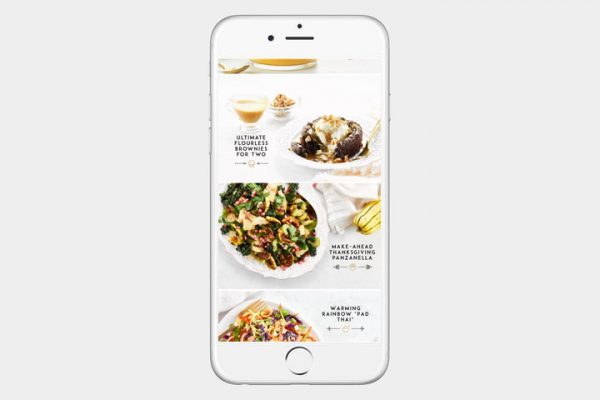
Download Oh She Glows
4. VSCO
This is one of the best third-party camera apps to be used in the phone. While accessing all the image controls such as focus, exposure, and brightness, you can shoot images in RAW. One of the reasons this app stands out from the rest is the use of filters. All you need to do is to pick up a preset and edit the images you have shot.
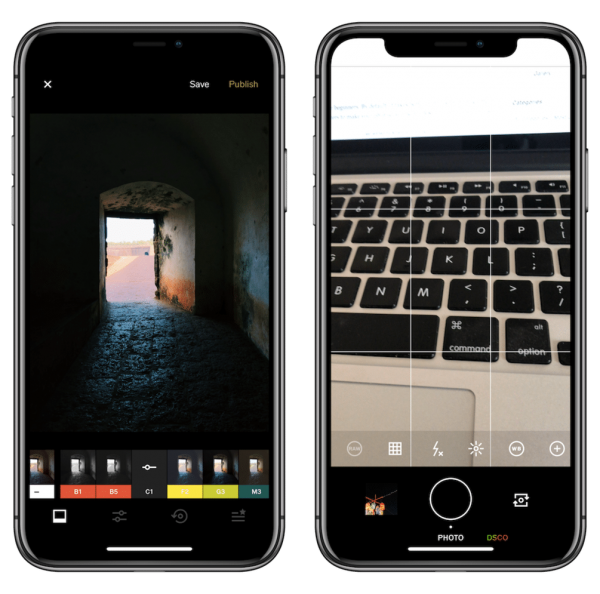
Download VSCO
5. MyFitnessPal
When you look forward to making changes in your fitness routine, you must download this app. It allows users to take pictures of different bar-codes to note the information about the nutritional content of the food. You can reach the aim of the desired weight with the help of this app.
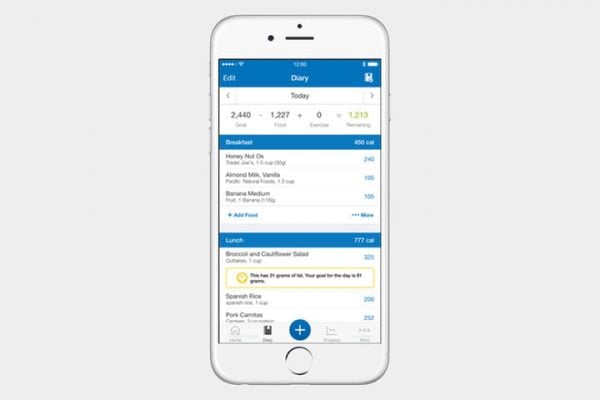
Download MyFitnessPal
6. Darkroom and Halide
Darkroom is an app that allows the users to make edits in the photographs in depth. You will come across a tool in this app that lets you adjust the blurring effect and the blur slider works just as you would expect it to do. You can make slight changes in the depth map of the photo with the help of the twin knobs of the slider. For those who need to include the foreground of the blur can use the slider as well. The depth map, on the other hand, applies varied effects on the foreground and background.
Halide is another camera app that can shoot RAW images and also capture clicks in the Portrait Mode. With the Portrait Mode in Halide, you can get improved images than the built-in mode of the device. It does not compel you to re-frame the clicks in order to initiate the 3D effect. You have to decide the frame and shoot to enhance the depth effect in the photographs.
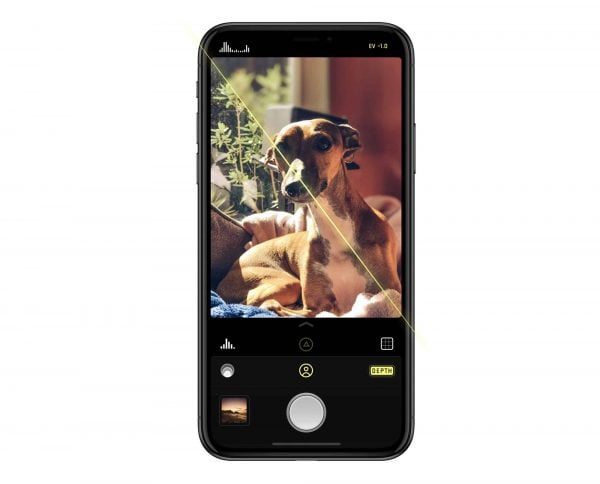
Download Darkroom
7. Overcast
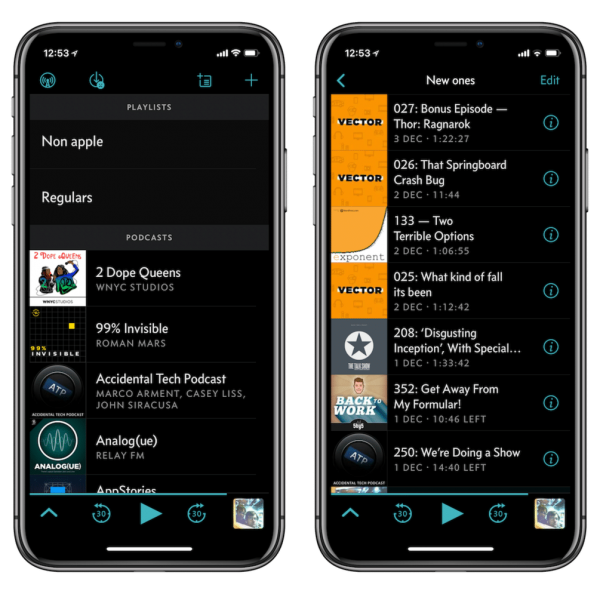
With the help of this free podcast app, you can utilize some of its best features such as Volume Boost and the Smart Speed along with a vivid interface. The Smart Playlist feature of this app is filled with features you will enjoy.
Download Overcast
8. Xbox
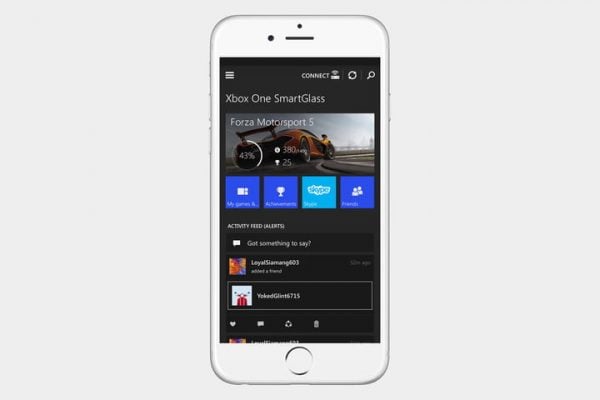
The mobile companion app from Microsoft especially designed for Xbox One helps the users to navigate the menus of Xbox using the smartphone. This app is compatible with the other complicated apps of Xbox such as messaging and achievements.
9. Houseparty
Apple has ripped off this feature allowing you to create rooms where your friends drop in every now and then.
Download Houseparty
10. Depth cam
It is similar to a visualization tool as you can play and view using the app seeing the shots in the 3D wire-frame or false color images. The images can be cropped or rotated while keeping the depth data intact, saving the data, and inverting the depth. The inverted maps are stunning as you can return to the Photos app to blur the images again but the only different is that it will create the blurring effect on the foreground, and not on the background. Precisely, it is worth looking at the images.
best iphone apps free
1. AllTrails
AllTrails is a handy guide for adventurers looking for running, hiking, and biking trails. It offers details about the trails — more than 100,000 all over the world! — including difficulty level, elevation, and length, according to Redditor Wookiepuke. App users can also post pictures of trails and leave comments and reviews for other users. And, yes, it tells you if the trails are dog or kid-friendly, too.

AllTrails Credit: App Store
2. Khan Academy
Khan Academy is a nonprofit organization that provides free online educational tools to help students learn. Being a “student” doesn’t mean you have to be in school, however. In this case, being a student just means you have something you’d like to learn more about. The app, suggested by Redditor Colgate_and_OJ, has information and learning tools on a variety of subjects, from art history to astronomy, at multiple learning levels.

Khan Academy Credit: App Store
3. Mealime
Mealime is a recipe app that, as Redditor theblartist states in their post, lets the user enter information about their tastes and diet goals before recommending recipes that correspond to said information. Thanks to its ability to streamline recipes to a user’s preferences, the app should save plenty of time on deciding what to eat.

Mealime Credit: App Store
4. Tunity
How many times have you been trying to watch something on TV but the sound is either muted, or background noise makes it impossible to hear? Tunity allows users to simply scan the TV screen, and the app streams the TV audio straight to your device so you can listen with headphones. Redditor mike-mag adds that it’s ideal in loud, crowded bars where maybe instead of chatting it up with the guy next to you who won’t stop talking, you’re actually trying to watch the game.

Tunity Credit: App Store
5. Libby
Libby, recommended by Redditor awkwardlyonfire, essentially functions as an e-library. As long as you have a library card, you can access and borrow your library’s collection of ebooks and audio books for free. The app allows you to link your library card and then browse your local library’s collection. Simply download a book if you want to read it. All of your “loans” are automatically returned on their due dates. No late fees! It’s the library without having to actually get up and go there. Perfect for global-pandemic-like conditions.

Libby Credit: App Store
Conclusion
Let us know your thoughts in the comment section below.
Check out other publications to gain access to more digital resources if you are just starting out with Flux Resource.
Also contact us today to optimize your business(s)/Brand(s) for Search Engines