
YouTube is one of the most popular sites in the world, and with good reason. It’s a great place to look up music videos, video game walkthroughs, and even tutorials for things like knitting and gardening, or just about anything else you can think of! But did you know there are apps that can make watching YouTube videos even easier? Here are some of the best YouTube video apps for your phone.
Table of Contents
Best Apps For Youtube Videos
1. FilmoraGo
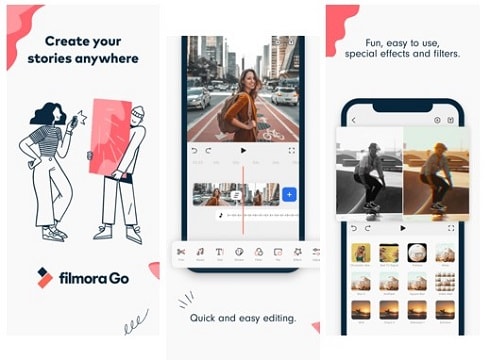
FilmoraGo, the app for everyone! Many people of all ages use this video editing app to create their own stories with effects and titles. FilmoraGo allows you to record videos in 120fps, which is perfect for the best slow-motion video. This app will enable you to choose from their songs or add your music if you like! Furthermore, it has unlimited themes, effects, transitions, filters, and much more! You will fall in love with FilmoraGo the moment you try it.
Download FilmoraGo on iOS >>
Price: Free with in-app purchases
Ratings: 9/10
Supported Operating System: iOS
2. KineMaster – Android
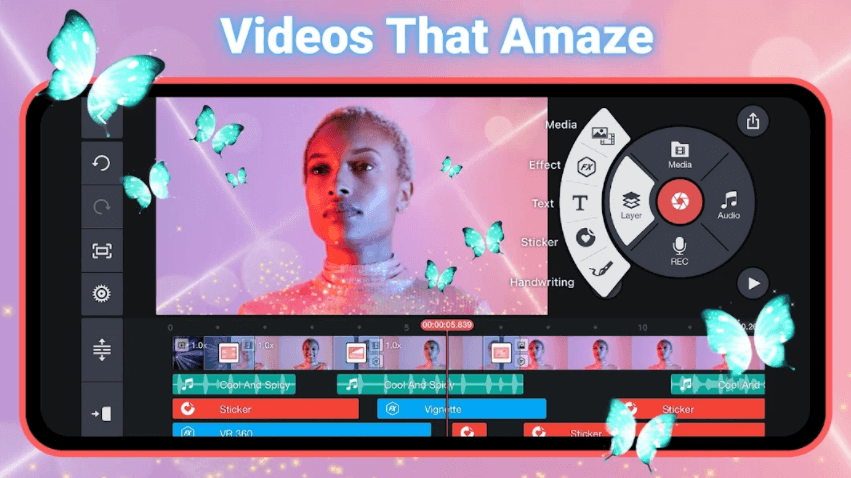
KineMaster is a video editor for Android that lets you use the latest hardware to create professional films. You can do this by using multiple layers and animations and adding music from your music library. KineMaster also offers many stabilization tools to help you edit your films without a hitch. KineMaster looks like a simple video editor, but it has powerful features.
Download VivaVideo >>
Price: Free or $39
Ratings: 9.5/10
Supported Operating System: iOS & Android
3. VideoShow – iOS/Android
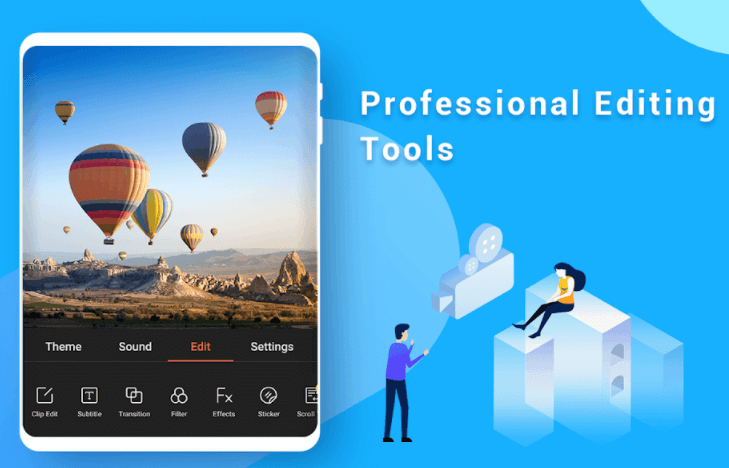
This app is available for iOS and Android devices, and it’s effortless to use for editing your videos. It lets you add titles to your clips, so you don’t necessarily need an additional movie title maker app when using this one. It has all the basic features like trimming, adding music, and it also lets you share your video content online via social media or email.
Download Magisto >>
Price: Free with In-App Purchases
Ratings: 7/10
Supported Operating System: iOS, Android and Web Browser
4. Quik by GoPro – Android
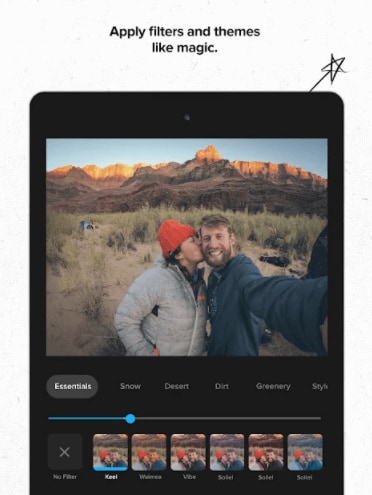
Quik is an easy-to-use editing app that does not require prior video editing knowledge. It helps you create short clips from your GoPro videos, and you can even use music tracks you have already downloaded on your phone. In addition to short video creation, you can upload videos to YouTube, Instagram, Facebook, and other social media platforms. You can add background music; customize video filters, and much more!
Download iMovie >>
Price: Free
Ratings: 8/10
Supported Operating System: iOS and Mac OS X
5. Magisto Video Editor & Maker – iOS/Android
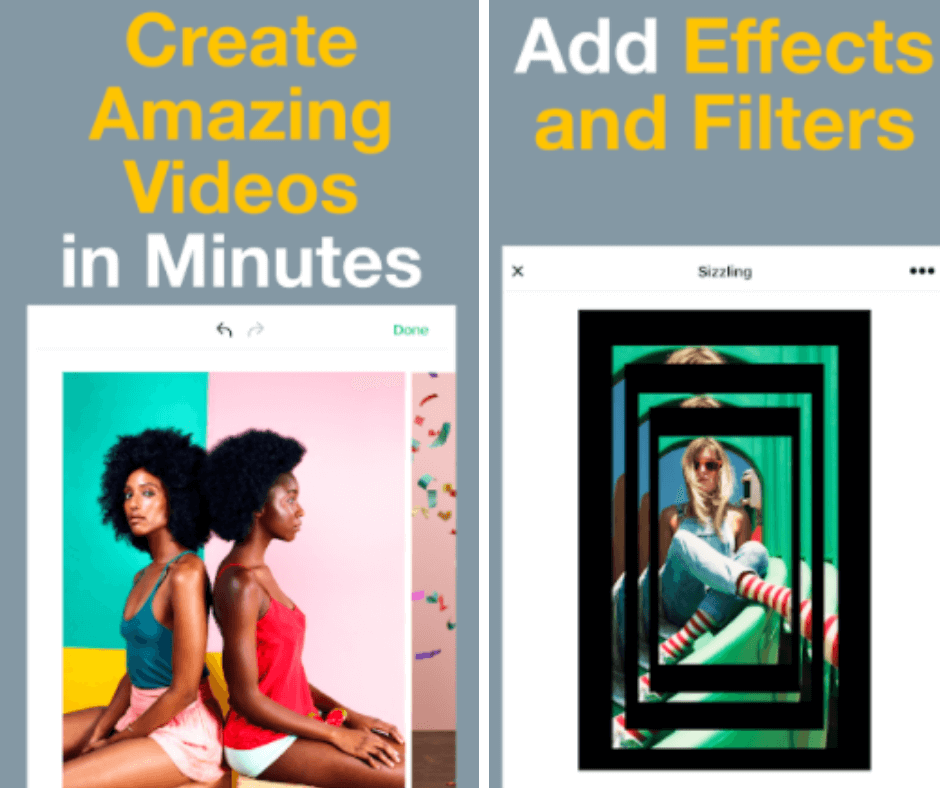
Magisto is an excellent video editor that helps you create high-quality videos. It allows you to add background music and special effects and includes many audio tracks and text templates for making personalized slideshows and movies. The free version provides many features, including making short clips from long videos, adding filters, different colors, etc.!
Download KineMaster >>
Price: Free or $39
Ratings: 9.5/10
Supported Operating System: Android
6. PowerDirector – Android
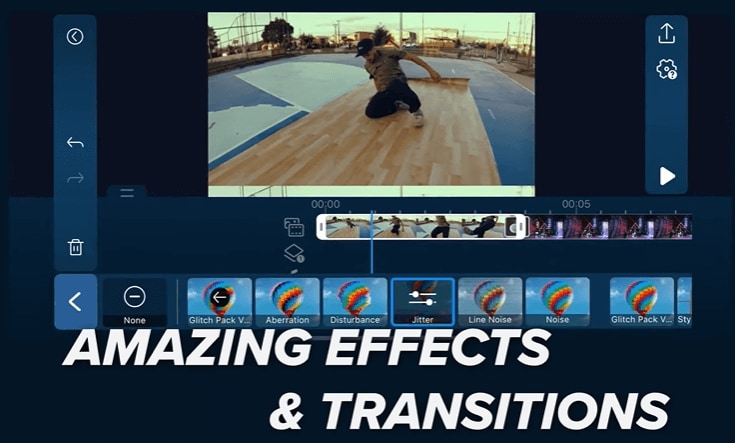
PowerDirector helps you create stunning videos using your phone’s camera by trimming clips, adding background music and special effects, and cropping videos. You can even create picture-in-picture effects, split video into 2 or 4 parts, and add multiple background music tracks to create professional-looking slideshows and movies. The app also has some advanced editing tools to help you fine-tune your creations.
Price: Free with in-app purchases
Ratings: 8/10
Supported Operating System: iOS and Mac OS X
7. Splice – iOS/Android
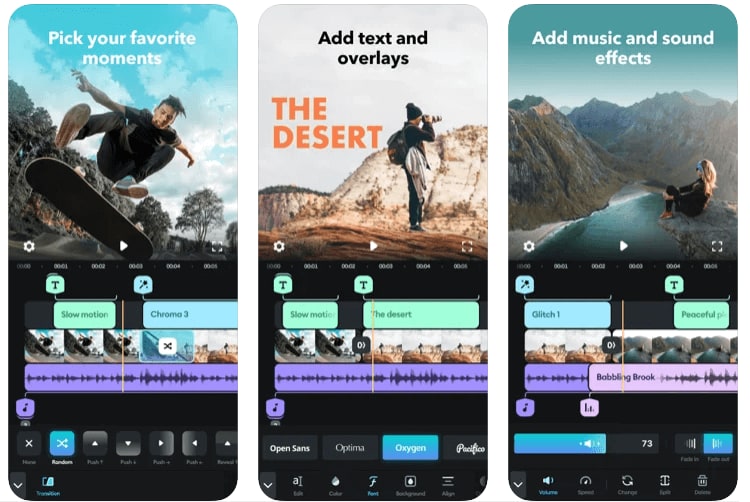
Users can edit videos on iOS and Android devices using the highly-rated platform. It is a great way to get started editing videos on mobile devices. Splice’s extensive free music and sound effects library will add a touch of style to your video. Additionally, Splice lets you add transitions, apply video effects, and share directly to social media. You’ll find many more features in it as well; be sure to check it out!
Download WeVideo >>
Price: Free with in-app purchases
Ratings: 9/10
Supported Operating System: iOS, Android and Online
8. Adobe Premiere Rush – iOS/Android
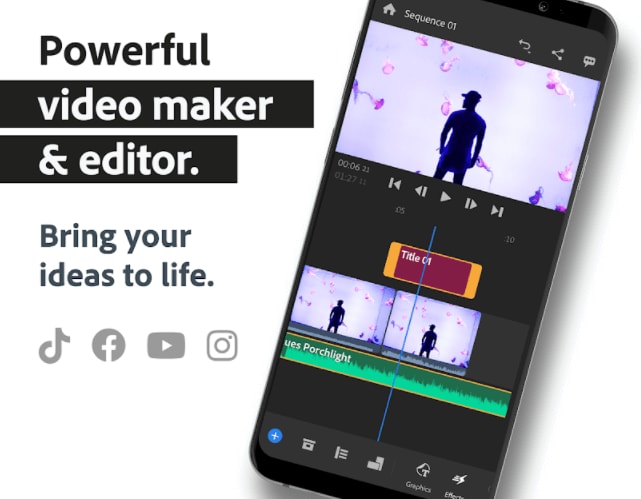
Adobe Premiere Rush is a perfect video editing app for those who want to create videos quickly without sacrificing quality. It has impressive features such as automatic video creation – users have to upload their videos and photos into the app, pick a template they like, and start editing. The users can customize the template to match their style and brand with Photoshop or Illustrator files with just a few steps. It also includes stunning filters and music.
Download Clips >>
Price: Free with in-app purchases
Ratings: 8/10
Supported Operating System: iOS and Web service
9. Final Cut Pro – iOS
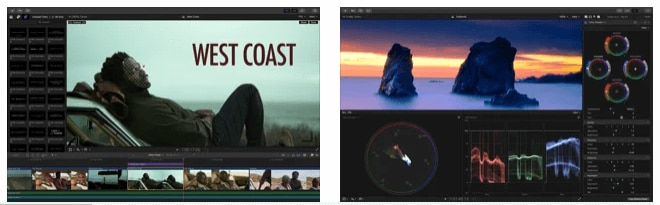
Mac users are familiar with Final Cut Pro, video editing software. Few people are aware that final cut pro is an iOS app, which is great for iPhone filmmakers who want to add effects to complex projects. The app has an intuitive interface. With the fantastic features of Final Cut Pro, any imagined video can become a reality. You can add color grading, background music, filters, effects, and more!
Download Splice >>
Price: Free with in-app purchases
Ratings: 7/10
Supported Operating System: iOS
10. iMovie – iOS/Android
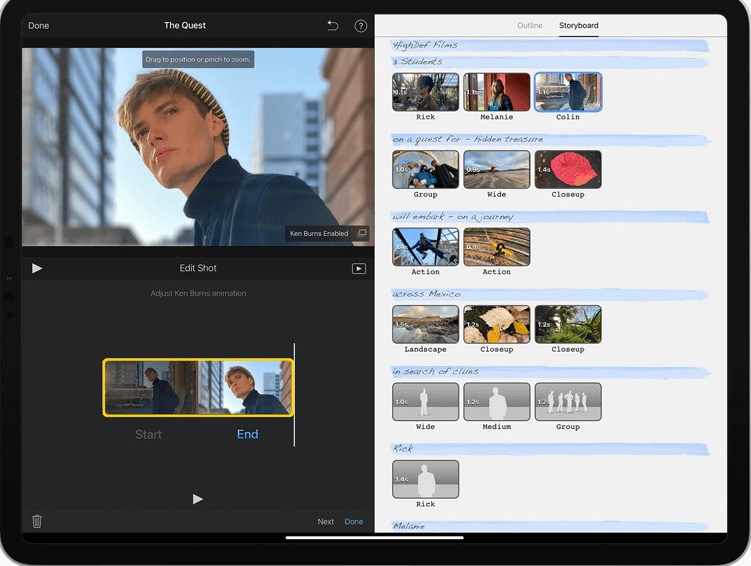
iMovie gives users the chance to edit videos directly from their iPhone or iPad. It includes all sorts of tools that let you cut, fade in and out of video clips, and add music from your iTunes library and a lot more. Both iOS and Android devices can use this app, but the Android experience is quite different. Unlike the Android version, which lacks features such as Multi-cam editing, the iOS version is loaded with excellent features!
Download YouTube Video Editor >>
Price: Free
Ratings: 6/10
Supported Operating System: iOS and Android
best video editing software for youtube beginners
- Shortcut
It is an excellent free video editing software that can work on Windows, OS X, and Linux. The shortcut has the same principle of work as its expensive analogs – you place video and audio fragments on the timeline and apply effects and captions. Then you can convert the result in a video file.
1-shotcut
First, they designed this app for Linux users, and only after a few years of work decided to create versions for Mac and PC users. That’s why the Shortcut interface is a little bit strange. They have many intuitive features, such as dragging a file to import them into your project.
Pros:
Customizable menu;
A wide selection of modifying options and filters;
Mobility of tasks, for example, return to any stage of editing;
Automation of all work processes for user requests;
Configuration on multiple monitors.
Cons:
It is not possible to preview filters.Fotor Design CTA
- Adobe Premiere Pro CC
It is a popular video editor, which can easily modify the video, adjust colors, and process audio. A unique set of features for video editing allows processing any type of multimedia content in the original format on desktop PCs and mobile devices.
2-adobe-premiere
This software can be used for iOS, macOS, and Windows. You can subscribe just to Premiere Pro or get it as part of the Adobe package. They offer 360 VR and 4K support that makes it a professional tool to edit any kind of video. It’s the most complete tool in this list for both experts and newbies.
Pros:
Plenty of customizable features, options, and plugins;
Very convenient user interface;
Ability to export a finished project in any of the existing formats;
Integration with other Adobe products.
Cons:
Adding and editing titles is rather tricky;
The very high cost of an official license.Fotor Design CTA
- Apple iMovie
If you are looking for elegance and simplicity, iMovie is the best choice for you. It is one of the most popular editors for Mac OS, iPhone, and iPad. It includes eight themes with music, transitions, and titles, ten video filters created by Apple, and a lot of different effects: image in the image, slow motion, split-screen, and fast forward.
3-apple-imovie
The application also has tools for creating soundtracks. One of the best features in iMovie is their ‘green screen’ That allows you to place your subject in any exotic location, let’s say Bali or Greenland.
Pros:
User-friendly interface;
A rich selection of tools for working with sound;
Theater mode for sharing video with various devices from Apple;
Support for working with 4K video.
Cons:
Not enough features for motion tracking and 360-degree video;Fotor Design CTA
- Lightworks
Lightworks is a free software option for video editing tools. The program works on Windows, Linux, and macOS. It is a perfect platform for camera operators, editors, sound engineers, bloggers. It can be used in advertising and for personal purposes, for creating home video archives and filling social networks.
4-lightworks
Lightworks is a perfect option for small or no-budget projects. You can import and render your footage on the background, drag editing windows around, and set custom keyboard shortcuts to simplify your working process.
Pros:
Cross-platform feature;
3D video processing;
Multichannel support;
The ability to edit and crop the timeline.
Cons:
Hard-to-understand editor management system.Fotor Design CTA
- Final Cut Pro X
Apple developed this video editor for their Mac OS. The interface is very similar to iMovie. It has a vast selection of effects: video, audio, transitions, title effects, and it is possible to add additional ones. It integrates uploads to YouTube, Facebook, and Vimeo, as well as a wide range of video output formats.
5-final-cut-pro
Final Cut Pro costs $300 that seems like a lot of money, but this software is packed with a lot of amazing features. You can add audio and title effect to your footage, use color-code for identification, group video, and another element so that you can move them together.
Pros:
High resolution of output projects;
The presence of libraries and the ability to create a keyboard collection;
The ability to preview a particular effect without applying it to a file;
Effects with scaling, without loss of image quality;
Format flexibility;
Cons:
It is costly.
Conclusion
Let us know your thoughts in the comment section below.
Check out other publications to gain access to more digital resources if you are just starting out with Flux Resource.
Also contact us today to optimize your business(s)/Brand(s) for Search Engines