
We are a passionate team of developers and designers who want to make the web a more accessible place.
Our vision is the same across the board. We believe in dark mode for all, and we’re dedicated to making it easier for everyone to enjoy.
We hope that our extension will help you find your perfect dark mode websites by letting you know where they are, or by offering a quick fix if they don’t have one.
Chrome Extension For Dark Theme
Here, we’ll show you how to get a full dark mode on Chrome even without switching on the Dark Theme option in your computer. For that, we’ll use some of the best dark mode extensions on the Chrome web store. We’ll also show you how to turn on the native dark mode option hidden within Google Chrome and tell you about the best dark themes you can use to dress up your browser in Gothic finery. So without further delay, let’s check out the 10 best dark mode extensions for Google Chrome you should use in 2022.
Table Of Contents
- Just Black
Just Black is not an extension, but a theme, which gives your entire browser a dark look, including the New Tab page, the top bar and more. It comes from the official Chrome team, which means it’s stable, reliable and without any bloat. This is the one to install if you want a no-nonsense dark theme on your Google Chrome. However, since it darkens the entire browser from head to toe, you may find it a bit overwhelming if you still want to retain a dash of color in your browser. It also doesn’t offer some of the more enhanced customization options offered by third-party themes.
{}
10 Best Dark Mode Extensions for Google Chrome You Should Use
Download: (Free)
- Dark Reader
Dark Reader is probably the most-used and best-known dark mode extension on both Chrome and Firefox. In fact, it is the one that I have used for long on Firefox, and it works impeccably on about 99% of the sites. It inverts bright colors on website, making them high contrast and easy to read at night. You can adjust brightness, contrast, sepia filter, dark mode, font settings and ignore-list. The best part? It is free and open-source software (FOSS) that doesn’t show ads and doesn’t collect user data.
10 Best Dark Mode Extensions for Google Chrome You Should Use
Download: (Free)
- Night Eye
Unlike Dark Reader, Night Eye enables dark mode using its proprietary algorithm, instead of inverting the colors. In addition to simply enabling dark mode, it also gives you a plethora of options to control the built-in dark themes on sites that have it. For example, you can control the built-in dark themes of YouTube, Reddit, Twitch, 9gag, DuckDuckGo and many others. For all other websites that don’t have built-in dark mode, Night Eye will convert the colors for a smooth and consistent dark theme.
10 Best Dark Mode Extensions for Google Chrome You Should Use
Download: (Free)
- Dark Theme for Google Chrome
Like Just Black Dark Theme for Google Chrome is also a theme rather than an extension. It offers a simple, yet effective way to bring darkness to Google Chrome for enhanced productivity. It uses a background color that’s only 80% black instead of the dark black background on offer from Just Black. The developers say that the dark grey color makes it very convenient for reading during night without eye strain. It comes from the same developer that offers the next extension on our list.
10 Best Dark Mode Extensions for Google Chrome You Should Use
Download: (Free)
- Turn off the Lights
Offered by the same developer that brought you Dark Theme for Google Chrome, ‘Turn off the Lights’ is different from the other extensions and themes in this list. It’s meant for video-streaming sites, and focuses on the currently playing video while dimming the rest of the content to offer users a theatrical experience. You can use the dimming feature by clicking on a ‘lamp’ button that works as a toggle. Turn off the lights works for almost all known video sites such as YouTube, Vimeo, Dailymotion, Hulu, Metacafe, YouKu, etc. It can be used in conjunction with other dark mode extensions and themes as well.
10 Best Dark Mode Extensions for Google Chrome You Should Use
Download: (Free)
- Midnight Lizard
Like Dark Reader, Midnight Lizard is also an open-source project hosted on Github. However, it differentiates itself from others by offering not only a single dark theme, but a number of pre-defined and customizable greyscale and colorful color schemes. It is one of the best dark mode extensions for Google Chrome if you want granular controls for everything. You can set the same theme for all websites or different colors for different sites. It also lets you adjust the brightness, saturation, contrast and hues to improve readability. There’s also a blue light filter similar to smartphones, as well as the ability to change any particular color, configure background, text, buttons, links, borders, images and scrollbars.
10 Best Dark Mode Extensions for Google Chrome You Should Use
Download: (Free)
- Lunar Reader
Lunar Reader is yet another high-quality Chrome extension with a 4.7 rating on the Chrome web store. In addition to offering the standard dark theme for every website, it also allows to you customize your dark theme visual for brightness, contrast and saturation. There’s also a ‘Night Shift’ mode that can be auto-activated based on the time of day. Lunar Reader filters out the blue light and changes the website’s background color to warmer, making them much more soothing on the eye. It also supports keyboard shortcuts to quickly activate or deactivate the dark theme and night shift options.
10 Best Dark Mode Extensions for Google Chrome You Should Use
Download: (Free)
- Dark Night Mode
Dark Night Mode is another free and open source dark mode extension that does exactly what is promises. It uses what the developer claims is a ‘unique algorithm’ to apply dark mode to all the websites in real-time as you browse. It does so by detecting the color of each element of a website and converting it to a darker shade. Bright colors are darkened at more intensity than dark colors so that most of the colors are preserved. Unlike other similar extensions, Dark Night Mode does not invert the colors, so black websites will not change their color into white. An added benefit is that the images will also not be distorted.
Dark Night Mode
Download: (Free)
- Super Dark Mode
With more than 100,000 users, Super Dark Mode is a super popular dark mode extension for Google Chrome. It not only darkens websites to help relax your eyes, it also comes with a number of notable features, including automatic scheduling, site-based enabling/disabling, customized color schemes, options to reduce brightness/contrast and custom CSS. You can also add patterns of your choice to the dark backgrounds, making it one of the more unique and best dark mode extensions for Google Chrome.
Super Dark Mode
Download: (Free)
- Dark Mode
Last but definitely not the least, is the simplistically-named ‘Dark Mode’ that enables you to apply a global dark theme to websites. Like most of the other ones on our list, this extension also comes with a toolbar button that lets you easily and quickly turn the extension ON or OFF. In addition to the default dark mode, it also comes with over 50 different themes that can be enabled from the options page. There’s also a white-list feature which enables you to exclude a desired domain from dark mode. All in all, Dark Mode is right up there with the best dark mode extensions on Google Chrome.
Dark Mode
Download: (Free)
How to Enable the ‘Hidden’ Dark Mode in Google Chrome
Google Chrome already contains a native dark mode, but it cannot be implemented from settings unlike most options. So here’s how you can turn on the native dark mode on Google Chrome in Windows PCs.
Open Chrome and type (or copy+paste) “chrome://flags” in the address bar and press ‘Enter’.
How to enable dark mode in Google Chrome
Now search for ‘dark mode’ in the flag search bar and find “Force Dark Mode for Web Contents”. Now, choose ‘Enabled’ from the drop-down menu, as seen below.
How to enable dark mode in Google Chrome
The Chrome flag trick works not only on Windows, but also on Android, Mac and Linux, so you can use this method to implement dark mode natively on Google Chrome on your computer or smartphone, irrespective of your operating system.
Use Dark Mode on Google Chrome For a Great Browsing Experience
So now you know how to implement full dark mode on Google Chrome via extensions, themes and flags. While all of them have their own uses and their own ways of doing things, they all get the job done. Some of the extensions mentioned here also offer more granular controls than others, which is something that advanced users will surely appreciate. So go ahead, try them out and let us know which one worked best for you.
best dark mode extension for chrome
Google Chrome officially supports the dark theme, but it works only in certain areas such as bookmarks bar, tabs, etc. The dark theme doesn’t apply to web pages where it is mostly required. That’s why we have compiled 6 best dark mode extensions for Chrome that enable dark theme on all the websites.
The web pages are mostly in white with black text. People who love dark mode don’t like that appearance. They prefer web pages with black as the background color with white text on them. Sadly, Chrome themes don’t let you do that. Hence, the reason to take the help of Chrome dark mode extensions.
We have handpicked the best 6 of the Chrome extensions to make the websites dark. All of them work well with images. They do not change the colors of the image. Let’s check them out.Note
1. DARK READER
One of the best and most used dark mode extensions for Chrome is the Dark Reader. That’s because it works across all types of websites such as social (Facebook, Instagram), Google products (Drive, Sheets, Docs), blogs, and more. You will feel the website itself offers a dark theme. It’s so natural.

Once the extension is installed, it will automatically apply the dark theme to the open tabs. The extension lets you customize the darkness besides offering you the ability to turn off the dark theme. You can adjust brightness and contrast. You can even enable sepia and dark grayscale. Further, you can even add websites to the whitelist and blacklist.

2. LUNA READER
Similar to Dark Reader, Luna Reader also applies the dark theme to all the websites — currently opened and new ones. While it also feels natural for most of the websites, you might see colors have changed for certain things, at some places.

Again, like Dark Reader, you can customize the brightness, contrast, and grayscale of the website. You can even enable night shift mode that adds a yellow effect to the websites. Other features include blacklist, whitelist, and scheduling of the dark mode.

3. MIDNIGHT LIZARD
If you are a newbie to the dark mode whose eyes are adjusting to the blackness of websites, you must try this extension. That’s because it offers the basic dark theme, and is also a home to many color schemes. You can choose any of them as per your needs. You can even customize the color schemes.
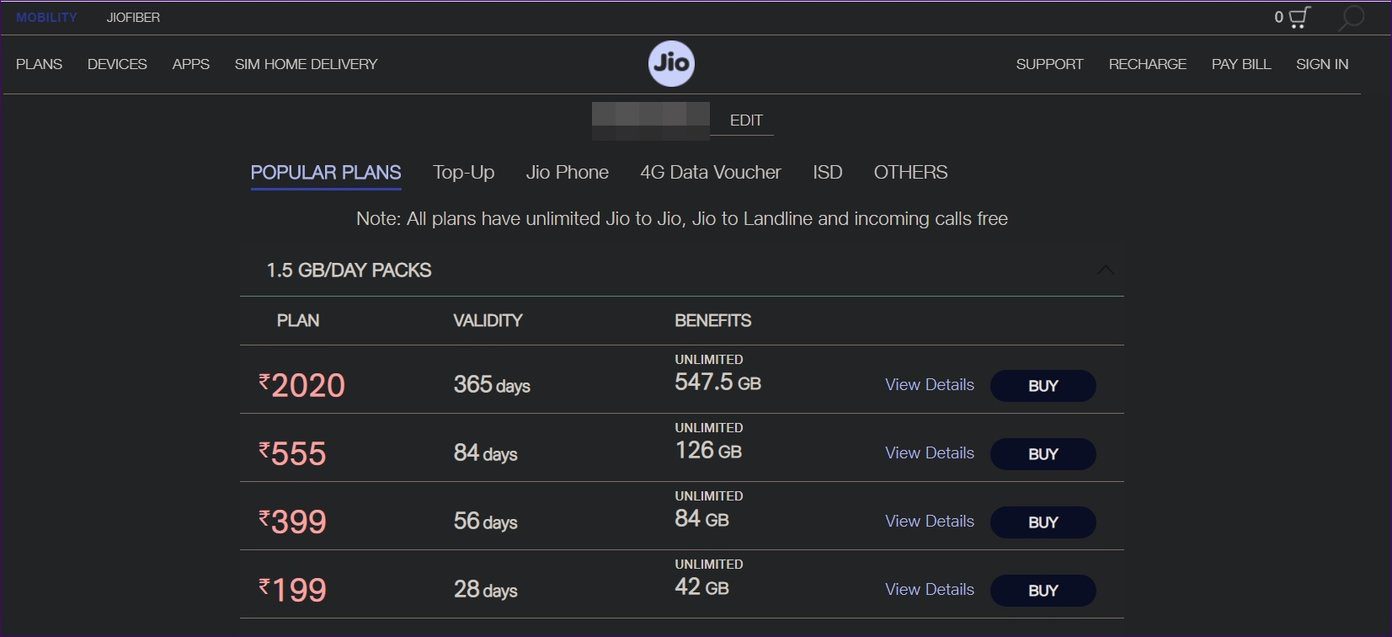
When it comes to customization, you can change the colors separately for background, text, links, borders, images, and more.

4. DARK MODE
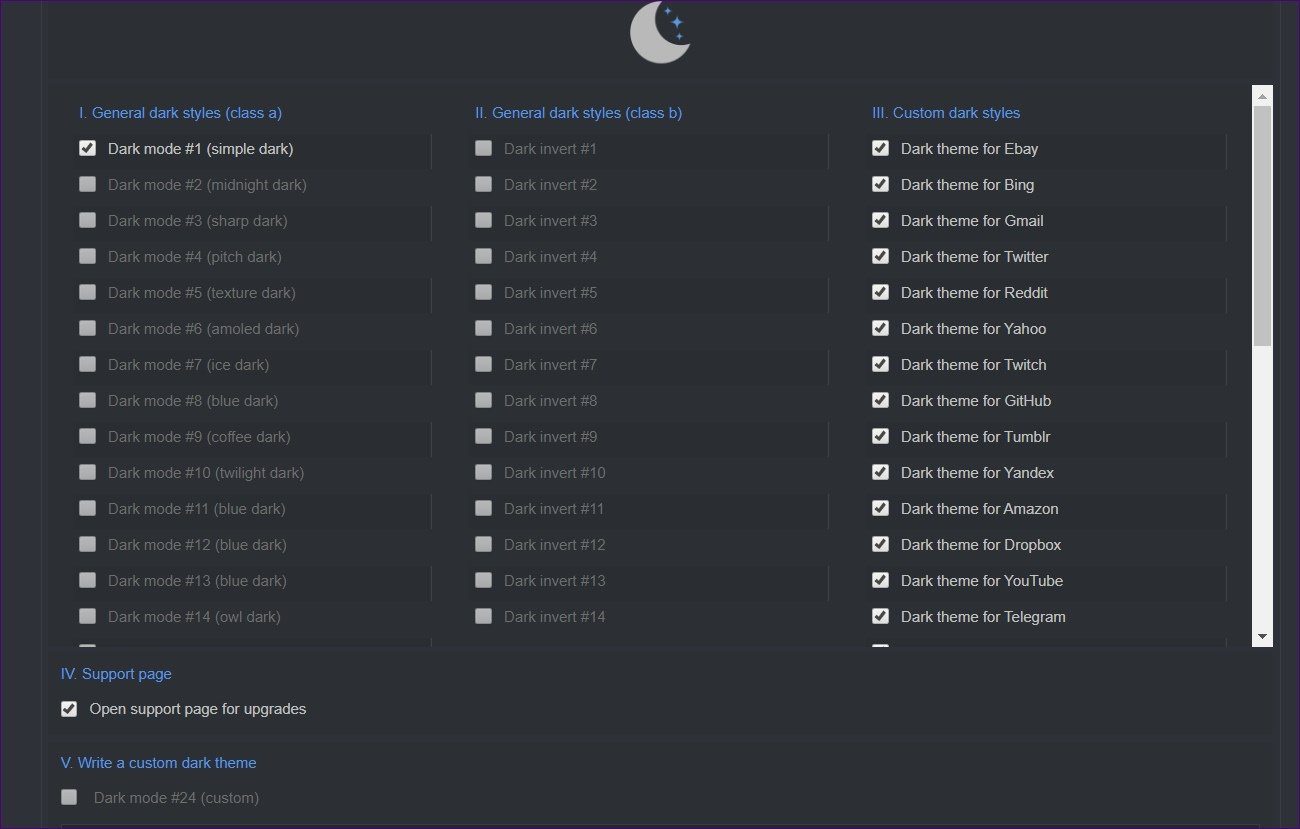
Another super cool extension that changes the background color of web pages to black is the Dark Mode. While the extension doesn’t let you manually customize the brightness or contrast, it offers other interesting features. Those include different dark styles, disable custom themes for selected sites, and whitelisting of sites.Tip

5. DARK NIGHT MODE
Unlike other extensions, it doesn’t offer many customizations. You can only adjust the brightness level in this extension.
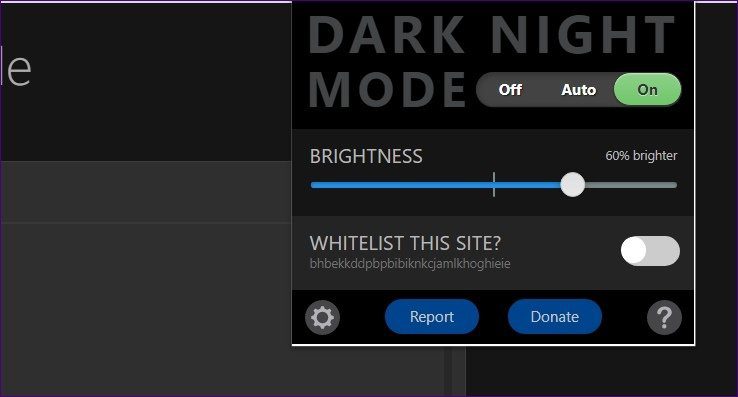
It offers auto-mode whose timings can be changed in the extension settings. You can even whitelist sites. Even though all the colors show up well, the dark mode might look unnatural at certain places.https://8c4cda66dae7e73af67554c2c63b43ab.safeframe.googlesyndication.com/safeframe/1-0-38/html/container.html

Download Dark Night Mode
6. TURN OFF THE LIGHTS
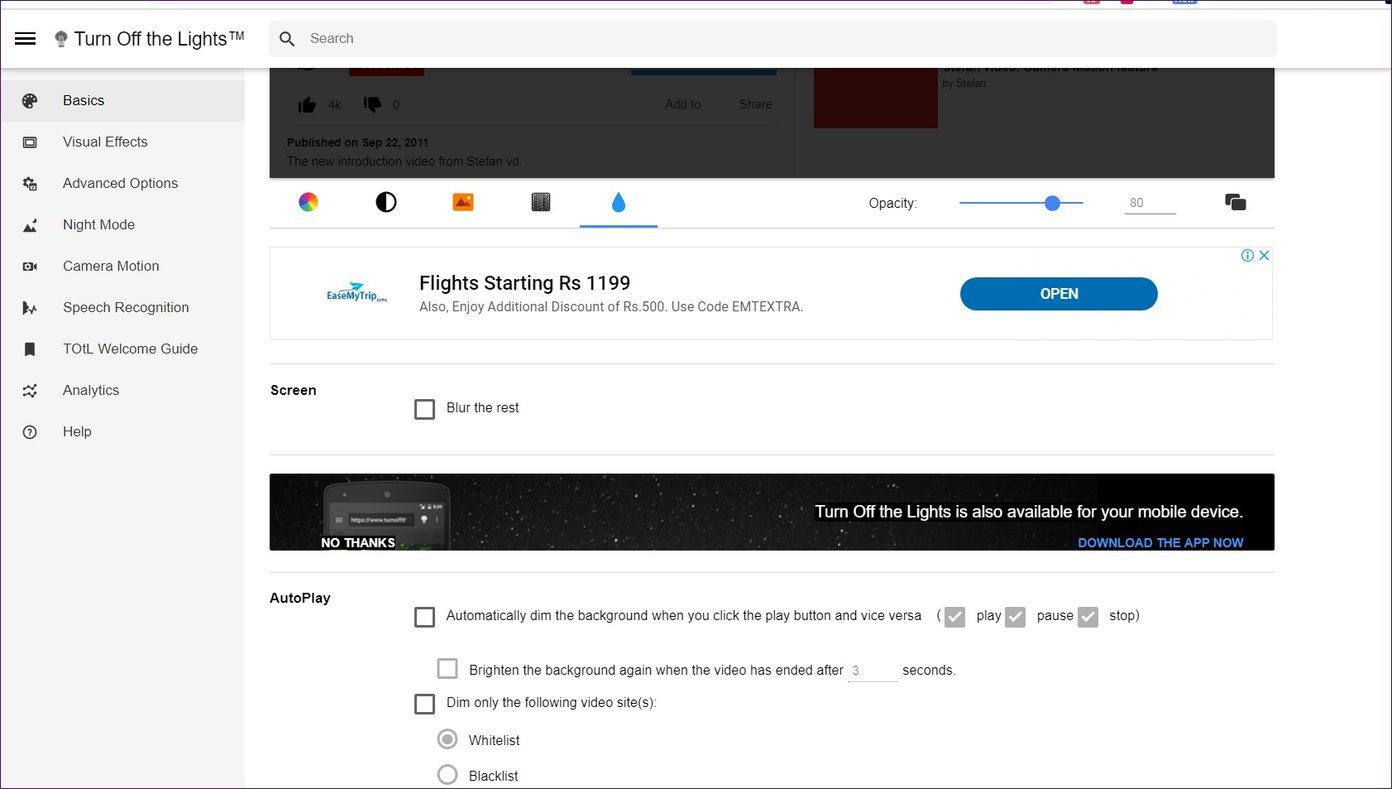
The extensions mentioned above work for web pages making the background dark. If you are looking for something related to videos only, then this dark mode extension might be a suitable choice.

It focuses on the currently playing video and dims the rest of the content. You can use it on popular video sites such as YouTube, Dailymotion, Hulu, Vimeo, etc. The extension offers many customizable features related to videos. You can enable or disable things on these sites as per your preference.
Download Turn Off the Lights
BONUS: ENABLE DARK THEME FOR WEBSITES IN INCOGNITO MODE
All the dark mode extensions that you install on Google Chrome, are limited to the regular browsing mode by default. But some of them offer settings to let you use them in the incognito mode too.
Using the same concept, you can make the websites dark in the incognito mode too. For that, follow these steps:
Step 1: Open Chrome and click on the three-dot icon at the top. Select More tools followed by Extensions.

Step 2: Click on the Details button under the dark mode extension that you want to use in the incognito mode.
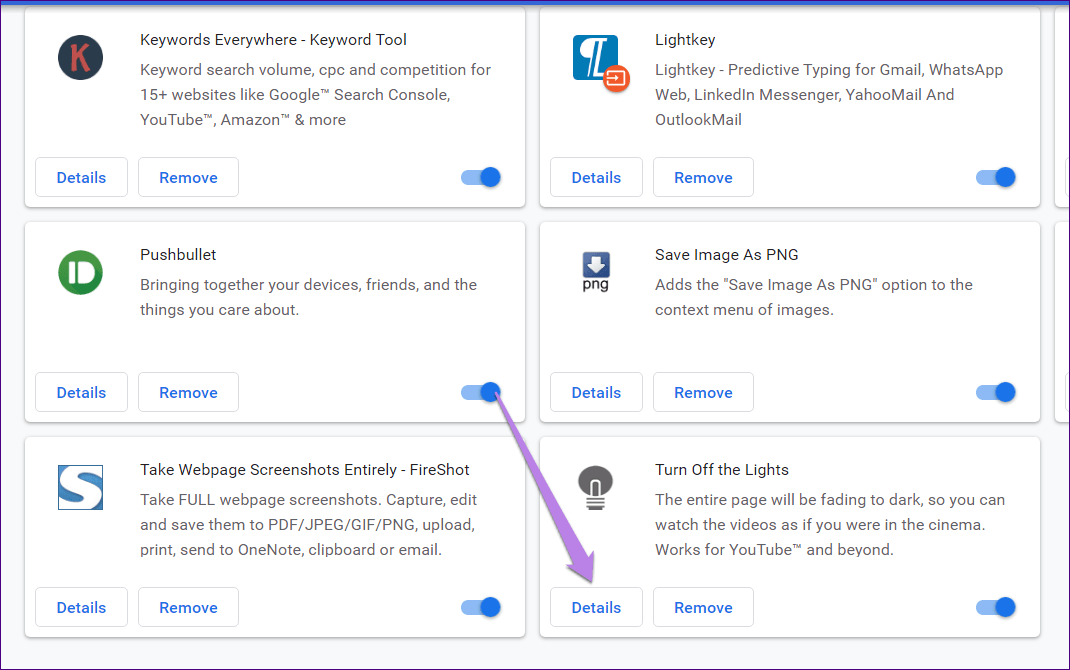
Step 3: Enable the toggle next to Allow in incognito.

Step 4: Then, open the incognito mode and use the extension as you would do in the normal mode.
BRING ON THE DARKNESS
Even though the above extensions bring the dark theme to the web pages in Chrome, having a native option is always special. We hope that Google offers the dark mode for the web pages in its latest versions of Chrome.
Conclusion
Let us know your thoughts in the comment section below.
Check out other publications to gain access to more digital resources if you are just starting out with Flux Resource.
Also contact us today to optimize your business(s)/Brand(s) for Search Engines