
Android is the most used operating system on the planet, period. According to Statista, almost 75% of phone users have an Android device, and the number is steadily growing. You can’t argue with that kind of popularity.
But it’s not just because it’s affordable: Android devices are incredibly powerful. They’re capable of amazing things like advanced photography and photo editing. If you’re anything like me, you’ve gotten your hands on a sweet new phone and spent more time perfecting your selfies than you care to admit. And once you’ve got that perfect shot, you want to edit it until it’s just how you see it in your head.
I know I’m not alone here—everybody loves taking photos and getting a little creative with them now and then. But which apps should you download? What do they do? And what should you avoid? Check out our list below to find out!
Best Apps For Photo Editing on Android
With smartphones improving in the camera department with almost every new release, smartphone photography has picked up pace in the last couple of years. And, so has the need for a quality Android photo editor.
Although the default gallery app on most phones offers basic photo editing features, if you want to go beyond the basics, you might need specialized apps to edit your photos.
With plenty of options available out there, here’s a handy guide to help you choose from the best photo editing apps you can find on the Google Play Store.
Note: This list isn’t arranged in order of preference; it’s a compilation of the best photo editing apps for Android. So, you’re advised to choose the one that best suits your needs.
12 Best Photo Editing Apps For Android In 2022
- Snapseed
- Photo Lab Picture Editor & Art
- Pixlr
- Photoshop Express
- YouCam Perfect
- Photo Editor Pro
- PhotoDirector
- Fotor Photo Editor
- PicsArt Photo Studio
- Prisma Photo Editor
- VSCO Photo & Video Editor
- Toolwiz Photos-Pro Editor
- Snapseed
Snapseed – Best Photo Editor for Android
Snapseed is a powerful Android photo editor developed by Google that carries quite a lot of features. It is available for free and is also ad-free. The app has a user-friendly interface that is easy to use, just tap on the screen and open up any file you like.
Snapseed comes with many different types of filters to modify the look of the photo, including 29 different varieties of tools. Once done with the editing, you can easily export the file to save it or share it with your friends. Overall, Snapseed is the best photo editing app for Android in 2022.
Special Features of Snapseed
RAW DNG files can be edited and exported as JPG
Native dark theme mode in the app
Selective filter brush for editing only a portion of an image
The option of saving customized preset for applying them to images later
App Installs: Over 100 million
Rating: 4.4
Download Snapseed
- Photo Lab Picture Editor & Art
Photo Lab Picture Editor & Art gives your photos a unique touch. It has a collection of over 900 different effects such as realistic photomontages, stylish photo filters, beautiful frames, creative artistic effects, collages for multiple photos, and lots more.
With a simple and intuitive interface, the photo editing app is quite easily manageable. This Android photo editor comes with every basic tool that a user might need: crop, rotate, lighting, sharpness, and even touch-up.
Moreover, you can save your creation to the gallery, share it easily via Twitter, Facebook, Instagram, or send it as a message. There is a free version available that displays ads. But the main drawback is that it watermarks your photos when you use its free version.
Special Features of Photo Lab Picture Editor & Art
More than 50 preset styles to choose from for one-touch editing
Advanced face detection algorithm for face photo montages
App Installs: Over 100 million
Rating: 4.3
Download Photo Lab
- Pixlr
Pixlr Photo Editor for Android
Pixlr is another one of the best free photo editing apps that you can use in 2022. It has all the tools that a user might need. It has over 2 million combinations of free effects, overlays, and filters. You can create photo collages with various layouts, backgrounds, and spacing options.
Also, it can stylize a photo with a doodle, pencil drawings, and ink sketches. You can share the images directly to various social networking sites. It is free to download with in-app purchases and contains ads.
Special Features of Pixlr
Option to mark the most used effect or overlay as Favorite.
Remarkable on-touch enhancement tools
Auto-fix feature for automatically balancing color in an image
Collage feature with up to 25 photos and various layouts, background, and spacing options
App Installs: Over 50 million
Rating: 4.3
Download Pixlr
- Photoshop Express
With a simple and minimalistic interface, Adobe Photoshop Express is a great Android photo editor for quick, easy, and powerful editing on devices. It is packed with essential features like crop, straighten, rotate, and flip photos.
Photoshop Express has one-touch filters, a variety of effects, colors, auto-fixes, frames, and also some advanced tools like Image Rendering Engine to handle large files like panoramic photos. Its Noise Reduction feature can minimize unwanted grain and speckling in night photos.
The app is free to download and is ad-free. Moreover, it provides you the service to share photos on Facebook, Twitter, and other social networking sites.
Special Features Of Photoshop Express
More than 80 filters for instantly editing photos.
Photos can be imported and edited in RAW format
Perspective correction feature to fix skewed perspective photos
Share your edited photos instantly to Facebook, Twitter, Instagram, and other social media websites
App Installs: Over 100 million
Rating: 4.4
Download Photoshop Express
- YouCam Perfect
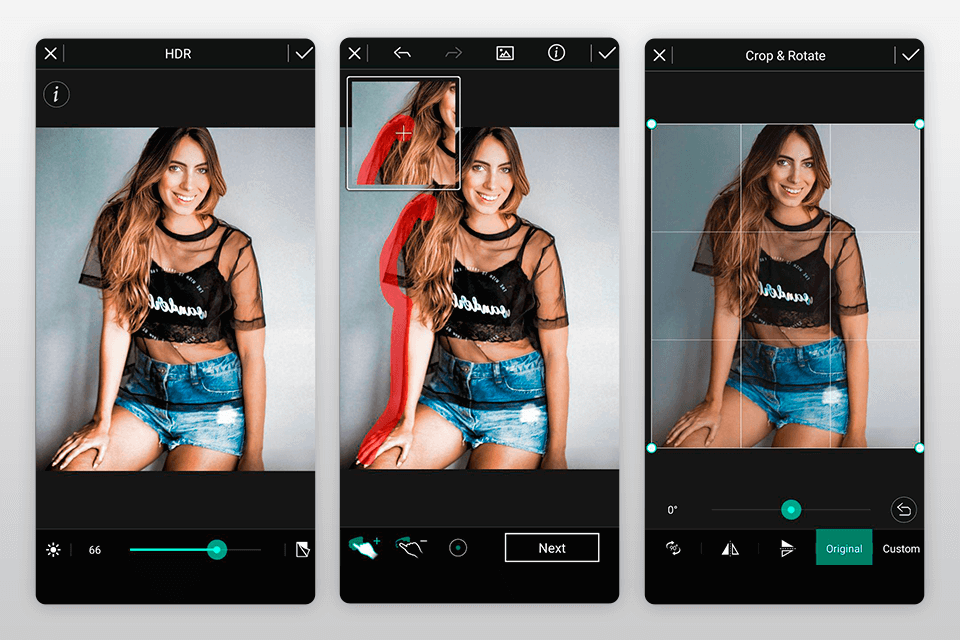
YouCam Perfect is a handy photo-editor tool for Android in 2022 where you can beautify your portrait photos within seconds. Try editing with its effects and one-touch filters, photo crop and rotate, mosaic pixelates to blur the background, vignette, and HDR effects. The app comes with a Face Reshaper, Eye Bag Remover, and also Body Slimmer to shrink your waist and make you look thinner instantly.
All-in-all, it could turn out to be a great consideration in case you’re looking for the best photo editing apps for selfies. YourCam Perfect also has video selfie capabilities. It is free to download with some in-app purchases for additional features and contains ads.
Special Features of YouCam Perfect
Real-time skin beautifying effects in still and video selfies
Cutout and object remover tool
Multi-face detection for instantly touching up a group selfie
“Smile” feature to add a smile to any image
App Installs: Over 100 million
Rating: 4.4
Download YouCam
- Photo Editor Pro
Photo Editor Pro best photo editing apps
Last but not the least, Photo Editor Pro is another app for photo editing that users can use to beautify their pics.
Other than basic editing tools, the Android app features several trending tools such as adding different kinds of glitch effects, interesting sketching filters, stickers, tattoos, and much more.
All the basic editing tools such as changing brightness, contrast, shadows, highlight, etc are present. HSL (Hue, saturation, and luminance) is locked for the pro version unlike what we see in other best photo editing apps for android.
Android users can also look forward to making collages in the app. However, the highlight of the Photo Editor is its easy-to-use snappy user interface. The only concern with the app is the full-screen ads that pop-up way more often than one would expect.
Special Features of Photo Editor Pro
Glitch effects and many other filters
Body editor for slim body, elongated legs, multiple hairstyles
App Installs: Over 100 million
Rating: 4.8
Download Photo Editor Pro
- PhotoDirector
PhotoDirector is a kind of multi-purpose photo editor app. It has a stylish and user-friendly interface where you can quickly adjust the colors and tone of your images with its simple, yet powerful tools.
The Android app also has animation tools and one of my favorite features, Sky Replacement, to change the sky in the snaps.
The app has an in-app camera feature where you can apply live photo effects as you snap your photos. You can edit images and share them quickly on Facebook, Flickr, and more. Overall, PhotoDirector cannot be left out when talking about the best free photo editing apps of 2022.
The Android photo editor app is free to download with some in-app purchases and contains ads.
Special Features Of PhotoDirector
Content-Aware tool for removing photobombers and unwanted objects.
Artistic preset photo effects such as Lomo, Vignette, HDR and more
Dehaze tool for removing haze, fog, and mist from images
Photo fx for applying effects to certain regions in pictures
App Installs: Over 50 million
Rating: 4.5
Download PhotoDirector
- Fotor Photo Editor
Fotor is one of the most recommended and best photo editing apps for Android with tonnes of cool features and tools to enhance images. The app offers a wide range of photo effects and filters for editing images. You can use more than 10 customizable ‘Edit’ functions to tweak brightness, exposure, contrast, and other aspects of a pic.
The photo editor also allows you to make collages with plenty of collage templates. The app is free to download but contains ads.
Special Features Of Fotor
Feature-rich photo editor as well as photo licensing platform
‘Enhance’ feature with ‘slide on screen’ capabilities for instant adjustments
Aplenty collage templates like Classic and Magazine
App Installs: Over 10 million
Rating: 4.5
Download Fotor
- PicsArt Photo Studio
PicsArt Photo Editors for Android
With over 500 million downloads, PicsArt is one of the most popular photo editing apps out there in 2022. The reason PicsArt is such a stand-out is due to the sheer number of options you have for customizing your photos. It comes with a built-in camera feature and a social network for sharing photos.
Other features include collage making, drawing, frames, stickers, and more. Although the app is available for free with some in-app purchases, you have to deal with ads.
Special Features of PicsArt Photo Studio
Brush mode for applying effects selectively on particular parts of a pic
Rapidly evolving AI-powered effects
In-built camera app with live effects
Double exposures using layers and adjustable transparency.
App Installs: Over 500 million
Rating: 4.2
Download PicsArt
- Prisma Photo Editor
Prisma Photo Editor for Android
The last entry in our list of best photo editing apps for Android is Prisma. With more than 120 million downloads, this photo editor app for Android is one of the best apps to choose from if you want to turn your photo into a painting.
The app packs more than 300 art styles for you to choose from to unleash your creativity in your photos. Also, the Prima photo editing app also offers a new art filter every day so that you have something new to look forward to every day.
Special Features of Prisma Photo Editing App
Advanced photo enhancement mode
A new art style every day
Prima community to share your creations and showcase your talent
App Installs: Over 50 million
Rating: 4.6
Download Prisma
- VSCO Photo & Video Editor
If you’re a professional, you must have heard of the VSCO photo editing app. The popular photo editing app for Android brings 10 presents and several filters to enhance your photos almost instantly.
What makes VSCO one of the best photo editing apps is the professional tools like HSL and Split Tones it offers to users for editing photographs. The Android app also features a video editor.
VSCO also offers a platform for photographers to showcase their talent. You can join the VSCO community for it.
Special Features of VSCO
10 free presets to edit photos instantly
Professional-level tools for editing
VSCO community to submit your photographs
App Installs: Over 100 million
Rating: 3.5
Download VSCO
- Toolwiz Photos-Pro Editor
Toolwiz photos-pro editor for android
Toolwiz Photos is a gorgeous all-in-one PRO photo editor that provides 200+ powerful tools. You can add filters, swap faces, adjust saturation, and even create fun collages.
This free Android app is blessed with an elegant and minimalist interface. Its features and ease of use make it one of the best photo editing apps for Android.
Special Features Of Toolwiz Photos
A large collection of magic filters and art filters
Excellent selfie, and skin polishing tools including Face rater, dermabrasion, red-eyes removal, and bright eye
More than 200 text fonts with shadow and mask support
App Installs: Over 10 million
Rating: 4.4
Download Toolwiz
If you haven’t already, make sure to check out our list of the best photo viewers for Windows 10 here!
Choosing The Best Photo Editor For Android
With the apps enlisted above, you can transform your photos into artistic masterpieces. You can choose the photo editing app according to your requirements. For example, for making collages, we recommend using PicsArt or Pixlr. Similarly, if you want to add fun effects to your selfies, try YouCam Perfect or Prisma. Also, check out our detailed guide on the best android camera apps that you can use in 2022.
Did you find this list of the best Android photo editor apps for 2022 helpful? Share your reviews and suggestions in the comments section below.
top ten best photo editing apps for android
A quick look through the App Store or Google Play store can leave you overwhelmed with choice. The number of mobile photo editing apps available is astounding. It can be challenging to know what app is best and has the features you need.
To give you an idea of the number one photo editing app, we have put together a list of the best photo editing apps. From the most basic to the more in-depth, you’ll find apps of all kinds below.
Whether you are an Android or iOS user, you can use any of the selected apps. When looking for powerful free photo editing apps for social media or personal portfolios, you have many options to choose from.
an image of a woman’s arm holding a smartphone
[Note: ExpertPhotography is supported by readers. Product links on ExpertPhotography are referral links. If you use one of these and buy something, we make a little bit of money. Need more info? See how it all works here.]
The 13 Best Photo Editing Apps for Smartphones
If you’re looking for a way to enhance your images, then look no further. We considered whether the apps are free, their adjustment tools, and any unique features. These are the most popular and best photo editing apps available currently.
- Snapseed
Android | iPhone
What is the best free app for photo editing? Our number one might be it. Snapseed is well known and has become one of the most popular photo editing apps currently available.
Snapseed is a free, professional photo editor app owned by Google. It offers an outstanding balance between simplicity and in-depth editing.
You’ll find a great selection of over 29 essential tools and filters within the app. You’ll also find healing, brush, structure, HDR, and perspective correction options. One of its highlights is an impressive portrait tool.
Another great feature is the capability to perform non-destructive photo editing. As you edit, your changes show in a preview. This does not damage the quality of the image. Snapseed can also edit RAW files, a feature rarely found in a free app.
You can rotate and crop your images with ease. And Snapseed gives precise control over brightness levels. You can even add drama and vintage textures with different filters and styles.
The app also features an impressive tool called Expand. This feature makes use of a Smart Fill tool to expand your canvas. As you increase the canvas size, Snapseed generates new pixels to match the new areas of the image.
App Store image of the Snapseed, one of the best photo editing apps
- Afterlight
Android | iPhone
Afterlight offers an outstanding balance between precision and simplicity. You’ll find a great selection of editing options within the app, including touch tools. These allow for more precise editing. You can adjust hue, saturation, color, and much more.
The app features a growing collection of preset filters. You’ll find mobile guest photographers and different themes within the filter library.
Another plus is that the app also offers RAW image support and extra tools. These include editing options such as light leak, double exposure, and film grain.
The app covers all the basics and has a user-friendly design. The way that the app imports your photo library is a big plus. Thanks to its simple nature but powerful potential, Afterlight is a must-try for any mobile user.
Afterlight is available for both Android and IOS. The app itself is free, but if you want to take advantage of its premium features, you’ll have to pay a one-off fee.
App Store image of the Afterlight, one of the best photo editing apps
- Adobe Lightroom Mobile
Android | iPhone
Adobe Lightroom is a powerful and impressive photo editing app. The app is part of the software suite beneath Adobe’s Creative Cloud. The range of features makes Lightroom one of the best photo editing apps.
The bonus is that the app itself is free. You can make use of a decent variety of standard editing tools as standard. A premium monthly subscription is available if you want to access the full range of tools.
But the free version allows you to retouch, crop, and enhance with ease. You can apply detailed effects with simple sliders and select from broad color adjustments. You can even adjust perspective and add more subtle effects.
The free version of the app feels focused on the basics. Premium content includes advanced geometry, healing, and masking tools. You’ll also find a gallery of professional presets. You can spend as much time as you want in Lightroom. For fast, Instagram-friendly images, or more complex edits, Lightroom balances needs well.
Lightroom syncs with your photo library, removing waiting for frustrating shot imports. This makes editing on the go easy. Even if you stick with the free version, the range of tools makes Lightroom worth downloading. It is simple to navigate, easy to master, and wonderfully efficient.
Image of the Adobe Lightroom app in the App Store
- VSCO: Photo & Video Editor
Android | iPhone
VSCO combines a creative social feed with an easy-to-use photo editing suite. With VSCO, you have plenty of possibilities, even without paying for a membership. Tool highlights include exposure, contrast, and temperature correction. These make VSCO great for moody, cinematic shots.
The layout of the app is intuitive and sleek. Not only can you make use of essential tools, but you also have access to more specific features, including an alignment tool. You’ll also find color correction and the ability to edit RAW.
You can even edit video in the VSCO app. But this feature is only available if you pay for a membership. Despite its editing tools being more than great, the main draw of VSCO is its presets. This extensive collection of filters is a photographer’s dream. For adding an analog, authentic look to your shots, VSCO is perfect.
There are over 200 presets to choose from, many inspired by traditional photography and film effects. Bear in mind that you’ll only have access to a handful. For the whole experience, you need to sign up for a membership.
The VSCO app itself is free. It will prompt you to sign up for a membership, but you can choose not to.
Image of the VSCO photo editing app in the App Store
- TouchRetouch
Android | iPhone
TouchRetouch offers a far more focused and specific experience. In comparison with other smartphone editing apps, TouchRetouch is an outlier. While most other iPhone and Android apps provide a full range of editing tools, this app zeroes in on healing.
The app itself is easy to use. It offers all the tools you need for removing unwanted elements from your photos. TouchRetouch doesn’t overcomplicate things. Removing unwanted objects only takes a simple tap of your finger.
You can use the app’s auto tools to get instant results, from removing imperfections in portrait shots to deleting power lines. If you prefer to get more hands-on, you’ll be able to. The real benefit to TouchRetouch is that you do not have to be precise. Mark only a section of the imperfection, and the app removes the rest.
Most other mobile editing apps offer some form of healing or image repair. You’ll find it as standard in the most popular. But TouchRetouch offers something more refined and powerful. By focusing on this specific editing area, the app allows you to do more than some of the other apps.
Within the app, you’ll find a range of great support options. You can even watch tutorials in the app to help you learn as you go. To use TouchRetouch, you’ll need to make a one-off payment.
Image of the Touchretouch photo editing app in the App Store
- Prisma Photo Editor
Android | iPhone
Since winning the App Store App of the year in 2016, Prisma has continued to grow. A photo editing and artwork app at its core, Prisma turns your best photos into stylish paintings. This makes it stand out from other more traditional apps. The app features an ever-expanding library of filters, known as styles.
Using AI technology, Prisma applies your selected style once selected. You can then fine-tune and edit the final image to your heart’s content. You’ll find a full suite of editing options here. It has sliders to adjust saturation, sharpness, and exposure.
While not designed for pure image editing, the capabilities are there. Editing tools are not hidden behind the styles. You are also able to fine-tune your images before applying a filter.
The range of art styles and filter types available is impressive. Prisma releases a new filter every day, meaning the library is ever-expanding. Selecting and testing new styles can get addictive. At its core, this app is perfect for having fun with your images.
With over 120 million users, Prisma has built a real community around the app. You can share your creations on the social side and see other people’s best photos. You can even follow others and chat with them.
A very basic version is free, but two subscription models are available. You can also make use of a free trial period before committing.
Image of the Prisma photo editing app in the App Store
- Instagram
Android | iPhone
Instagram is the world’s most popular social app built around image galleries. As a free app, Instagram offers an excellent platform for editing your images and sharing them with the world.
Completely free, Instagram’s editing offering won’t disappoint despite its social focus.
Before you share your images with the world, it’s easy to edit your photos with a complete range of tools. Fine-tuning your pictures is simple. Choose from color balancing sliders and sharpness and structure.
Much like VSCO, filters are the main draw here. A selection of free filters allows you to alter your images’ appearance and tone in seconds. Further tweaking can create impressive results, perfect for building a social feed.
Thanks to its simple design and integrated photo library, Instagram is very popular. While it is better suited to being a social feed first and editing suite second, it offers many pluses. Many users edit within an app before posting to Instagram. This does not mean that the app’s capabilities are not up to scratch.
A drawback with Instagram is not being able to download your edited images in high resolution. For the professional photographer or budding editor, this may be an issue. For finding inspiration and testing basic options, Instagram is a solid option.
Image of the Instagram app in the App Store
- Foodie – Camera for life
Android | iPhone
This food-focused app is one of the best photo editing apps for creating Instagram-friendly food images. Its library of presets and tools is perfect for mastering flat lay food photos.
You’ll find dozens of attractive filters, most of which are great for not only food. The slider tools are pretty comprehensive, too. Foodie is not only great for still images but also for editing video.
For selfie enthusiasts, Foodie has presets for snapping perfect selfies. You can also make use of a timer to get the best shot. The Foodie app is free, and it works as a great companion app to your social feed. Foodie is a great free option with its range of filters, effects, and editing features.
Image of the Foodie photo editing app in the App Store
- Lens Distortions
Android | iPhone
Lens Distortions is a layer-based photo editor for creating cinematic images. The app and its features focus on after effects. You can recreate iconic visual techniques with striking effects, including lens flare and fog. The creators of Lens Distortions took much of their inspiration from advertising and film.
The app offers color layers, an erase and mask tool and an automatic portrait mode layer. You can manipulate the layers by adjusting intensity and light balance. The library of layers is impressive and continues to grow. You can currently choose from over 400 effects to create striking images.
The Lens Distortions app is free. You’ll be able to make use of a limited number of layers and tools. To access all the effects and layers, you’ll need to subscribe to Lens Distortions Unlimited.
Image of the Lens Distortion photo editing app in the App Store
- Superimpose X
Android | iPhone
Superimpose X is a photo editing app that allows you to create surreal photos. It strikes a good balance between after-effects and image manipulation. The app’s features can be a little tricky to master, but a series of tutorials have you covered.
The app boasts an attractive design and a robust collection of layer effects. With minimal trial and error, even beginners can make professional-looking images.
A handy feature is the ability to edit several layers simultaneously.
It’s easy to insert light leaks and other photo effects or make minor adjustments on clarity or shadows. Superimpose X is a Photoshop-style suite in which you can get very creative. You can completely transform your images with masking tools.
The app features over 18 blending modes and a surprising array of manipulations. You can also use an effective automatic masking tool built with AI.
Image of the Superimpose X photo editing app in the App Store
- Hypocam
Android | iPhone
Hypocam is one of the best photo editing apps for black and white photography fans. Featuring an updated design, the app layout is sleek and minimal. You can make use of a full range of standard creative tools. These, along with the featured presets, are perfect for monochrome photography. Everything you’ll find in most free apps is here, such as exposure, shadows, and contrast.
Either choose images from your library or shoot live. The level of control you have in the live view is great. You can apply filters and adjust your shot on the go.
And the app stores all your edits and post-process if you want to revisit them later. If you create something you’d like to use again, it’s simple to save!
You’ll find a social feed and story section on the social side. You can find inspiration, discover photographers, and pick up tips within this social side. The app is free, but you’ll need to pay to access extra texture packs.
Image of the Hypocam photo editing app in the App Store
- Pixlr – Free Photo Editor
Android | iPhone
Pixlr is another excellent free photo editing app. Along with standard tools for adjustments and fine-tuning, the app also features a collage tool. You have complete control over all aspects of your image, from aspect ratio to color grading.
The app also includes more creative tools. Much like Afterlight, you can add text, borders, and unique after-effects to your image. This makes Pixlr a great option for creating unique images for social feeds.
With overlays and stylized filters, you can completely transform your image. There is also a wide range of effects to choose from.
A tool to note is the auto-fix setting. This allows you to adjust several aspects of your photo with a simple click. The double exposure tool allows you to create a merged image with adjustable transparency.
You can also create watercolor, sketching, and painting effects. While this app strays into the territory of being more fun than functional, it remains a great option.
You can download Pixlr for free and jump straight in. But you’ll need to pay for some texture and overlay packs.
Image of the Pixlr photo editing app on the App Store
- Photoshop Camera
Android | iPhone
Photoshop Camera is a fun, easy-to-use app. It combines simple fine-tune tools with a library of ‘lenses.’ These apply certain styles to your images, either as you take them or after in the edit.
While it’s not as powerful as the Photoshop products of the past, this is a fun app designed to help you get creative. While the tools on offer are somewhat basic compared to other apps, Photoshop Camera is a great light-hearted option. A bonus is that the app is free, with a small number of optional in-app purchases available.
This is a great option for simple, fun shots and basic adjustments such as cropping and quick fixes.
Image of the Photoshop Camera photo editing app in the App Store
Conclusion
So what is the best photo editing app? The answer may be subjective. It comes down to which app clicks with your style of photography best. Thanks to the high quality of most mobile photo editing apps, it’s easy to be a photographer on the go. Editing pictures has never been so simple.
Most editing apps offer quick and easy photo editing tools. And some even allow you to edit photos and videos. Whether you are an editing pro or a complete beginner, you should try some of our selections of the best photo editing apps.
It won’t take long for you to see which one you prefer. One massive bonus to free apps is that there is no commitment. This means they are a great place to start.
Much of the final decision will come down to your personal preference. Some apps are better for portrait photography, while others are more well-rounded. Ultimately, it’s down to how the app feels and integrates into your photography.
Conclusion
Let us know your thoughts in the comment section below.
Check out other publications to gain access to more digital resources if you are just starting out with Flux Resource.
Also contact us today to optimize your business(s)/Brand(s) for Search Engines