
Code editors are a programmer’s best friend and choosing the right one for you can be a difficult task. This article will help you find the best code editor for Python.
Python is one of the most popular programming languages in the world and is used for a wide variety of applications. Python is known for its ease of use and short learning curve, so it’s a great choice for anyone interested in coding.
Table of Contents
Best Code Editor For Python
1. Online Compiler from Programiz
For: Beginner Pricing: Free
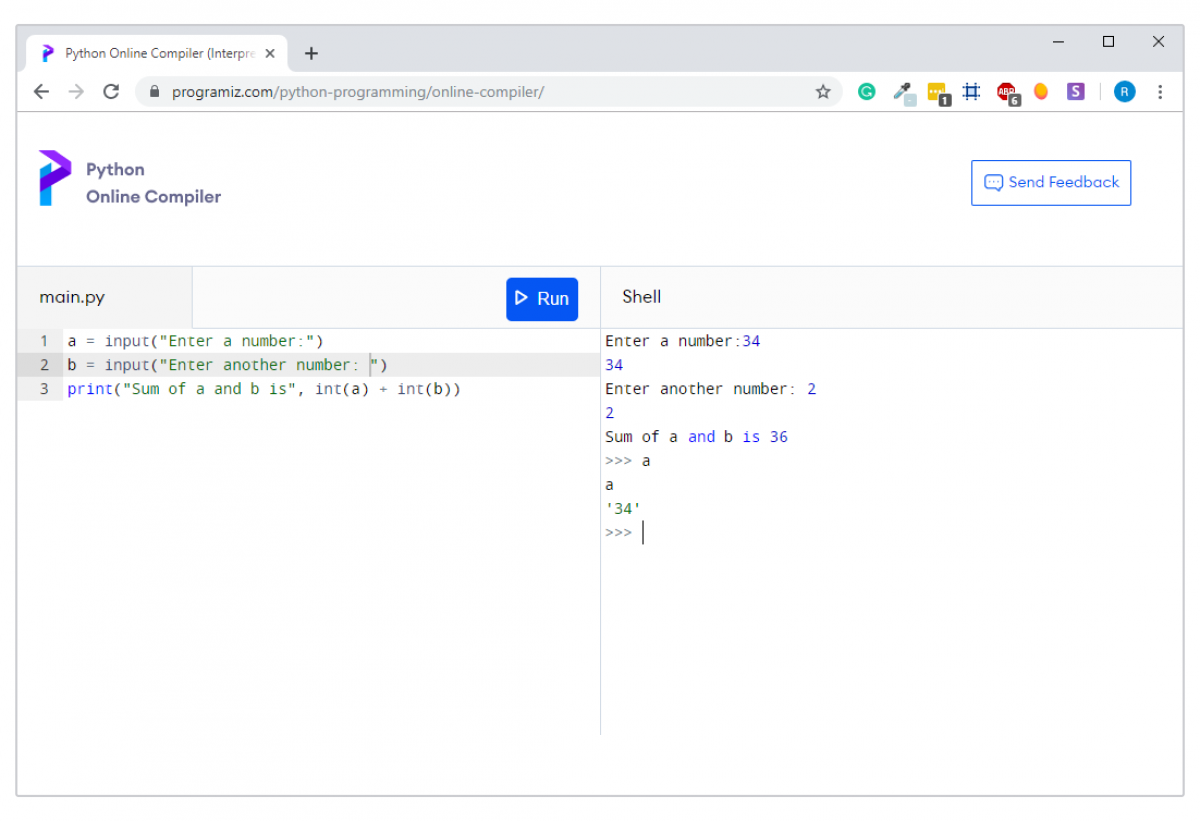
If you want to start writing Python code without investing time installing Python and setting up a development environment, you can use our online Python compiler. You just need the internet and a browser to get started.
By the way, our online interpreter is completely free.
2. IDLE
For: Beginner Pricing: Free
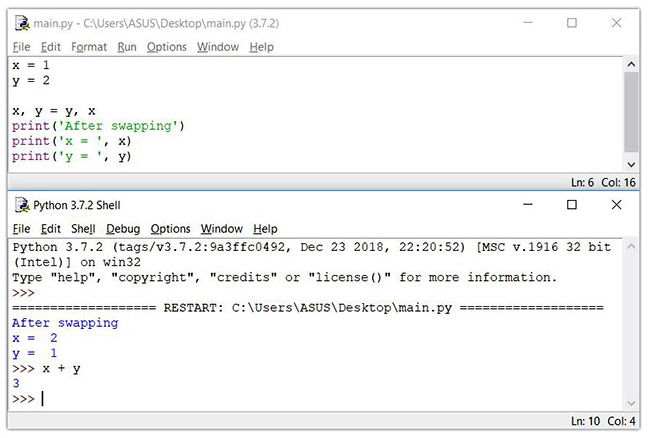
When you install Python, IDLE is also installed by default. This makes it easy to get started in Python. Its major features include the Python shell window(interactive interpreter), auto-completion, syntax highlighting, smart indentation, and a basic integrated debugger.
IDLE is a decent IDE for learning as it’s lightweight and simple to use. However, it’s not for optimum for larger projects.
Learn more: IDLE features
3. Sublime Text 3
For: Beginner, Professional Pricing: Freemium
Sublime Text is a popular code editor that supports many languages including Python. It’s fast, highly customizable and has a huge community.
It has basic built-in support for Python when you install it. However, you can install packages such as debugging, auto-completion, code linting, etc. There are also various packages for scientific development, Django, Flask and so on. Basically, you can customize Sublime text to create a full-fledged Python development environment as per your need.
You can download and use evaluate Sublime text for an indefinite period of time. However, you will occasionally get a pop-up stating “you need to purchase a license for continued use”.

4. Atom
For: Beginner, Professional Pricing: Free
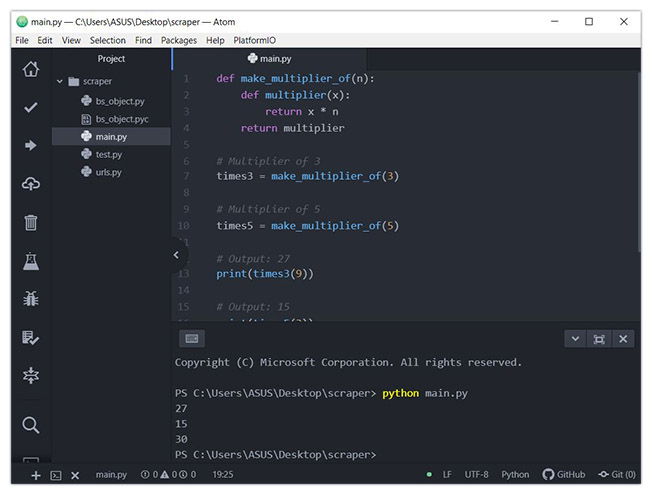
Atom is an open-source code editor developed by Github that can be used for Python development (similar Sublime text).
Its features are also similar to Sublime Text. Atom is highly customizable. You can install packages as per your need. Some of the commonly used packages in Atom for Python development are autocomplete-python, linter-flake8, python-debugger, etc.
Personally speaking, I prefer Atom to Sublime Text for Python development.
5. Thonny
For: Beginner Pricing: Free
Thonny is a Python dedicated IDE that comes with Python 3 built-in. Once you install it, you can start writing Python code.
Thonny is intended for beginners. The user interface is kept simple so that beginners will find it easy to get started.
Though Thonny is intended for beginners, it has several useful features that also make it a good IDE for full-fledged Python development. Some of its features are syntax error highlighting, debugger, code completion, step through expression evaluation, etc.
Quick Tip: If you are a beginner, go to View and click variables. This will open variables view that contains your program’s variable list and their values.

Learn more: Thonny Official site
6. PyCharm
For: Professional Pricing: Freemium
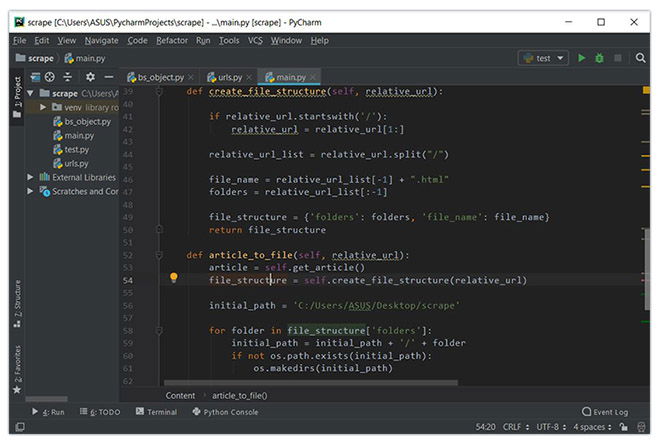
PyCharm is an IDE for professional developers. It is created by JetBrains, a company known for creating great software development tools.
There are two versions of PyCharm:
- Community – free open-source version, lightweight, good for Python and scientific development
- Professional – paid version, full-featured IDE with support for Web development as well
PyCharm provides all major features that a good IDE should provide: code completion, code inspections, error-highlighting and fixes, debugging, version control system and code refactoring. All these features come out of the box.
Personally speaking, PyCharm is my favorite IDE for Python development.
The only major complaint I have heard about PyCharm is that it’s resource-intensive. If you have a computer with a small amount of RAM (usually less than 4 GB), your computer may lag.
7. Visual Studio Code
For: Professional Pricing: Free
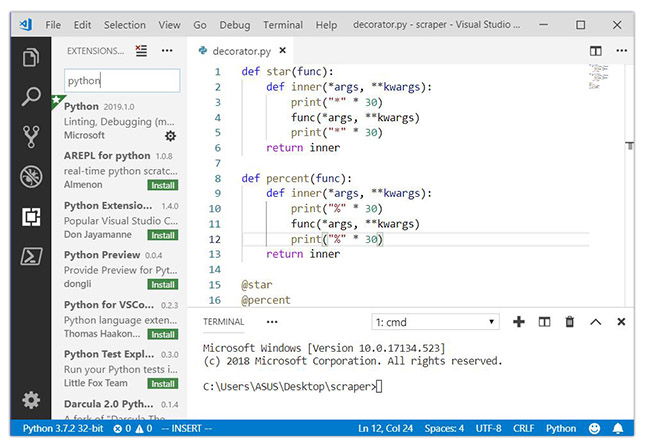
Visual Studio Code (VS Code) is a free and open-source IDE created by Microsoft that can be used for Python development.
You can add extensions to create a Python development environment as per your need in VS code. It provides features such as intelligent code completion, linting for potential errors, debugging, unit testing and so on.
VS Code is lightweight and packed with powerful features. This is the reason why it becoming popular among Python developers.
8. Vim
For: Professional Pricing: Free
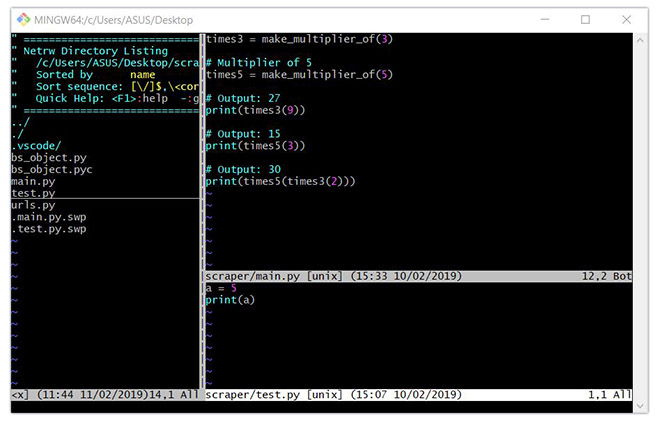
Vim is a text editor pre-installed in macOS and UNIX systems. For Windows, you need to download it.
Some developers absolutely adore Vim, its keyboard shortcuts, and extendibility whereas, some just hate it.
If you already know how to use Vim, it can be a good tool for Python development. If not, you need to invest time learning Vim and its commands before you can use it for Python.
You can add plugins for syntax highlighting, code completion, debugging, refactoring, etc. to Vim and use it as a Python IDE.
9. Spyder
For: Beginner, Professional Pricing: Free
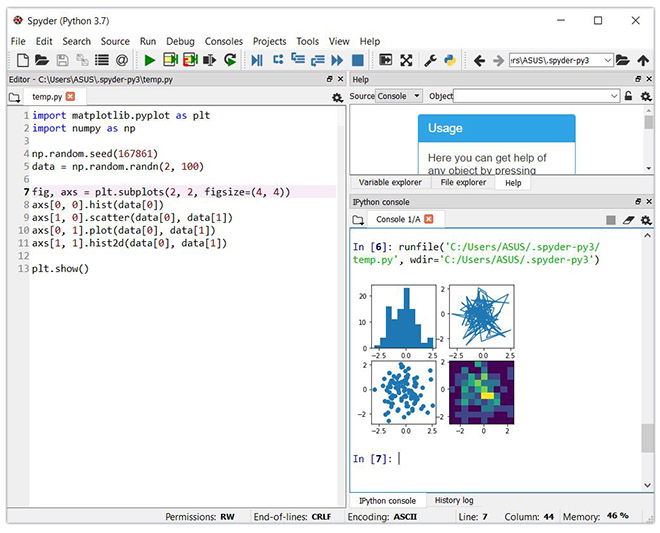
Spyder is an open-source IDE usually used for scientific development.
The easiest way to get up and running up with Spyder is by installing Anaconda distribution. If you don’t know, Anaconda is a popular distribution for data science and machine learning. The Anaconda distribution includes hundreds of packages including NumPy, Pandas, scikit-learn, matplotlib and so on.
Spyder has some great features such as autocompletion, debugging and iPython shell. However, it lacks in features compared to PyCharm.
best python ide for windows
#1) PyCharm
PayCharm is a cross-platform IDE used for Python programming. It is one of the best Python IDE editor that can be used on Windows, macOS, and Linux. This software contains API that can be used by the developers to write their own Python plugins so that they can extend the basic functionalities.

Price: Free/Paid
Features:https://imasdk.googleapis.com/js/core/bridge3.510.1_en.html#goog_1580071642
- It is an intelligent Python code editor supports for CoffeeScript, JavaScript, CSS, and TypeScript.
- Provides smart search to jump to any file, symbol, or class.
- Smart Code Navigation
- This Python editor offers quick and safe refactoring of code.
- It allows you to access PostgreSQL, Oracle, MySQL, SQL Server, and many other databases from the IDE.
Download Link: https://www.jetbrains.com/pycharm/
#2) Tabnine
Tabnine’s AI assistant automates repetitive work and eliminates the need for time-consuming code searches. Get instant inline code completions in all the most popular languages and IDEs from an AI guide trained on your team’s repositories, code patterns, and best practices.

Features:
- Instant inline code completion
- Supports all major languages and IDEs
- Removes development friction and speeds up velocity
- Improves code quality and consistency
- Automates remote knowledge sharing
- Accelerates developer onboarding
- Reduces code review iterations
- Complete code privacy and compliance with an option for self-hosting
#3) Spyder
Spyder is a scientific integrated development environment written in Python. This software is designed for and by scientists who can integrate with Matplotlib, SciPy, NumPy, Pandas, Cython, IPython, SymPy, and other open-source software. Spyder is available through Anaconda (open-source distribution system) distribution on Windows, macOS, and Linux.

Price: Free
Features:
- It is one of the best Python IDE for Windows which allows you to run Python code by cell, line, or file.
- Plot a histogram or time-series, make changes in dateframe or numpy array.
- It offers automatic code completion and horizontal/vertical splitting.
- Find and eliminate bottlenecks
- An interactive way to trace each step of Python code execution.
Download Link: https://www.spyder-ide.org/
#4) IDLE
IDLE (Integrated Development and Learning Environment) is a default editor that comes with Python. It is one of the best Python IDE software which helps a beginner to learn Python easily. IDLE software package is optional for many Linux distributions. The tool can be used on Windows, macOS, and Unix.
Price: free
Features:
- Search multiple files
- It has an interactive interpreter with colorizing of input, output, and error messages.
- Supports smart indent, undo, call tips, and auto-completion.
- Enable you to search and replace within any window.
Download Link: https://docs.python.org/3/library/idle.html
#5) Sublime Text 3
Sublime Text 3 is a code editor which supports many languages including Python. It is one of the best Python editor that has basic built-in support for Python. Customization of Sublime Text 3 is available for creating create a full-fledged Python programming environment. The editor supports OS X, Windows, and Linux operating systems.

Price: Free Trial
Features:
- Allows you to highlight syntax.
- It has command Palette implementation that accepts text input from users.
- Handle UTF8 BOMs in .gitignore files
- Display badges for folders and file to indicate Git status
- Changes to a file are represented by markers available in the gutter.
Conclusion
Let us know your thoughts in the comment section below.
Check out other publications to gain access to more digital resources if you are just starting out with Flux Resource.
Also contact us today to optimize your business(s)/Brand(s) for Search Engines