
If you have a business and you want to grow it then cold email marketing is one of the best ways to do so. Cold email marketing is a form of direct marketing that is used by many companies and businesses in order to generate leads and sales for their businesses. It can be used for anything from generating awareness about your business to generating leads or even converting visitors into customers.
You can use cold email marketing software in order to help you create a good campaign and get more traffic to your website or blog. The software can help you create an effective campaign with proper follow-up so that it will be able to generate results for your business. There are many different types of software available on the market but there are some that are better than others. A good software will allow you to create an effective campaign that can generate results quickly and easily.
It is important to be aware of the different features that each type of software provides so that you know which one will be best suited for your needs. One thing that you should look out for when looking at cold email marketing software is whether it has been designed specifically for people who have never done this before. There are some programs out there that are designed specifically for beginners but they usually only provide basic features. There are also some
Best Cold Email Marketing Software
Here are the leading cold email tools for 2022:
1. GMass
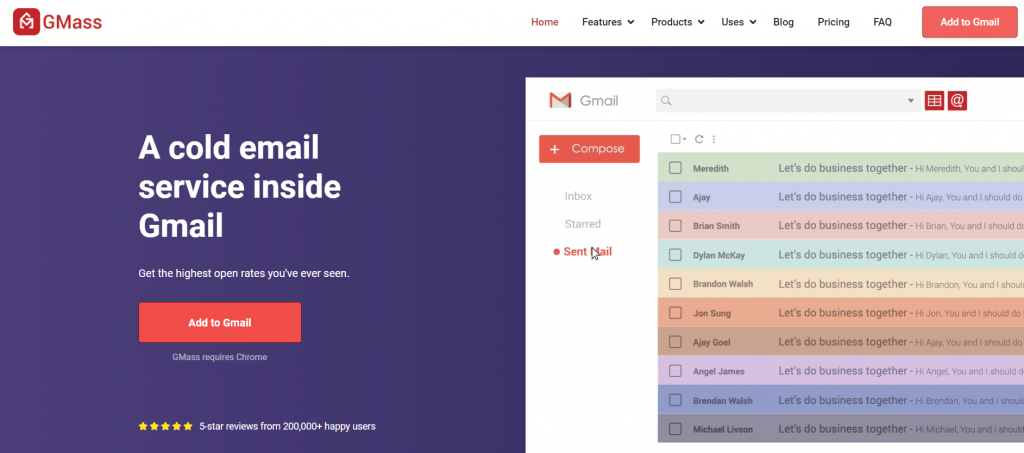
GMass is a powerful cold email software that lets you run sales and marketing campaigns right from your Gmail account. Its powerful mail merge capabilities have made it a popular cold email outreach tool used by employees of Uber, Google, Twitter, and LinkedIn.
GMass is also perfect for solopreneurs, startups, salespeople, and anyone who wants to use Gmail for cold outreach.
One of the best things about GMass is that it’s incredibly simple to use, and you can quickly get started — all you have to do is download the Chrome extension and sign up with your Google account.
Key Features
Here’s a detailed look at GMass’ key features that help you send effective cold email campaigns:
A) Email List Builder
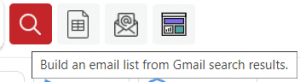
GMass’ Build Email List feature makes it super easy to create massive mailing lists.
All you have to do is perform a Gmail search using a keyword, and GMass automatically builds an email list using the IDs in the search results.
For example, let’s say you are the business owner of “Ted’s Tadpole Tanks.”
If you want to send emails to everyone you’ve interacted with about your product or service, you can perform a Gmail search using the term “tadpole.” GMass will then auto-build an email list using the email IDs from the search results.
Additionally, if your recipient details are stored in an Excel, CSV, or Google Sheet file, you can quickly create a mailing list by connecting the file to GMass.
B) Powerful Email Personalization
As cold email prospects are usually people who don’t know you, they’re likely to mark your email as spam if it’s a generic message.
Instead, you should send personalized cold emails!
This increases your chances of connecting with your prospects without risking your sender reputation. Personalization can help your emails avoid the recipients’ spam filter and also boost your open rates.
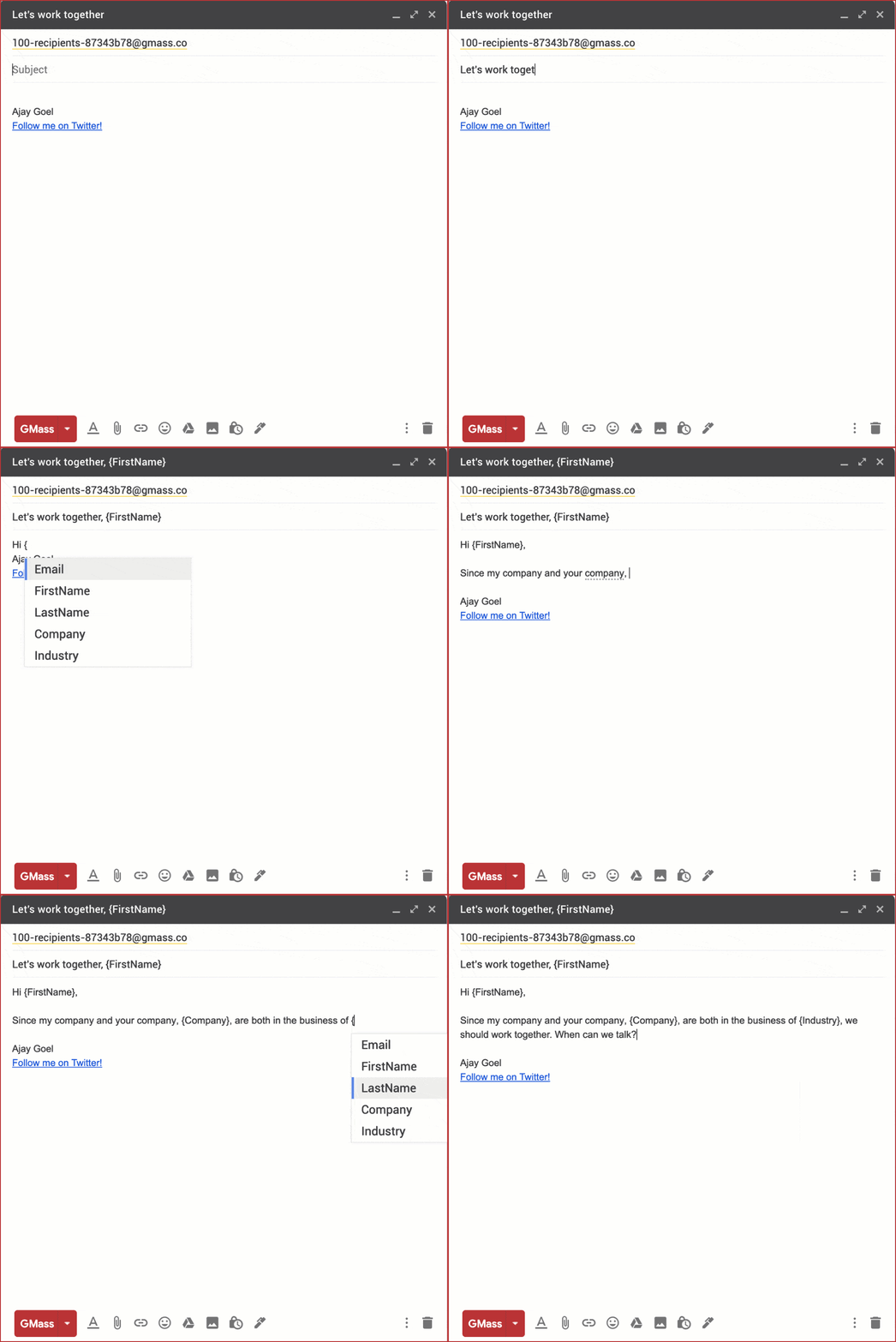
GMass offers automatic personalization settings to help you out here.
It gives you powerful features like automatically:
- Adding personalized paragraphs – customize large blocks of text on a person-by-person basis.
- Including personalized images and links – add unique pictures and links for each email recipient.
- Detecting and entering first names – GMass auto-detects a person’s first name from their email ID and adds it to an email addressed to them.
C) Advanced Email Analytics and Mail Merge Reports
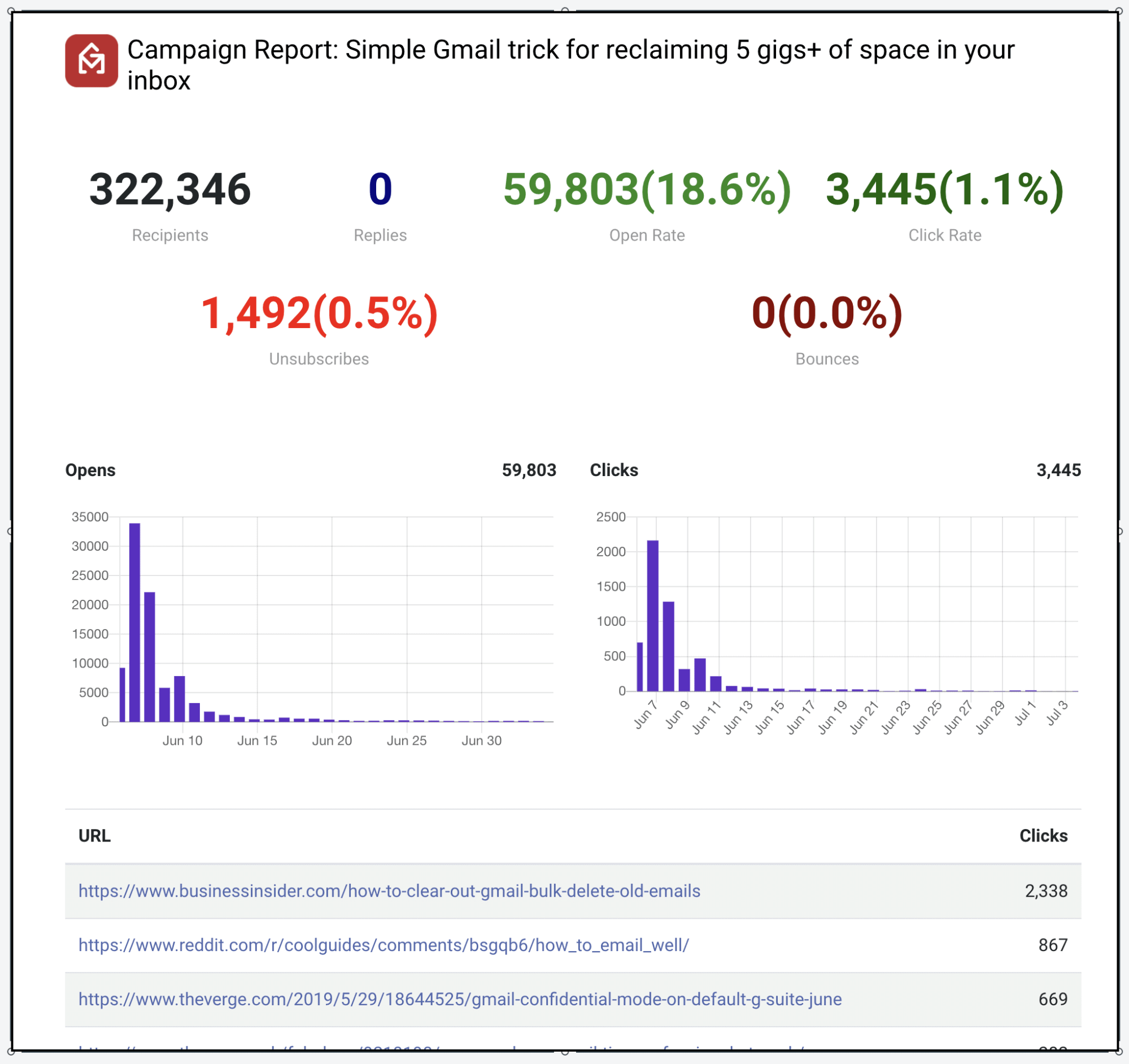
GMass auto-generates a Campaign Report each time you send a cold emailing campaign that gives a detailed breakdown of important email statistics.
Here’s an overview of some of the stats present in a Campaign Report:
- Total Recipients: The number of recipients to which you sent an email campaign.
- Unique Opens: The number of unique recipients who opened your email. Note: GMass only tracks the first instance to avoid inflating the number of opens in your report.
- Didn’t Open: The number of recipients who didn’t open your email.
- Unique Clicks: The number of unique recipients who clicked at least one link in your email.
- Replies: The number of recipients who replied to your email.
The best part?
Most cold email tools like Mailshake, Saleshandy, and Mixmax, require you to open a separate interface to view reports, and having to switch between tabs to manage your stats can become an issue.
However, GMass places your reports under the [CAMPAIGNS] label in the Gmail sidebar — making it easy to access all your campaign data right inside Gmail. You also get web-based responsive reports and a dedicated dashboard for maximum flexibility.
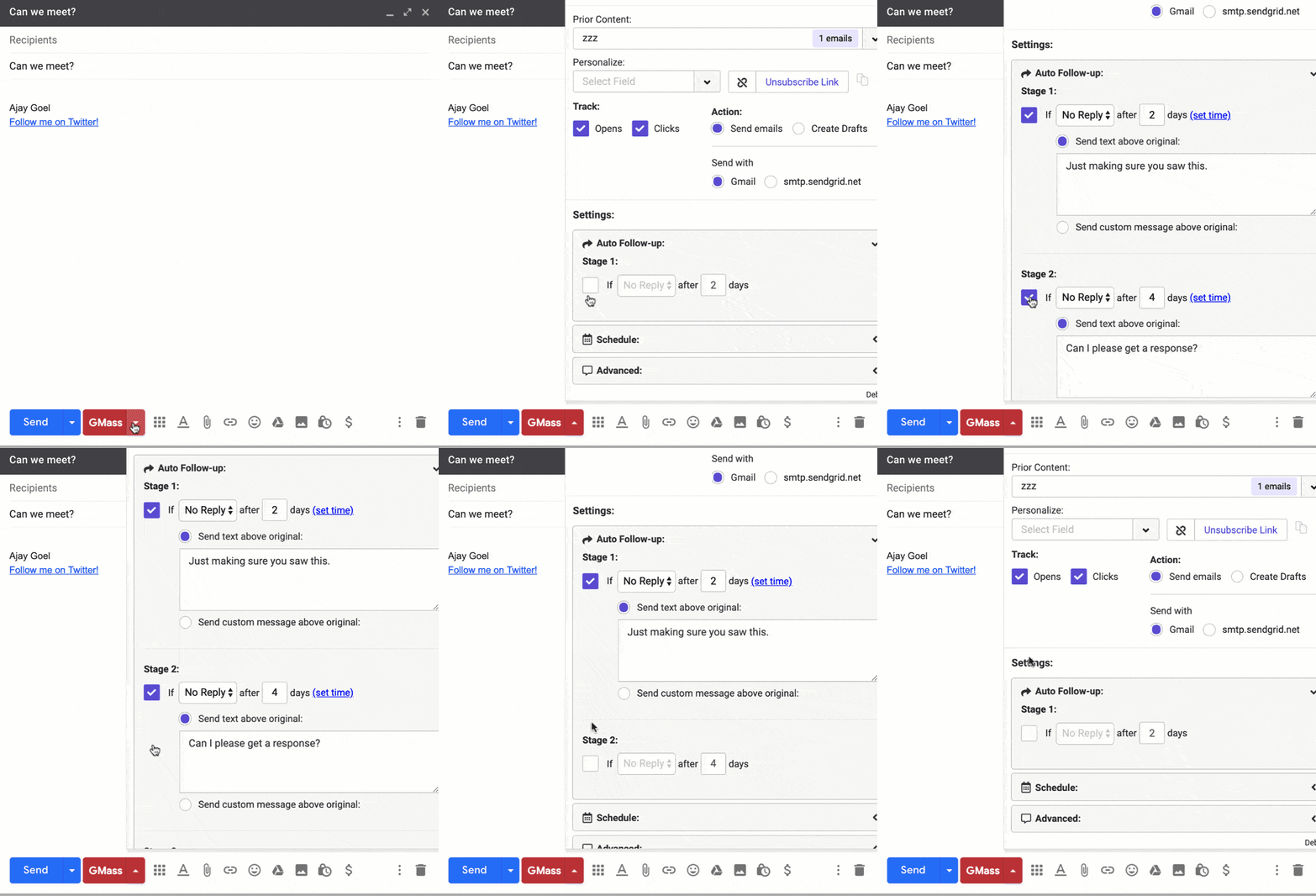
D) Automatic Follow-Ups
Most email marketers have to follow up on prospects after the initial cold email.
Fortunately, GMass makes following up on even hundreds of recipients a breeze. It automates the process of sending follow-ups to help you engage your prospects and boost open rates.
You can even customize everything about these follow-ups, like:
- The trigger for sending follow up emails to recipients. For example, you can set GMass to send follow-up emails only when recipients reply to your campaign.
- The number of follow up emails a person receives.
- The automated follow up message.
- The time gaps between follow-ups.
E) Bulk Email Scheduling
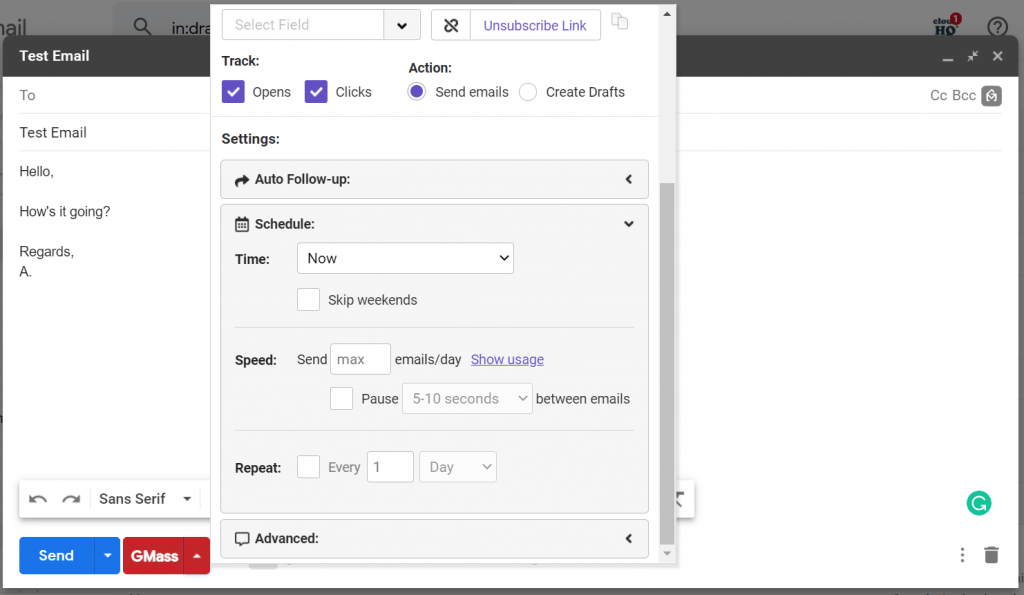
With GMass, you can easily schedule bulk emails to reach your recipients at the right time.
All you have to do is just compose your email and schedule it. GMass will then automatically send the email at the specified time — you don’t have to be online when it goes out!
And if you want to change the schedule, you can simply reschedule it from the Gmail Drafts folder.
Pros
- Simple setup.
- User-friendly interface.
- Can build bulk email lists using any search criteria in your Gmail account.
- Quickly import any contact list from a Google Sheet file.
- Can automate email sequences using Google Sheets and Zapier.
- Can test email deliverability.
- Send drip campaigns on a set schedule or triggered by the actions of email recipients.
- Has a free email verification service.
- Has a powerful Gmail add-on for Android devices.
- Salesforce and HubSpot CRM integration.
- Active customer support.
Cons
- The tool works only with Gmail and Google Workspace accounts.
- Only works with the Chrome browser.
Pricing
GMass offers three comprehensive pricing plans to suit various user needs:
- Free:
- Can send up to 50 emails/day
- Supports all features except auto follow-ups
- Individual:
- Standard ($12.95/month):
- Supports unlimited use
- Supports all features except email sequence and follow-ups
- Premium ($19.95/month):
- Supports all Standard plan features
- Supports sequences and follow-ups
- Premium (starts at $89/month for a team of five): supports all features
Customer Ratings
- Capterra: 4.9/5 (680+ reviews)
- G2: 4.8/5 (660+ reviews)
Go back to the list of tools
2. Woodpecker
Woodpecker is a cold email marketing software that integrates with Gmail and Outlook. It allows you to send personalized emails and follow-ups and also lets you track them.
Key Features
- Automate email sequences.
- Cold email campaign scheduling and tracking.
- Automatic reply detection.
- Powerful team-activity dashboard.
Pros
- Auto-detects duplicate contacts in your cold outreach campaigns.
- Dedicated features for B2B lead generation agencies.
- Has a Google Chrome extension.
Cons
- No free plan available.
- Can’t send email attachments.
Pricing
Pricing plans start at $49/month per user with automatic email sending, analytics, and teamwork features.
Customer Ratings
- Capterra: 4.8/5 (10+ reviews)
- G2: 4.4/5 (30+ reviews)
3. Lemlist
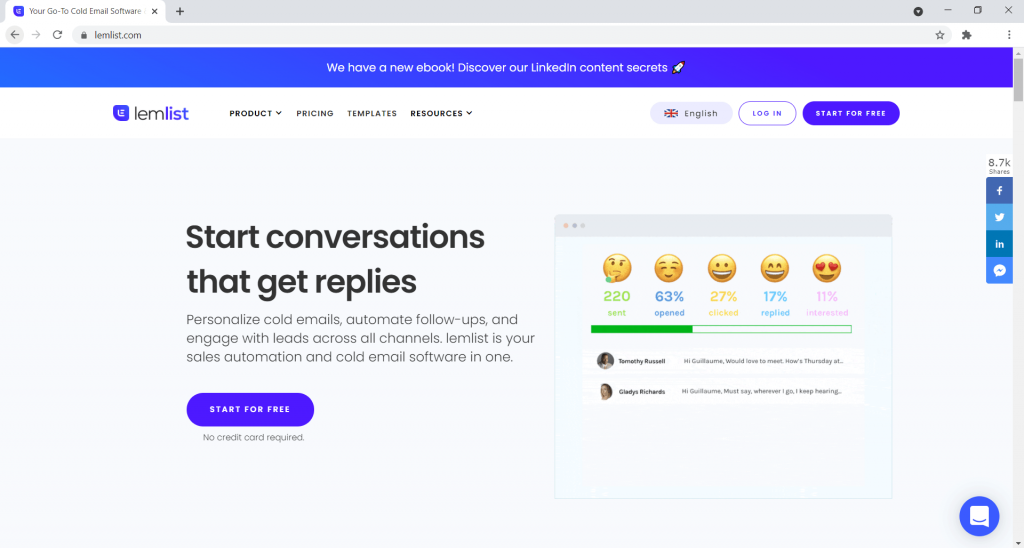
Lemlist is a popular email tool that lets you personalize anything in your cold emails. Be it text, videos, or images — Lemlist can handle it all.
Key Features
- Email automation triggers.
- Create personalized images and videos.
- Schedule automatic follow-ups.
- Domain warming to help your email reach the primary inbox instead of the spam folder of your target audience.
Pros
- Use the A/B test feature to determine your most effective emails.
- Can use any customized cold email template.
- Integrates with Zapier and CRM software.
Cons
- As it works as a separate interface from your email, you’ll have to switch through multiple tabs to manage each cold outreach campaign.
- No free plan available.
- Can be challenging to set up a drip campaign.
Pricing
Pricing plans start at $29/month per user with unlimited cold outreach campaign emails, text personalization, and email deliverability features.
Customer Ratings
- Capterra: 4.6/5 (320+ reviews)
- G2: 4.4/5 (70+ reviews)
4. Yesware
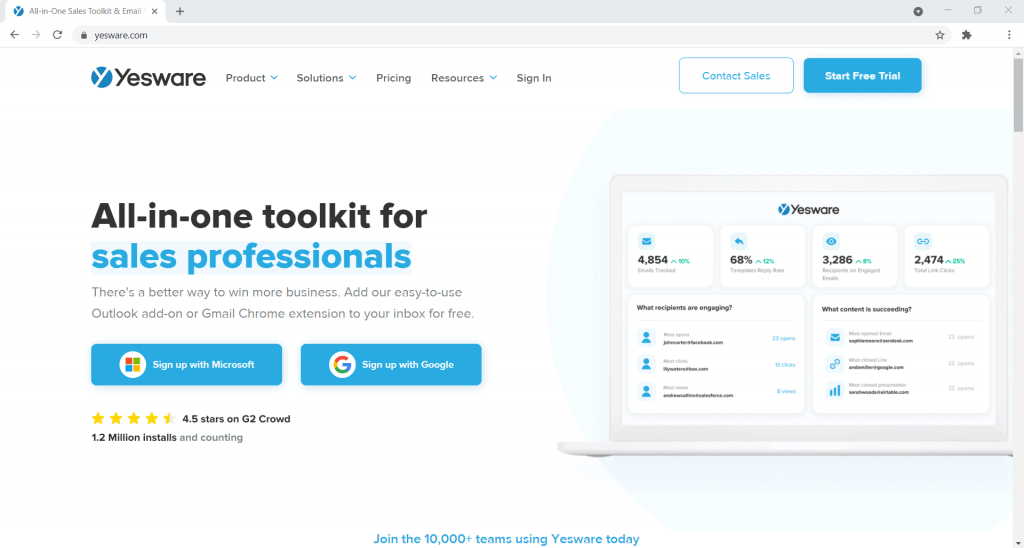
Yesware is a sales prospecting tool used by professional sales reps and email marketers. It lets you create and send personalized cold email marketing campaigns in Gmail and Outlook.
Key Features
- Create custom email templates to personalize your emails.
- Schedule drip campaigns.
- Set follow-up reminders.
- Email tracking with real-time notifications.
Pros
- View each campaign’s data on a campaign dashboard.
- Can track how prospects use your email attachments.
- Has a Salesforce integration.
Cons
- Doesn’t have a free plan.
- No mobile apps for Android or iOS devices.
- May not clearly show who opened an email if it has multiple recipients.
Pricing
Pricing plans start at $19/month per user with email tracking, productivity tools, and reporting features.
Customer Ratings
- Capterra: 4.3/5 (160+ reviews)
- G2: 4.4/5 (710+ reviews)
5. Prospect.io
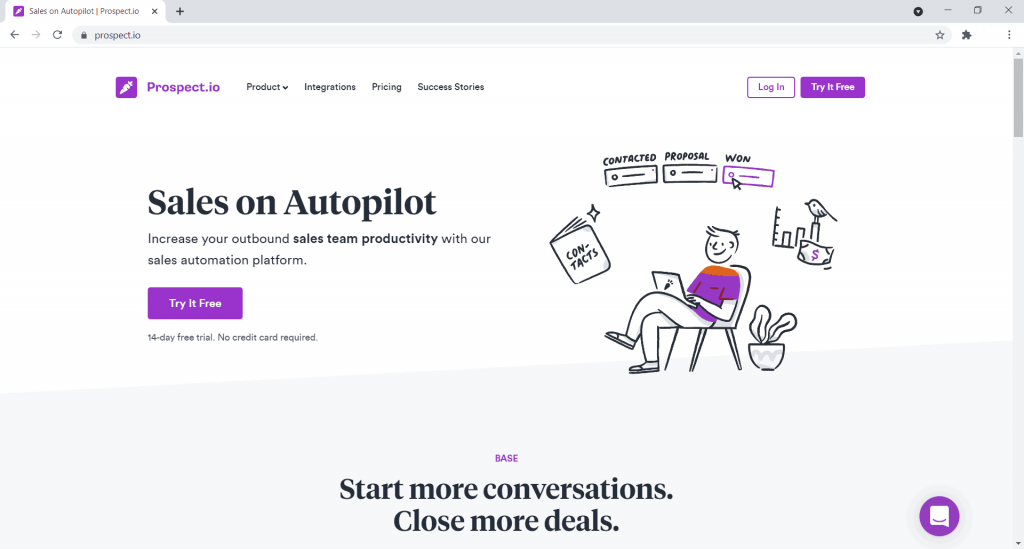
Prospect.io is a lead generation and email automation tool that helps companies and freelancers find leads and reach out to them via cold emails.
It uses a credit-based system to discover email IDs of potential customers or prospective clients from their social media and other websites.
Key Features
- Search or verify email IDs of your list of prospects.
- Create personalized campaigns, including drip sequences.
- Customize and share email templates with your sales team.
- Reply detection – including tracking of bounce rates and out-of-office responses.
Pros
- Works with Gmail and Outlook.
- Powerful integrations with Salesforce and HubSpot CRM.
- Has a Chrome extension that helps you find prospect details from social media.
Cons
- Creating drip campaigns can be complicated.
- No free plan available.
- Unused email credits in a month don’t roll over to the next month — you lose them.
Pricing
Pricing plans start at $19/month per user with unlimited email campaigns, reporting features, and 250 email finder credits. You can purchase additional credits starting at $39 for 250 credits.
Customer Ratings
- Capterra: 4.3/5 (10+ reviews)
- G2: 4.3/5 (50+ reviews)
best cold email templates

Step 1: The art and science of effective cold email subject lines
cold-email-subject-lines
It’s obvious, yet many people don’t realize this: The subject line is the most important element of every cold outreach email you send. Because if the subject line doesn’t appeal to the prospect, they won’t open the email in the first place—and no matter how perfectly worded and relevant the body of your cold email is, if they don’t open the email, nothing else matters.
I can’t tell you how many times I asked sales reps to draft up a cold email and send it to me for review—and they forgot to include the subject line. Don’t make this mistake!
When it comes to subject lines, follow these guidelines:
Use their name in the subject line when it makes sense.
Make the subject line as specific as possible. The more personal the subject line, the higher the open rate.
If you wonder if it sounds too much like a “marketing email”, then it does sound too much like a marketing email.
Experiment with questions in subject lines.
Always deliver in your email what you promise in your subject line (if the disconnect is too big, you’re going to get good open rates but bad responses).
Tip: Save time by using a CRM to automatically add fields like first name in your subject line. In Close, you can personalize email templates using Template Tags, which dynamically add details like first name or company. Try Close for free to try out these features, whether you’re sending emails one at a time or in bulk.
Here are 4 cold email subject lines that get open rates of +35%:
“[Introduction] [name]” or “[Introduction] [your name/company] <> [their name/company]”
“quick request”
“Trying to connect”
“[Name of their company]”
Make sure to check out Sales email subject lines: 50+ tips, examples, and biggest mistakes for a more in-depth guide on writing subject lines that get your emails opened.
Step 2: How to write effective cold emails
write-effective-cold-emails
There are 2 approaches to cold call emails used today:
You’re emailing someone high up in the organization asking for a referral down to the right person (aka Cold Calling 2.0).
You’re emailing the decision maker, directly pitching them to sign up, hop on a call, book a meeting or otherwise.
Let’s get started with three best cold call email templates that ask for referrals within your target organization.
Cold email: Referral V1
Hi [first name],
My name is [my name] and I head up business development efforts with [my company]. We recently launched a new platform that [one sentence pitch].
I am taking an educated stab in the dark here, however based on your online profile, you appear to be an appropriate person to connect with … or might at least point me in the right direction.
I’d like to speak with someone from [company] who is responsible for [handling something that’s relevant to my product].
If that’s you, are you open to a fifteen minute call on _ [time and date] to discuss ways the [company name] platform can specifically help your business? If not you, can you please put me in touch with the right person?
I appreciate the help!
Best,
Sig
Cold email: Referral V2
Hi [first name],
I hope I’m not bothering you. Could you please refer me to the person in charge of [something that’s relevant to my product]?
Thanks for your time,
Sig
Cold email: Referral V3
Hey [first name],
My name is [my name] and I’m with [my company name]. We work with organizations like [company name] to [insert one sentence pitch].
[One sentence unique benefit].
Could you direct me to the right person to talk to about this at [company name] so we can explore if this would be something valuable to incorporate into your events?
Cheers,
Sig
The next referral cold email is a template directly from the team at Predictable Revenue.
Cold email: Referral V4
Hey [first name],
I’m sorry to trouble you. Would you be so kind as to tell me who is responsible for [insert your biggest pain point here that resonates with your ideal customer; OR insert function like “sales” or “recruiting”] and how I might get in touch with them?
Thank you,
Sig
Let’s check out two cold email templates that are using approach #2 and pitching the decision maker directly on the value proposition and next action steps.
Cold email: Engaging a quality prospect
You know who the right person in the organization is. A highly personalized, targeted outreach email can really break through the noise. Look at this example from tray.io.
Here a templatized version of this email:
Hi [firstname],
During some research of [company name], I came across your profile – love how passionate you’ve been the past [number of years they’ve been working at the company, look it up on their LinkedIn profile] years to help scale the [department] team, while also being that go-to advisor for your growing customers. This [software review site name] review about [highlight of the review relevant to your product].
However, I imagine you still have customers requesting [address pain point your solution solves]. I’m curious – are any customer accounts at risk that would benefit from [what you offer]? [Recognizable brand name], new [your company name] customer, needed a way to [what you offer]. Since leveraging [your company name], their [major benefit]. As a result, their customers experienced [business impact].
Does it make sense to explore ways we can help your team as well?
Best,
Sig
Drafting a personalized cold email like this takes more effort than loading a template into your outreach tool and hitting “send all”, but by being genuinely relevant, you’ll see drastically higher response rates.
Cold email: Selling V1
Hey [first name],
I hope this email finds you well! I wanted to reach out because [explain how we got their contact information and how we relate to them: talked to a colleague, saw your company online, etc.].
[Name of company] has a new platform that will help (your team at) [organization name]. [One sentence pitch of benefits]. We do this by:
Benefit/feature 1
Benefit/feature 2
Benefit/feature 3 (optional)
Let’s explore how [name of your software] can specifically help your business. Are you available for a quick call [time and date]?
Cheers,
Sig
Cold email: Selling V2
Hey [first name],
I hope this email finds you well! I wanted to reach out because [explain how we got their contact information and how we relate to them: talked to a colleague, saw your company online, etc.].
[Name of company] has a new platform that will help (your team at) [organization name]. [One sentence pitch of benefits].
I know that [our product] will be able to help [name of your company] [insert high level benefit here].
Are you available for a quick call [time and date]?
Cheers,
Sig
Cold email: My higher-up asked me to reach out
Another cold email template is based on the “my higher-up asked me to reach out” technique.
Basically, you, the sales rep, write an email that is written as if a higher-up (e.g. your CEO) asked you to reach out to this company specifically. You then forward that email to the prospect, including the “forwarded email”. The subject line plays into this with “Fwd: YourCompany + ProspectCompany”
Here’s an example of a company that’s been using this cold email strategy a lot recently:
cold email template higherup
While an email like this might earn you some ridicule from people who are familiar with it already, it can be very effective. The prospect won’t just feel like “some sales guy is reaching out”, but that the CEO of your company itself cares.
(And if you care about the ridicule you earn, then you should work on your sales mindset anyway.)
But the biggest take-away here is that you need to intimately understand your ideal customer, and use an approach that’s most appropriate to them. If you’re sending to very sophisticated B2B buyers, then this might not be the best approach, as they might perceive it as gimmicky and tricky. If you’re sending 100 cold emails, and you get 5 positive responses from prospects that match your ideal customer profile and express genuine interest because they could actually benefit from your offer, that’s worth a lot more than sending 100 emails and getting 20 positive responses from prospects that don’t match your ideal customer profile and most likely won’t convert into paying, long-term customers.
Step 3: How to set up and send cold emails
Are you ready to start utilizing these effective cold email templates? You can do so easily within Close by simply creating a new email template for each of these examples. Once created, you can edit and use them without having to retype them, copy and paste, etc.—saving you more time in your day. Here’s how:
First, sign up for a free 14-day trial of Close here (no credit card required).
Once signed up and logged in, create a new email template (Your Account > Your Email Templates). You can customize this further by inserting template tags, adding attachments, and more.
Import your leads and select which lead you would like to send an email to. Navigate to your name in the top left and click the drop down menu. Select “Import Data,” then drag and drop your email list, click to upload it, paste from Excel, or import from a CRM.
Visit a lead’s activity page from your lead list. Click to send an email, choose a template, then schedule the email to send now or schedule it for a later date.
Send more emails and close some deals!
You also have the ability to connect your email account with Close. By doing so, you can send emails right from within your CRM, or continue using your current email client. After you connect your email, Close will begin to automatically track and auto-log your email.
Conclusion
Let us know your thoughts in the comment section below.
Check out other publications to gain access to more digital resources if you are just starting out with Flux Resource.
Also contact us today to optimize your business(s)/Brand(s) for Search Engines