
If you’ve got a Google Pixel Slate, you probably already know that the device is a powerful little machine capable of running whatever apps your heart desires. But did you know that some of those apps are specifically designed to work with your device?
While third-party apps will work on your Pixel Slate, some of the best apps for this device have been made by Google itself. These apps were designed with your Pixel Slate in mind, so they’ll provide the best user experience, and they’ll keep your data safe and secure.
Let’s take a look at some of the best apps for the Google Pixel Slate.
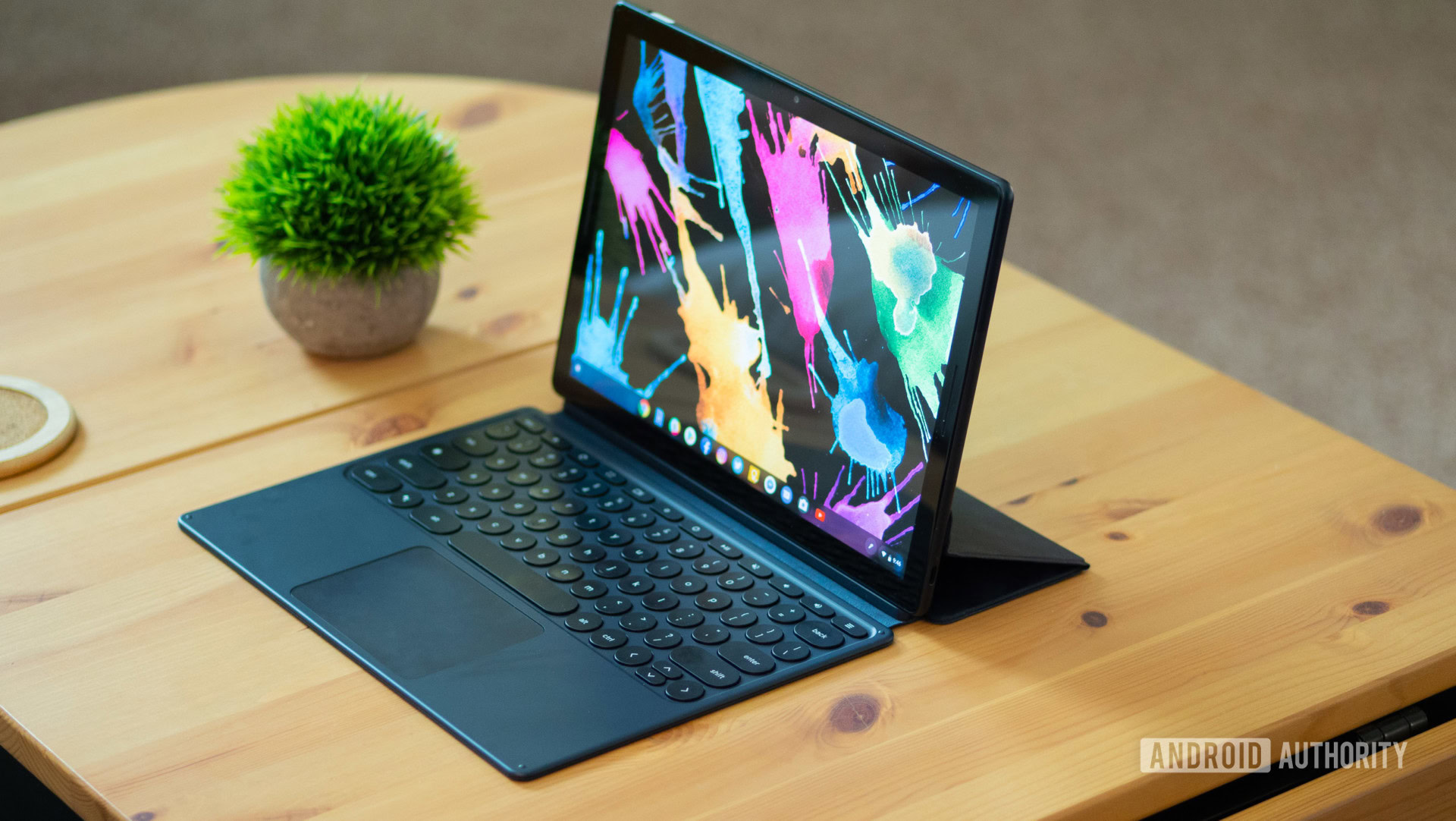
Best Apps For Pixel Slate
Apps are easy to use, and keep your Pixel Slate running fast and your files safe.
Learn how to find and install Android apps on your device with the steps below.
Check the recommended apps sections for some popular Android and web apps to help you stay productive, creative and entertained.
Note: If you use your device for work or school, you might need to ask your organization’s admin to enable Android app downloads for your group. If you have a personal device (not issued by your organization), you can just sign in through your personal account rather than your work or school account. Note: Android apps are linked to the account you used to install them, so you may have separate apps in your personal and work accounts.
For more information on how to sign in with another account, check related articles.
How to Get Apps for Google Pixel Slate
Find and download Android apps or digital content
In laptop mode, on the bottom shelf of your screen, open the Google Play Store Google Play.
In tablet mode, from your home screen, open the Google Play Store Google Play.
Search or browse for content.
Select an item.
Select Install or the item’s price.
Follow the on-screen instructions to complete the transaction and get the content.
For paid items, you can choose your payment method with the down arrow Down Arrow. If this is your first purchase, your payment method is added to your Google Account.
If you have an Android phone or another Chrome OS device, get apps you’ve previously downloaded:
Open Google Play Store Google Play.
At the upper left corner, select Menu Menu.
Select My Apps & games.
Select Library.
Select Install to download.
Recommended apps and software
Apps for productivity
Task Recommended app
Create documents
Google Docs
Microsoft Word
Create spreadsheets
Google Sheets
Microsoft Excel
Create presentations
Google Slides
Microsoft PowerPoint
Read and write emails
Gmail
Microsoft Outlook
Organize your calendar Google Calendar
Take notes
Evernote
Google Keep
Squid
Noteshelf
Communicate
Google Duo
Messages
Slack
Find and save files Files or Google Drive
Open PDF documents Adobe Acrobat Reader
Do your taxes Turbotax
Manage passwords
1Password
Chrome password manager
Apps for creativity
Task Recommended app
Edit and share photos
Adobe Photoshop Lightroom
Google Photos
Enlight Pixaloop
Draw, paint or illustrate
Adobe Illustrator Draw
Adobe Photoshop Sketch
Concepts
Share your ideas
WordPress
Explain Everything
Apps for entertainment
Task Recommended app
Organize and play music, podcasts and more
YouTube Music
Watch movies and videos
Google Play Movies
Netflix
YouTube
YouTube Kids
Play games
Asphalt 9
Clash of Clans (TBD)
Fishdom
Gardenscapes
Homescapes
World of Tanks Blitz MMO
Play multimedia files
VLC
Find and read books
Google Play Books
Connect with others
Twitter
Google Duo
Messages
Apps for well-being
Task Recommended app
Meditation
Calm
Exercise
Beachbody
Health & Dieting
Lifesum
MyFitnessPal
Yoga
Asana Rebel
Apps that work with the Pixelbook Pen
Note: The Pixelbook Pen should be used with a Pixelbook (2017) or Pixel Slate device. The Pixelbook Pen is not compatible with the Pixelbook Go.
Task Recommended app
Take notes
Evernote
Google Keep
Squid
Draw or illustrate
Sketchbook
Infinite Painter
Concepts
Find and read books
Google Play Books
best android tablet
Find great iPad alternatives for every budget in this curated guide to the best Android tablets around
Comments (0)
Included in this guide:
1
Samsung
Galaxy Tab A7
2
Samsung
Galaxy Tab S8
3
Lenovo
Yoga Tab 13
4
Amazon
Fire 10 HD 2021
5
Amazon
Fire HD 8
6
Amazon
Fire 7
7
Samsung
Galaxy Tab S7
8
Samsung
Galaxy Tab S8 Ultra
best Android tablets
(Image credit: Tom’s Guide)
Finding the best Android tablet can be a daunting task. There’s an entire world of options beyond Amazon Fire tablets, meaning the sheer amount of slates may be overwhelming.
Currently, Samsung is the market leader with offerings that run pure Android and aren’t lacking for apps. But if you’re a dedicated Amazon user who wants a portable device to enjoy your favorite Prime content on the go, Fire tablets are an ideal choice.
We’ve put together a guide to help you make a better-informed buying decision. This list covers all of the Android tablets worthy of your consideration, from Samsung’s excellent Galaxy Tab line to Amazon’s Fire tablets, which run a variation of Android. But while all of these tablets are worth a look, we have to dig deeper to answer the real question: Which is the best Android tablet?
In our path to help you find the right Android tablet for you, we test them all in the lab, measuring battery life and performance, as well as screen quality. (We can also share our own experiences about switching from the iPad to an Android tablet.) When it comes to app quality (something of a lingering question for even the best Android tablets) we’ve found that your decision might start with how many apps you want — and not all of these Android tablets get the same apps.
RECOMMENDED VIDEOS FOR YOU…
Sorry, the video player failed to load.(Error Code: 101102)
Those looking for an iPad alternative that will be great for typing and/or drawing should note that few come with their own stylus and even fewer have an official keyboard accessory — both of which make for surprise expenses if you’re not thinking in advance.
Here are the best Android tablets.
What are the best Android tablets?
The Galaxy Tab A7 is the best Android tablet for a variety of reasons (though the Galaxy Tab S7 is a great model for demanding users). It’s at least $100 cheaper than the iPad, lasts a long while and unlike the hyper-affordable Amazon Fire 7 (more on that later), it’s got all the apps you could ask for. Plus, it’s got super-thin bezels that make most other tablets at this price look chunky. Plus, it’s got facial recognition, so you can just look at its cameras to unlock it.
If you want an upgrade, the new Samsung Galaxy Tab S8 is a speedy, long-lasting Android tablet that looks great and feels comfortable to hold. With a starting price of $649 it’s not cheap, but it does set a new standard for what we should expect from a premium Android tablet.
That being said, it’s hard for many to argue with the value-level pricing of the Amazon Fire tablets. The Fire 7 is snappier than any $50 tablet has any right to be, and it’s got the added value of supporting Alexa, for those who want access to Amazon’s assistant at all times. I’d personally recommend people spend almost twice as much, though, as the Fire HD 8 has amazing endurance, the likes of which beats practically every tablet up and down the list.
Looking to draw? Well, the Galaxy Tab S6 and Huawei MediaPad M5 Lite should all be on your radar, as each comes with its own stylus. Both offer USB-C charging, something that isn’t in the Fire 7 — which might matter to you if your household is already switching over to the reversible cable.
If price isn’t an issue, the newly announced Galaxy Tab S8 Ultra is a powerful Android tablet that can double as a laptop.
The best Android tablets you can buy today
best android tablets: Samsung Galaxy Tab A7 review
best android tablets – Samsung Galaxy Tab A7 (Image credit: Tom’s Guide)
- Samsung Galaxy Tab A7
The best Android tablet
SPECIFICATIONS
CPU: Qualcomm SM6115Display: 10.4-inch, 2000×1200-pixelStorage: 32GBMemory: 3GBPorts: USB-C, microSDDimensions: 9.7 x 6.2 x 0.3 inchesWeight: 1.1 pounds
TODAY’S BEST DEALS
Prime
VIEW AT AMAZON
402 Walmart customer reviews
☆☆☆☆☆
REASONS TO BUY
+Excellent battery life
+Facial recognition
+USB-C charging
REASONS TO AVOID
-Screen is a little dim
-Underwhelming performance
This is the Android tablet that fans have long deserved. In the history of iPad alternatives, the Galaxy Tab A7 stands out with its lower $219 price, $100 less than the iPad. On top of that, it’s got thinner bezels than the 10.2-inch iPad and crazy 13+ hour battery life — so you can enjoy more of what you’re watching and reading for a lot longer time. And even at this price, you get facial recognition to unlock the device.
It’s also got USB-C charging, so you can use the same cable you charge modern phones and laptops with. And while we wish it was a tad brighter or faster, it’s got the real, unadulterated Android experience — with the Google Play app store and Google apps — so you’re not confined to web-only Gmail and YouTube.
Read our full Samsung Galaxy Tab A7 review.
Samsung Galaxy Tab S8 open in keyboard cover on desk, facing left
(Image credit: Future)
- Samsung Galaxy Tab S8
The best premium Android tablet
SPECIFICATIONS
CPU: Snapdragon 8 Gen 1Display: 11-inch (2560 x 1600) 120Hz LCD displayStorage: 128GB/256GBMemory: 8GB RAMPorts: USB-C, microSDDimensions: 9.99 x 6.51 x 0.25 inchesWeight: 1.1 pounds
TODAY’S BEST DEALS
VIEW AT BEST BUY
View at Samsung
View at AT&T
See all prices (8 found)
REASONS TO BUY
+Bright, beautiful display
+Excellent battery life
+Great sound quality
+Surprisingly good cameras
+Decent laptop replacement
REASONS TO AVOID
-Underwhelming performance vs. iPads
-Camera quality degrades at extremes
-Book Cover keyboard feels small, cramped
The Galaxy Tab S8 is good at a lot of things, but it’s best at being a premium Android tablet. You can use it to get work done in a pinch, but in my experience it’s best enjoyed as a speedy all-purpose device for making work and play a bit more enjoyable. On the couch its great for gaming or reading comics, and at work it’s nice to have as a note-keeping device or secondary display, especially if you go to the trouble of investing in the Galaxy ecosystem and making your workspace DeX-friendly.
If you absolutely must have the biggest, baddest Android slate possible you probably want the Galaxy Tab S8 Ultra, but if you just need a great premium Android tablet the Galaxy Tab S8 delivers — and in the process, sets a new standard for what we should expect from the category.
Read our full Samsung Galaxy Tab S8 review.
Lenovo Yoga Tab 13 on a desk
(Image credit: Tom’s Guide)
- Lenovo Yoga Tab 13
The best Android tablet when you want a big screen
SPECIFICATIONS
CPU: Snapdragon 870Camera Resolution: 8MP (front)Display: 13-inch (2160 x 1350 pixels) capacitive touchscreenStorage: 128GBPorts: USB-C, micro-HDMIDimensions: 11.55 x 8.03 x 0.24-0.98 inchesWeight: 1.83 poundsWi-Fi: 802.11a/b/g/n/ac
TODAY’S BEST DEALS
VIEW AT BEST BUY
Check Amazon
REASONS TO BUY
+Built-in kickstand
+Vibrant 13-inch touchscreen
+Impressive speakers
+Long battery life
REASONS TO AVOID
-Lacks 5G support
-No rear camera
-Hard to find suitable cases for it
The Lenovo Yoga Tab 13 is an entertainment-focused Android tablet with an impressive 13-inch display and quality speakers. It makes you feel like you’re watching movies and shows on a proper TV instead of a bulky tablet. Playing games is a delight too, thanks to the speedy Snapdragon 870 processor and 8GB of memory. The slate can even act as a secondary monitor for your laptop or tablet, giving its 2K screen a bit of extra versatility.
Though great at what it does, it’s not the most portable device out there. It’s also all but impossible to find a protective cover due to its unusual design. The lack of 5G support is also a letdown, as is the lack of a headphone jack. Still, if you’re looking for an entertainment-focused tablet that you don’t plan to cart around much, the Yoga Tab 13 is a good choice.
Read our full Lenovo Yoga Tab 13 review.
Best Android tablets: Amazon Fire HD 10 (2021) review
(Image credit: Tom’s Guide)
- Amazon Fire 10 HD 2021
Best cheap Android tablet with amazing battery life
SPECIFICATIONS
CPU: 2.0GHz octa-core CPUCamera Resolution: 5 MP (rear) 2 MP (front)Display: 10.1-inch, 1920 x 1200-pixelStorage: 32GB, 64GBPorts: 1x USB-C, headphone jack, microSDDimensions: 9.7 x 6.5 x 0.4 inchesWeight: 17.8 ounces/1.1 poundsWi-Fi: 802.11a/b/g/n/ac
TODAY’S BEST DEALS
Prime
VIEW AT AMAZON
View at Best Buy
REASONS TO BUY
+Stellar battery life
+Sharp and bright screen
+USB-C charging
REASONS TO AVOID
-Speakers aren’t that strong
-Still lacks Google apps
The Amazon Fire HD 10 (2021) takes an already-good tablet and applies incremental upgrades, such as a slightly brighter screen, 1GB more RAM and a smaller, lighter design. While it probably isn’t a must-have for anyone who bought the 2019 model, it’s a good demonstration of Amazon’s ability to put out a value-driven slate that’s good enough for many.
If you think you’ll be irritated by slight lags in performance, you should consider spending an extra $30 to get the $179 Amazon Fire HD 10 Plus, arguably the best Amazon tablet ever. That said, the Fire HD 10 (2021) is still going to be great for the folks who are looking for a device to casually peruse the internet, read e-books, and watch videos. This keeps the Fire HD 10’s spot among the best Android tablets out there, and one of the best tablets you can buy — especially if you’re on a budget.
Its biggest flaws, though, are nothing new. Most notably, Amazon’s Fire OS is still app-challenged, missing the Google Play app store — which means you can’t get the full YouTube experience, for example, and you’ll miss out on a lot of great apps not available on Amazon’s app store.
Read our full Amazon Fire HD 10 (2021) review.
Amazon Fire HD 8 review
(Image credit: Tom’s Guide)
- Amazon Fire HD 8
The best Android tablet under $100
SPECIFICATIONS
CPU: 2.0 GHz quad-core processorCamera Resolution: 2MP (rear), 2MP (front)Display: 8-inch 1280 x 800-pixelStorage: 32GB, 64GBMemory: 2GBPorts: headphone jack. USB-C, microSD,Dimensions: 8 x 5.4 x 0.4 inchesWeight: 0.8 pounds (12.5 ounces)Wi-Fi: 802.11a/b/g/n/ac
TODAY’S BEST DEALS
Prime
VIEW AT AMAZON
Prime
View at Amazon
View at Target
See all prices (4 found)
REASONS TO BUY
+Amazing battery life
+Bright screen
+USB-C port
REASONS TO AVOID
-Still no Google apps
-Pay to remove Amazon ads
If someone asks me for tablet recommendations and they’re on a budget too tight for the iPad, I likely ask if they’re an Amazon Prime subscriber. The Amazon Fire HD 8 is the best Android tablet for those folks who love a good bargain because it gets a lot right for only $90.
Its impressive 13+ hours of battery life stands out in a sea of tablets we already complement for endurance, and, yes, you can get the reversible USB-C port at this wallet-friendly price. Even its selfie camera is pretty decent, beating the webcams in more expensive laptops.
The Amazon Fire HD 8 comes without some of the other basics you might expect when you hear “Android tablet.” The Google Play store, along with many great podcast apps, is nowhere to be found. Yes, that means the YouTube and Gmail apps can’t be used on this tablet, and you’re pushed to access the web browser versions of these standard services, in Amazon’s mostly-acceptable Silk web browser.
Read our full Amazon Fire HD 8 review.
best android tablets: amazon fire 7
Amazon Fire 7 (Image credit: Future)
- Amazon Fire 7
The best Android tablet if you’re on a tighter budget
SPECIFICATIONS
CPU: Quad-Core 1.3 GHz processorCamera Resolution: 2MP (rear), 2MP (front)Display: 7 inches, 1024 x 600 pixelsStorage: 16GB, 32GBMemory: 1GBPorts: headphone jack. microUSB, microSD,Dimensions: 7.6 x 4.5 x 0.4 inchesWeight: 0.6 pounds (10.1 ounces)Wi-Fi: 802.11a/b/g/n
TODAY’S BEST DEALS
VIEW AT BEST BUY
Prime
View at Amazon
View at Dell
See all prices (11 found)
REASONS TO BUY
+Fast for its price
+Hyper affordable
+Finally, hands-free Alexa
REASONS TO AVOID
-Lots of Amazon ads
-Low-res display
As I tested the Amazon Fire 7, I kept thinking “A $50 tablet shouldn’t be this good.” And while it’s not perfect, Amazon’s cheapest slate got a recent update that put a lot more kick under the hood with a snappy quad-core 1.3 GHz processor.
The latest Fire 7 also fixes a mistake of previous updates, allowing you to summon the Alexa digital assistant with your own voice. Yes, it should have been there since day 1 (Alexa wasn’t meant to be clicked into existence), but a $50 tablet can get away with a lot of cut corners.
Its low-low price should be a good indicator to shoppers that they shouldn’t expect iPad level features. Its sub-HD screen is good enough for younger children streaming kids’ shows on Prime, but their older siblings (who’ve seen a few tablets in their time) might ask for something a little sharper.
Read our full Amazon Fire 7 review.
best android tablets: Samsung Galaxy Tab S7 review
(Image credit: Henry T. Casey/Tom’s Guide)
- Samsung Galaxy Tab S7
The best Android tablet when price is no concern
SPECIFICATIONS
CPU: Snapdragon Qualcomm 865+Display: 11-inch 2560 x 1600-pixel TFT panelStorage: 128GB/256GBMemory: 6GB/8GBPorts: USB-C, microSDDimensions: 10 x 6.5 x 0.2 inchesWeight: 1.1 poundsWi-Fi: Wi-Fi 6
TODAY’S BEST DEALS
VIEW AT BEST BUY
Prime
View at Amazon
View at Samsung
See all prices (28 found)
REASONS TO BUY
+Fantastic battery life
+Beautiful 120Hz display
+Thin and light design
REASONS TO AVOID
-Book Cover Keyboard has cramped layout
-DeX mode still has room to grow
Android tablet lovers have needed the Samsung Galaxy S7 before they even knew it existed. This beautiful slate is thin, light and packs slim bezels for an all-screen aesthetic that Apple’s given users for years with the iPad Pro. The Tab S7’s screen is so bright and colorful that you’ll love to use it for your next Netflix binge-watch. Oh, and it put in a time of over 13 hours on our battery life test. On top of that, you get a windowed Android app experience in DeX mode (which could use some polish) but is pretty decent for getting work done.
We want more from the Tab S7’s Book Cover Keyboard (a $199 extra add-on) though. Its number keys will be too small for some and assembling its two-piece design is a little annoying if you transition from laptop to tablet mode often. Also, we wish the Snapdragon 865+ had a bit more pep in its step, as benchmarks show Intel Core i5 and Apple A12Z chips running circles around it. So while some will opt for the cheaper (and still good) Android tablets, the Galaxy Tab S7 is the high-end tablet that Android users deserve.
Read our full Samsung Galaxy Tab S7 review.
Samsung Galaxy Tab S8 Ultra
(Image credit: Tom’s Guide)
- Samsung Galaxy Tab S8 Ultra
A powerful Android tablet that could replace a laptop
SPECIFICATIONS
CPU: Snapdragon 8 Gen 1 octa-core CPUCamera Resolution: 12MP + 12MP UW (front), 13MP AF + 6MP UW (back)Display: 14.6-inch, 2960 x 1848-pixelStorage: 128GB, 256GB, 512GBPorts: 1x USB-C, microSDDimensions: 12.85 x 8.21 x 0.22 inchesWeight: 1.4 poundsWi-Fi: WiFi 6E (2.4/5/6GHz)
TODAY’S BEST DEALS
VIEW AT SAMSUNG
View at Best Buy
Check Amazon
See all prices (4 found)
REASONS TO BUY
+Big, beautiful OLED display
+Svelte design
+Snappy Android interface
REASONS TO AVOID
-May be too large for some
-More expensive than better laptops
The Samsung Galaxy Tab S8 Ultra ($1,099) is the first tablet that casts a literal shadow over the iPad Pro. With its ginormous 14.6-inch OLED display, this Android slate makes the 12.9-inch iPad Pro seem cute by comparison. And with the optional keyboard attachment and improved multi-window mode, the Galaxy Tab S8 Ultra could potentially replace a laptop.
Samsung is clearly targeting hybrid and at-home workers with the Galaxy Tab S8 Ultra, as it packs dual front cameras with support to up to 4K resolution for video calls as well as auto framing for keeping you in the frame as you move around. Plus, there’s advanced noise reduction to make sure you come through loud and clear.
Other highlights of the Tab S8 Ultra include a fast Snapdragon 8 Gen-1 chip, a low-latency S Pen experience, 45W fast charging and improved integration with Galaxy S series phones.
At $1,099, the Galaxy Tab S8 Ultra commands a heck of a premium. But it delivers an intoxicating blend of size, speed and versatility that makes it one of the best tablets on the market.
Read our Samsung Galaxy Tab S8 Ultra review.
How to choose the best Android tablet for you
When it comes to picking the best Android tablet for you, start by thinking about the apps you want. Yes, battery life and performance are so similar across many of these tablets that you can easily cross off half of this list by thinking about if you need your next Android tablet for more than just Netflix and Spotify.
Those who want every single application on their Android phone should probably look away from the Amazon Fire tablets, as those require jumping through hoops (and disabling security protection features) to get Gmail or any of the Google apps as apps. If you don’t need those apps on your tablet, or could stand to use older, less-than-stellar versions of those applications in a web browser, then you can consider the Fire tablets.
If you want all of the apps, you have three questions, each with its own answer. Are you mainly going to be consuming content? Get the Galaxy Tab S6 Lite. Looking for a machine where you can crank out a Word document and possibly replace your laptop? The Galaxy Tab S6 is right for you. Looking for a tablet to share with the family? Huawei’s MediaPad M5 Lite is your best bet.
Those OK with the limitations of Amazon tablets should grab a Fire 7 for less demanding uses, and the Fire HD 8 if they’re shopping for folks with slightly higher standards. And if you’re looking for the best of the budget bunch, the Fire HD 10 is right for you.
How we test Android tablets
The first thing we do to separate the great tablets from the jokers is to test all their different facets. Our web-surfing based battery test times how long a tablet can browse the internet for, with its display set to 150 nits of brightness. But in order to figure out what percentage of brightness equals 150 nits, we perform a series of display tests to measure how colorful the panel can get (measured with its sRGB output number) as well as how bright it can get. Then, we run benchmark tests on said tablet, including the latest version of the Geekbench general performance benchmark.
Another thing we do to evaluate Android tablets is check out the app store to see if you’re getting a true Android experience or some company’s vision thereof. The latter is a major disappointment — though we don’t expect anything different from Amazon at this stage. On tablets with parental controls settings, we try and find the loopholes in said limitations, to find red flags before your kids can.
Then, we just use the tablets like we would if we owned them. Opening tab after tab and app after app to see if we can multitask without hiccups. We also watch YouTube videos because the color output (sRGB) and brightness (nits) measurements don’t tell the whole story. Only through all of these tests, can we be sure that we’re giving you a complete assessment of a tablet’s value.
Conclusion
Let us know your thoughts in the comment section below.
Check out other publications to gain access to more digital resources if you are just starting out with Flux Resource.
Also contact us today to optimize your business(s)/Brand(s) for Search Engines