
The Best Free Novel Writing Software
There are many different novel writing software packages out there that you can purchase, but as a beginning writer, it is best to start with free programs until you get a feel for what works best for you. You don’t want to invest a bunch of money in something you ultimately won’t use.
So we’ve put together a list of programs that are all free and designed to help you write your novel.
Best Free Novel Writing Software
1. yWriter (Free)

I have to start with yWriter because it was developed by a writer, Simon Haynes.
He explains the reason for going to all the trouble to create this software, and it should resonate with many writers.
“I really struggled with my first novel. I wrote slabs of text into a big word processor file, and I just couldn’t make sense of the whole thing at once. No real overview, no easy jumping from scene to scene, nothing.”
It is a great explanation of why word processors are not designed for writing fiction.
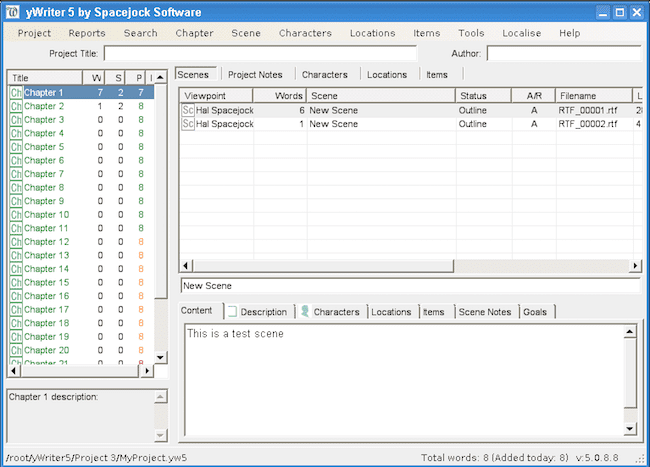
The key feature of yWriter is that it breaks book writing into chapters and scenes. When writing a book, this is a must-have feature.
It also comes with the ability to build characters and locations.
2. Manuskript (Free)

Manuskript is a feature-rich book writing tool.
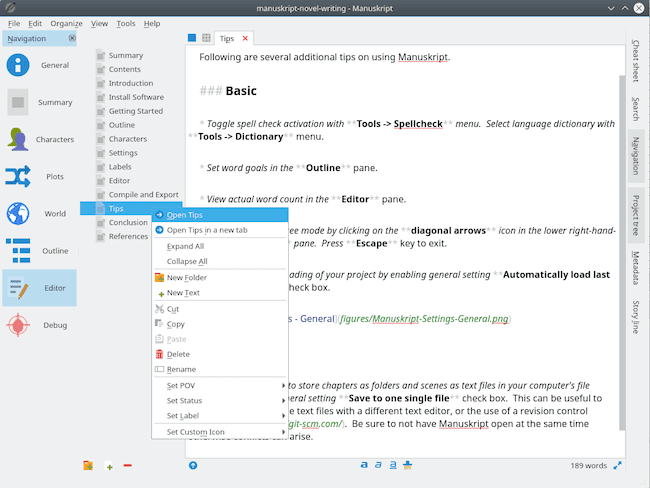
It has an outliner, word count, and distraction-free mode. It also a novel assistant to help you. With it, you can develop characters using the snowflake method.
You can also keep track of notes about your characters, the plot, events, and places in your story.
These tools will certainly help improve your writing.
It is well worth a try for a new author.
3. Sigil (Free)

Sigil is open-source, free software that is well regarded for producing e-books in epub format.
In this respect, it is similar to, if not even better than Calibre.
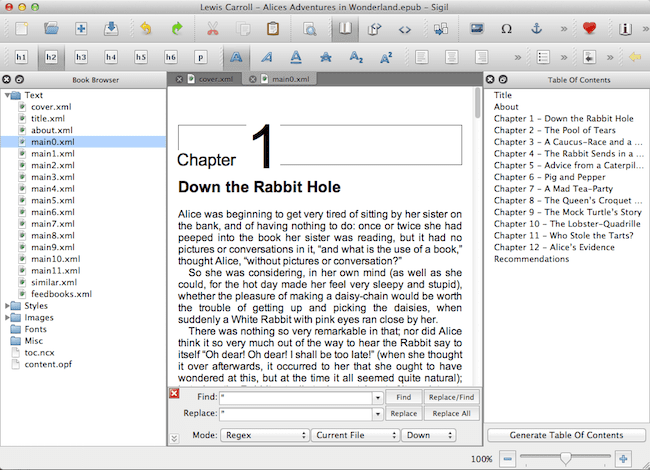
It has multiple views, including book view, code view, and preview, as well as a WYSIWYG editor.
It also has a Table of Contents generator with multi-level heading support.
There is a metadata editor as well as a spell check with default and user dictionaries.
It also supports the import of EPUB and HTML files, images, and style sheets.
4. Wordcradle (Free)

Wordcradle is a free online novel writing app that really has a lot going for it.
You can set up projects with word count goals and how much time you want to allocate to your writing aims.
These are great tools to have if you want to practice writing on a schedule.
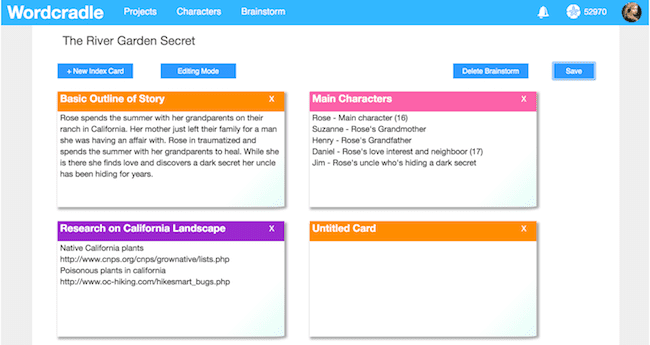
The character cards allow you to construct a profile for each one during your rough draft. They are set in an attractive table layout.
Index cards are a must when writing a novel.
Wordcradle is equipped to handle all your ideas and to track changes you might make to your storyline.
5: Quoll Writer (Free)

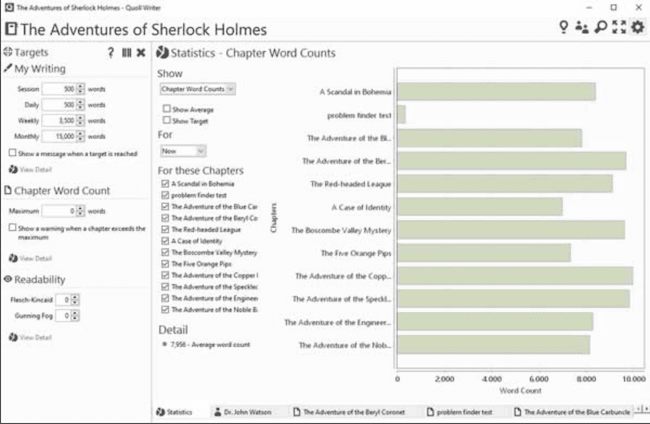
Quoll Writer is a free, open-source book writing program. It is currently available for Windows, but Mac and Linux versions are coming soon in version 3.
It’s loaded with all the features you will need to write a book, including character and location creation, outlining, note-taking, and a lot more.
The layout of the desktop is easy to navigate. But there is a configurable distraction-free mode to let you concentrate on writing.
If you have started writing a book, you can import it from Word. You can export in docx, HTML, and also epub.
6. Bibisco (Free)

Bibisco is open-source software. It is specifically designed for writing a novel.
It has all the elements you will need. These include character development and tracking.
There are chapter and scene organization as well as note-taking.
Everything you need to write a novel in one free software package. Bibisco is available for Mac, Windows, and Linux.
7. Focus Writer (Free)

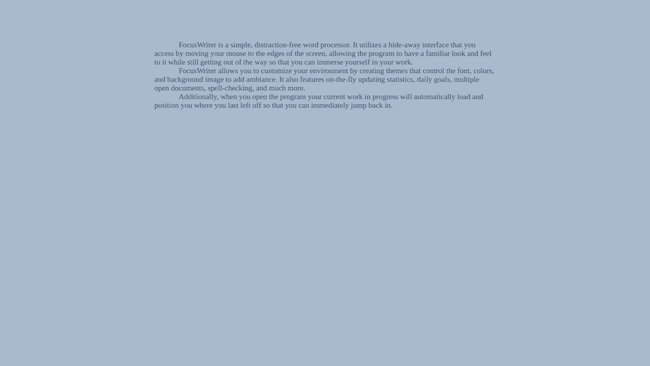
FocusWriter has one key attribute. It is about total distraction-free writing.
It has many options you need to set things up for your writing your book.
But it has a hide-away user interface that lets you concentrate on the one big thing you want to do. Stay focused and write.
Forget about menus, toolbars, drag and drop or copy and paste with this app.
There is all focus mode with nothing between you and your words.
It is very user-friendly, free, and available for Linux, Windows, and Mac OS X.
8. Shaxpir (Free and Premium)

For a dedicated book or novel writing app, Shaxpir really packs a lot into its free version.
With the Manuscript Builder, you can use drag-and-drop tools to rearrange any part of your manuscript.
You can move and change the order of scenes or chapters, so you can work on structures that work for you.
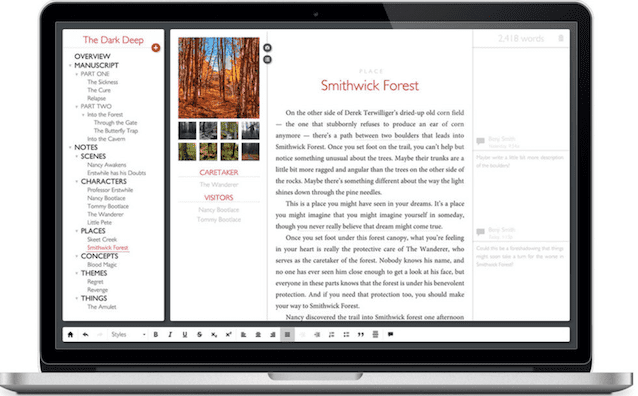
It’s easy to set up writing goals and track your progress. You can also make specific notes about your characters, places, and events.
There is also the facility to add your margin comments as well as collect any concept art.
It also comes with its own in-built spellchecker.
For free software designed for writing books, Shaxpir offers you a huge range of features.
It is available for PC and Mac users with an option for cloud access.
free novel writing software for windows 10
1] bibisco
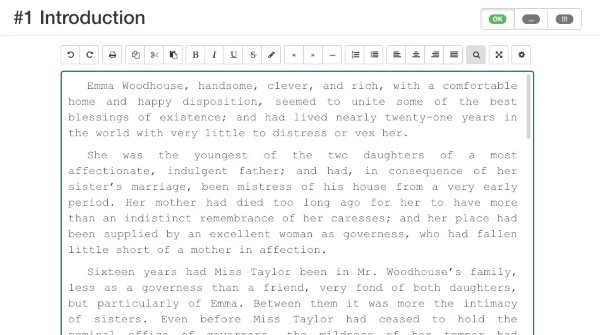
bibisco is a great free novel writing software for Windows 10. Right from building the main architecture of your novel to creating characters, locations, and stories and to exporting the novel, it provides all features. You get separate modules to organize everything related to a novel.
It lets you add several chapters to your novel with different scenes. You can define the characters of your novel in a dedicated section. It lets you enter character details like personal info, physical features, image, ideas and passion, behavior, psychology, sociology, conflict, etc. Location is another module of this novel writing software where you can save location details used in your novel.
Writing is not all, there is more to a novel. In it, you can analyze the length of chapters, characters’ distribution, characters’ list of appearance, location distribution, narrative strand distribution, and analysis of points of view.
To save your novel, it lets you export it in RTF and PDF document formats. All in all, it is one of the best novel writing software that you can get for free. There is a supporter package too that lets you use an additional feature by paying for it. Checkout on bibisco.com for more details.
2] yWriter
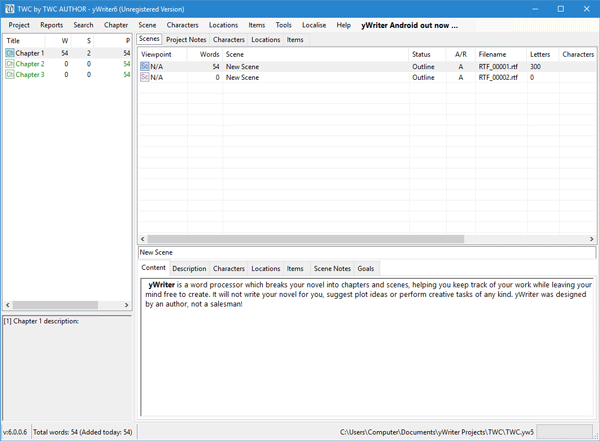
yWriter is a free novel writing software for Windows 10. It is used for different creative writing projects including novels, scripts, stories, and many more. You can add chapters and then add scenes to each chapter. It offers a dedicated scenes editor with options like the type of scene, tag, rating, duration, importance, formatting options, etc. You get different modules to save and manage locations, characters, and other key elements used in your novel.
It offers some useful features that may come in handy to you, such as Storyboard, Display Scene Lists, Show Word Usage Counts, Text-to-Speech Converter, and more. You can save a novel in RTF, PDF (using the Print function), and XML formats.
3] FreeWriter
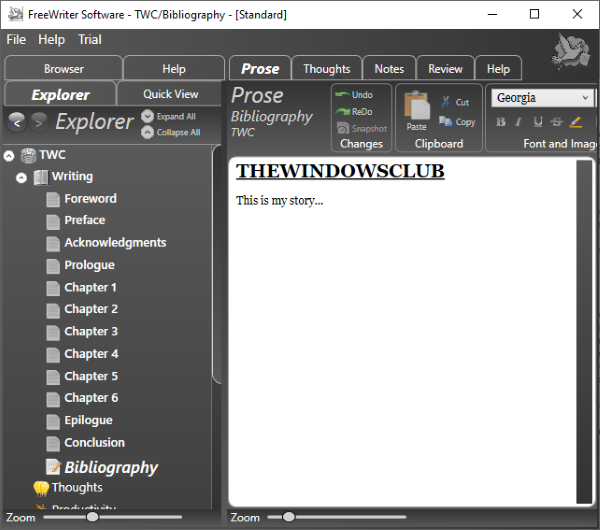
FreeWriter is a writing software using which you can create your novels. It lets you start with defining the basic structure of your novel that includes title, target word count, fore matter, back matter, initial thoughts, prose, notes, images, etc. You can also design the cover page of your novel as per your preference. The introduction, preface, acknowledgment, prologue, epilogue, conclusion, appendum, glossary, and bibliography pages can also be added to the novel.
Add chapters to your novel and then start writing your content to the chapters. It provides standard formatting features to modify the appearance of text. In it, you can find a Dictate feature that enables you to dictate text using a mic. A Spellcheck feature is also present in it.
You can publish your novels in file formats including PDF, RTF, and TXT. Download it here.
4] Manuskript
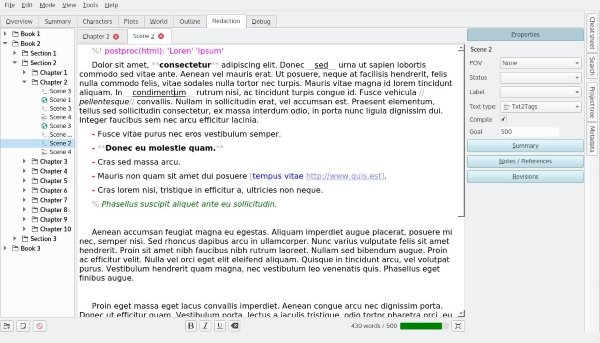
Manuskript is a free, open-source, and portable novel writing software for Windows 10. It lets you create various fiction and non-fiction writing projects like novels, short stories, trilogy, research papers, etc. You can start by adding some chapters with several scenes per chapter. Then, simply add characters and locations to your novel. You get Frequency Analyzer, Dictionary, Spellcheck, and more tools in it that help you in writing. It lets you save your novel in plan text or markdown format.
5] Plume Creator
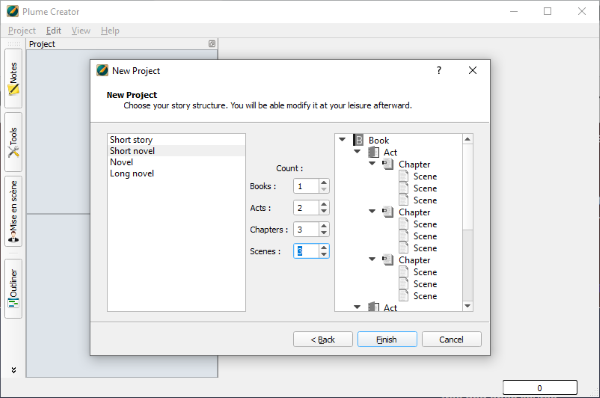
Plume Creator is another novel writing software for Windows 10. It helps you create stories and novels. You can insert chapters, acts, and scenes into your novel. You can create multiple novels in different tabs. It offers standard formatting tools to format text in your novel. It provides a dedicated Workbench to add the status of your novel, synopsis, notes, etc.
This software basically provides a distraction-free environment to focus on your writing. You can save a novel in PDF, ODT, CSV, HTML, and TXT files.
Conclusion
Let us know your thoughts in the comment section below.
Check out other publications to gain access to more digital resources if you are just starting out with Flux Resource.
Also contact us today to optimize your business(s)/Brand(s) for Search Engines