
In the world of online retail, it’s important to know everything you can about your products and how they perform. This is especially true if you’re looking to expand into new marketplaces or advertise on other platforms.
But how do you know where your products are selling best? How do you find out which platforms offer the lowest fees, or which ones have the best customer service?
The answer is simple: use a retail arbitrage app! These apps allow you to compare prices across different online stores so you can maximize your profits.
Here are some of our favorites:
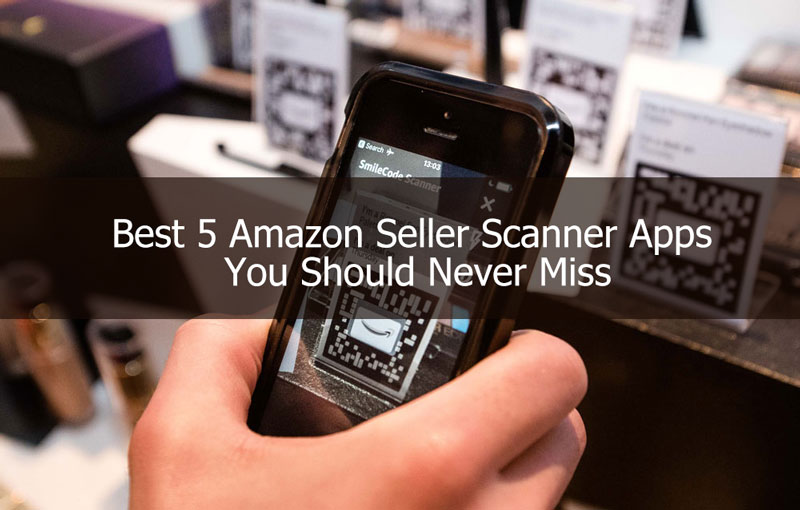
Best Apps For Retail Arbitrage
Making money on Amazon is not an easy task. It takes a lot of skill, dedication and patience.
While these are important, you need to leverage platforms that have helped people sell and make tons of money on Amazon.
The platforms these individuals use are called retail arbitrage apps. And before I list the apps and their specific functions, I’ll tell you what they are and why you need them.
What are Retail Arbitrage Apps?
According to Online Selling Experiment, retail arbitrage refers to the act of buying products in your local retail stores and then selling those same products through online marketplaces for a profit. The most reliable source of products is generally the clearance racks of stores like Walmart, Home Depot, and Target.
So, from the above meaning, we can deduce that retail arbitrage apps are applications where you get the best buys as they help you sell your goods on online stores – stores like Amazon.
Although there are so many stores wherein you can sell, we will focus on the best apps to help you sell on Amazon.
Why Do I Need to Use Retail Arbitrage Apps?
I don’t think anyone turns down an opportunity to make more money out of a business, trade or occupation.
So, you shouldn’t make a poor choice especially if you’re in the retail market.
Apart from the ease of access and increased visibility you get, retail arbitrage apps help you keep track of your business online.
Hence, at every point in time, you have enough data to help you make informed decisions about your business.
RELATED: 10 Most Expensive Pens In The World In 2022
A lot of retailers on Amazon has spoken highly of these apps and we will find out why.
Best Retail Arbitrage Apps
Here are some of the best apps for you;
- Amazon Seller App
This is one of the easiest and simplest applications to use. And the biggest perk is that it is completely free.
As a registered seller on Amazon, you can start using this platform immediately. However, if you’re not yet registered, you’ll have to complete the sign up request.
A good number of the advantages that this app offers is the ability to fix prices, calculate approximate profits, check best sellers ranks and even spy on your competition.
On the other hand, it has some disadvantages such as the inability to intergrate with Google or eBay. And the impossibility of seeing the maximum ROI.
- Scoutify
To fully utilize Scoutify, you need to register under it and pay the sign up fee. I know that is heartbreaking but you also need to know it’s highly recommended ofor sellers with a high monthly volume.
So, if you’re making a high monthly volume, you can skip the content at this stage and go to the next.
However, if you’re on the other side, the benefits are amazing.
Apart from the ability to integrate this application with third-party apps, you have a shopping list which holds the history of your purchases. Furthermore, you get access to an InventoryLab where you can access reporting, sourcing, and bookkeeping tools.
- FBAScan
The FBAScan app is one of the best retailer arbitrage apps for selling your products. Additionally, it has a very huge advantage which makes it outweigh other applications.
RELATED: How Much Does Namely Cost?
With this app, you can do business in an area with a very poor reception. Yes! A poor reception.
Similar to other applications, you get to see your sales rankings, image, weight, title and prices as well.
- ScanPower
If you’re somehow who works on the go, this app will probably favour you more than any other application.
On this application, you get access to live data from Amazon. Furthermore, you can transfer this data to a place where you can always revisit it.
The distinct feature of allowing users to create 2D barcodes after shipping items makes transactions easy, convenient and accessible.
- Profit Bandit
Profit Bandit is another exceptional application. However, it is a paid platform which allows you to perform research on best selling items. A good part of this application is the low entry point for sellers it gives.
Final Thoughts
Before you can decide to use any application, you must ensure that it fits the requirements you need to sell. More so, you must check to see if your budget can accommodate it. Don’t fall into the pressure of trying out something extraordinary, you are doing just well.
amazon retail arbitrage app
Not all Amazon third-party sellers are into private labeling and importing. While others are invested in creating their own range of products, others are banking on premade ones that they buy at a discount.
This nifty business model of taking advantage of market price differences is called arbitrage. The concept is simple enough—buy something in bulk at a discounted price and sell it in another place for higher and keep the difference.
But while the concept is simple, getting into Amazon arbitrage is still a business that requires a degree of effort and a set of tools to keep everything going smoothly. While you’re inside the store rummaging through the clearance sale, you need an app that helps you make the decision of whether or not to buy a certain product faster.
In this article, we will look into the best scanning apps for Amazon arbitrage sellers and look at their pros and cons so you can choose which app fits you best.
Contents
Amazon Seller App
Scoutly
Scoutify 2
ScanPower
Profit Bandit
Conclusion
Amazon Seller App
Let’s start with the most basic app you need. Even if you’re not into arbitrage, the Amazon Seller app is a necessity if you’re selling anything on Amazon. This is also the only free app on this list, so if you’re still starting out, consider this tool first.
What Works
The Amazon Seller app shows you the basic stuff such as the product’s sales rank, and the price of the item when they’re new or old.
It also tells you if the product is restricted and if so, what conditions they can be sold. Remember that just because an item is restricted on Amazon doesn’t mean that you absolutely can’t sell them. For some branded items, Amazon allows you to sell them used.
The app is perfect for always-on-the-go sellers because it allows you to do more than make a buying decision. You can also immediately list the product on Amazon so that before the cashier can give you a total, you can have your listing ready.
The Amazon Seller app also has a Response Needed tab where you can conveniently address buyer concerns. It shows you customer complaints and even intellectual property complaints so you can deal with them immediately.
What’s Lacking
While it gives you the basic information you need, the Amazon Seller app could use a couple more improvements. For example, it’s not connected to Keepa, a tool that shows you the product’s price and rank history. This is important to determine the highest and lowest prices the item was sold for and how it did over a certain period.
Neither does it have camelcamelcamel integration, which shows you when prices drop, helping you decide when to buy.
Another problem with the Amazon Seller app is that it shows you only the lowest new and used prices of the product scanned. It could happen then that if another seller is running a promotion on the day you scanned the item, that you’ll get an unrealistically low number.
The app also doesn’t account for taxes, so despite taking the FBA fees into consideration, you can’t determine how much exactly you can profit from in selling the product on Amazon.
Package Recognition
To use the app for scanning, all you need to do is find the barcode of the product you want information on and scan it. Just click on the camera icon in the upper right corner of the app. It will show you a list of the possible products that match the one you’re scanning. Some products come in packs of 6, for example. So you need to choose the one that matches exactly the product you want. This is also how it works for a lot of the other scanning apps.
Unlike most apps, however, another way to scan a product through the Amazon Seller app is by scanning the packaging itself. This may give less accurate results, however, so I recommend using the barcode instead.
Price/Plans
Free
What We Like
Has a built-in FBA calculator
Gives data for seller-fulfilled items
Contains data of the total number of sellers and best sellers rank
Allows sellers to manage orders and notifies if a product has been sold
Shows selling eligibility
What Can Be Improved
There is no data for taxes.
No integration with Camelcamelcamel and Keepa
Shows only the lowest price of new and used products
Scoutly
Formerly called FBAScan, Scoulty is a convenient tool for those who can’t seem to get a strong internet connection when scouting for products to sell.
What Works
This app from ASellerTool allows database downloads and search for the following:
United States
Canada, and
The United Kingdom
You can choose which database to download: Books and Other Media or Non-Media.
This makes it faster to pull up the information of a certain product since it’s already available offline. You don’t need a wifi connection or a signal to scout for products, but you can still do so if you want. However, the live search mode does give more accurate current prices.
Aside from the fact that it shows the product’s Keepa chart, the best thing about Scoutly is it lets you set product-specific profit triggers. This means that you don’t have to use that many brain cells to determine whether to buy a product or not because the app will analyze the data for you and tells you when a product is worth it.
This comes handy if you want to hire people to scout for you. So instead of going to the store yourself, you can let someone else do it, and they will still be able to make the right decisions because of these profit triggers. It’s good to note that Scoutly allows you to hide the item’s price information so your employee can look for products for you without turning into your competitor.
What’s Lacking
If you want to download the database on Scoutly for faster scanning, you will need at least 2 GB of storage space. So make sure you’ve deleted all unnecessary selfies to make room for it.
There are also issues regarding bugs in the system, so you might experience repeated crashes during scanning. When it happens often enough, this problem can defeat the advantage given by the faster data retrieval provided by the downloaded database.
In terms of pricing, Scoutly does offer a 30-day free trial, but it’s only available for the Professional Plan. If you choose the Lite Plan, you have to pay immediately.
Price/Plans
Lite
Unlimited Internet search + Listing Software + Online Arbitrage
Monthly Plan: $9.95
6-Month Plan: $54
Annual Plan: 100
Professional
Database search +Unlimited Internet search + Listing Software + Online Arbitrage
Monthly Plan: $35
6-Months Plan: 190
Annual Plan: 350
What We Like
Allows sellers to set up product-specific profit triggers
Can be used even when offline
Integrates Keepa charts
Shows average sales rank
What Can Be Improved
Has a tendency to crash during scans
The 30-day free trial is available only in the Professional plan
Downloading the databases will take up phone space
Scoutify 2
Scoutify 2 is an app that comes with an InventoryLab subscription, so you have to pay for that to get the app. InventoryLab is a useful tool that gives you information about your listings such as a breakdown of your FBA Transaction fees, disposal fees, etc. It also helps you analyze your profitability and track your expenses.
You can get a lot of use from InventoryLab and if you want to stick to this tool, then it’s best to use the scanning app that comes with it for easy integration.
What Works
When you open Scoutify 2 to scan a product, you will immediately appreciate the table that conveniently displays the offers for new, used, and FBA prices to easily compare them.
Scoutify 2 shows you the target cost per unit based on your preferred ROI. This necessarily means that the app already works in taxes so that you get a more or less accurate number.
Another cool thing about this app is that it flags items that meet your ROI and sales performance preferences. This makes it easier to make a decision on-the-go since the app tells you if the product has passed your standards.
Aside from the basic information you’d like to see in an Amazon scanning app, it also shows you the product’s expiration date (if applicable), its condition, and the tax rate. All these can be imported into your Buy Lists, making it easier to retrieve them later on.
What’s Lacking
The biggest downside to Scoutify 2 is that it doesn’t show you the average sales rank of a product. This information is important since it gives you an overall picture of how the product is really performing in terms of sale by analyzing purchase history over a period of time.
Let’s say for example that you found a toy on clearance. It sells only an average of five times a year. It just happened that when you scanned the product, a purchase was made the day before. Since the sales rank drops after a sale, it can make you think that the product sells more often that it actually does.
This is important especially when you are into Amazon FBA. Remember that the longer your product sits in the warehouse, the higher your FBA fees will be. It might not be considered as a stranded inventory, but with the performance of the product overall, it might as well be.
Things to Note
An important thing to consider about Scoutify 2 is the fact that it’s only available for Amazon Professional account sellers and not for those who avail of the Individual Plan. As such, you should be paying $39.99 monthly for the Amazon Professional Plan plus at least $40 (if you go for the InventoryLab annual plan) to use Scoutify.
And while both the monthly and annual plans have a free 30-day trial period, you can access only the last 60 days of your sales data while still on the free mode.
Price/Plans
Free with an InventoryLab subscription that costs
Monthly plan: $49 per month
Annual plan: $480
Both plans have a free 30-day trial.
What We Like
Has a convenient table showing offers for new, used, and FBA for easy comparison
Has research button that shows information from Amazon Listing, Prime, Camelcamelcamel, Bookscouter, Ebay, Google, and Amazon Restrictions
Can be downloaded to multiple devices
Takes taxes into consideration
What Can Be Improved
No more direct links to Keepa
Does not show average sales rank
Not available to Individual Account sellers
ScanPower
One of the most underrated Amazon arbitrage seller apps out there, ScanPower contains useful features that are not found on a lot of scanning apps.
What Works
ScanPower has six key features that separate it from the rest.
ScanPower Mobile and ScanPower Scout
First off, the ScanPower Mobile allows users to see live pricing data on Amazon. The items can be searched either through a barcode, by ASIN, ISBN, UPC, or by simply typing a keyword and searching for the product. You can also pull up the same set of data on a web browser using another feature, the ScanPower Scout. The latter provides unified sales rank and price history graphs so you can make a more informed decision.
ScanPower List and ScanPower Boxt
The ScanPower List, on the other hand, allows sellers to immediately create an Amazon listing and print the FBA label in one step. From here, you are ready to pack the item in a box and with the ScanPower Boxt feature, you can create box-level contents so that you’ll be able to print 2D barcodes of the box contents.
ScanPower Evaluate
Meanwhile, the ScanPower Evaluate calculates the net payout of each item from a list of products you can upload. You also can set the rules in evaluation to easily make a decision.
For example, you can program it to reject items that Amazon offers and accept items with a net payout of $15 dollars or greater. By analyzing the competitive landscape of Amazon, it’s much easier to separate worthy products from those that aren’t up to your standards.
ScanPower Report
Finally, the ScanPower Report provides a platform for detailed inventory management that includes FBA fees, taxes, shipping, and other expenses. With this feature, you can keep track of your cost of goods sold (COGS) and return on investment (ROI). It also has a useful filter function so you can arrange the data by date, category, or source.
What’s Lacking
You’d think that a relatively expensive app would have all the basic features. Unfortunately, the developers may have missed putting a back button on the search pages. This can be annoying since you have to rescan items to check the listings again.
It’s also good to note that just like Scoutify 2, ScanPower does not work with an Amazon Individual account, so you’ll have to go for the Professional Plan to use this app’s features.
Price/Plans
Basic: $49 per month (2 account users)
Pro: $99 per month (4 account users)
Enterprise: $199 per month (unlimited account users)
All plans have a 30-day trial period.
What We Like
Allows inventory management while showing taxes, fees, shipping costs, and expenses
Shows whether or not a product is sold by Amazon
Allows automatic creation of a listing after scanning
Calculates the net payout for each item
What Can Be Improved
The seller needs to have an Amazon Seller Pro account to use the app
There’s no back button on search pages
Quite expensive
Profit Bandit
The last app on the list is from Seller Engine. Profit Bandit is an Amazon arbitrage scanning app that allows sellers to calculate profit based on multiple factors, determine which product has the Buy Box, and gives restricted item alerts. These features are discussed in detail below.
What Works
Profit Bandit is that it takes into consideration 15 factors including the product’s weight, shipping rates, and cost of goods in determining the profit you can earn. It also provides a breakdown of how the app came up with the amount through a detailed calculation down to the penny.
But perhaps the most useful feature of this app is that it allows you to see who has the Buy Box through an asterisk next to an offer. The Buy Box is not always given to the listings with the lowest price, so this data is useful to have.
And just like ScanPower, Profit Bandit shows you if you will be competing against Amazon for certain products.
What’s Lacking
This app is known to be hard on battery, so you might as well carry a power bank with you when you’re scouting using Profit Bandit. And because it provides live Amazon data so they’re more accurate, you need to have a stable internet connection unlike Scoutly that you can use even offline. This reliance on signal availability is one of the factors that contribute to the power-hungry characteristic of the app.
And just like most apps out there, Profit Bandit also experiences the occasional glitches. However, there are times when this app literally just stops working, so you might as well have a backup application just in case. (You can use the Amazon Seller app for this since it’s free.)
Price/Plans
$9.99 per month
With 20 free trial scans
What We Like
Relatively low cost
Shows the estimated profits
Able to calculate net profit and ROI
Shows product weight
Shows availability of Amazon Buy Box
What Can Be Improved
Does not have database scanning mode
Doesn’t link to Keepa
Needs a reliable internet connection
Conclusion
Amazon arbitrage as a business model is nothing more than buying a product for a low price and selling it somewhere else for a profit. However, doing the business, just like any other entrepreneurial endeavor, requires sellers to do the legwork.
Walking through the aisles of Target or Home Depot to find profitable items to sell is taxing physically and mentally. Which is why you need the proper tools to help make the process easier.
Hopefully, this review helps in making the choice of finding the right app easier. If you have any other apps to recommend, I’d love to hear from you in the comments section below.
Conclusion
Let us know your thoughts in the comment section below.
Check out other publications to gain access to more digital resources if you are just starting out with Flux Resource.
Also contact us today to optimize your business(s)/Brand(s) for Search Engines