
Are you a woodworker who uses your smartphone or tablet to manage your projects and designs? If so, you’re going to love this list of the best apps for woodworking design.
It’s become common practice for many people to use their smartphone or tablet to make their workday easier. Whether it’s as simple as making a grocery list or something complex like managing your business, there are plenty of apps that can help you.
In this list, we’ve put together the best apps for woodworking design that we could find. We think these apps will be the most useful to you for managing your projects and designs and making your workday easier.
Best Apps For Woodworking Design
If you enjoy designing your own wood projects, this list of the best woodworking design apps and software programs will help you get started in no time!
1. SketchUp 3D Design Software
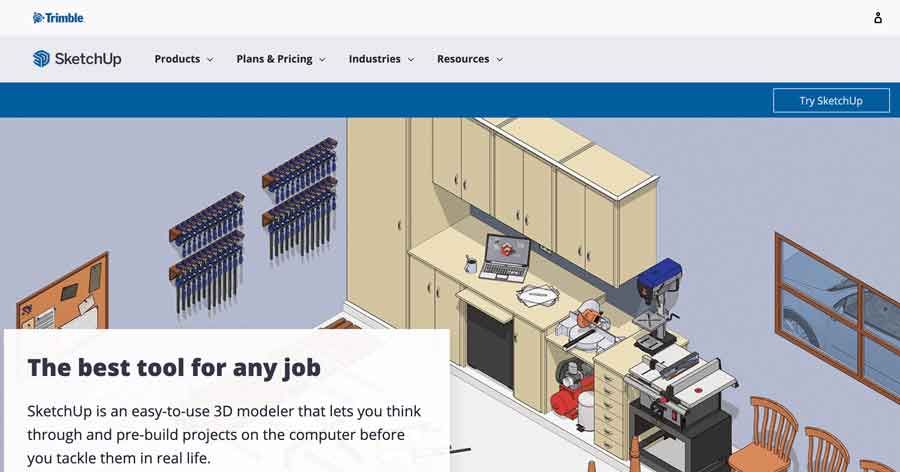
Sketchup is a popular choice for many hobbyists simply because its web based version is very affordable at a price of free!
This app makes it possible to do both 2D and 3D modeling. While it has enough features to make it possible to create designs, many people may find its interface a bit confusing and clumsy to work with.
Fortunately, there are many resources available to learn how to use Sketchup, ranging from YouTube video tutorials to even detailed books written on the subject.
In addition to their free personal use plan, they also offer paid plans with additional features.
2. Fusion 360 – 3D CAD Software by Autodesk

Made by Autodesk, the company behind AutoCAD, Fusion 360 is a professional level app that can render professional looking 3D models for all of your woodworking designs.
There is a bit of a steep learning curve with using Fusion 360, but the company does offer a generous 1 year free trial for personal/hobby use to learn how to use the software.
One thing to consider is the app requires the internet to work. This can be a benefit or a disadvantage depending on your needs – this can make it difficult to use if you do not have a reliable high speed internet connection.
One advantage to the Fusion 360 software is that it can be used in conjunction with CNC routers. If you are simultaneously designing things to be made with your CNC router, this can be a great choice.
The company does offer a free trial, which can be a great way to decide if an investment in the software is right for you.
3. Shapr3D iPad App for Woodworking Design Plans

Shapr3D is an iPad app that works seamlessly with the Apple Pencil to create realistic 3D models. The company has also recently released a Beta version for Mac.
While the free version is very limited, they do offer both a hobbyist and business version. The business version allows you to export CAD files which can be used in any other type of software which opens CAD files.
I personally like using my iPad a lot more for designing different woodworking plans simply because it’s flexible – I can design in bed, on the couch, while traveling – I’m not limited to sitting at a desk all day!
The other advantage to using the Apple pencil is it does not cause the same kind of fatigue like laptops and a mouse can do.
While the business plan is around the same cost as Fusion 360 and other similar CAD software programs for desktop, this is a pretty powerful app that can be used with all the conveniences of an iPad Pro and Apple pencil
4. Sketchlist 3D – Woodworking Design Software
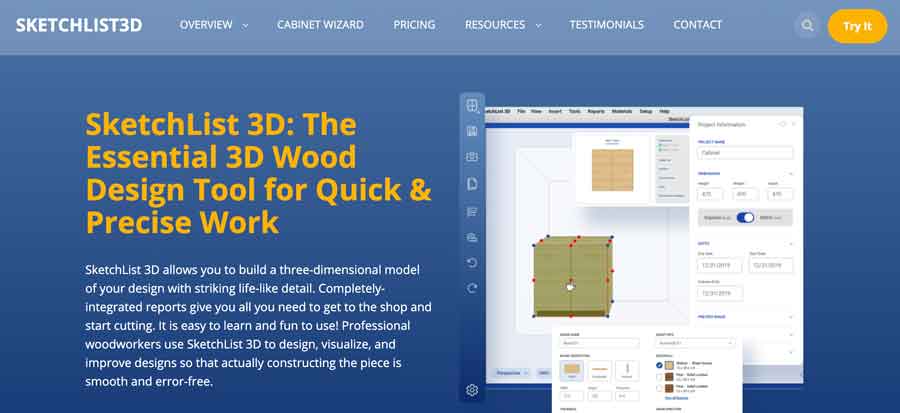
Next on our list of woodworking plan design apps is a software app program called Sketchlist3D.
Out of all of the options we’ve explored so far, Sketchlist 3D is one of the few programs that is specifically created with woodworkers in mind, and as such has a number of features that stand out.
For example, Sketchlist3D Pro version offers a number of different wood joinery methods, including Mortise + Tenon, Tongue & Groove, Miter, Dado, and Rabbet joints. The pro version also includes contours as well as full support to export in CAD .dfx format for other programs as well as CNC router use.
The company also offers a separate software program called the Cabinet Wizard which can quickly help you design cabinets to any specification – simply choose a style and your dimensions!
It works for both Mac and Windows platforms and they also offer a 14 day trial. After the free trial, you can choose the hobby version or the pro version. While the pro version is significantly more expensive, you gain the additional benefit of creating cut lists and parts lists.
5. TurboCAD – 3D CAD Design Software with features for Woodworkers

TurboCAD is another CAD drawing software that is available for both Windows and Mac that can do professional 2D/3D design and rendering.
Some of the features it offers that woodworkers can take advantage of include the ability to easily design rabbet, miter and dovetail joints, edge materials such as cove and base, as well as create a list of materials needed for the project.
They offer a wide variety of different pricing models, from annual subscriptions to buy it once and own it forever.
woodworking design app android
Learn carpentry
The absence of knowledge on woodworking projects should not impact you with the Learn Carpentry and Woodworking app around. For starters, its a completely free source of tutorial on tips to discover and learn woodworking subjects.
From the outlook, you can judge the Learn Carpentry application as an online course toolkit. That is because the app’s structure is tutorials with high-quality images to boot. You get to learn and review woodworking fundamentals such as measuring, tools, aids and marking.
You can also cut to a learn section for building tips, diagrams, drilling, and cutting techniques. That is, of course, if you find the sanding and marking techniques part of the basics you already know.
An element of great interest to all woodworking professionals would also be the Q&A section. As the name of the app suggests, this section provides woodworking learning skills. Users get to explore different sets of multiple questions and answers in flash-card form as an easy-to-read book. You can flip through the questions like that college book on woodworking.
· Measure
The Measure app on Google Play is not a straight-up woodworking designing application. But it packs some of the most basics features for simple woodworking measurements in your everyday tasks. I would presume its a sort of virtual tape measure to carry in your smartphone.
With Measure, you can use different metric units to measure lengths and heights of objects around the office or house. You can also measure flat surfaces by merely pointing the camera to the surface and picking two points to measure.
For future reference, Measure also lets you take photos of your measurements. I find this quite an advantage if you work with multiple woodworking projects. You need to check your app photo album.
The last bit on Measure would be the ease of use. The woodcraft app is rather simple in terms of how it estimates measurements in different smartphones. According to Google LLC, you should expect the app performance to differ depending on how well your device works.
· Smart Ruler
The Smart Ruler app is another application in the set of woodcraft apps available in the freemium section.
Its usage is rather simple as you only have to put an object on the screen, adjust and read the length. From this, you can also conclude that the Smart Ruler is a multi-touch app feature with calibration on different android devices.
About its name, the app also turns your smartphone into a smart ruler. There are a whole lot of units available and more to give you a great measurement tool.
Also available are four different measuring modes that help in the conversion of measurement from one unit to another. You will find this convenient for use in different woodworking situations.
But there are also add-on features available in the Pro version of the Smart Ruler app. Purchasing the Smart Ruler Pro app gets you no ads, a caliper mode, ruler extension, and various tilt units to use. If you like, you can also buy access to advanced protractors, architectural, and engineering scales.
· Handyman Calculator
The Handyman Calculator app consists of a combination of solvers and conversion calculators in different fields of carpentry. But don’t expect it only to have skimp information and practicality. Its one of the best companions for woodworking professionals, as the name suggests.
From the specs sheet, the solvers and conversion calculators work as most apps in the woodworking section. There are calculators for feet, inches, cubic feet, and square feet. A basic calculator, contractor calculator, and carpenter calculator sum up the critical technology for woodworking specific measurements.
You also get a professional woodworking workshop tool with the Handyman Calculator. The app has a time tracking tool, notepad, and TO-DO list as the leading features in its menu category. The goal with these features is to offer convenience tracking your woodworking design projects,
· Felder Group Woodworking
You will also come across the Felder Group Woodworking as practically one of the best free furniture design apps. Some testimonials even proclaim it as the ‘King’ in among android apps for designing woodworking projects for woodworkers. In my perspective, there is plenty of reasons for positive reviews.
For starters, the Felder Group Woodworking is free, which is terrific for woodworking beginners. For that matter, also it beats plenty of apps in the paid woodworking section.
Another positive aspect of the woodcraft app would be the extras this nifty app carries around. You will notice that the woodcraft app combines educative materials from three furniture brands-FELDER, FORMAT-4, and Hammer brands. These brands have made the app with an emphasis on a helpful toolbox to use alongside their woodworking machinery.
Judging from the specs sheet, I would also conclude at the app’s capability to provide perfection in woodworking. That is due to the multiple advanced tools you will find with FELDER’s app. For instance, there is a calculator, a QR scanner, a virtual tape measure, and a ratio panel.
If you happen to find trouble while using the FELDER Group app, a direct contact line is available with the support service department. We sought to test it out, and luckily, the company provides immediate feedback and followup on your application troubles. That was after finding out issues the app had with not working with smartphones of Android 6.0 and below.
Conclusion
Let us know your thoughts in the comment section below.
Check out other publications to gain access to more digital resources if you are just starting out with Flux Resource.
Also contact us today to optimize your business(s)/Brand(s) for Search Engines