
If you want to be able to communicate effectively in the workplace, it is important that you know about the best apps for work communication. In this article, I will tell you about how to use these apps and which ones are the most popular.
Table of Contents
Best Apps For Work Communication

- Slack for a chat-powered workplace
- Microsoft Teams for large organizations broken down into teams
- Google Chat for Google Workspace (formerly G Suite) users
- Discord for always-on voice chat
- Mattermost for self-hosted team chat
Slack (Android, iOS, Windows, Mac, Linux, Web)
Slack screenshot
Slack launched in 2013 and quickly came to define the team chat space, in no small part because people loved using it. It’s not hard to understand why—this is an application designed with the user in mind.
Every Slack team has a General channel intended for the entire company, but the bulk of day-to-day chatter happens in channels related to a specific team or project. Users decide which of these channels they want to be in, which means they can avoid being flooded by messages about projects unrelated to them. This sorting goes further: conversations in these channels can be broken down into threads, and users will only be notified of conversations in threads if they participate in the conversation or actively decide to subscribe to them. Team members can tag other users to pull them into channels or threads, which helps balance the need to reduce noise with the need to ensure important conversations are being seen.
Slack also makes it easy for users to find answers using search. You can easily filter by channel, user, date, and more. Collaboration is another key emphasis. Quickly share files by clicking-and-dragging them onto the app, or by linking to them. Most links will unfurl, meaning things like images and videos can be reviewed without leaving the app. Small features, like emoji reactions, make it easy to meaningfully respond to messages in just a couple clicks. Video and audio calls can be started with a single click. And there are thousands of integrations with other applications. All of these small touches might sound overwhelming, but a clever design (alongside friendly UX copy) means that Slack rarely feels confusing or overwhelming.
Slack’s biggest downside might be its price—particularly given that it doesn’t come as part of a broader software bundle. For teams that are serious about workplace chat, however, Slack offers more than enough value to be worthwhile.
You can do more with Slack when you connect it to your favorite apps through Zapier. You can create automated workflows that let you know when a calendar event is about to start, add saved Slack messages to your to-do list automatically, and more.
Slack Pricing: Free for unlimited users, 1-on-1 calls within your team, and 10k message history; paid plans from $8/user/month (when paid monthly) for unlimited history, screen sharing, and team video calls.
Best team chat app for large organizations broken down into teams
Microsoft Teams (Android, iOS, Windows, Mac, Web)
Microsoft Teams screenshot
Microsoft Teams is what happens when an org chart becomes a team chat app. How much you’ll like it is directly related to how appealing the previous sentence was to you.
Every Microsoft Teams account is tied to a single organization, sometimes called an org, which represents your entire company. Users are invited into one or more teams inside a company, and every team is broken down into channels. Conversations in these channels are forced into threads, breaking conversations down yet another level. It’s the most layers of organization in any team chat app we tested, and while it might sound a little confusing, the result is ultimately tidy.
Video and audio calls are a big emphasis. Users can schedule meetings, complete with an agenda, or hop onto spontaneous calls. There are also extensive collaboration features, including tight integration with the Microsoft Office suite for collaborating on documents, calendar appointments, and notes.
The main downside to Teams is how much work it is to roll out. If you don’t have a dedicated IT staff, it’s going to be tricky to set up, particularly if you’re attempting to set up the free version. Considering the size of organizations Teams seems to be built for, however, that’s probably not much of a barrier—especially if your team is already using the Microsoft Office suite of apps.
When you connect Teams to your other apps using Zapier, you can track invoices in Teams as they’re paid, get instant visibility into new leads by posting them to a channel automatically as they come in, and more.
Microsoft Teams Pricing: Included with Office 365 Business Essentials and higher from $5/month per user (when paid annually) for Sharepoint, OneDrive, cloud versions of all Office apps, and Microsoft Teams chat.
Best team chat app for Google Workspace users
Google Chat (Web, iOS, Android)
Google Chat screenshot
You’re forgiven if you didn’t know Google offered a team chat app—it’s not exactly common knowledge. Even so, Google Chat is worth looking into.
Google Chat, formerly known as Google Hangouts Chat, breaks conversations down into rooms, similar to channels in Slack. Conversations are forced into threads, which helps keep things organized. Your company can add as many rooms as they want, and users can easily join and leave rooms.
Where Chat really shines, however, is with integrations with Google’s ecosystem of apps. Pasting a Google Doc link automatically changes permissions, so everyone in the room can open it. You can quickly organize a meeting with any coworker by tagging Google Meet, your coworker, and saying when the meeting should happen—this creates a calendar appointment complete with a Google Meet link for video conferencing. Search is also a strong point, which, considering this is a Google product, probably shouldn’t be a surprise. Results show up in real-time as you type, and there’s a wide range of filtering options.
Google Chat’s weakness is probably polish. Some seemingly simple tasks, like browsing a list of public rooms to join, are buried behind multiple clicks for reasons that are unclear to me. Using Chat will take some getting used to. But it’s a solid choice, and if your company is already paying for Google Workspace, it’s essentially free.
By using Zapier to connect Google Chat with the other apps you use most, you can turn your chat app into a work hub. Get notifications in the right channel before important events, for new form responses, or when new tickets come in from your ticketing app.
Google Chat Pricing: Included with Google Workspace (formerly G Suite) Basic and higher plans from $6/month per user for Gmail on your custom domain, Google Workspace apps, and Google Chat.
Best team chat app for always-on voice chat
Discord (Android, iOS, Windows, Mac, Web)
Discord Screenshot
Discord is a real outlier. It was originally built with gamers in mind, and these days is marketed more broadly to online communities—not companies. There aren’t a lot of business-specific features, and integrations are largely bots built by third parties. But Discord can work for business chat for one key reason: excellent always-on audio.
Discord offers text channels, similar to those seen in other team chat apps. You can add as many as you want, although there are no threads to break down conversations further. The highlight here is the voice channels, which are always-on phone calls where you can talk to anyone on your team. You can keep your mic off, then push a key to start talking whenever you want to jump in. It’s designed for gaming, with an overlay view that shows voice channels on the side of your games. But it’s just as handy to talk to colleagues while working remotely in a shared Google Doc. There’s also the option of video chats, if you want to see your teammates face-to-face, but we think the audio chats are the real highlight here.
Again, this app is an outlier in this list, but it’s almost entirely free—the features behind the paywall are basically irrelevant to a business use case. Discord also offers some of the best audio quality on the market, and this feature alone makes it worth a look if talking out loud is how you get work done.
Discord becomes even more suited for business when you connect it to your favorite apps through Zapier. Pull Twitter activity into a Discord channel, automatically share new content from your knowledge base app with a channel, and more.
Discord Pricing: Free for basic features; $9.99/month Nitro plan for more custom emoji, larger file uploads, and GIF avatars.
Best self-hosted team chat app
Mattermost (Android, iOS, Windows, Mac, Linux, Web)
Mattermost screenshot
Some conversations are too important to host on a third-party server, which is where Mattermost comes in. This app is open source, meaning you can download and install it on your company’s own servers. For some businesses, this is absolutely essential. Mattermost is the most feature-complete self-hosted app we found.
Conversations are divided into channels, similar to other services. Threads are offered, though every post in a thread is also posted to the main channel, which could get a little messy. The search functionality is feature complete, allowing you to filter by user, channel, and date. Video and audio chat are handled by third-party services, some of which you can install on your company’s servers and integrate directly in the user interface.
Mattermost is the closest thing you can get to running Slack on your own servers. The interface looks similar, the keyboard shortcuts are basically the same, and there are even emoji reactions. If self-hosting is a must, check out Mattermost first.
You can use Zapier and Mattermost together to get reminders for calendar events, track tickets from your customer support app, or see new messages from your social media profiles, and more—all without leaving Mattermost.
Mattermost Pricing: Free if you download the open-source version and install it on your own server. Paid plans start at $3.25/user/month.
best communication apps
1. RingCentral
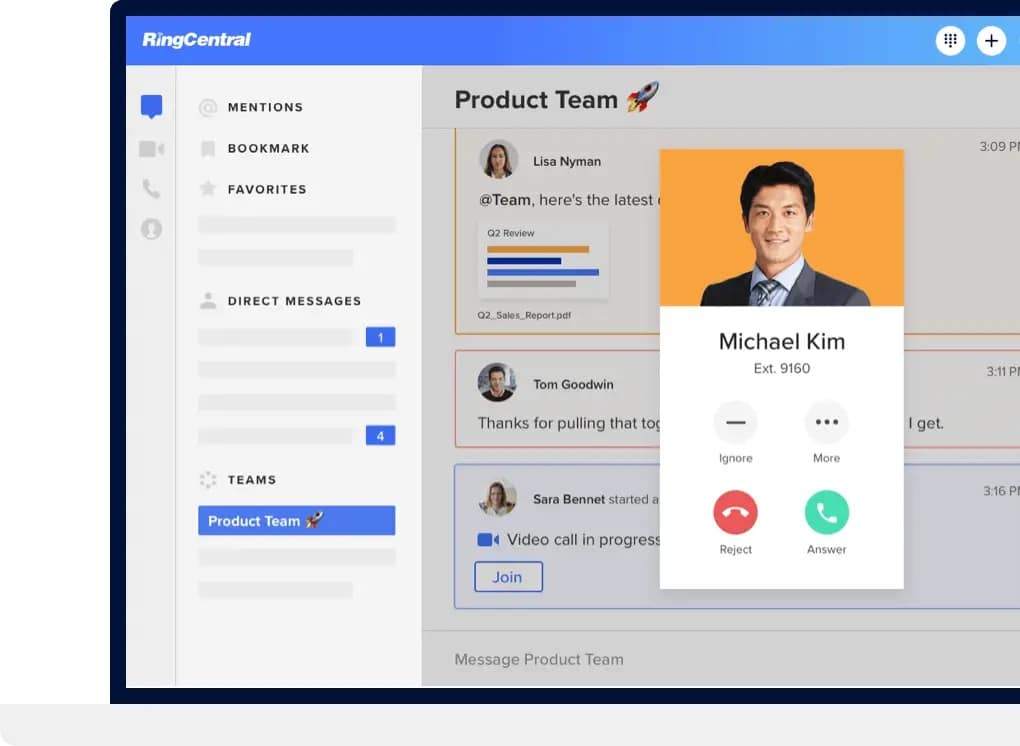
OK, we might be biased – but RingCentral offers one of the best options out there for comprehensive business messaging. Even more than just text messaging, RingCentral provides a unified communication solution.
You can create dedicated threads for specific projects, allowing participants to track progress and keeping all relevant files and information in one place – no more scrambling to remember whether you talked about something over email, messenger, or text!
You can produce schedules and agendas in-thread, so everybody knows what they should be working on.
If you work with clients, you can invite them to join group chats with you too. This makes it incredibly easy to keep them updated on the project you’re working on.
You can choose to use the platform for internal communications or as a contact centre solution for external chats with customers – video chats host up to 200 participants, making it ideal for both purposes. And what’s more, you can access it from a smartphone (across iOS and Android), browser, or desktop app – so you can log on wherever you are.
Depending on which plan you choose, you have access to many valuable features – preventing the need to switch between multiple platforms. The most popular plan – Premium – offers the messaging feature with video calling, phone, integrations with your favourite CRM software, and a developer platform that lets you create custom applications to integrate communications yet further into your key business processes.
It also boasts automatic call recording, voicemail-to-text, and auto-attendant services to allow you to focus on providing excellent customer service.
Plus, the top-class security features – including fraud analytics and TLS and SRTP encryption between all endpoints – mean that your data is safe.
Team messaging comes as part of the free Essential plan, but the varying plans mean you can choose the options that work best for your company.
2. Facebook Messenger
Facebook’s popularity means that in-house Facebook Messenger is a solid choice for social media. You can message anybody in your network, so you can chat with acquaintances, despite not having one another’s phone number.
However, this comes with a downside: it’s a lot less slick when you try to message someone outside your network and downright impossible if someone doesn’t have Facebook.
And if they do have a profile? They might not want their work colleague or boss to have access to it.
Given growing privacy concerns – and a social media malaise in general – it’s not unusual to find that people have stepped away from Facebook.
Maybe it’s best to leave Facebook Messenger for socialising!
3. Viber
Available in 41 languages, Viber has earned its global reputation.
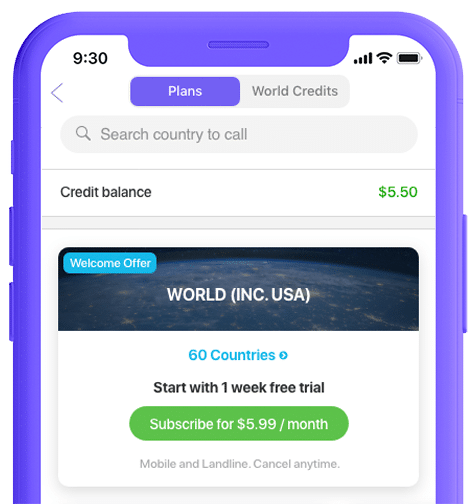
Its offering has remained similar since its launch in 2012: group chats, video and voice calls are offered for free, and, like Skype, Viber offers the ability to call people who don’t use the app for a fee.
Plus, there are secret chats: messages that self-destruct after some time.
When it comes to filesharing and workplace interaction, though, Viber has its downsides. Unlike RingCentral, you can’t backup files to Google Drive or Dropbox, leading to lost information and resources.
One downside is that, while free, you will notice ads popping up. This won’t be a big deal when using Viber socially, but it can be distracting when working – and off-putting to customers interacting with your business.
4. Telegram
Telegram prides itself on user privacy and, like RingCentral, is heavy on security features.
Featuring message encryption and messages that self-destruct, Telegram has become a gathering point for the security-conscious.
Consumers are becoming increasingly aware of how companies use their data, so this kind of privacy is crucial and sets the bar high for other messaging services.
However, its focus on privacy means that it’s hosted some undesirable broadcasts in the past. It might, therefore, not be the best idea to associate a business with such a controversial app.
5. WeChat
A prominent Chinese social app, WeChat boasts features that make connecting easy. It’s used by many as simply a messaging app and offers the ability to ‘meet’ those nearby to chat.
Security concerns: the University of Toronto ran an experiment that suggests the Chinese government is monitoring foreign content and metadata to censor material within China further.
Last year, the US government requested that US-based companies stop using the app altogether to fear unwittingly sharing confidential information. Consequently, if you have any US clients or contacts, they might be unwilling to use the app entirely.

Conclusion
Let us know your thoughts in the comment section below.
Check out other publications to gain access to more digital resources if you are just starting out with Flux Resource.
Also contact us today to optimize your business(s)/Brand(s) for Search Engines