
A YouTube intro is the first thing viewers see when they tune into a video. In just a few seconds, it sets the tone for what they can expect from the rest of your channel. And if it’s done right, it can also help you grow your audience by showing off who you are as a brand and inviting them to subscribe and stay tuned for more content!
If you’re not sure how to make an intro that will grab people’s attention and make them want more, here are some of our favorite apps
Table of Contents
Best Apps For Youtube Intros
You will find many useful Apps to create an excellent YouTube intro through your mobile phones. These Apps come with exciting features and are relatively easy to use. With just a few clicks, you can create a perfect intro video. Because of this, these video Apps are frequently used among YouTubers. After all, the video App allows them to edit their YouTube videos anytime and anywhere. So, what apps do YouTubers use to make their intros? Then, let’s look at the top 8 Apps that you can use for your project.
1. iMovie
iMovie App is specially developed for macOS and iOS platforms. Using this, you can easily create your complete storytelling movie adding logos, videos, photos, and credit rolls. The App is relatively simple and convenient to operate, and it supports video editing at 4K resolution. The App offers more than 25 transitions, text effects, filters, ten creative video filters, etc. The App is free to use.
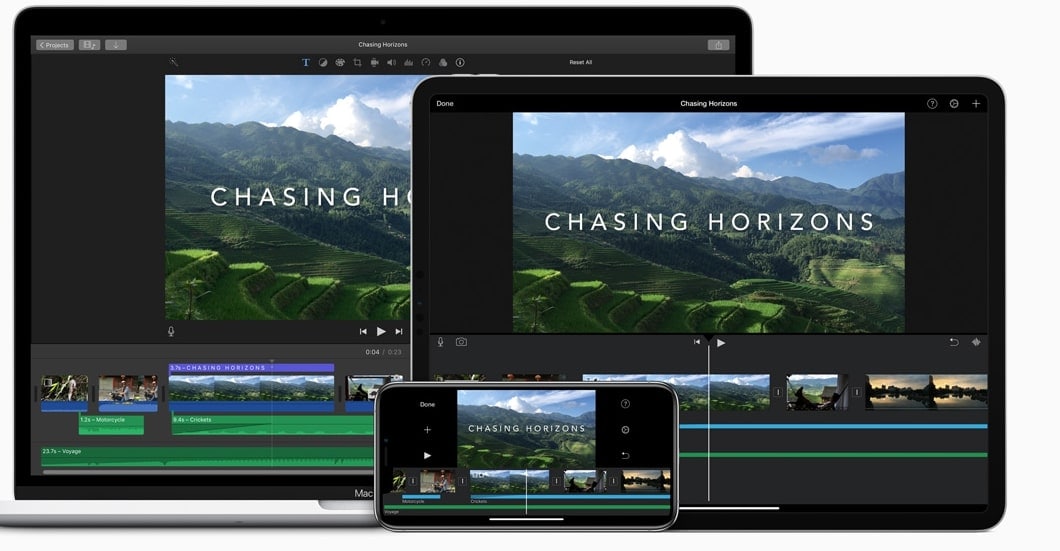
How to use iMovie?
• First, you need to create a new project. You can choose a movie or trailer option.
• Now you need to choose the video clips that you want to use.
• Once added, edit your movie by adding effect, filters, texts, transitions, video speed, etc.
• Add the music of your choice.
• Now export your movie to save in your mobile storage.
Pros:
• 4K and HD video support.
• Automated video editing.
• Real-time titling.
• Video stabilization
Cons:
• The clip trim feature is not precise.
• Sometimes Share to YouTube feature may not work properly.
2. Quick
Quick is quite a popular video editing App for the videos recorded using GoPro cameras, but you can also edit videos using your mobile phone. The App comes with more than 23 customizable beautiful templates that you can use to create an intro for your videos. It has in-built Smart Cuts features that automatically cuts the shots. You can directly download audio clips from its Music Library, and they are royalty-free. The App free is use and available for both iOS and Android platforms.
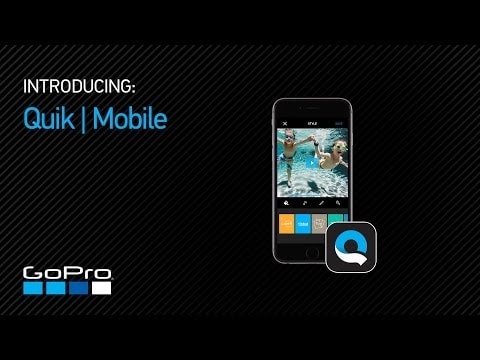
How to use Quick?
• First, install the App on your device and then open the App.
• Now you need to add the video clips that you have recorded. Select the video clips.
• Then add an intro title and choose any one templet available with the Apps.
• Now, add filters and other effects based on your requirements, and once done, choose the export option to save files to your phone memory.
Pros:
• Supports all types of video and audio files.
• It can automatically sync the transitions to the music beat.
• Allow Full HD resolution video export.
Cons:
• For beginners, this App can be a little confusing.
3. VideoShop
VideoShop is one of the best Apps to make YouTube intros as it has more effects, filters, soundtracks, and animations. So, you won’t face issues to come up with a cool YouTube video intro. It has some entirely developed editing functions, and templets are quite remarkable. You can go for its free version and a paid version (if you want some extra features). The cost is USD 2.99. The App can be used on Android and iOS platforms.
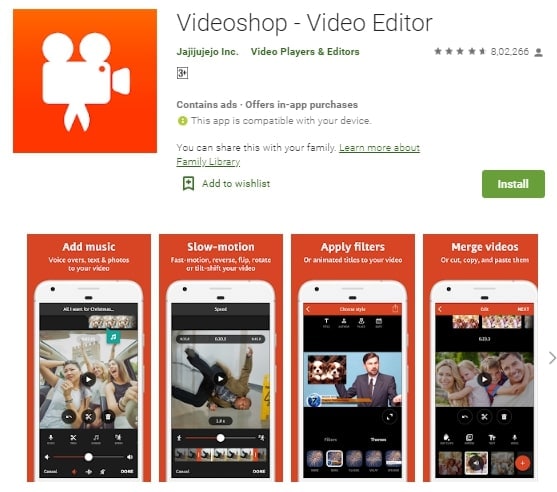
How to use iMovie?
• Open the App and export your music video into Videoshop. You can also directly record a video using the App.
• Once exported, trim the video based on your requirement.
• Based on your preference, set the video speed, add filters, effects, colors, and text to your video. While some features are free to use, some parts are paid.
• Once done, click on the Export option located top right corner. That’s it.
Pros:
• No need to be a pro to use this App.
• Better video as well as audio editing option.
• Number of amazing animated templets and tittles.
• File sharing features.
Cons:
• You may face crashes while doing heavy editing.
• It lacks automatic video editing features.
4. Adobe Premiere Rush
Use this App to shoot, edit, and upload your videos online from anywhere. As one of the popular intro Apps for YouTube, this App has some great features and lets you create professional-looking videos. You can edit the videos at 1080p resolution. The App comes with stunning in-built filters and templets. However, some features are paid. Besides, you will get more than 30 royalty-free audio files for your video. It comes with a free version as well as a paid version. For the paid version, you will have to pay USD 9.99 per month. You can use it on both iOS and Android devices.
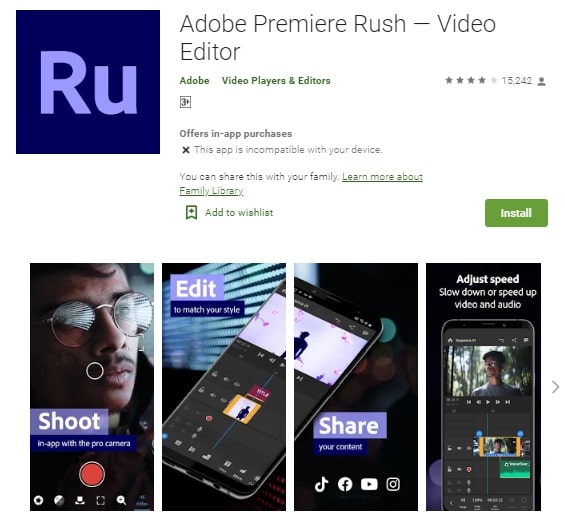
How to use iMovie?
• Open the App and import your recorded video, or you can directly record videos using the App.
• Then apply the desired filters, set the video play speed and transitions based on your preference.
• Now scale and crop your videos and export them to the memory card.
Pros:
• Easy to use video editing tools.
• Rich royalty-free audio library.
• Transition effects are quite sound.
Cons:
• It consumes a lot of memory.
• You may face glitches while editing your videos.
5. Viva Video
If you are wondering how to make a YouTube intro on iPhone, then go for this App. With more than 800 million downloads, this App is quite popular. The App lets you edit your videos by frame precision. You can even create video collages and split the tape up to nine grids. The features options are unlimited. The App has a free and paid version and available for both iOS and iOS devices. The paid version will cost you around USD 11.50 per year.
How to use iMovie?
• Open the App and click on edit video to important video.
• Now click on the edit option to access the editing features.
• Choose text fonts, apply a transition, sticker, FX, and filters based on your preference.
• Once done, click on save or upload to save your edited video.
Pros:
• Easy to use the editing features.
• Massive collection of effects and stickers.
Cons:
• No features to work with VR videos.
• The free version has limited editing features.
6. Vlogit
Developed by Wondershare Technology, this App is getting popular among YouTube video makers. Using this App, you can add various customizable animated intros as well as social media stickers. he App is entirely free to use and can be used on Android as well as iOS devices.

How to use iMovie?
• Open the App and add video clips to start editing.
• Now add a custom opener to the video.
• Then add social media stickers, text, video speed, filters, and transitions based on your requirement.
• One done with editing, explore your video at 1080p resolution.
Pros:
• Supports 1080p resolution video editing.
• Free to use and no time limit
Cons:
• The glitches and sometimes you may face issues while adding text to the videos.
7. Light MV
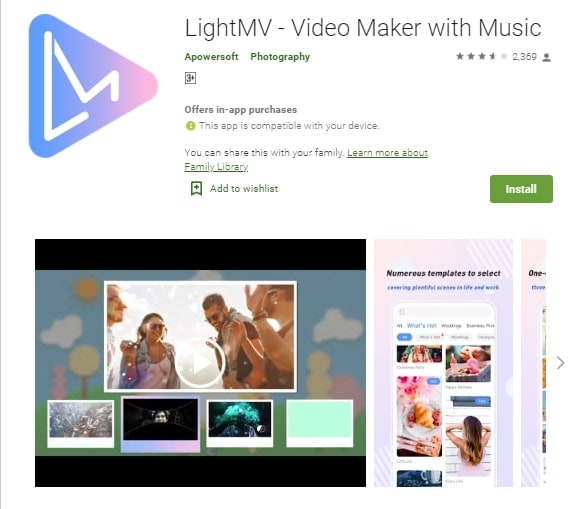
Light MV lets you make amazing YouTube intro videos instantly. It includes many useful editing features, like rotate, filters, trim, crop, and more. Besides, you can use the in-built templets for creating good weddings, birthday, or business videos. The App comes with a free version and a paid version and available for both Android and iOS platforms. The cost is USD 299 per year.
How to use iMovie?
• Open the App and choose the desired theme first. Then press on select option.
• Now click on the plus sign to add videos or photos. Now edit your videos according to your choice.
• Once done, click on the produce button to process the video.
• After that, click on the download button to save the video.
Pros:
• Available for both desktop and mobile phone.
• Easy to use and offers a lot of editing features.
Cons:
• The paid version is quite costly.
8. Intro Maker
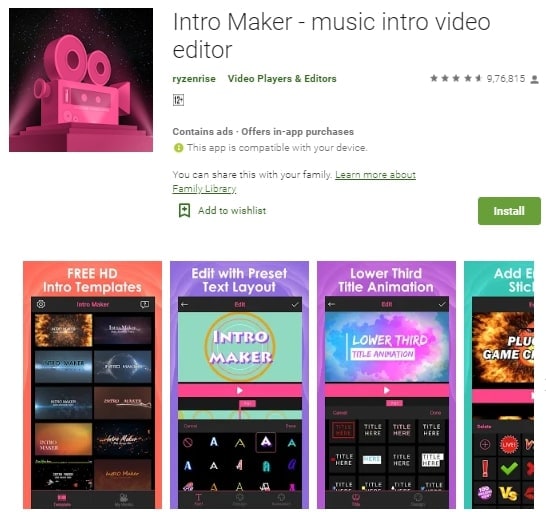
Intro Maker enables you to use all the features you want to create an amazing YouTube intro video. You can start from scratch or by using available templates. You can add transitions, texts, and music as per your need. It comes with its Sound Library that houses a lot of soundtracks.
How to use iMovie?
• Open the App and add photos or videos as per your wish.
• They need to apply the effects, transitions, intro templets, and all.
• Crop the video and choose the video quality and import your video to the storage.
Pros:
• A lot of animation effects.
Cons:
• The UI is a little confusing
9. KineMaster
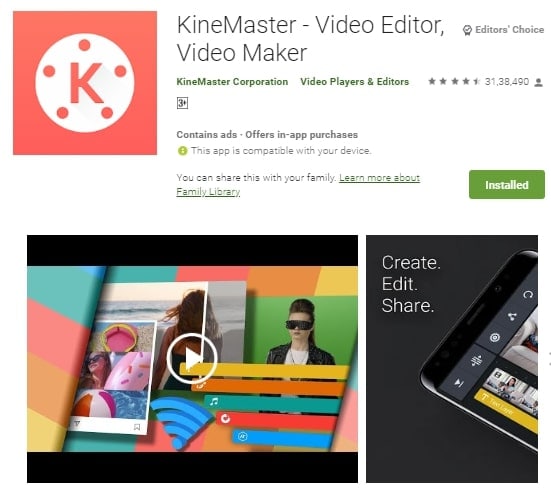
KineMster is one of the most reliable Apps to make YouTube intros utilizing its easy to use tools. The interface is not complicated, and the Apps offer you a lot of features, like text, stickers, images, layered video, and more. The App is free to use, but you can go for its USD 39.99 per year subscription to create videos without any watermark.
How to use iMovie?
• Open the App and click on the video icon and then choose the ratio. Then it would help if you decided the media options to add videos or photos.
• Then add the elements as per your requirements. Once done, click on the download icon to save the video.
Pros:
• Easy to use.
• Good editing features.
Cons:
• Take time to process the video.
best intro maker app for gaming
IntroMaker (for iOS and Android)
It is a tough job to create video intros when gaming on a smartphone. But the gaming Intro Maker app for Android and iOS presents a smarter way to create professional-level intros. The IntroMaker software comes with easy-to-use tools and readily available video backgrounds to ease the intro creation process.
With the IntroMaker app, you can add text, edit their fonts, shadow its glow, customize the size, and reposition the text in any place in the video. As that isn’t enough to get you a superior intro, the app goes ahead, allowing you to add images in a customizable time frame of the video, add any background video to your intro all in a ridiculously easy-to-use user interface.
However, the number of designs in the IntroMaker app is limited meaning it is more likely that the templates you’ll find in their catalog might not rhyme with the recordings of your gameplay.
Pricing:
The IntroMaker app is free for both Android and iOS users. However, it has a lot of ads.Part 2Fort Intro maker (for Android)
Fort Intro Maker is another freemium software for android devices reputable for generating high definition quality intros. The HD intro templates are customizable you can add text, stickers, and audio files to level up the intro to the level you desire. And even more, it comes with over 200 music, and sound effects further heighten the appeal of your gaming intro.
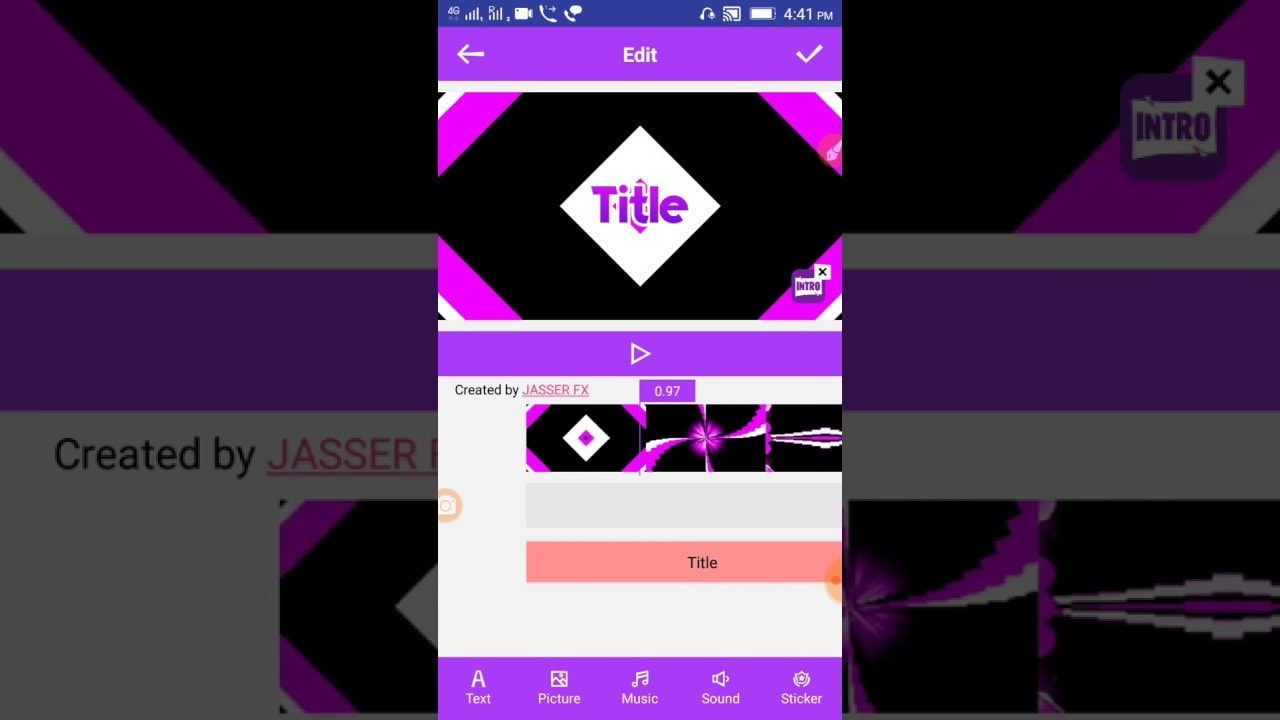
The best part is that you’ll cruise through the app hassle-free because its user interface is so intuitive.
The only problem is that this app is only available for Android devices.
Pricing: It is a free android app but contains ads.Part 3PixelFlow (for Android)
Are you looking for a gaming intro maker for Samsung or any other Android device, and you have limited experience in text animation? PixelFlow might serve your interest best. The gaming intro maker app comes with over 25 animated text templates to choose from and over 15 dynamic animated background to get the job done. Leverage the 2D animation and motion graphic tool to animate the text effect, and then modify the Dynamic background to suit whatever background your gameplay recording has. All with effortless access just select the text effect template, edit and export the text animation to your Android device using the Export button.

The only problem: This Android gaming intro maker generates watermarked video intros unless you have to throw some money at it.
Pricing:
PixelFlow is free to use. However, it has ads, and the video output has watermarks. To remove the watermark, and ads, you’ll have to pay $0.99-$10.99 depending on the template you choose. Pro-tip
If you want to get how to take screenshot on iPhone 13, you can click here to get a detailed guide.Part 4Wondershare FilmoraGo (for Android)
If you were looking for an Android gaming intro maker with a comprehensive toolset to create a near-to-perfect gaming intro, FilmoraGo from Wondershare could do an excellent job for you. Keeping in mind that this android app is one of the world’s most used intro maker, it is easy to tell that it is one of the world’s best.
It presents a full fledge video editing suite, which entails tons of motions and animation templates that you can collect at will. Better yet, FilmoraGo has a huge catalog of music clips to accompany the intro you’ll create.
Pricing:
Most essential features on FilmoraGo are available for free. But for more superior features, however, require a subscription. You can go for the $39.99 per year plan or buy a lifetime license for $59.99.
Turn your gaming videos into movie magic with this free gaming intro maker for iPhone. With iMovie, it is easy to create a Hollywood-style gaming intro even in a 4K-resolution. What’s makes iMovie unique is the fact that you can start your intro creation on iPhone or iPad, and then finish on your Mac, if you’ve one.
All you have to do is choose your clip, add titles, music, and effects from dozens of styles to add even more punch to your intro. It doesn’t matter even if your video is a 4K resolution, iMovie will get you an excellent cinema-quality intro. And that isn’t all.
You can choose from 10 creative video filters that add a cinematic touch to your intro. You can give your intro a nostalgic silent-era style, a vintage appearance, or a futuristic cool-blue look, and even more.
Pricing:
All these for free. No add. No lousy watermark only cinematic-quality gaming intros.
The only problem, however, iMovie is only available for iOS devices. So if you were looking for a gaming intro maker for Xiaomi, this might not work for you.
Conclusion
Let us know your thoughts in the comment section below.
Check out other publications to gain access to more digital resources if you are just starting out with Flux Resource.
Also contact us today to optimize your business(s)/Brand(s) for Search Engines