
In order to become a professional web developer, you will need to have an understanding of the different code editors available to you. This article will help you choose the best code editor for web development in 2021.
A code editor is a program that allows you to write computer programs. It can be used for writing software, creating websites, and more.
The best code editor is going to depend on your personal preferences and needs. You’ll want one with all of the features you need but also something that’s easy to use and won’t take up too much space. There are many different types of code editors out there so it’s important that you do some research before deciding which one is right for you! In this article we’ll go over some things to consider when choosing a code editor as well as our top picks in 2021.
Best Code Editor For Web Development 2021
1. Visual Studio Code
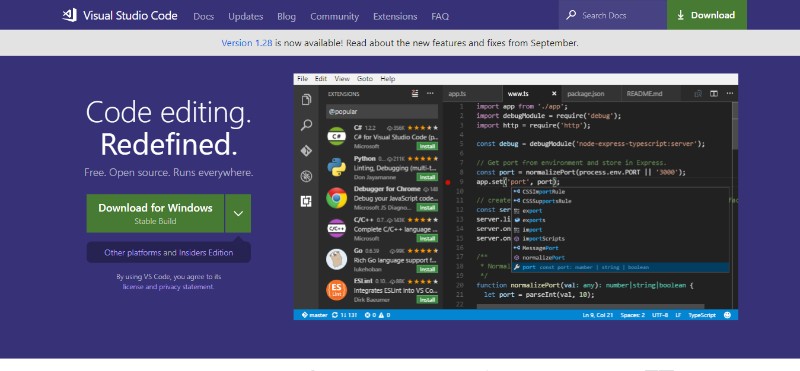
Visual Studio Code is possibly the best JavaScript ide for Windows, Mac, and Linux. Not only does it support JavaScript, but it also supports Node.js, TypeScript, and it comes with a whole ecosystem of extensions for other languages including C++, C#, Python, PHP etc.
It provides great syntax highlighting and auto-complete with IntelliSense based on variable types, function definitions, and imported modules. It also allows you to debug code by launching or attaching to your running apps debug with breakpoints, call stacks, and an interactive console. You can effortlessly integrate a JavaScript UI library into Visual Studio Code. All in all, this IDE for JavaScript is definitely one to check out. An important note – it is free to use.
To get the most productivity out of the Visual Studio Code, we recommend this quick 1-hour online course, which will guide you through adding custom hotkeys, creating templates and boilerplates to increase coding speed, integrating with GitHub to be able to work on Git repositories without leaving VS Code.
2. RJ TextEd
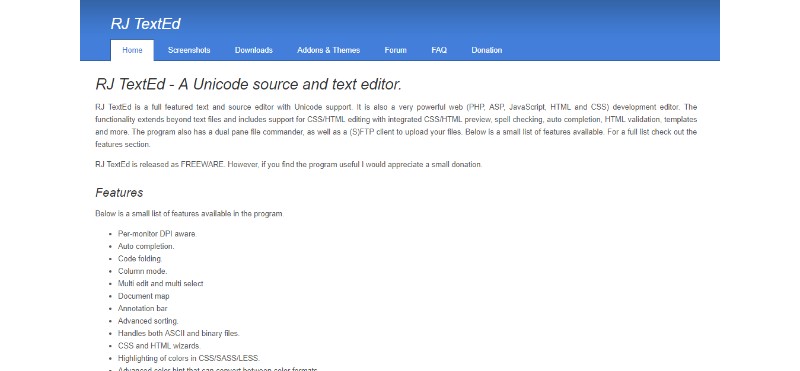
RJ TextEd is high on our list fighting for the spot of the best IDE for JavaScript. It is a full-featured text and source editor with Unicode support and all in all, a great IDE for web development.
It supports not only JavaScript, but also PHP, ASP, HTML, and CSS. Some of the most important features of this web development IDE include but are not limited to:
- Auto-completion.
- Code folding
- Column mode
- Multi-edit and multi-select
- Document map
- Annotation bar
- Advanced sorting
- Handles both ASCII and binary files
- CSS and HTML wizards
- Highlighting of colors in CSS/SASS/LESS
- An advanced color hint that can convert between color formats
- Dockable panels
- FTP and SFTP client with synchronization
- File explorer, text clips, code explorer, project manager
- Convert between code pages, Unicode formats and text formats
- Unicode and ANSI code page detection
- Open/Save UTF-8 encoded files without a signature (BOM)
- Unicode file paths and file names
- HTML validation, format, and repair
- Tools available like syntax editor, color picker, charmap
3. Light Table
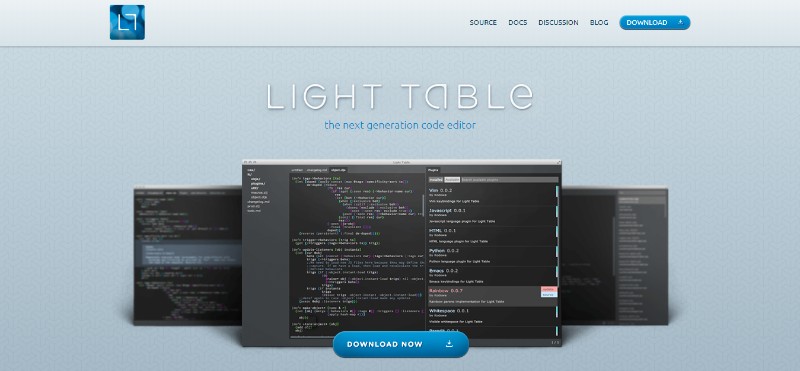
Light Table is a reactive work surface for the creation and exploration of apps or programs. It’s a quite unique web development IDE based on a simple idea that people need a real work surface to code on rather than just using an editor.
With Light Table, you can move things around, keep clutter down, bring information to the places you need it most etc. In addition to that, Light Table is a standalone app and you can run it just like any other editor you have been using so far.
Here are the guiding principles of this cool web development IDE:
- You don’t have to look for documentation
- Files are not the best representation of code, just a convenient serialization
- Editors can be anywhere and show you anything – not just text
- Trying is encouraged – changes produce instantaneous results
- We can shine some light on related bits of code
4. NetBeans
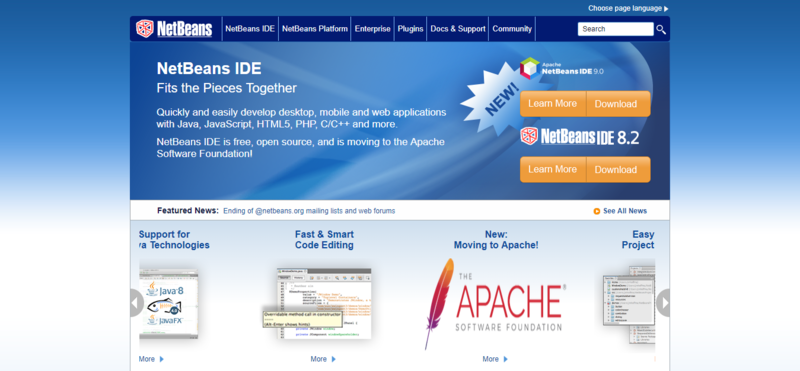
NetBeans is high on the list for the best web development IDE because it is easy to use and it lets you develop cool desktop, mobile, and web apps in no time. It works equally as good with JavaScript, HTML5, PHP, C/C++ etc. It is a free JavaScript IDE and a great HTML5 IDE for your day-to-day use.
This web development IDE comes with cool code analyzing and editing tools compatible with the latest Java 8 technologies. This makes NetBeans 8.1 one of the best if not the best JavaScript editor.
It is also a great AngularJS IDE as well as a fantastic tool for working with Node.js, Knockout.js etc. In addition to all that, it is available in a variety of languages including English, Brazilian Portuguese, Japanese, Russian, and Simplified Chinese.
As mentioned earlier, NetBeans supports a wide range of programming languages, but if you want the coolest web development IDE for your projects, we recommend downloading the HTML5/JavaScript built installation from the download page.
As NetBeans IDE is a massive package, configuring the environment, setting up the debugger, deploying and executing an app could be tricky when you’re just getting started – this short NetBeans crash course will help you to get started.
5. Brackets
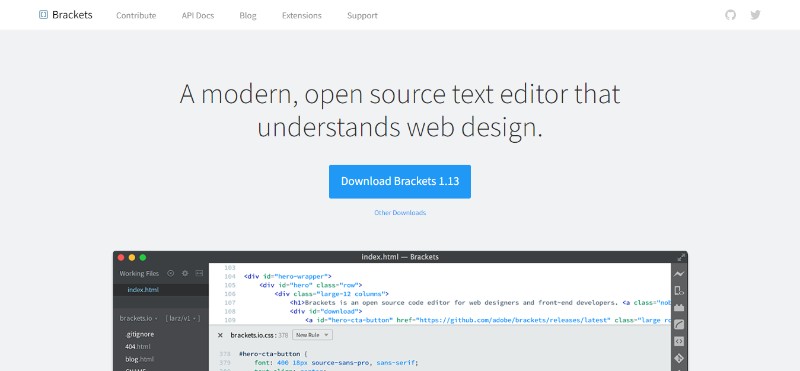
Brackets is the best web IDE if you are looking for an editor that understands web design. It comes with a great set of visual tools, such as website form creators or other, preprocessor supports and it has been created by web designers for web designers.
Another great thing about this web development IDE is the fact that it is open source and completely free of charge. In addition to that, it has a big and passionate community which is always there to help.
Here are some of the Bracket’s useful and unique features:
- Inline Editors: you can simply open a window into the code you care about most instead of jumping between file tabs.
- Live Preview: allows you to get a real-time connection to your browser; whenever you make changes to HTML and CSS, you immediately see the changes on the screen
- Preprocessor Support: allows you to use Quick Edit and Live Highlight with your LESS and SCSS files which will make working with them much easier than usually
To get started with Brackets quickly make sure to watch this short 40-minute set of tutorials.
6. Komodo Edit
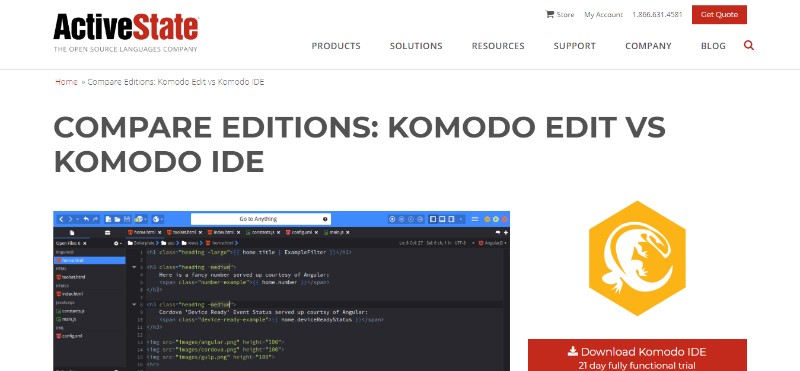
Komodo Edit is the free and Open-Source counterpart of Komodo IDE (paid software). It is a great JavaScript IDE free of charge with a bunch of new integrations that will allow you to get your favorite frameworks, languages, and tools in one cross-platform web development IDE.
While there is a paid version of this JS IDE, you will get a bunch of cool features with the JavaScript editor free version as well. Here are some of them:
- Customizable UI including split view and multi-window editing
- Version control integration for Bazaar, CVS, Git, Mercurial, Perforce and Subversion
- Python and PHP code profiling
- Convenient code collaboration for multi-user editing
- Deploy to the cloud thanks to Stackato PaaS
- Graphical debugging for NodeJS, Perl, PHP, Python, Ruby, and Tcl
- Autocomplete and refactoring
- Consistent performance across Mac, Linux and Windows platforms
- Many add-ons allow a high level of customization
However, we have to mention that there have been some complaints about the free version not enabling all of the features.

Be a part of our community and get expert software development and project management tips straight to your inbox!Email*Submit
7. Atom by Github
Atom by Github is the best editor for JavaScript if you are looking for something customizable and easy to use. It has a built-in package manager for installing new packages or start creating your own within this cool tool.
Atom comes pre-installed with four UI and eight syntax themes in a variety of colors. The rich and supportive community also creates cool themes for everybody to use so you might find what you’re looking for there.
Here are some of the Atom’s best features:
- It works across different operating systems such as OS X, Windows, or Linux
- Find, preview, and replace text as you type in a file or across all your projects.
- Easily browse and open a single file, a whole project, or multiple projects in one window.
Atom is a desktop app built with HTML, JavaScript, CSS, and Node.js integration. It runs on Electron, a framework for building cross-platform apps using web technologies. It is definitely a web development IDE worth checking out if you are looking for JavaScript development tools and best HTML IDE.
This 2-hour set of video tutorials by Ray Villalobos helps to quickly onboard to all Atom’s features, including advanced ones like Atom Teletype, integration with Github and others.
8. SUBLIME TEXT 3
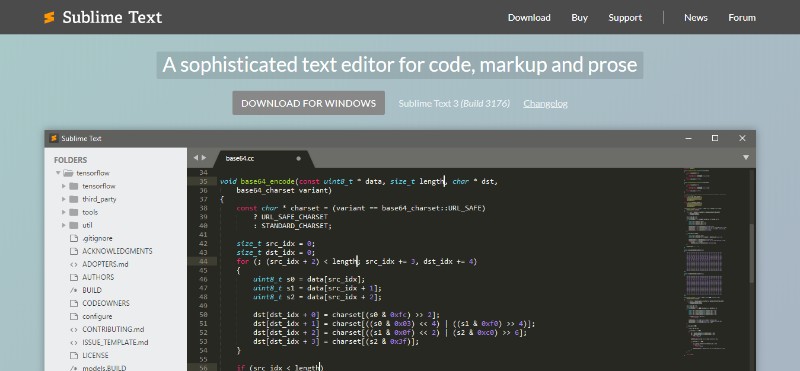
Sublime is a top IDE and one of the best JavaScript editors available for free. It is currently available on Windows, Mac, and Linux. It is fast and flexible and it will do everything one should expect from the best IDE for website development.
Many users, even ones that work with Sublime for many years, do not realize that it can actually be configured as a fully-featured IDE, with features like code autocompletion, using snippets and macros, etc. This 2-hour video course will help both beginners and advanced users to tweak Sublime the way that would work best for them.
9. NOTEPAD++
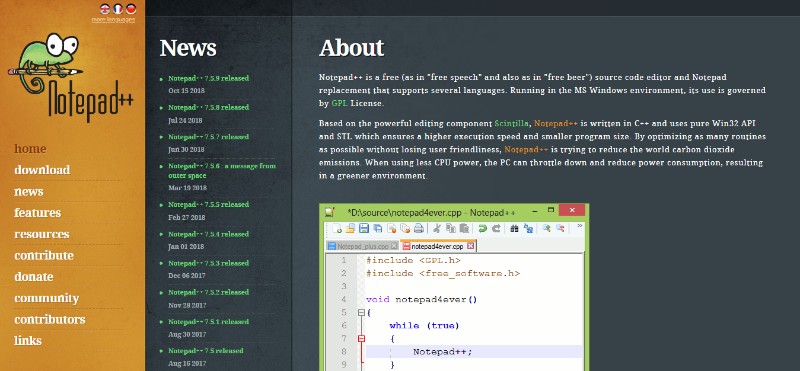
Notepad++ is an opensource IDE and one of the top free IDEs written in C++. It supports over 50 languages and while it is not far from being the best IDE for Windows, you have to keep in mind that it is available for Windows only.
10. PyCharm
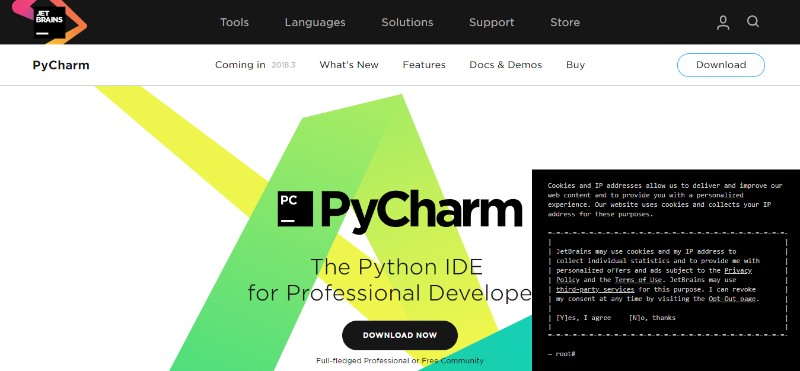
While PyCharm isn’t exactly the best free JavaScript IDE, the paid Professional Edition is definitely worth checking out if you are looking for a reliable web development IDE for Python programmers.
That being said, Python is not the only language PyCharm supports. In fact, it works great with pretty much all the popular languages and frameworks out there including AngularJS, Coffee Script, CSS, Python, HTML, JavaScript, Node.js, Python, TypeScript and template languages.
Here are the key features:
- Compatible with Windows, Linux, and Mac OS
- Comes with Django IDE
- Easy to integrate with Git, Mercurial, and SVN
- Customizable interface with VIM emulation
- JavaScript, Python and Django debuggers
- Supports Google App Engine
However, we have to mention that the users sometimes complain about PyCharm having certain bugs, such as the autocomplete feature occasionally not working.
If you’re just starting your Python learning path, this 2-hour video course by Bruce Van Horn, a Senior Python developer, which combines a quickstart guide both for PyCharm and Python as a language itself, could be a worthwhile time investment. The course covers PyCharm installation, integrating it with Git, SQL systems, configuring the debugger, etc. – in parallel explaining the Python basics as well.
best code editor 2021
Visual Studio Code
Visual Studio Code is an open-source code editor software developed by Microsoft. Of the code editors in this list, it’s probably the closest to being an IDE. You may find the program slow to start. Yet, given its robust features, Visual Studio Code has quickly risen in popularity as one of the best code editors among developers.
Price: Free
Platform: Windows, Mac OS, Linux
Developer: Microsoft
Features:
- Built-in Git support
- In-editor debugging
- Large library of extensions and plugins
- IntelliSense (intelligent code completion)
- Very robust
Download Visual Studio Code
Vim
Vim is an advanced text editor open-source tool which is also considered to be an IDE in its way. The program is navigated entirely via the keyboard, making it much faster and more efficient — but only if you make an effort to learn how to operate it. There is no question that VIM is the most challenging code editor to learn on this list. Yet, it can really increase your productivity. Advanced developers love it because of how customizable and lightweight it is and because there’s no need to touch the mouse for the most part.
Price: Free
Platform: Windows, Mac OS, Linux
Developer: Vim.org
Features:
- Extensive plugin system
- Good for keyboarders
- Custom commands
- Support for hundreds of programming languages and file formats
- Rock-solid and very fast
Download VIM

Sublime Text
Sublime Text is a beautiful, feature-rich code editor. It is lightweight, open, and ready to edit your file almost as soon as you’ve managed to click the button. Its responsiveness, performance, and User Experience make it the best code editor in its class. Unlike some of the other text editors featured here, though, Sublime Text isn’t free. However, for some users, the extra features make it definitely worth paying for.
Price: $80
Platform: Windows, Mac OS, Linux
Developer: Sublime HQ
Features:
- Lightweight
- Project switching at the snap of a finger
- Split editing
- Keyboard shortcuts
- Distraction-free writing mode
- Plugins and expandability
Download Sublime Text

Atom
Atom, which describes itself as a ‘hackable text editor for the 21st century’, is one of the most customizable text editors around. While inspired by Sublime Text, Atom strove to take that editor’s features to the next step. It also simplified the UI so that users could have a clean experience. All these choices have skyrocketed its popularity and resulted in a passionate community ready to stand behind it. However, if compared with many other code editors, Atom is quite slow to start, and many developers experience performance issues.
Price: Free
Platform: Windows, Mac OS, Linux
Developer: Github
Features:
- GitHub integration
- Smart autocompletion
- Snippets
- Extremely customizable
Conclusion
Let us know your thoughts in the comment section below.
Check out other publications to gain access to more digital resources if you are just starting out with Flux Resource.
Also contact us today to optimize your business(s)/Brand(s) for Search Engines