
Blogging is an excellent way to share your expertise and insights with the world. It can establish you as a thought leader and increase readership of your website. But if you want others to find your blog, you need to promote it.
One way to do that is through drip email marketing software. This technology allows you to send emails about new blog posts automatically after the posts are published. It also lets you target specific segments of your audience with targeted content.
This guide will explain what drip email marketing software is, how it’s used and why it’s important for bloggers, and then review the best drip email marketing tools on the market today.
Best Drip Email Marketing Software
let me tell you three things you need to look for:
1. Email & Workflow Builder: To see how easy it is to create, schedule, and trigger your emails.
2. Reporting: To help you get data on key metrics that will guide your optimization efforts.
3. Pricing: To check if the pricing is based on the number of subscribers, emails you send, and which plan offers you drip email functionality.
To make it less overwhelming and save you the time of scheduling trials and demos with each tool, we have created this guide to give you a peek inside the top 8 email drip campaign software.
Let’s read on to find out more.
1. SendX
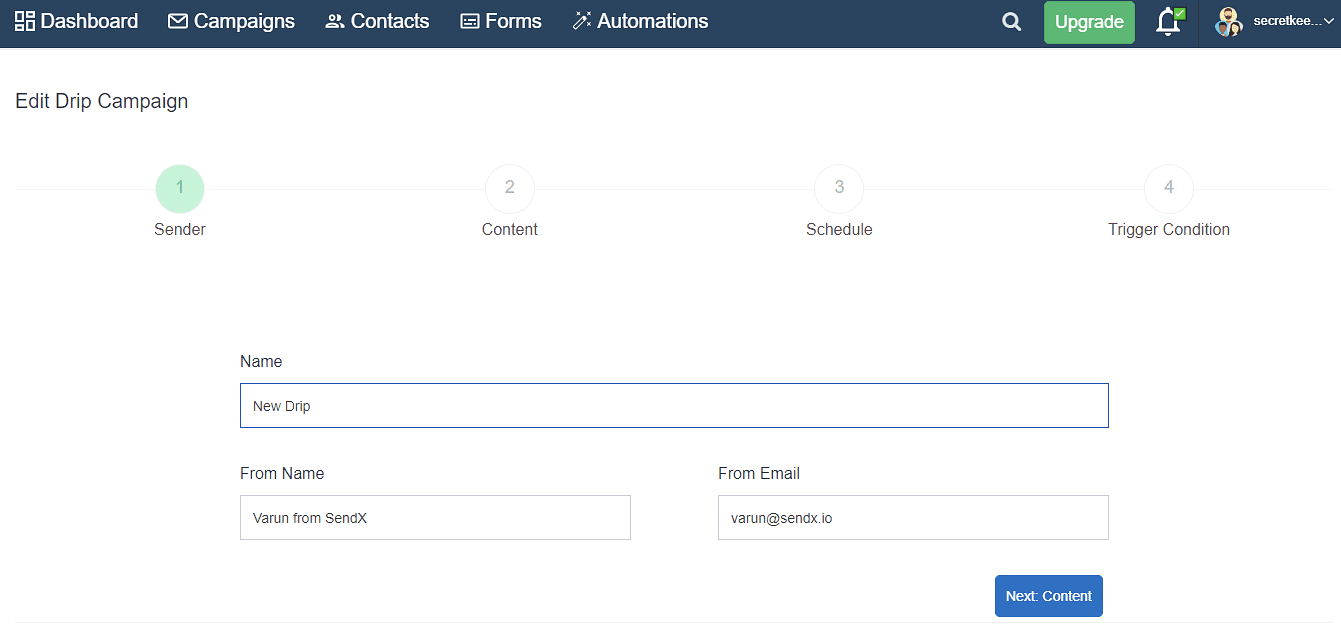
Building Drips:When you are creating your drip campaign, on each screen of SendX, you will clearly know what action to take so it’s very intuitive to use. Your drip campaign will be up and running in 4 simple steps.
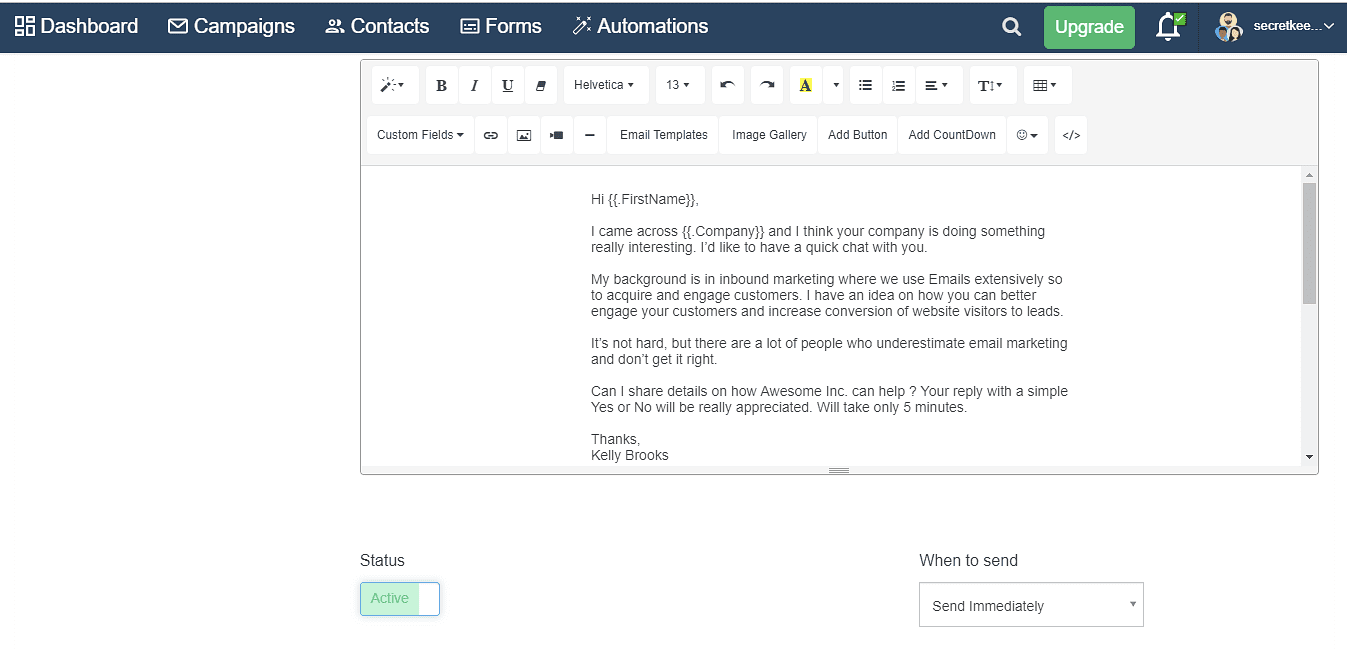
In the email editor, you can choose a pre-existing template, add custom fields, timer (to show scarcity), images, videos etc.
You can customize all your emails to look like an extension of your website/brand by editing the HTML code.
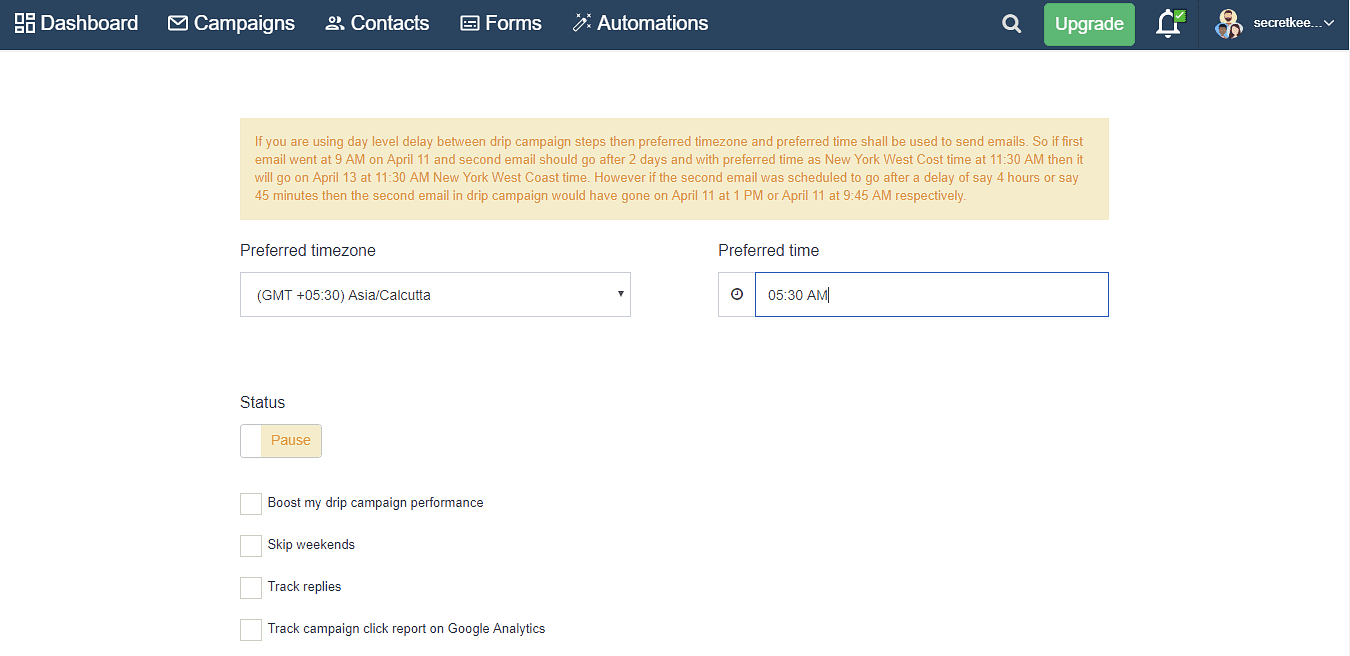
Some interesting features that SendX provides are:
Skip Weekends:
If you don’t want to send emails on Saturday or Sunday, you can just check this option. No messy rules or manual intervention required.
Track Replies:
Check this box to track people who replied to any of the emails in the drip sequence.
Auto-generate UTM parameters:
This will automatically convert the links in your drip sequence to links with UTM parameters. This will help you track the website/page traffic coming from these campaigns. E.g. a link www.sendx.io can be converted to https://www.sendx.io?utm_source=sx&utm_medium=em&utm_campaign=wel&utm_term=hi
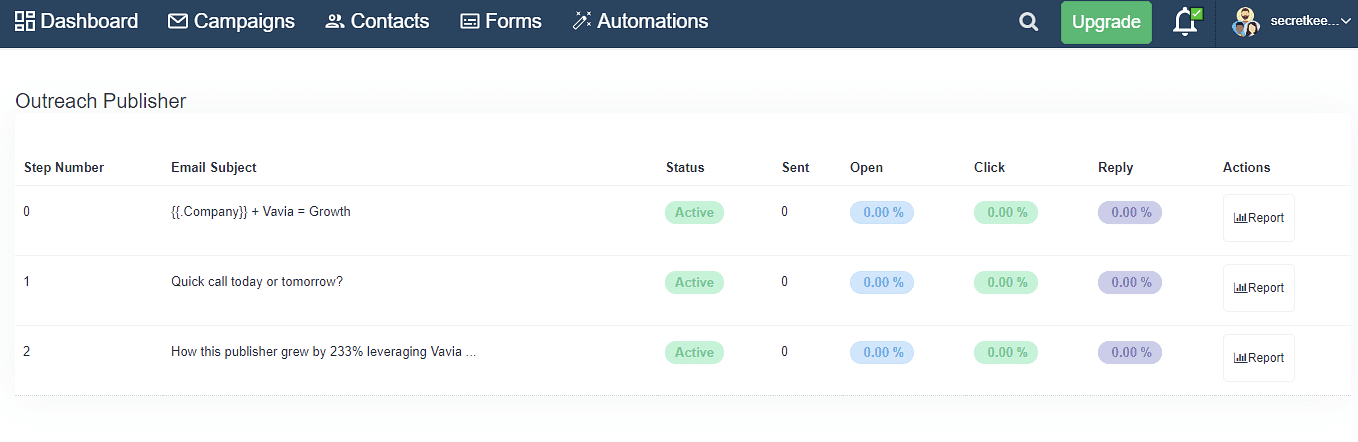
Reporting:
You can optimize your emails further by analyzing data provided through intuitive dashboards and heatmaps.
Dashboards give you key metrics – open rate, click-through rate, unsubscribers – for the overall campaign as well as hourly performance.
Heatmaps give you data on which CTAs and links are people clicking the most so you can use these patterns across your campaigns and even broadcasts.
Pricing:
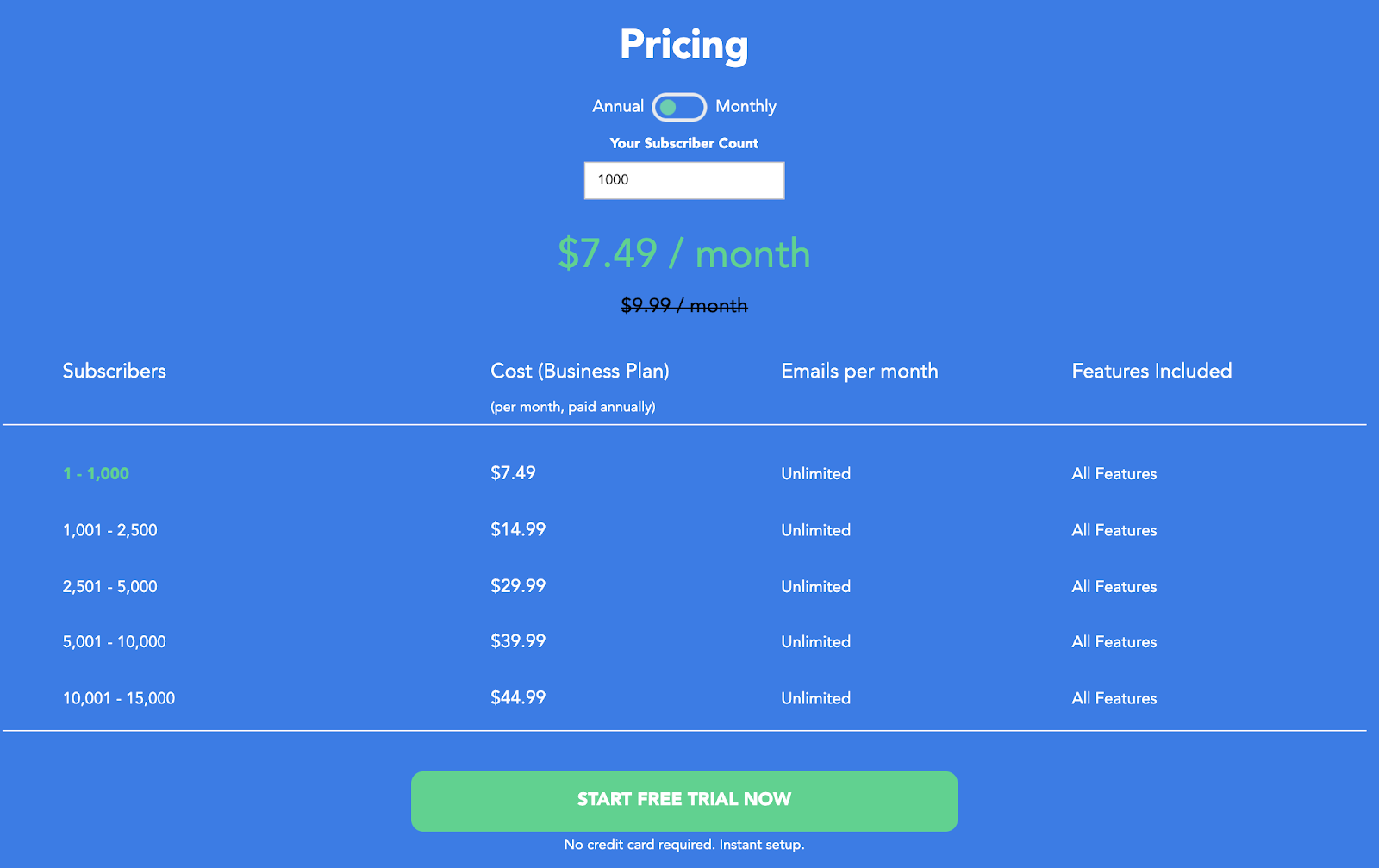
Unlike other email marketing software where drip emails, modern templates are behind high-priced plans, with SendX, you get access to everything even if you are on your free trial.
Even after the free trial ends, you can access all editor functionalities, templates, 24×7 customer support (through email) for as low as $7.49/mo.
2. Customer.io
Building Drips:
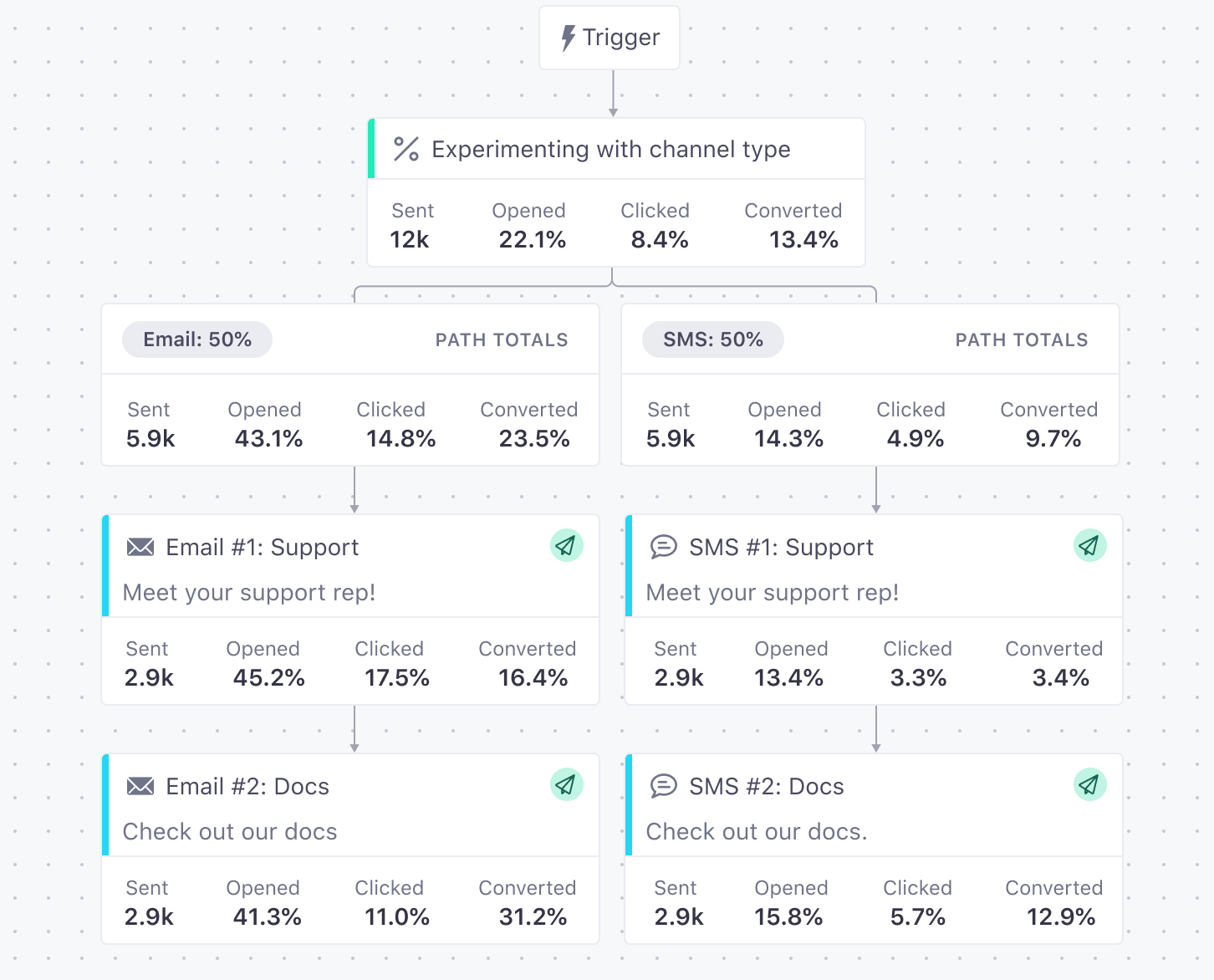
Customer.io provides a visual workflow builder to create your drip sequence logic. It’s easy to drag-and-drop different blocks. You can also combine different ways of sending messages (emails, SMS, and push notifications) to your users.
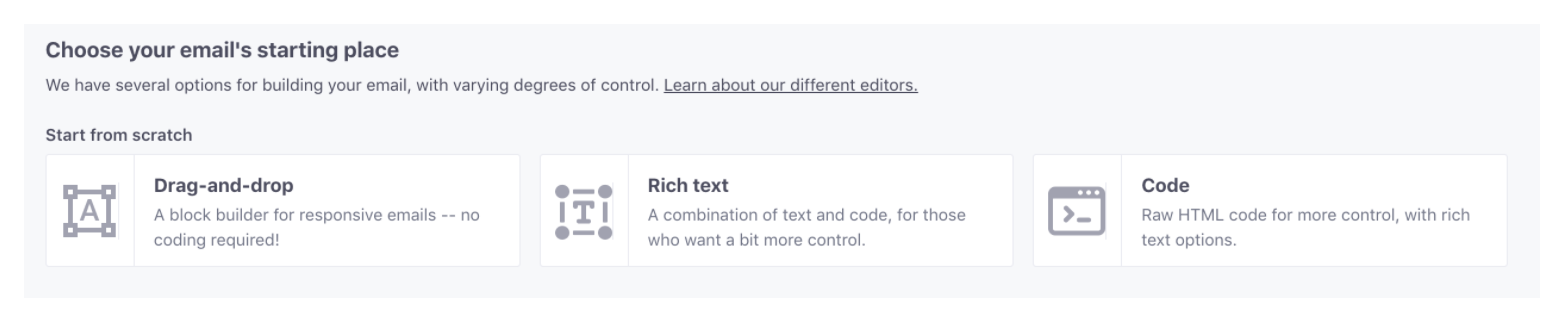
To create your emails you can choose from existing templates or start from scratch. If you start from scratch, you can use a drag-and-drop editor, rich text editor or HTML code.
They have a visual workflow builder that allows you to drag and drop components like emails, delays, conditional branching, segments etc., into the canvas to build your journey.
If you just want to send & track drip campaigns and don’t care about all other email marketing features, then you can choose from these selected platforms:
Reporting:
You can see the metric related to each step of the workflow in the sequence builder itself
To see how people are moving through the campaign, which emails are working, and which ones need optimization, you can go through the journeys metric.
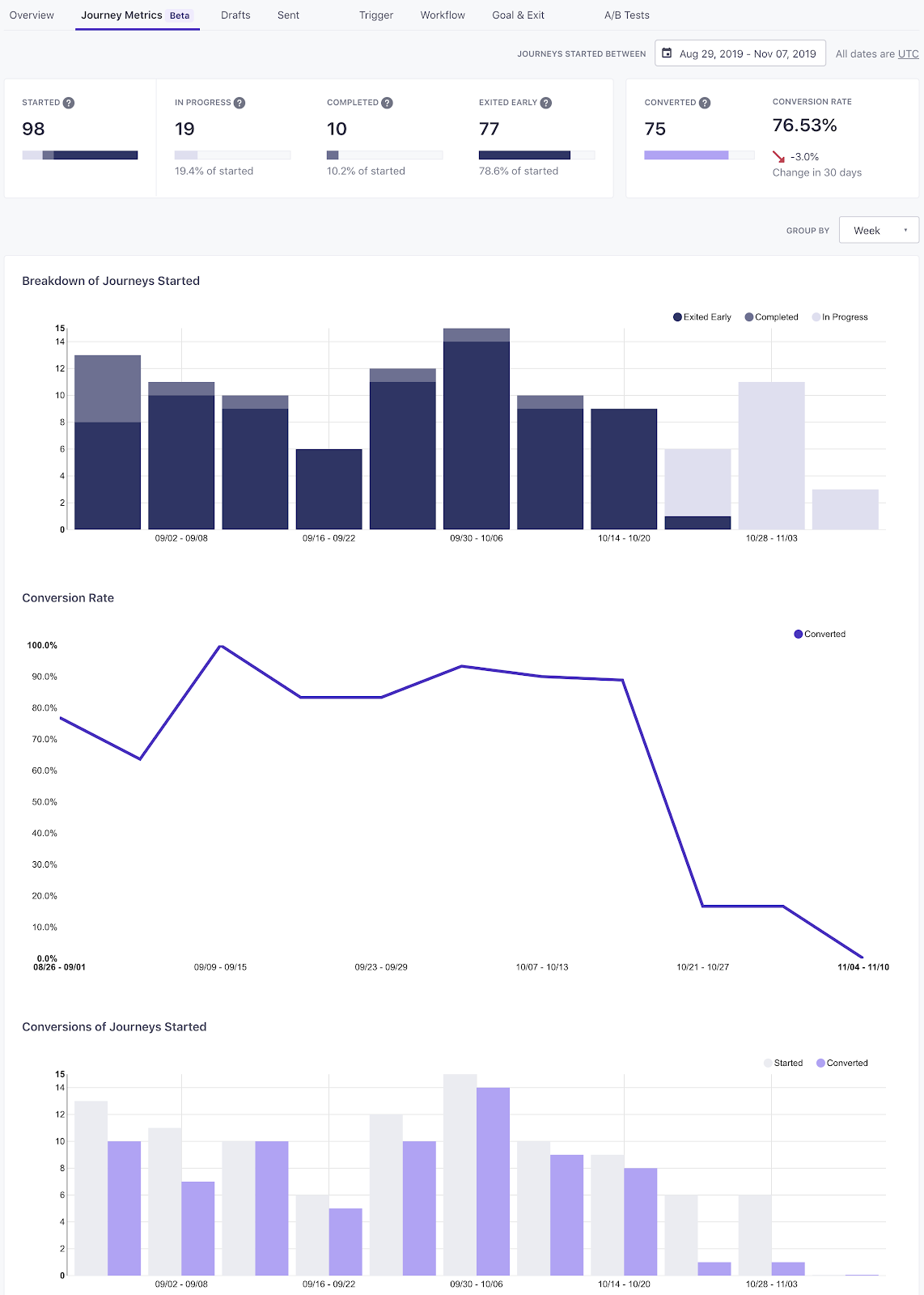
You can export these reports as CSV and store them in your database.
Pricing:
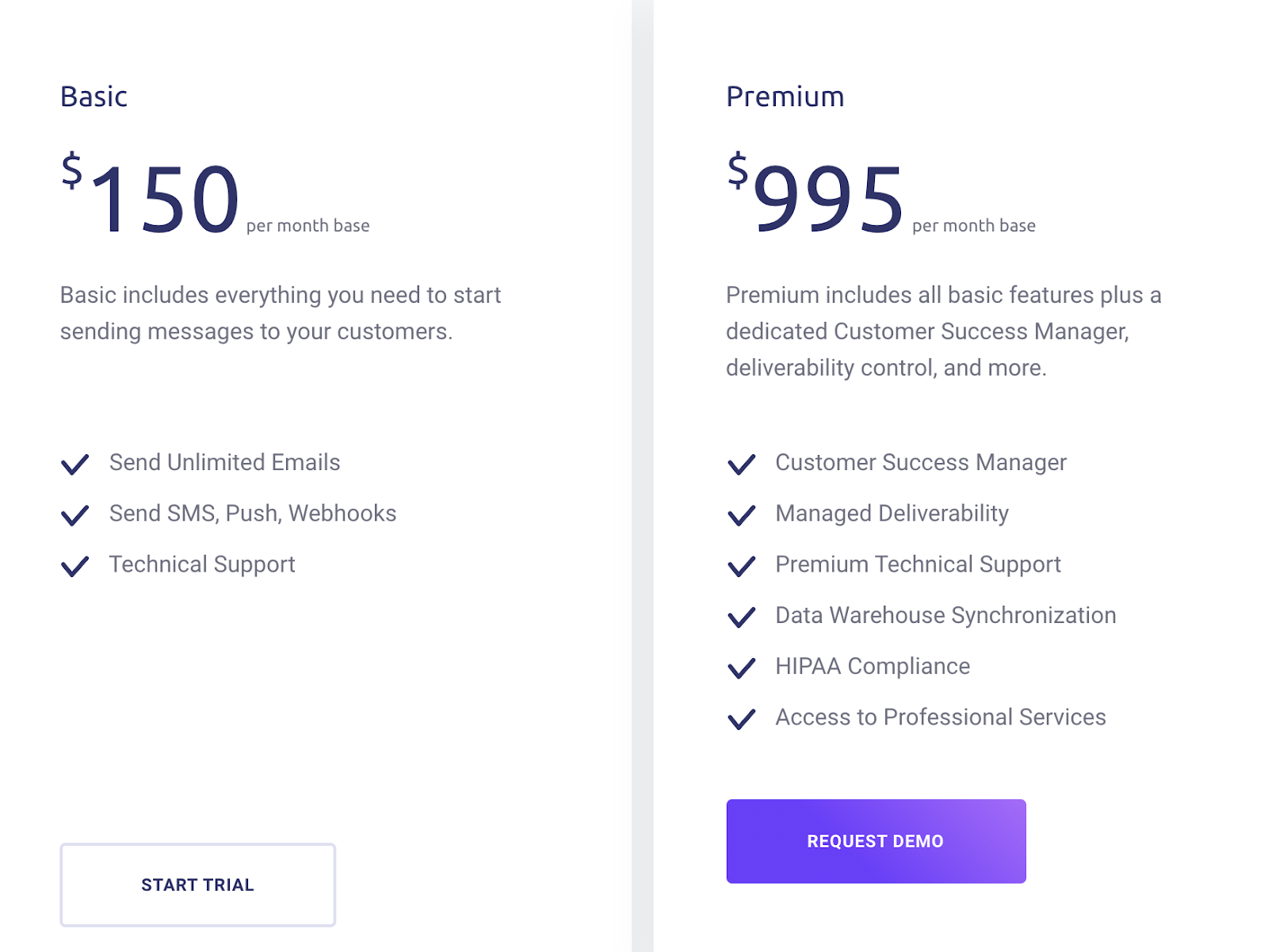
They have a base price starting from $150 and you can send emails to up to 12K customers.
If you want to try before committing, they offer a 30-day free trial. You get access to automation and drip campaigns during the trial too.
3. HubSpot Email Marketing
CRM Platform:
HubSpot’s email marketing software is part of a CRM platform. The idea is for you to have all the tools you need, not only to run a smooth email marketing campaign, but for your entire marketing and business operations.
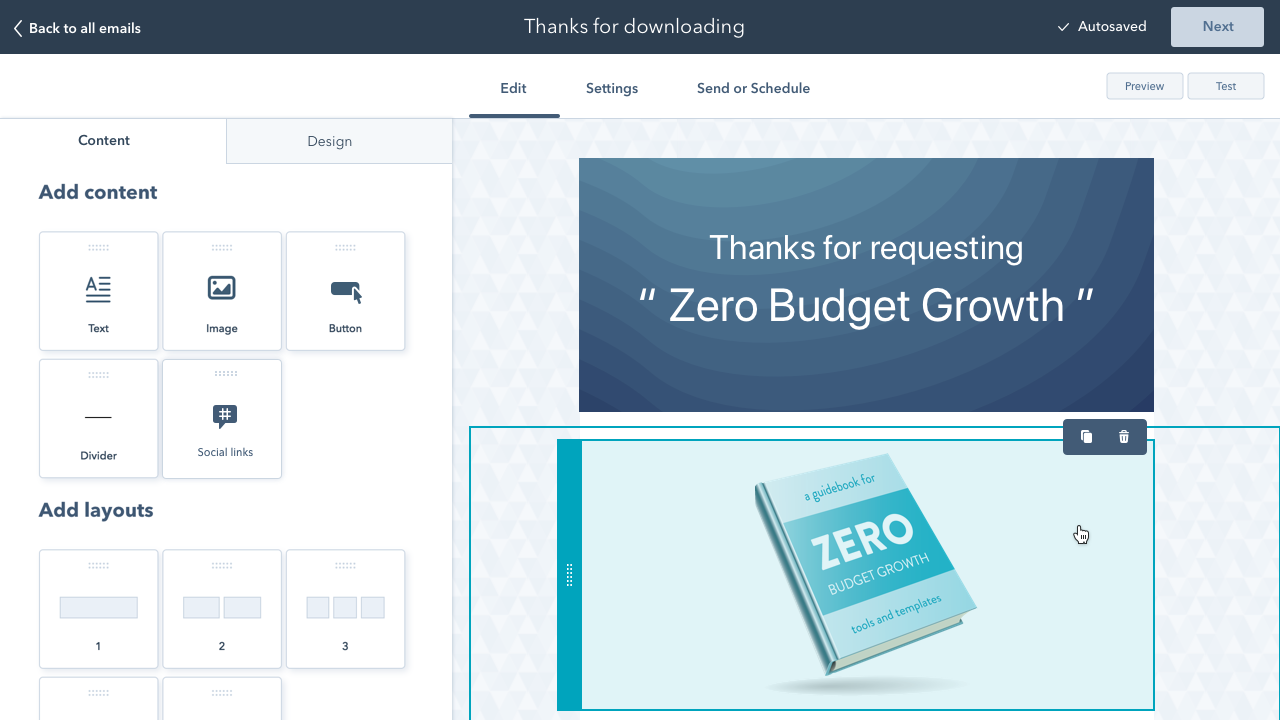
The email marketing software is highly intuitive and the native CRM integration allows you to easily personalize your emails so you can get better conversions. In tandem with that, you also have access to a free form and popup builder to capture new contacts, you can create high-converting landing pages, add a live chat or chat bot to your website, and more. The platform is truly designed to help you scale and grow.
Advanced Email Marketing Automation:
HubSpot’s software lets you create custom autoresponders and drip sequences, which you can then add to more complex workflows. Many triggers are available, such as when someone views your product page or fills out a Facebook lead ad form. You can essentially trigger any action based on any of the information you have on your contacts in the HubSpot CRM, making for even more intricate sequences and targeting.
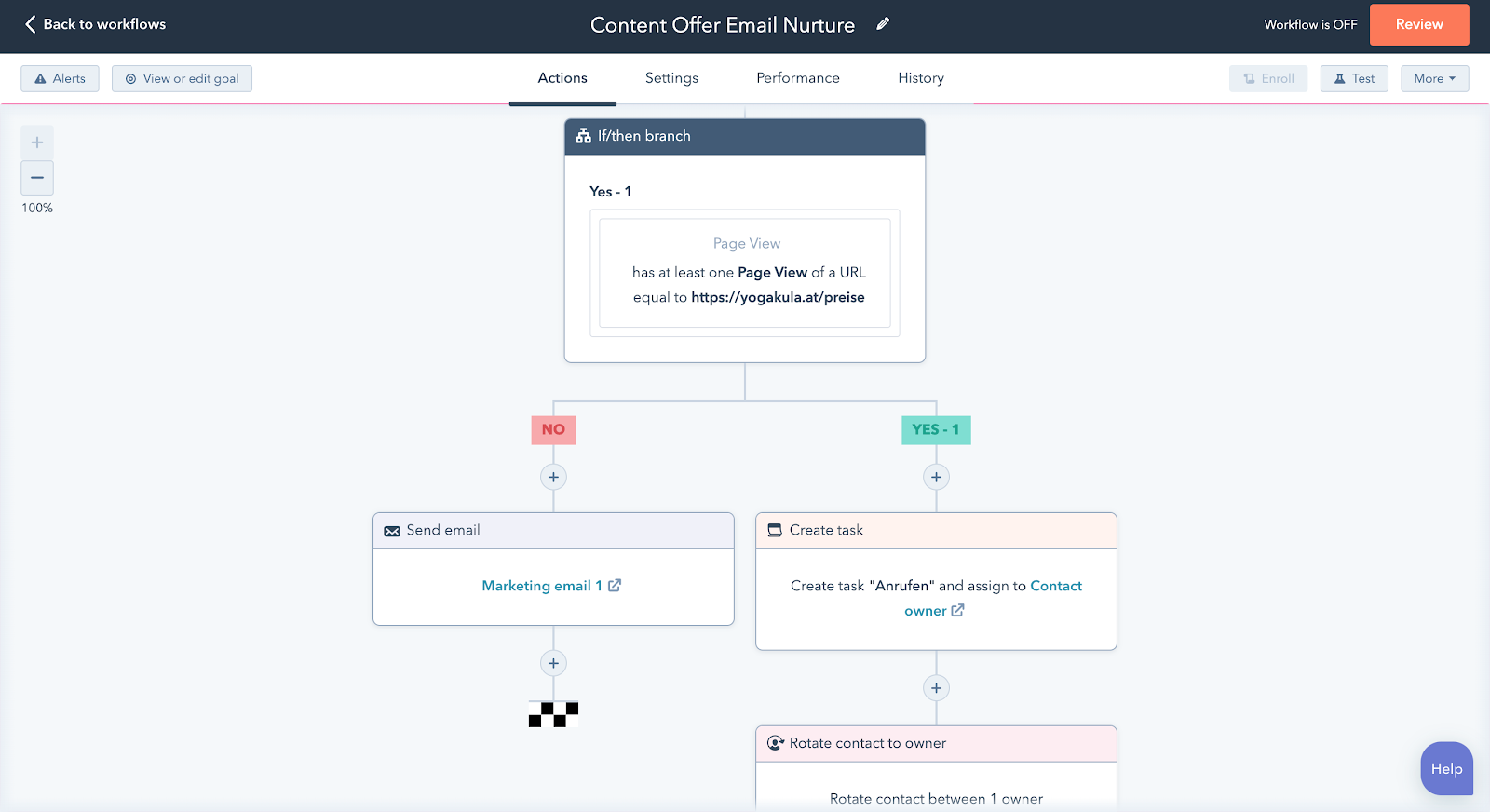
In addition to email, you can automate internal processes to make sure contact and lead management runs smoothly within your team. You no longer have to worry about manually updating a contact’s lifestyle stage or changing information after a certain action happens. Let your entire marketing system run on auto-pilot.
Pricing:
HubSpot’s free plan allows you to send up to 2,000 emails per month and store unlimited subscribers. This free plan also comes with a CRM (all the CRM features are 100% free), customizable signup forms and popups, landing pages, ad management, live chat and bots, and more. It’s a great way to set you up for success as you’re getting started.
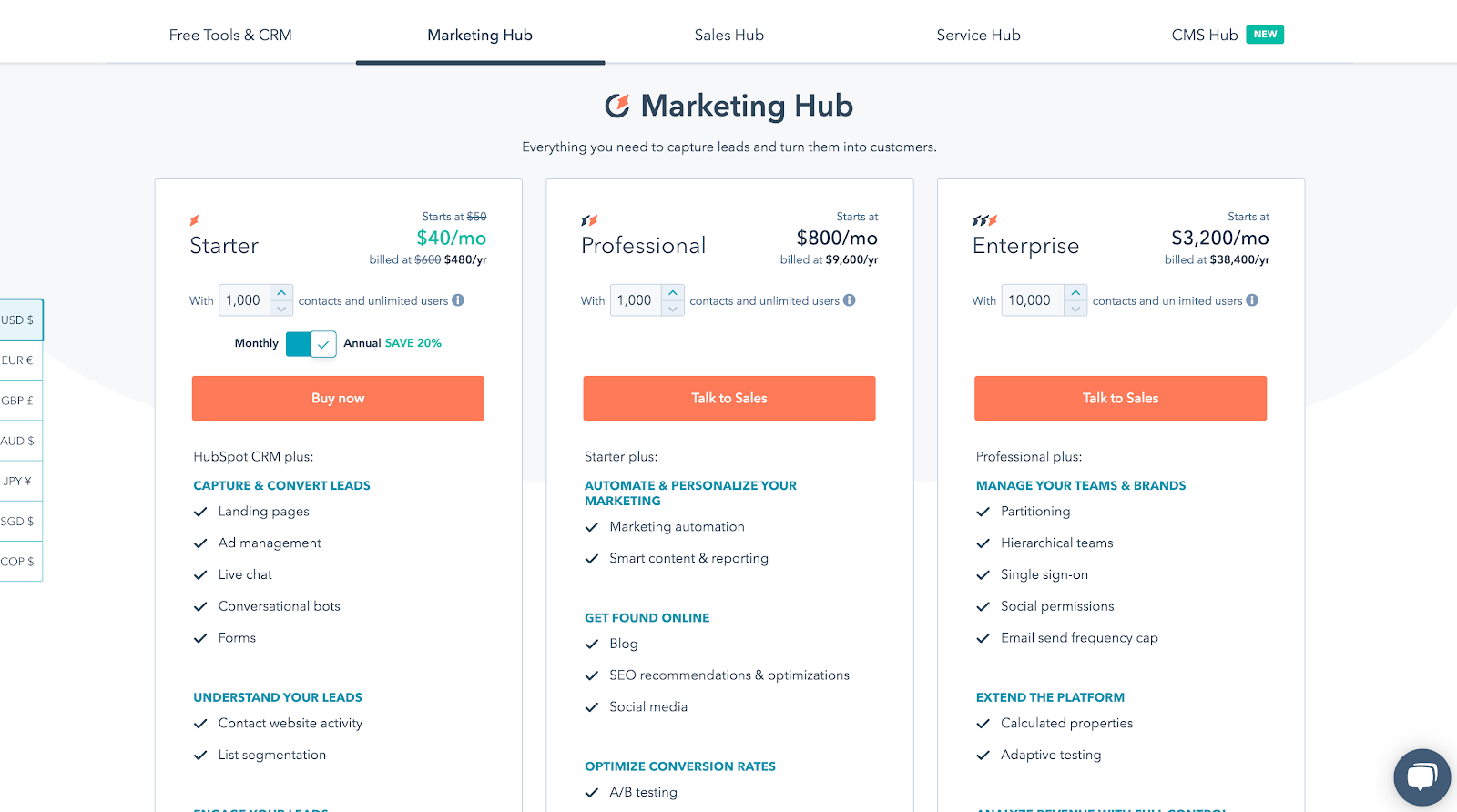
If you wish to send more emails and benefit from the more advanced features like automation and a/b testing as well as more thorough reporting, you can upgrade to one of the paid plans. Pricing will vary, depending on the number of contacts you wish to have. Premium plans also include additional software tools such as a blogging tool and social media scheduling.
4. GetResponse
Building Drips:
The simplest way to create a workflow for your drip campaign is to use the premade workflow templates. You can choose anyone depending on your goals and needs.
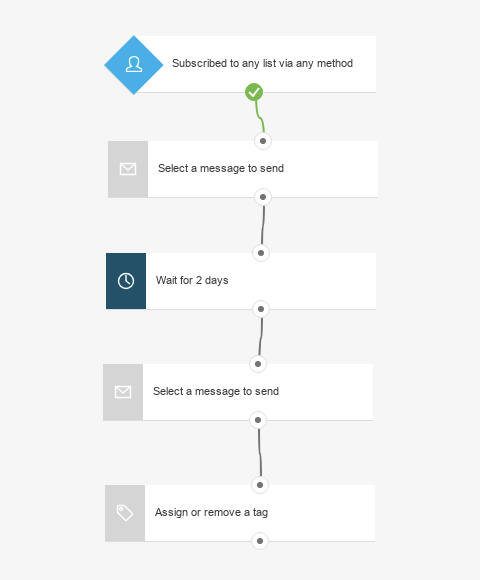
You can also create a workflow from scratch by going to the visual workflow builder and dragging the blocks you want to use. You can use tags and scoring to track user behavior and optimize further communication flow.
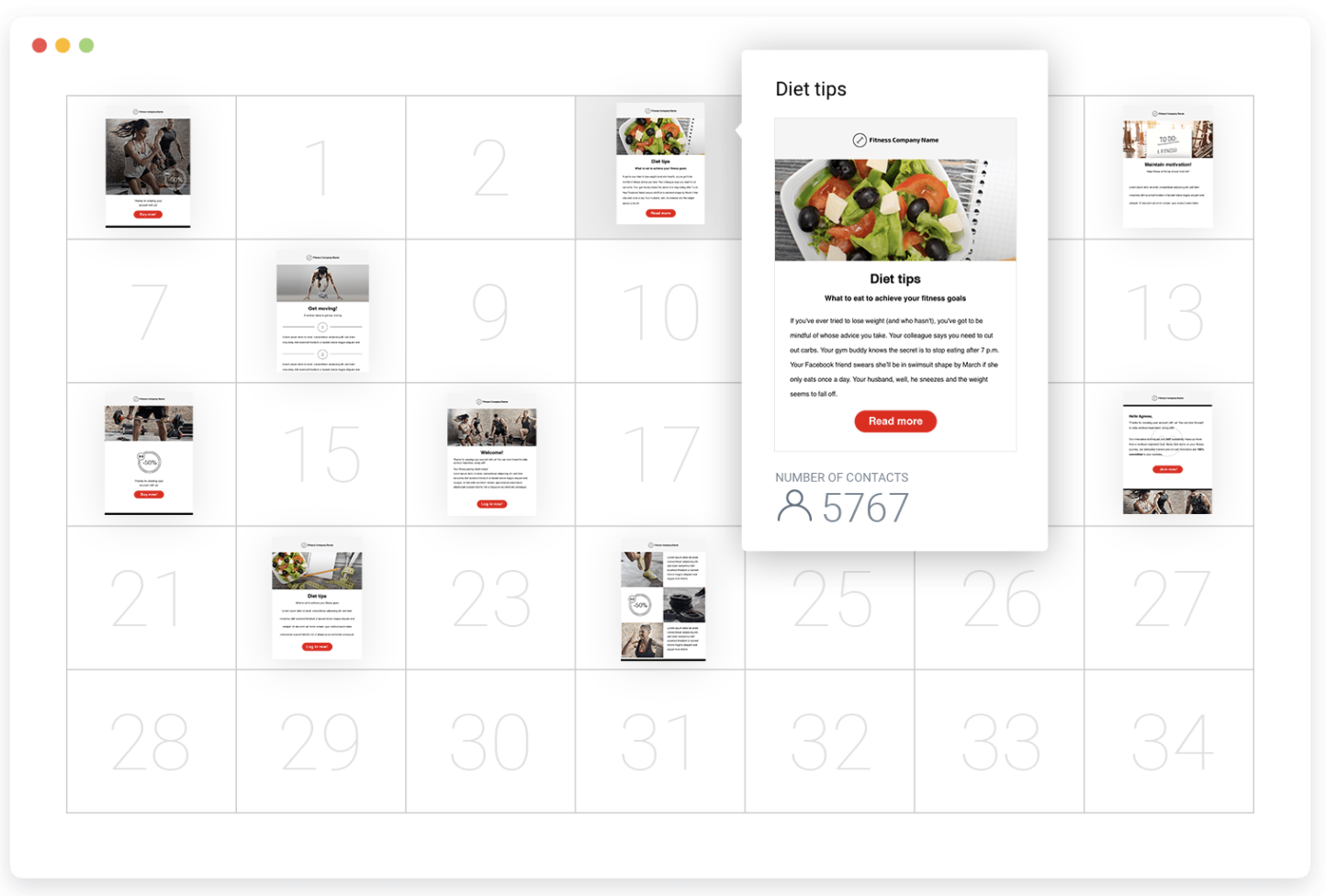
You can use a list or calendar view to plan your emails for a particular day in your subscribers’ journey.
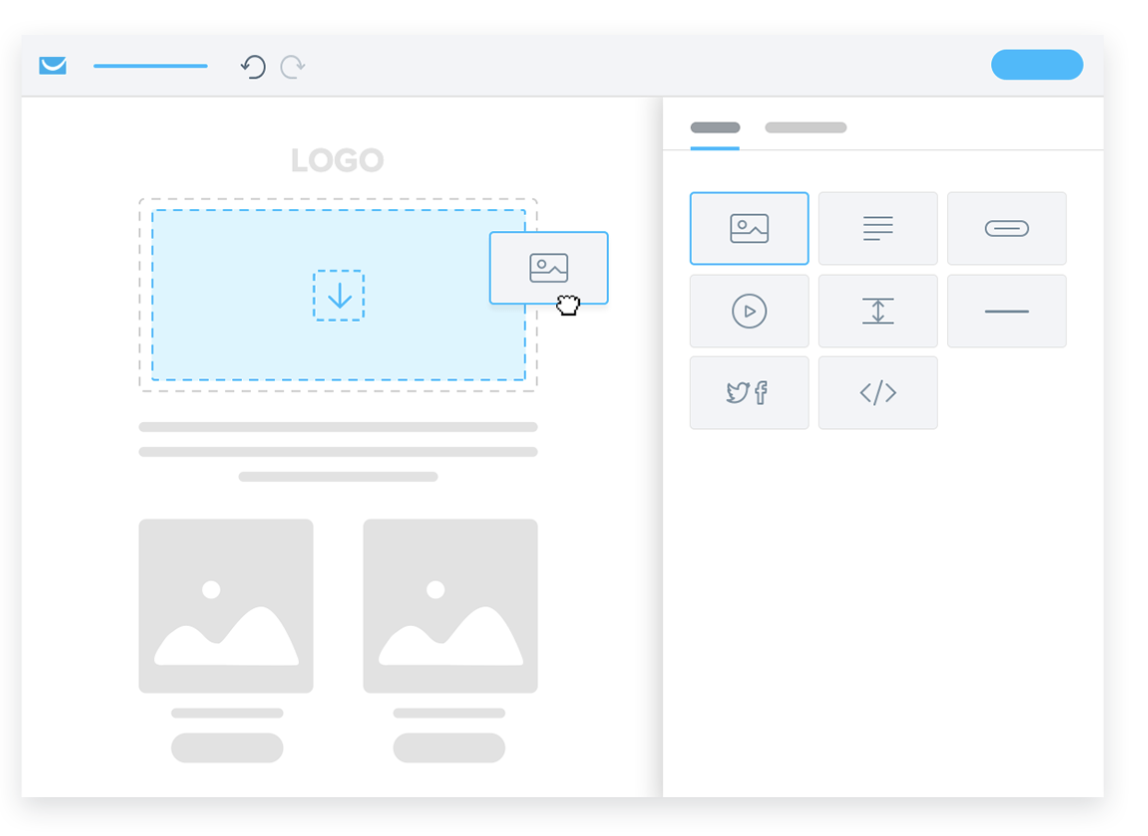
To create emails, you can use their simple drag-and-drop editor or start from one of the ready-to-customize templates provided.
Reporting:
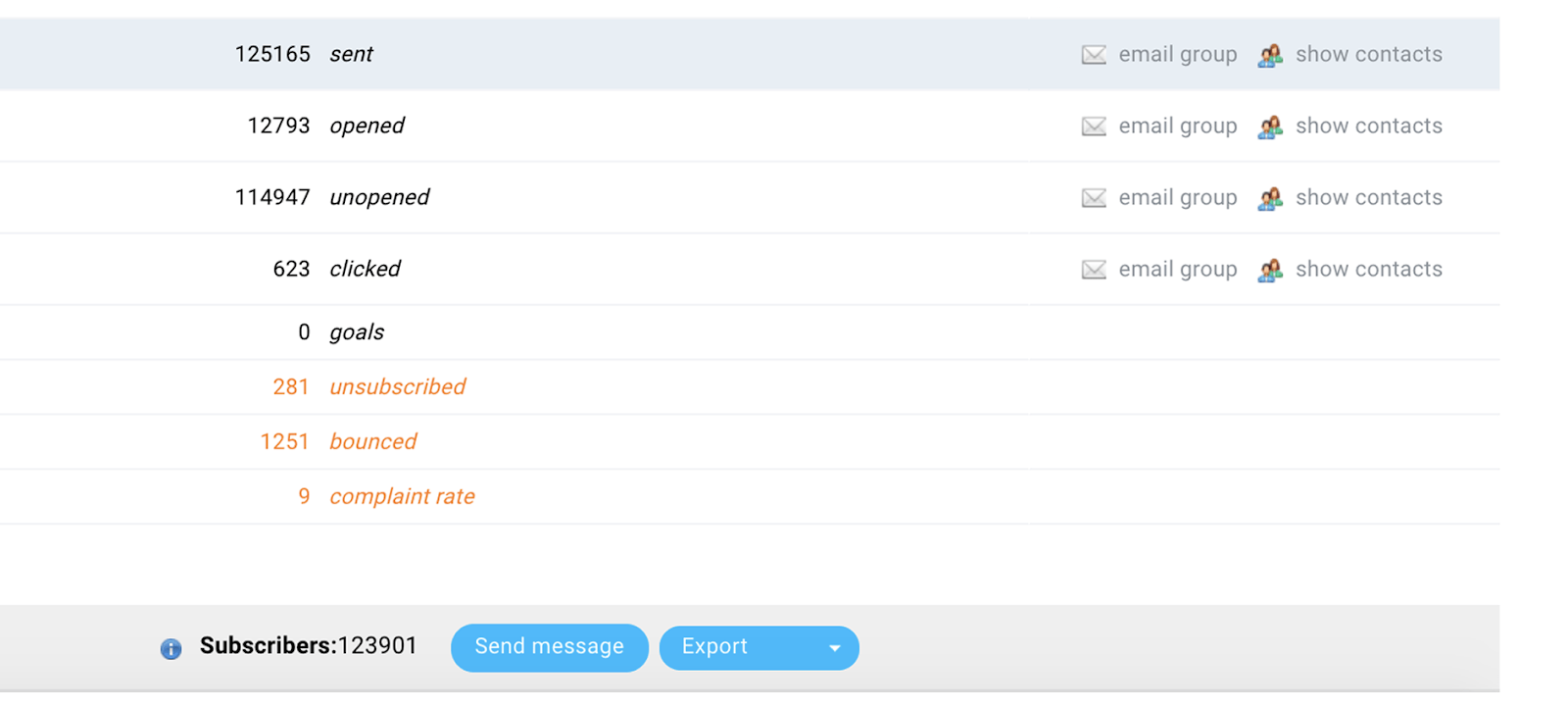
In the reports dashboard you get the open rate, click rate, goals, social media, bounce, unsubscribe and spam complaint ratio details for each campaign or list. You can choose to get this information directly to your inbox, weekly, monthly or any frequency that you choose.
Pricing:
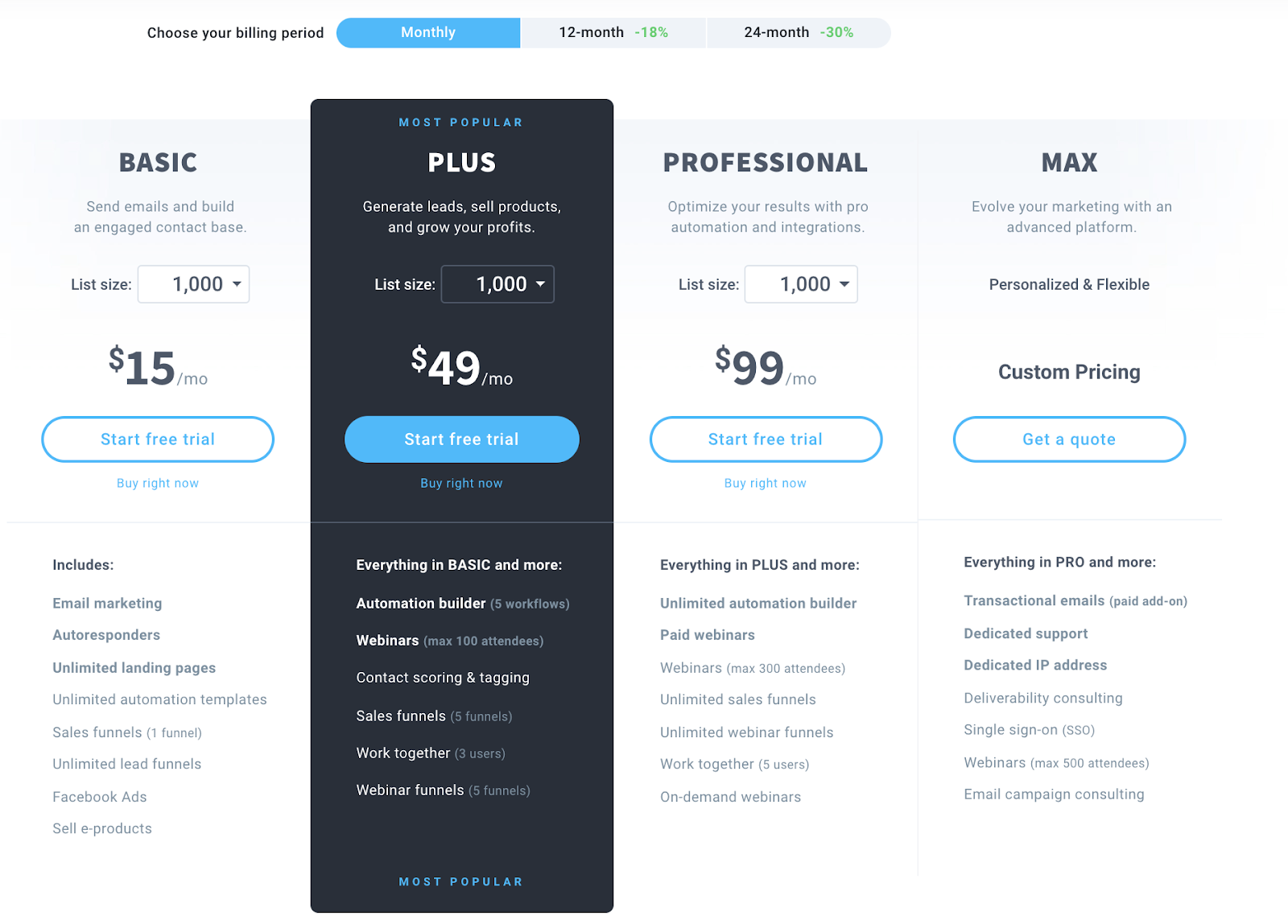
They offer a 30-day free trial after which you can choose a paid plan. To use drip campaigns, you will have to choose the Plus Plan or above. The least price for Plus Plan is $49/mo for up to 1000 subscribers and 5 workflows.
5. ConvertKit
Building Drips:
ConvertKit believes that plain, simple text emails perform better than image-heavy ones. So their email builder is focused on writing and editing. You don’t get bombarded with drag-and-drop features, fancy templates, etc.
You can create a drip campaign in just two steps – write your emails, do the setting for time, exclusion of any list, etc. and just hit save.
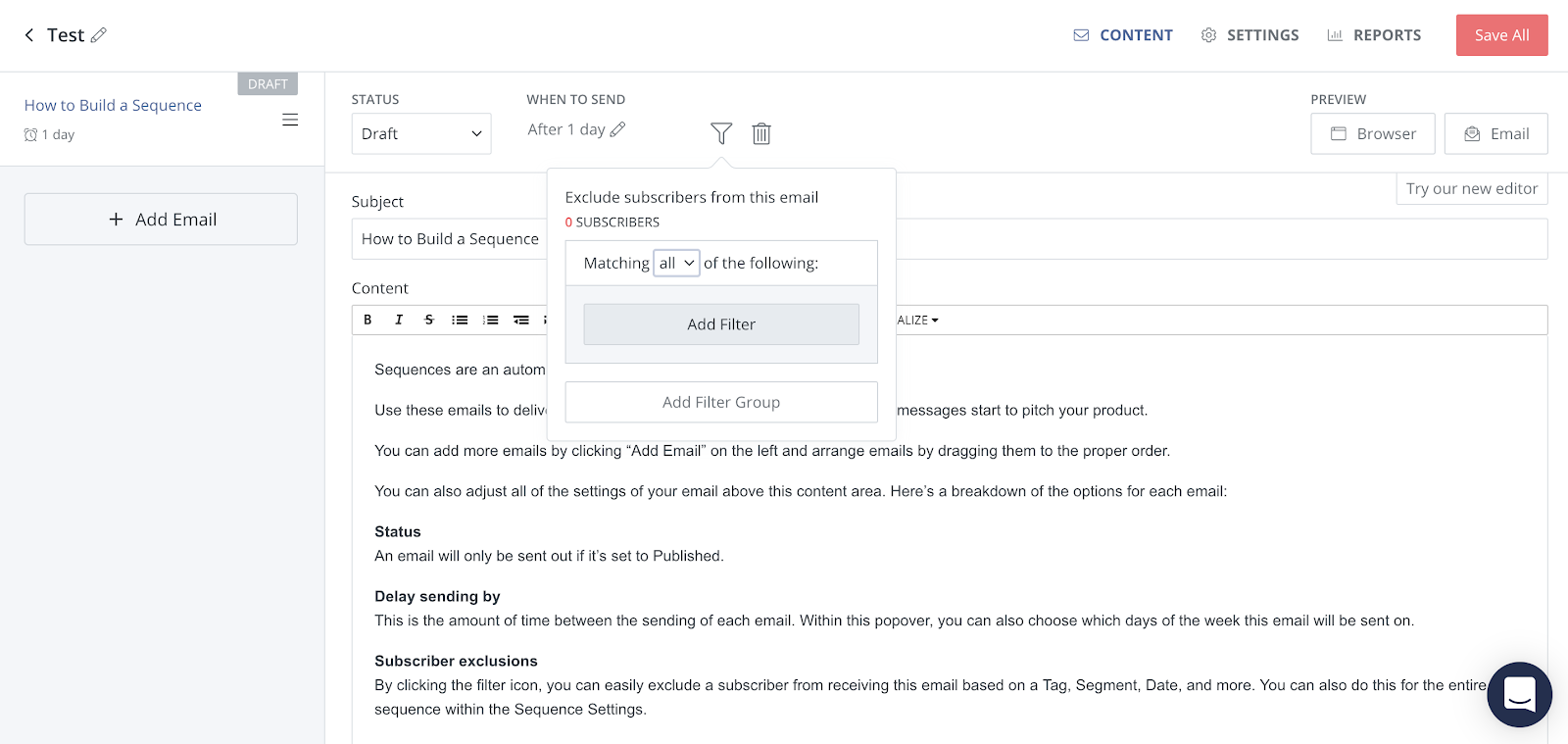
You can set the timing of the email under the ‘When to Send’ tab and that’s it. Once you do that for all the emails your drip campaign will be built.
Reporting:
You can get information on how each email performed and how the overall campaign performed under the ‘Reports’ of each drip campaign.
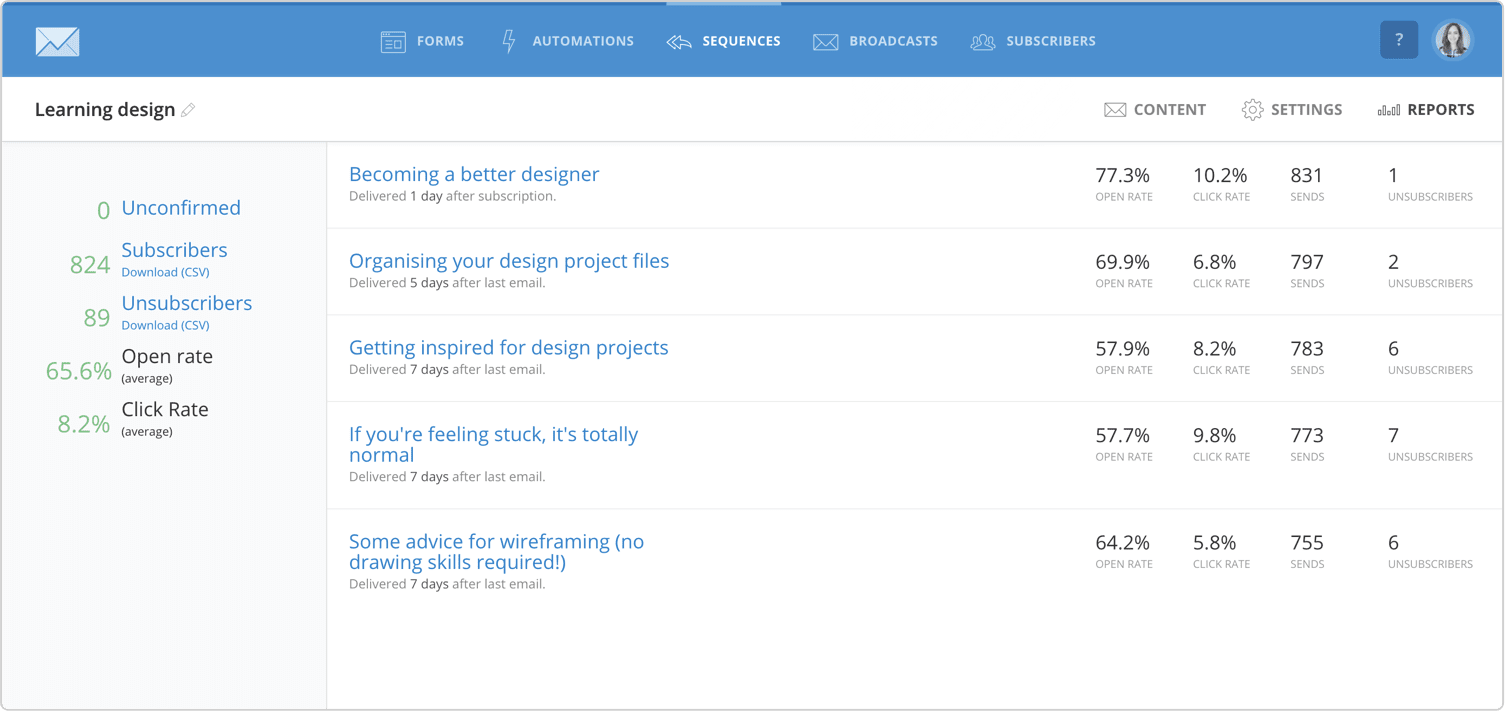
Since Convertkit is created for creators, bespoke, local businesses, their reporting dashboard doesn’t try to overwhelm you with any geography data, heatmaps, etc. It’s simple and gives you a quick glimpse into all major metrics. You can see the open rate, click rate, subscribers, unsubscribers.
Pricing:
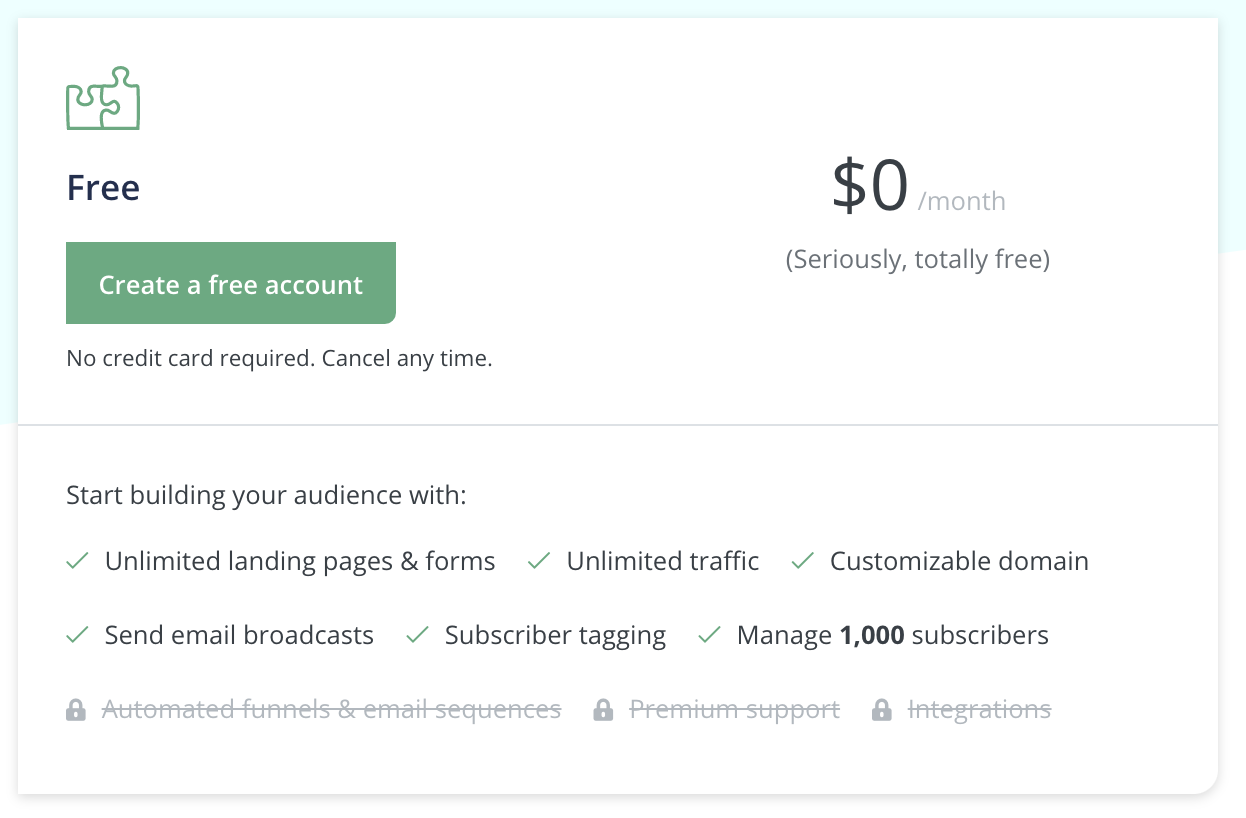
They offer a free plan if you have less than 1,000 subscribers but that only allows you to send broadcast emails and not drip campaigns.
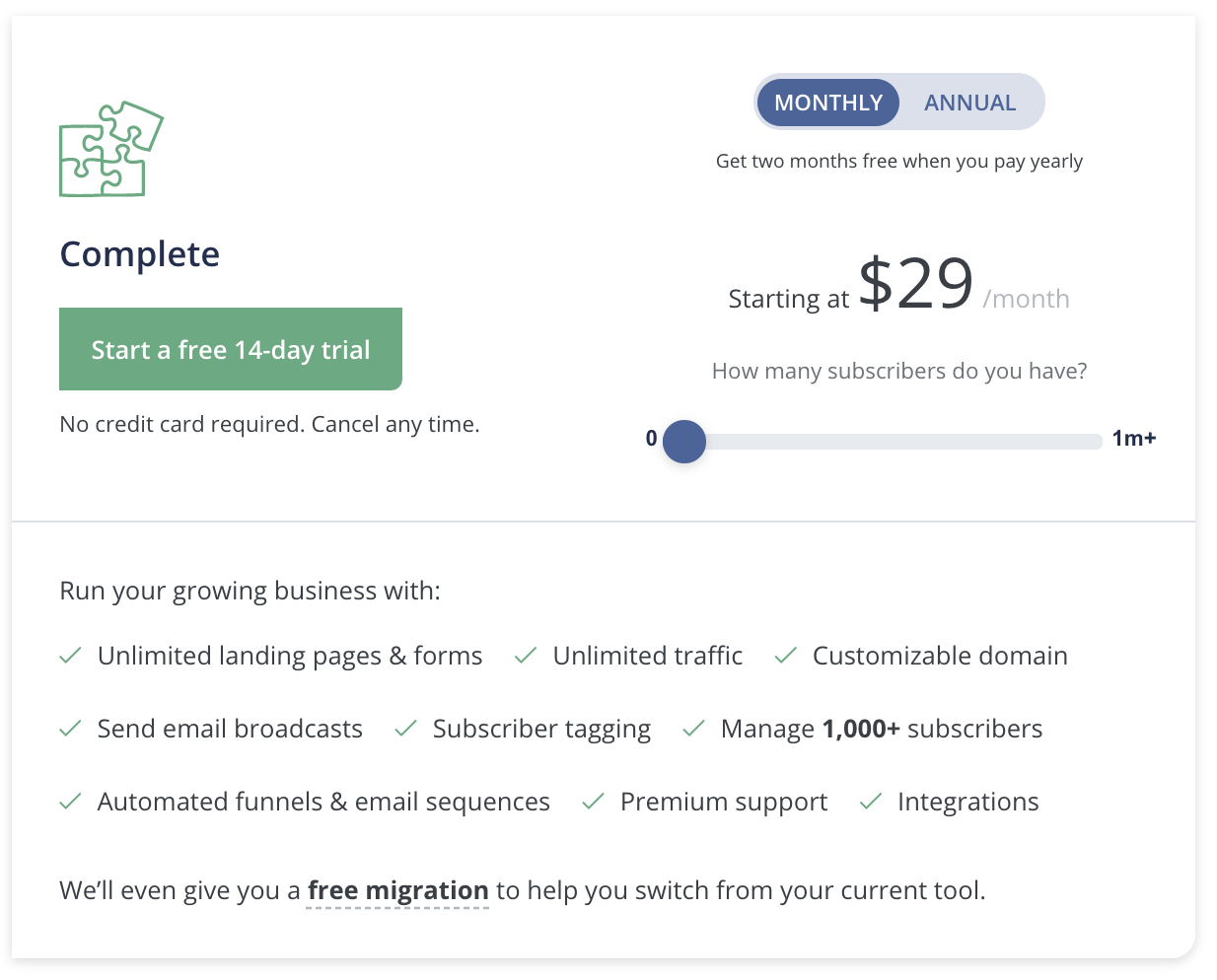
So, you will need to choose a paid plan that starts from $29/mo ($25/mo if annual plan is chosen) & you get access to all features. The pricing increases as your number of subscribers increases. You can check more about ConvertKit Pricing here.
email drip campaign software free
Mailchimp
A screenshot of Mailchimp, our pick for the best free drip email campaign software
Many email marketing apps offer a free option for small lists, to give you the opportunity to onboard and start building your lists before having to pay. But these free tiers are typically very limited in the number of subscribers you’re allowed to have or the number of emails you’re allowed to send, as well as the features that you have access to without paying.
This is where Mailchimp stands out, with a free plan that allows up to 2,000 subscribers, with up to 10,000 monthly emails. The number of monthly emails is especially important when you’re sending out welcome emails to new subscribers along with frequent newsletters.
Mailchimp has been a big name in the email marketing industry for a while, and it continues to deliver well on its features. You’ll find everything from the basic email sending and automations to more unique options like sending out postcards, and the Creative Assistant, which auto-creates branded marketing graphics based on your website’s imagery. All these features are starting to cramp Mailchimp’s “for beginners” style, but the navigation is still pretty straightforward, so you can quickly jump from reviewing your audience to creating new opt-in forms or landing pages and setting up your drip campaigns.
Keep in mind that the free version of Mailchimp limits you to a one-step automation. That’s great for automating your welcome email and other similar drips, but you’ll have to upgrade to a paid plan if you want to take advantage of their full automation builder with multi-step drip campaigns that include time delays, conditionals, and more. When you do decide to upgrade, the cost increases based on the number of subscribers you have. But the other apps on this list that offer a free plan only allow 500 emails/month (Omnisend and Klaviyo) or don’t offer drip at all on the free plan (ConvertKit). So while the limitation of one-step automations isn’t ideal, it’s still much more generous than any other free plan for drip functionality.
Since Mailchimp integrates with Zapier, you can shave off the manual work hours by automating tasks like adding new form submissions or leads to your email list.
Subscribe new Facebook Lead Ad leads to a Mailchimp list
Facebook Lead Ads + Mailchimp
Use this Zap
Create Mailchimp subscribers from new Typeform responses
Mailchimp + Typeform
Use this Zap
Mailchimp price: Free for up to 2,000 subscribers and 10,000 monthly emails. Paid plans begin at $11/month with 500 contacts.
Best drip email software for large lists and simple drip campaigns
Flodesk
A screenshot of Flodesk, our pick for the best drip email software for large lists and simple drip campaigns
If you have a larger list size or want more than one-step automations, Flodesk is a great Mailchimp alternative. You pay a single monthly fee (currently $38) no matter how many people are on your list or how many emails you send per month. If budget is your primary concern, that’s more affordable than scaling with Mailchimp.
Flodesk is a standout example of an app that was designed for sending simple, beautiful emails with minimal effort. There’s no complex interface and no steep learning curve. The moment you log in, you’re met with a minimalist view and four self-explanatory menu items to choose from: Emails, Forms, Workflows, and Audience. The Emails option is for one-off emails (like a weekly newsletter). All drip campaigns are set up inside the Workflows tab.
Flodesk has a small number of pre-built drip templates for you to choose from, from a welcome sequence to a lead magnet delivery sequence. Or you can start with a blank canvas and create your own campaign from scratch. The minimal interface continues inside the workflow builder, which might be exactly what you’re looking for. Fundamental capabilities like time-releasing a drip sequence are totally doable, as is segmenting a subscriber based on whether or not they open and click into your emails.
And, when you integrate Flodesk with Zapier, you can do things like update Flodesk subscribers from WooCommerce orders (if you’re using WordPress), or add new Facebook leads as subscribers.
Update contacts in Flodesk from new WooCommerce orders
Flodesk + WooCommerce
Use this Zap
Add new Facebook Lead Ad leads as Flodesk subscribers
Facebook Lead Ads + Flodesk
Use this Zap
Flodesk price: $38/month
Best drip email software for solopreneurs
ConvertKit
A screenshot of ConvertKit, our pick for the best drip email software for solopreneurs
Once you dip your feet into the waters of drip campaigns, you may decide that you’d like to have a little more control over what emails are sent (and when). And while “user-friendly” often translates to “not many features,” ConvertKit has taken the opposite stance: it’s both feature-rich and easy to use.
In their free tier, you can send one-off emails, create landing pages and opt-in forms, and even sell digital products from inside ConvertKit. A paid account unlocks the drip campaign functionality, which ConvertKit calls “sequences.” Sequences are simple email campaigns that are released on a schedule. If you want to create more advanced actions (like segmenting subscribers who take action on your email, or removing them from a sales campaign when they purchase), you’ll need to build an automation on top of your sequence.
This is where you can really let ConvertKit do the heavy lifting for you, since it allows you to customize your automations with delays based on the date (so emails are never sent on the weekends) or deliver different emails based on the subscriber’s location.
When paired with the ability to integrate with Stripe and collect payments, ConvertKit stands out as a great option for solopreneurs who want to deliver exceptional drip campaign experiences without having to patch together a bunch of different tools to run their online business.
For even more functionality, you can integrate ConvertKit with Zapier to do things like automatically tag Calendly or Eventbrite attendees inside ConvertKit (so you can create custom follow-up drip campaigns).
Add tagged subscribers to ConverKit from new Calendly events
Calendly + ConvertKit
Use this Zap
Add new Eventbrite attendees to ConvertKit tags
ConvertKit + Eventbrite
Use this Zap
ConvertKit price: Free for up to 1,000 contacts but no drip functionality. Paid plans with drip functionality start at $9/month.
Best drip email software for live chat and advanced drip automations
ActiveCampaign
A screenshot of ActiveCampaign, our pick for the best drip email software for live chat and advanced drip automations
Drip email tools empower you to target relevant emails to specific groups of people. ActiveCampaign stands out as a feature-rich option that gives you a lot of flexibility in your drip campaigns. The sheer number of options available in the sidebar navigation and campaign builder can be overwhelming at first, but this overwhelm fades quickly with repetition and use. As you become familiar with this tool, it starts feeling more like a treasure trove: with every click revealing something even more helpful for building the drip campaign of your dreams.
To create drip emails, head to the automations builder, where you can automate A/B testing in your emails, sync contact data with other apps via webhook, and even include SMS messages that match your drip emails.
While many options on this list either integrate with a chat app or include their own, ActiveCampaign really stood out with its native live chat feature that plugs into your website or Facebook Messenger, and even allows you to send emails to a subscriber from inside the chat app. It’s a great way to encourage your visitors to connect, build trust, and build your email list, since you can automate email opt-ins through the chat app.
ActiveCampaign also integrates with Zapier, allowing you to do things like turn Typeform form entries into email list subscribers and add Shopify customers to your ActiveCampaign list.
Conclusion
Let us know your thoughts in the comment section below.
Check out other publications to gain access to more digital resources if you are just starting out with Flux Resource.
Also contact us today to optimize your business(s)/Brand(s) for Search Engines