
The Google Chromecast is a small device that you plug into your TV to stream video or audio content from your phone, tablet or laptop. You can use it to watch movies and TV shows, play music, and more.
While the Chromecast is awesome by itself, there are a number of apps that let you make it even more awesome! In this blog post, I will show you my favorite apps for the Chromecast. Read on to learn about what kinds of cool things you can do with these apps!
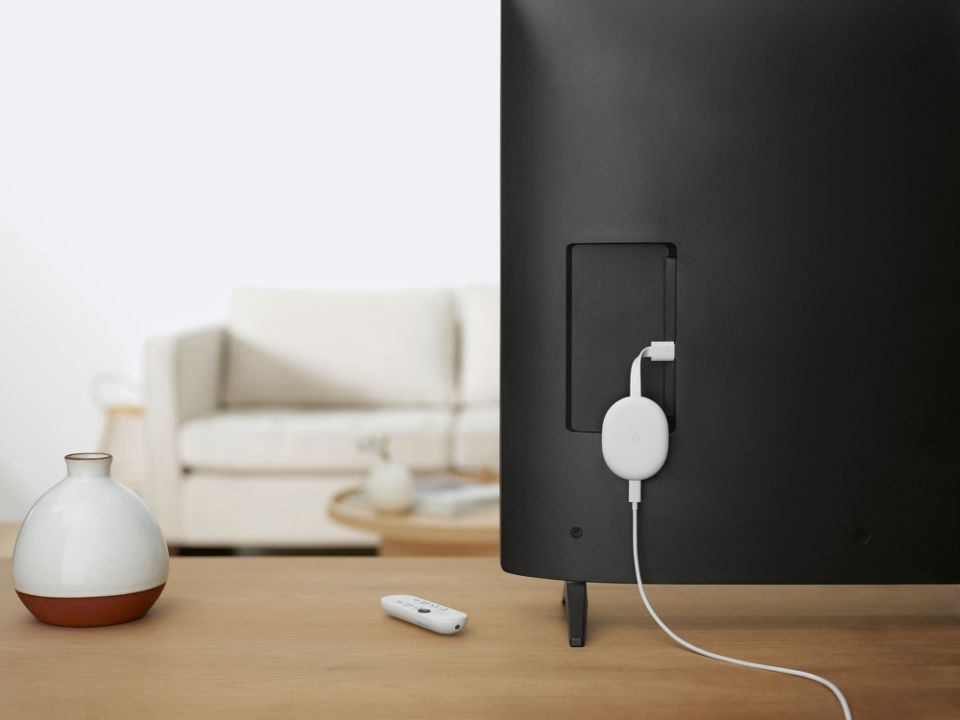
Table of Contents
Best Apps For Google Chromecast
- Netflix
netflix
Netflix is one of the very best Chromecast apps.
Platform: Android / iOS / Casting via Google Chrome browser
Price: $8.99 per month (basic), $13.99 per month (standard), $17.99 per month (premium)
Netflix is one of the best known, most popular streaming services in the world. Netflix is available worldwide (with a few exceptions), and each country’s library has a vast selection of movies and TV series, including Netflix originals. Some content is only available in certain countries’ libraries due to geoblocking. This can be overcome by using a high-quality VPN, like ExpressVPN.
Netflix has a Chromecast-enabled app for Android and iOS. To cast Netflix from your PC to your TV, open Netflix in a Google Chrome browser and find the “cast” icon. You can download the Netflix app on the app store (iOS) or Google Play store (Android) (we have a more detailed guide on how to watch Netflix on Chromecast if you need it).
- Amazon Prime Video
amazon prime video
The Amazon Prime Video app is compatible with iOS and Android devices.
Platform: Android / iOS / Casting via Google Chrome browser
Price: $8.99 per month (Prime Video only), $14.99 per month (with Amazon Prime membership)
An Amazon Prime Video membership gives you access to a library of hundreds of TV shows and movies, including Amazon originals. You can also pay for add-ons like Starz, Paramount Plus and movies and shows that aren’t included in the subscription fee.
The Chromecast-Prime Video pairing is supported by both Android and iOS. As with the other apps, you can open Amazon Prime Video in a Google Chrome browser and cast from your computer. Find out how to unblock Amazon Prime around the world.
- Hulu
hulu
Hulu is one of the most popular U.S. Chromecast apps.
Platform: Android / iOS / Casting via Google Chrome browser
Price: $6.99 per month (with ads), $12.99 per month (no ads), $64.99 per month (with live TV streaming), $70.99 per month (with live TV streaming and no ads)
Hulu is another movie and TV streaming service. Like Netflix, subscribers have access to a library containing classics, blockbusters and Hulu original series and movies. Hulu is only available for U.S. viewers due to geoblocking, but check out our best VPN for Hulu article to find out how to bypass this.
The Chromecast-Hulu pairing works on your iOS or Android mobile device. Alternatively, you can cast Hulu content from your computer with the Google Chrome browser.
- HBO Max
hbo max
HBO Max is another popular Chromecast-enabled app in the U.S.
Platform: Android / iOS / Casting via Google Chrome Browser
Price: $9.99 per month (with ads), $14.99 per month (no ads)
HBO Max is another movie and TV show streaming service that is currently only available in the U.S. If you already have a subscription and you’re traveling outside the U.S., it might be worth trying a VPN to get around the geoblock. The Chromecast-HBO Max duo can work on iOS, Android devices and the Google Chrome browser. - Disney+
disney
Disney+ is another Chromecast-enabled movie app.
Platform: Android / iOS / Casting via Google Chrome browser
Price: $7.99 per month
Die-hard Disney fans will be pleased to learn that you can cast Disney+ from your iOS and Android mobile devices. If you want to catch up with classics like Alice in Wonderland or brand new Disney originals, you might want to consider this app. If you’re in a country where Disney+ isn’t available, check out our Best VPN for Disney article. - Paramount+
paramount
Paramount+ is a popular U.S. streaming service.
Platform: Android / iOS / Casting via Google Chrome browser
Price: $4.99 per month (essential), $9.99 per month (premium)
Paramount+ gives subscribers access to content from channels including CBS and Nickelodeon, among others. It also has its own collection of originals like many other streaming services. Paramount+ has apps for iOS, Android and supports watching from a Google Chrome browser. It’s one of the best Chromecast-supported apps for U.S. subscribers. Check out our guide on how to watch Paramount Plus. - YouTube & YouTube TV
youtube
Cast your favorite YouTube videos with Chromecast.
Platform: Android / iOS / Casting via Google Chrome browser
Price: Free (basic), $11.99 per month (premium), $9.99 per month (music), $64.99 per month (YouTube TV, U.S. only)
YouTube — the ultimate place for content creators and cat video enthusiasts — is known for its vast library of completely free content. Anyone with a YouTube account can share content and subscribe to their favorite YouTubers to get notified every time they post. What some users don’t know is that YouTube has three subscription plans as well as the famous free service.
The official YouTube app is free to use, but you can subscribe to YouTube Premium to go ad-free and be able to download videos or access YouTube Music (which replaced Google Play Music). YouTube TV allows you to stream live content, but this is only available in the U.S. The Chromecast-YouTube pairing works with Android, iOS and with the Google Chrome browser on a PC.
- Plex
plex
Plex is a popular movie and TV show media player.
Platform: Android / iOS / Casting via Google Chrome browser
Price: Free, $4.99 per month
Plex is a digital media player that allows you to organize your personal media content like your favorite movies and TV shows. You can also appreciate free streaming of live TV.
The Plex Pass, for $4.99 per month, gives you access to better features like the ability to record live TV and download your content to watch offline. Plex can be cast from your iOS or Android phone or the Chrome browser.
- Fox Sports
fox sports
Catch up on live games and sports news with Fox Sports.
Platform: Android / iOS / Casting via Google Chrome browser
Price: Requires a subscription with a paid TV provider
This Chromecast-enabled app is a great choice for sports fans — you can watch live games and catch up on the latest sports news. The app itself, like many others, is free to download but to watch the live games and have access to all features, you must have a subscription to a paid TV provider. It has Chromecast support for iOS, Android and the Chrome browser. - Twitch
twitch
Twitch is a livestreaming service mostly used by gamers.
Platform: Android / iOS / Casting via Google Chrome browser
Price: Free, $4.99 per month (Tier 1), $9.99 per month (Tier 2), $24.99 per month (Tier 3)
Twitch is an entertainment app popular with gamers. You can subscribe to different gamers to watch their livestreams, sometimes with commentaries, or upload your own walkthroughs. Twitch is not just a gamer’s app, though, and it can be used for a variety of content. It is Chromecast-compatible with Android, iOS and the Google Chrome browser for PC.
Best chromecast apps ios
ouTube
YouTube
An essential Chromecast app if there ever was one, YouTube provides one of the smoothest experiences for casting content to your TV.
You can set up a playlist for hours of entertainment or collaborate with friends at a party so everyone gets a say for which videos get played. With the sheer amount of music videos hosted on YouTube, you could use your YouTube app to stream all the music you need for a party or find the perfect chill mix for a night in.
Free – Download from iTunes
Netflix
Netflix
Another essential app, Chromecast lets you conveniently control Netflix from your iPhone.
It’s a seamless experience, allowing you to start watching a TV show or movie on your iPhone – tap the Cast icon and it instantly starts playing on your Chromecast-connected TV.
Forget using your computer or gaming console for Netflix, once you start controlling things from your iPhone, you’ll never turn back.
Free – Download from iTunes
Twitch
Twitch
Stream your favorite Twitch broadcasts straight to your TV with the Twitch app for iOS and Chromecast.
Simply cast your Twitch broadcast to your Chromecast and you’ll be able to enjoy your favorite gaming streaming with a two-screen experience. Watch the action on your TV, and use your iPhone to engage with other viewers and your favorite streamers in the chat.
Free – Download from iTunes
YouTube Gaming
YouTube Gaming
If you or your kids are obsessed with YouTube gaming celebrities such as PewDiePie, JonTron, Markiplier, and gaming networks such as IGN and RoosterTeeth, then you’ll want to check out the YouTube Gaming app.
It’s a dedicated app for the abundant gaming content on YouTube, so it gets rid of all the other YouTube noise and gives you what you want. It will also pull any relevant subscriptions from your YouTube account, as well as recommend videos to you based on the games you love, which you can add to your collection in the app.
Streaming to the Chromecast is just as easy as using the YouTube app, so you can cast your favorite Let’s Play videos to the TV and play along on your computer.
Free – Download from iTunes
TED
TED
Need something to play in the background? Why not get smarter by listening to a TED Talk via the TED app for iOS?
You’ll get access to over 1000 TED Talk videos, covering a range of topics, which you can easily browse through. And casting to your Chromecast is as easy as tapping the Chromecast button and selecting the video you want to watch. Get smarter (or at least feel smarter) with the TED app for iOS and your Chromecast.
Free – Download from iTunes
Pocket Casts
Pocket Casts
Pocket Casts is one of the best podcasting apps available for the iPhone and iPad. If you’re serious about your podcasts and want to have them playing through your TV while you’re doing chores around the house, simply figure out which episodes you want to listen to and cast them to your Chromecast.
Pocket Casts is the only iOS podcasting app that we found to support Chromecast. Since Pocket Casts also supports video podcasts, pairing it with Chromecast lets you cast your video podcasts to your TV for ultimate convenience.
$3.99 – Download from iTunes
Conclusion
Let us know your thoughts in the comment section below.
Check out other publications to gain access to more digital resources if you are just starting out with Flux Resource.
Also contact us today to optimize your business(s)/Brand(s) for Search Engines