
It’s no secret that social media apps like Instagram, Snapchat and Facebook are all about visual content. More than ever, people are relying on photos to tell their stories and share with their friends.
We’ve rounded up a list of the best apps for creating photo slideshows for your social media accounts. You’ll find free and paid apps, as well as ones that cater to specific platforms.
Check out our picks below!
Best Apps For Photo Slideshows
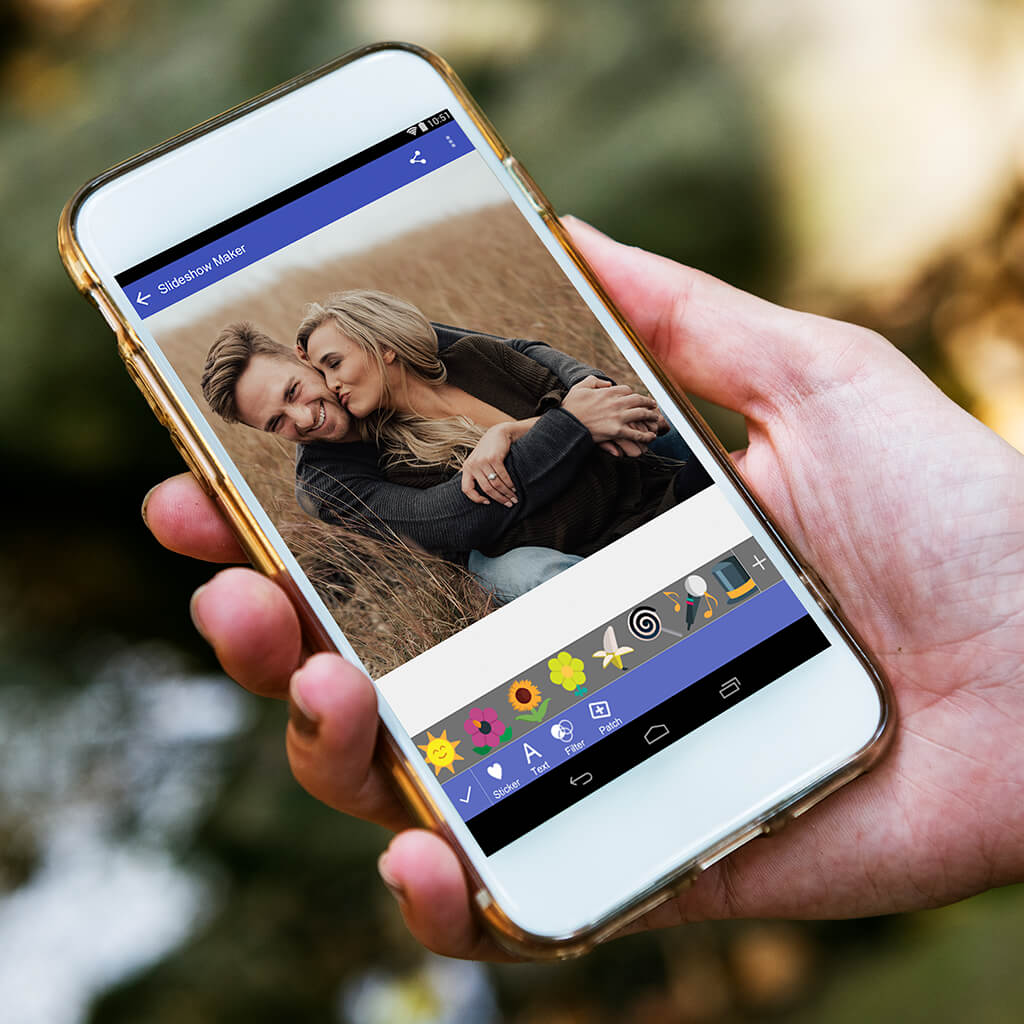
When you want to turn the photos on your Android or iOS device into something more entertaining, install a slideshow app that lets you create stunning photo slideshows. Slideshow apps let you create spectacular slideshows, complete with fun transitions and beautiful background music, out of all the photos you’ve taken with your phone or tablet. In this article, we’ll look at the best photo slideshow apps available today – including the best slideshow apps for Android and the best slideshow apps for iOS devices.
Name
Supported platforms
Best for
Movavi Clips
iOS, Android
All-around best value for creating engaging slideshows
MoShow Slideshow Photo & Video
iOS, Android
Creating looping Instagram videos
PicPlayPost
iOS, Android
Different social media formats
View all programs
Hide the table
Best slideshow apps with music for Android and iOS
Many of the most popular photo and video slideshow apps are available in both Android and iOS versions. These apps let you convert the photos stored on your device into dazzling audio/video slideshows.
- Movavi Clips (iOS & Android)
Compatibility: iOS & Android
Best for: All-around best value for creating engaging slideshows
Movavi Clips is an easy-to-use slideshow maker app available for both Android and iOS phones. You can use Movavi Clips to quickly transform your photos into unique photo slideshows. All you have to do is upload your photos and videos from your phone’s gallery, add transition effects, and choose which musical background you want. Use the built-in audio mixer to overlay the music you choose and adjust the music volume. Movavi Clips lets you easily create and upload Facebook and YouTube videos, as well as Instagram stories.
Movavi Clips is free with a premium version available for $3.49 per month. The premium version lets you export videos with no watermarks and includes new sticker packs, free feature updates, and high-priority technical support. Whichever version you choose, there are multiple tutorials on the Movavi website help you learn how to use the app.
Pros
Intuitive interface with no ads
Powerful slideshow creation tools
Audio mixing
Cons
Lacks some features of interest to pro users
- MoShow Slideshow Photo & Video (iOS & Android)
Compatibility: iOS & Android
Best for: Looping Instagram videos
MoShow is an easy-to-use slideshow generator with many free features. The app’s interface is very clear and user-friendly and makes it easy to share your memories with friends, family, and social media. It’s as simple as putting your photos into a selected style and then previewing the results on your display of choice.
MoShow has a free version with limited functionality and watermarked videos. To remove the watermarks and add more features, including unlimited photos in slideshows, subscribe to the VIP version for $5.99 per month.
Pros
Wide variety of slideshows to choose from
Videos that loop and square templates for Instagram
Cons
Need paid version for access to all features
Video length is limited to 30 seconds in the free version
- PicPlayPost (iOS & Android)
Compatibility: iOS & Android
Best for: Different social media formats
Do you need slideshow builder with photo editing capabilities? If so, then PicPlayPost is the app for you! PicPlayPost will let you quickly create an amazing video montage that can include photos in JPG and GIF formats as well as home videos. You can trim, speed up, or slow down the videos you include. Each collage can be up to 10 minutes long in HD or 4K quality in the proper aspect ratios for TikTok, Snap, and YouTube – and Instagram’s 9-frame live picture collages.
PicPlayPost’s free version has limited functionality. For full functionality, including the ability to create videos up to 30 minutes long, subscribe to the Pro version for $6.99 per month.
Pros
Can create video wallpaper
Customized aspect ratios and resolution for all social media
Cons
Not suitable for less powerful devices
Free version has five-minute limit on slideshows
- Videoshop (iOS & Android)
Compatibility: iOS & Android
Best for: Professional use
Videoshop is a professional slideshow maker and video editing app that can help you transform your beautiful pictures into high-quality videos. This app includes an extensive collection of filters, transitions, and text settings. Videoshop also has a variety of advanced options, including tilt shift and color adjustment, to make your slideshows look more professional.
The basic version of Videoshop is free, but to get access to all the advanced features you’ll probably want the Pro version, which costs $3.99 per month.
Pros
Many professional options
More than 700,000 licensed song samples in Music Library
Cons
Many advanced features only available in paid Pro version
Interface isn’t customizable
- Viva Video (iOS & Android)
Compatibility: iOS & Android
Best for: Video editing
Viva Video is a powerful slideshow maker and video editing app that you can use for creating and sharing awesome slideshow movies. This video editor has a number of useful features for better slideshows, including special effects, stickers, and a built-in music library.
Viva Video is available for free but with limited functionality. Subscribe to the VIP version for $6.99 per month to create higher-quality videos and remove watermarks.
Pros
Built-in music library
Stickers and special effects
Cons
Some features only available with the paid version
Occasional export problems
Best photo slideshow apps for Android only
If you have a Samsung, Google, or another Android smartphone, here are five of the best apps for making movies from photos and videos.
- Dayframe
Compatibility: Android
Best for: Turning your phone into a digital photo frame
If you already have some experience in slideshow making and video editing in general, then you should give Dayframe a try. This app has a ton of advanced editing features to make your slideshow look like a professionally edited film. It also seamlessly pulls photos from Facebook, Instagram, and other social networks. You can also use Dayframe to turn your smartphone into a digital photo frame.
Dayframe is a free app available for all Android devices.
Pros
Pulls photos from Facebook and other social networks
Also includes photo browser and screensaver
Cons
The interface is a little complicated
- Pixgram
Compatibility: Android
Best for: Combining photos and videos
Pixgram has an easy-to-grasp interface so that even beginners can create quick and easy slideshows. It also has a large collection of filters and effects to make your photos shine and the built-in collection of background music will help you add the perfect audio track. Pixgram also lets you put pictures together with videos to turn your slideshow into an awesome movie.
Pixgram is a free app, although various in-app purchases are available for $1.99 apiece.
Pros
Easy to use
Good selection of filters and effects
Cons
Has some minor glitches
Not good for cropping photos
- Photo SlideShow Maker
Compatibility: Android
Best for: Basic photo editing
SlideShow Maker is a good application for those who want to make simple story albums for their photos without expending a lot of effort. Creating a slideshow is a simple drag-and-drop operation. The software has all the basic tools, including filters and frames, as well as an easy-to-use photo editor for photography lovers.
SlideShow Maker is a free app for all Android devices.
Pros
Easy to use
Drag-and-drop operation
Cons
Lacks advanced functionality
- Scoompa Video
Compatibility: Android
Best for: Customized slideshows
Scoompa Video will help you impress your friends and relatives with creative slideshow movies. All you need to do is add your photos and videos from your phone’s photo gallery, enhance your pictures with filters, overlay captions, import your music, and that’s it. This easy-to-use app also lets you apply stickers, add frames, and easily share your slideshow on social networks. Scoompa Video lets you speed up the creation of quickly create customized slideshows for your viewing pleasure.
The Scoompa Video app is free, although there are many in-app purchases available to remove watermarks and add other functionality. The in-app purchases run in price from 99-cents to $11.99.
Pros
Easy to master
Big selection of stickers, styles, and filters
Cons
Some features require in-app purchases
Limitations on number of photos and length of slideshows
- SlidePlus
Compatibility: Android
Best for: Smart cropping of faces
SlidePlus is an easy-to-use app that lets you create slideshow videos from photos, video clips, and music stored on your phone. The app includes more than 100 fully featured themes, complete with music in the background, special effects, and sliding and fading transitions. Built-in facial recognition automatically crops your photos to make sure everyone’s smiling faces are front and center.
SlidePlus is a free app with additional features available via in-app purchase.
Pros
Facial recognition for smart cropping
Built-in video editing tools
Cons
Lacks some higher-end features
Some features require in-app subscription
Best slideshow apps for iPhone and iPad only
What is the best slideshow app for iPhone and iPad users? If you have an Apple iOS device, there are also a number of picture slideshow apps available. Here are some of the most popular slideshow creation apps for iPhones and iPads.
- EverChanging
Compatibility: iOS
Best for: Easiest to use
If you’re looking for an easy-to-use slideshow maker, check out the EverChanging app. Users say that it’s very easy to navigate the app, and making a slideshow will take you just a couple of minutes. This picture slideshow app lets you set the duration for each slide, add music, and apply transitions to fade pictures together.
EverChanging is freeware for iPhones and iPads.
Pros
Very easy to use
Fast slideshow creation
Cons
Limited editing features
- Photo Slideshow Director
Compatibility: iOS
Best for: Creating music videos
What is the best slideshow app with music? Photo Slideshow Director lets you create stunning videos from your photos and music and then save the final slideshow or presentation in HD for viewing on a TV or other display. The app includes a large collection of transitions and random effects, including putting a picture on a picture. It’s especially easy to create music videos with this app; just choose your favorite song, add photos, and Photo Slideshow Director automatically synchs your photo mix to the music.
Photo Slideshow Director costs $3.99, no ongoing subscription necessary.
Pros
Save slideshows in HD
Easy to synch photos to music
Cons
Requires one-time purchase
- Slide Maker
Compatibility: iOS
Best for: Editing photos
This slideshow maker app has a built-in photo editor that you can use to add amazing filters, crop images, and rotate and zoom your photos. There’s no need to worry about finding background music for your slideshows; Slide Maker includes a variety of royalty-free tracks that work just fine. Alternatively, you can upload your own songs. This app is perfect for Instagram and TikTok users with automatic length adjustment for these social networks.
The free version of Slide Maker limits you to just 10 photos per slideshow. The $4.99 Premium Version removes this and other restrictions.
Pros
Full-featured photo editor
Royalty-free background music
Cons
May be difficult to use
Limited to 10 photos with free version
- Slideshow Add Music to Photos (SlideLab)
Compatibility: iOS
Best for: Adding transitions and animations
The SlideLab app lets you merge your photos and videos into great-looking slideshows with just a few taps of your iPhone screen. You can combine and edit photos and videos, personalize your slideshows with a variety of filters, add dynamic transitions and animations, and select colorful backgrounds and entertaining background music. SlideLab also makes it easy to share your creations on Facebook, Instagram, YouTube, and other popular social media.
Basic operation is free but you’ll need a subscription to gain access to some of the more advanced features. The subscription is a little pricey at $2.99 per week.
Pros
Easy to add special effects to multiple pics
Combines both photos and videos
Cons
Requires expensive weekly subscription for many advanced features
- Slideshow Creator
Compatibility: iOS
Best for: Adding text and captions
Animoto’s Slideshow Creator lets you turn the pictures you love into video slideshows in just five easy steps. The app includes more than 100 slideshow styles and a licensed music library. You can also enhance your slideshows with words and captions and download your shows in HD format.
Slideshow Creator is not free. The basic subscription runs $4.99 per month. You’ll need a Personal subscription ($9.99 per month) for saving HD video.
Pros
Licensed music library
Pro-level features
Cons
Expensive
Lack of options
Summary
When you want to create attractive slideshows from the photos and video clips on your phone or tablet, you have lots of options available. Look for apps that offer the following features:
Easy selection of photos stored on your mobile device
Integrates both photos and videos
Background music – including music libraries
Transitions and animations
Filters and other special effects
HD export into popular file formats
Easy uploading to popular social media
In review, the best all-around choice for most users is Movavi Clips, which lets you quickly and easily put together stunning slideshows for free. Check out all the recommended programs for your phone’s platform, however, and decide which is the best for your particular needs.
Read more: https://www.movavi.com/learning-portal/best-slideshow-apps-android-ios.html © Movavi.com
photo slideshow with music
Everyone loves sharing photos of special events with friends and family. An agile slideshow maker can help share the energy and excitement of special occasions, from wedding photos taken with a high-quality DSLR to videos captured with your phone on vacation.
A slideshow can also help you create an attention-grabbing presentation for work. Something that will get your colleagues excited in your next meeting or persuade potential clients you’re the right choice at your upcoming convention.
Unfortunately, making a customized slideshow can take a considerable amount of time if the app you use doesn’t provide an easy drag-and-drop capability, advanced formatting options, and effortless transitions. So we researched, found, and reviewed the best slideshow makers for Windows and Mac.
If you’re looking for the best free slideshow software, PowerDirector is our top overall choice. It enables you to produce high-quality videos and slideshows with ease. In addition, its intuitive interface and robust set of features make it ideal for all skill levels.
Learn More
Free Download
Secure Download
Download from the App Store for iOS and Android.
Top 5 Free Slideshow Software for Windows & Mac
PowerDirector – Best Slideshow Software Overall
SmartSHOW 3D – Best for 3D Collages
PhotoStage Slideshow Software – Best for Non-commercial Use
Kizoa – Best Slideshow Maker Online
SlideLab – Best Slideshow Maker for Beginners
How to Make a Slideshow on Windows and Mac
Best Slideshow Maker Free Download
Slideshow Maker FAQ
Top 5 Free Slideshow Software for Windows & Mac
- PowerDirector – Best Slideshow Software Overall
PowerDirector Essential Interface
Compatibility: Windows, Mac
Overall Rating: 10/10
Slideshow Creation: 10/10
Key Features:
Storyboard, Timeline, and Slideshow Interfaces
Titles, transitions, and overlays
Wide variety of visual effect capabilities
Audio and color correction tools
PowerDirector’s user-friendly interface for Windows and Mac makes it the top choice for creators who enjoy editing on a PC or laptop. Whether you want to apply advanced video effects to create a Hollywood-style movie or share a family slideshow, PowerDirector’s comprehensive video editing suite can handle all your video creation needs. This is why it has been a PCMag Editor’s Choice year after year.
If all you’re interested in is making slideshows, you will love the specially designed Slideshow Creator in PowerDirector. You won’t have to bother with timeline or storyboard editing and can jump right into creating from the launch screen. The whole creation process is streamlined within the plug-in, and it walks you through each step.
PowerDirector Essential – SlideShow Transition
The free slideshow maker comes equipped with hundreds of transitions, video effects, and themed slideshow templates from which to choose. Professionals may also use PowerDirector to create compelling corporate slideshows for meetings, professional showcases, and industry conventions instead of generic slides and boring text.
Pros
User-friendly for all experience levels
Specially designed Slideshow Creator for quick assembly
Multiple AI Tools (sky replacement, motion tracking, audio enhancement, etc.)
Plug-ins including Screen Recorder and Video Collage Designer
Cons
Limited free export formats
Download PowerDirector for free:
Learn More
Free Download
Secure Download
Download from the App Store for iOS and Android.
- SmartSHOW 3D – Best for 3D Collages
SmartSHOW 3D Interface
Compatibility: Windows
Overall Rating: 9/10
Slideshow Creation: 9/10
Key Features:
Create slideshows with photos, videos, and music
Templates & effects
Music tracks
Convert and burn to DVD
SmartSHOW 3D provides a toolkit for creating quality photo and video slideshows with effects. You can put multiple layers on slides, apply animations to selected layers, and add keyframes for fine-tuning. Add image masks and various shapes or animated 3D text and graphic art.
There are many reasons and occasions for creating a slideshow – anniversaries, birthdays, weddings, traveling, etc. SmartSHOW 3D lets you mix your precious pics and favorite tunes into captivating slideshows great for sharing with friends and family.
You can add motion to your still images with no technical background. Or add transition effects, including fade-ins, wipes, gradients, and 3D transitions. With SmartSHOW 3D, you can produce professional slideshows even if you’re not tech-savvy.
Pros
Add voice comments, captions, and titles
3D Collages
3D effects for photos
Cons
Lacks video and photo editing tools
Only available on Windows
- PhotoStage Slideshow Software – Best for Non-commercial Use
PhotoStage Slideshow Interface
Compatibility: Windows, Mac
Overall Rating: 8/10
Slideshow Creation: 9/10
Key Features:
Slideshow Wizard
Image editing tools
Transitions & effects
Burn to DVD, save as video, or optimize for the web and devices
PhotoStage is a slideshow creation software. You can make presentations with thousands of photos and video clips. Easily add text, effects, music, and voice-over. Edit your photos and videos’ brightness, saturation, color, etc.
Use Quick Create to make a slideshow instantly and add pans, zooms, and fades. Then, burn your slideshow to a disc, upload online, or save it.
This free app includes trial features available only for a limited time. At the end of the trial, you must purchase the full version to access all the features within the app.
It is essential to know that a free version of PhotoStage Slideshow Software is available for non-commercial use only. Therefore, if you are a professional or business owner creating non-commercial content, you must purchase the software.
Pros
Wide variety of transitions
Pan and zoom effects
Real time effect preview
Cons
Not for commercial use
Lacks video editing tools
Slight learning curve
- Kizoa – Best Slideshow Maker Online
Kizoa Interface
Compatibility: Windows, Mac
Overall Rating: 8/10
Slideshow Creation: 9/10
Key Features:
Seven different aspect ratios
Play slideshow on TV
Variety of video formats
With Kizoa, you can adapt your slides to any screen with up to 7 different aspect ratios. This means you’ll have the right size slideshow for TVs, computers, smartphones, and tablets, no matter the brand.
The intelligent cropping tool will give you the best choice for your photos based on the format you use to fill the screen as much as possible without cutting out essential parts.
Choose a template and add your photos and videos. Add effects, text, and GIFs to your slideshows. No previous editing experience is needed. All the tools you need are included to display your slideshow on a TV, projector, computer, or phone. Share your slideshow online, download it in multiple formats (MP4, AVI, MOV, MPEG2, GIF), or burn it onto a DVD.
The basic version of Kizoa will limit your slideshow to 1 minute. To make anything longer, you will need to subscribe.
Pros
Share slideshow online
Burn slideshow to DVD
Effects, text, and GIFs
Cons
Must subscribe for full access to features
Slideshow maker only
- SlideLab – Best Slideshow Maker for Beginners
SlideLab Interface
Compatibility: Windows, Mac
Overall Rating: 8/10
Slideshow Creation: 8/10
Key Features:
Modern professional interactive presentations
Simple workflow and export
Share in one click
SlideLab’s high-quality transitions, filters, and music make it an excellent choice for beginners who love sharing their lives with friends. As a bonus, the app also features a built-in sharing platform that allows users to create and post videos on Instagram or YouTube with a tap of the finger.
SlideLab automatically adjusts the size of your images to fit its square format and allows for easy rearranging to suit your taste, taking the hassle out of slideshow creation. An excellent advantage to using SlideLab is that you can export your projects as PDF and PPTX files and open them in PowerPoint and KeyNote.
While you can add as many photos as you want, SlideLab limits photos to a three-second duration and reserves many of its customizable transitions and filters for premium subscribers.
Pros
Real-time cloud-sync
Media library with fast search
PDF and PPTX formats
Cons
Limited features
Slideshow maker only
How to Make a Slideshow on Windows and Mac
The easiest way to create a slideshow is with PowerDirector. Simply follow these steps.
Learn More
Free Download
Secure Download
Download from the App Store for iOS and Android.
On the launch screen or in the Plugins menu, choose Slideshow Creator.
Click Import your photos to import your images. Then click Next.
PowerDirector – Next Slideshow
Now, select a style and background music. The style can be selected from the list displayed on the interface. The background music can be imported from your computer or selected from the stock library.
PowerDirector – Add Music
Customize your style with Slideshow Preferences.
PowerDirector – Slideshow Preferences
Click Next and preview your slideshow.
Click Next and choose Produce Video, Create Disc, or Advanced Editing.
Best Slideshow Maker Free Download
Whether you plan to feature your artistic photography or revisit a special event with friends and family, the best slideshow software provides you with the ability and flexibility to customize and personalize. Don’t let a slideshow maker limit your creative capacity.
Only PowerDirector offers the limitless creativity, editing functionality, and exciting visual effects that you need to craft jaw-dropping slideshow videos. Though PowerDirector boasts an incredibly beginner-friendly layout, advanced users will also appreciate the creative editing tools that result in blockbuster-quality videos every time.
Whether you want to showcase your latest vacation, inspire your team at work, or share images from a wedding or special event, PowerDirector’s user-friendly interface and interactive slideshow creation have earned it a reputation as the best video editor.
Say goodbye to the constraints and limitations of other slideshow makers. Instead, start creating unique, customized slideshows today by downloading PowerDirector.
Learn More
Free Download
Secure Download
Download from the App Store for iOS and Android.
Slideshow Maker FAQ
- What Is a Slideshow?
- What Features Should I Look For in a Slideshow Maker?
- How Do I Make a Video Slideshow?
Conclusion
Let us know your thoughts in the comment section below.
Check out other publications to gain access to more digital resources if you are just starting out with Flux Resource.
Also contact us today to optimize your business(s)/Brand(s) for Search Engines