
Mind mapping is one of the best ways to capture your thoughts and bring them to life in visual form. Beyond just note-taking, though, mind maps can help you become more creative, remember more, and solve problems more effectively.
The Mac has a ton of mind mapping apps available, but not all of them are created equal. Some apps are bloated, overpriced, or have terrible user interfaces. And the last thing you want to do when trying to organize your thoughts is deal with a buggy app that’s more frustrating than it’s worth.
To help you find an app that will work for you without breaking the bank, we came up with a list of the best free mind mapping tools available for Mac:
Best Free Mind Mapping Tools For Mac

When it comes to organizing ideas and thoughts, mind mapping is an ideal method. Thanks to Tony Buzan, the inventor of mind mapping, we can quickly organize our thoughts for business or personal uses.
Although there are plenty of Mac mind mapping apps available in the App Store, most of them require payment and not worth it just for occasional users. Luckily, here we found the 9 best mind mapping software for Mac.
Top Free Mind Mapping Software for Mac
- GitMind (Web)
- SimpleMind (macOS, Windows, iOS, Android)
- FreeMind (Any OS)
- iMindMap (macOS, Windows, iOS)
- Mindly (macOS, iOS, Android)
- MindMeister (Web, iOS, Android, macOS, Windows)
- Draw.io (Web, macOS, Linux, Windows, Chrome OS)
- Coggle (Web)
- MindMup (Web)
GitMind (Web)
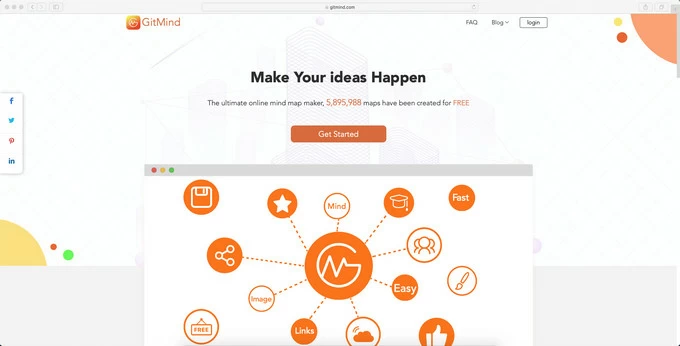
GitMind is a free browser-based mind mapping application. It has an extremely simple interface and numerous mind map templates to choose from. The template categories vary widely from project management to wedding timeline. Thus, when you need some graphic tools to present your ideas intuitively, and you have no idea about designing a mind map, GitMind is the best choice for you.
Features:
- Automatic layout
- Support team collaboration on one map
- Hundreds of free editable mind map templates
- Retrieve history versions & secure cloud storage
Get Started: GitMind Website
SimpleMind (macOS, Windows, iOS, Android)
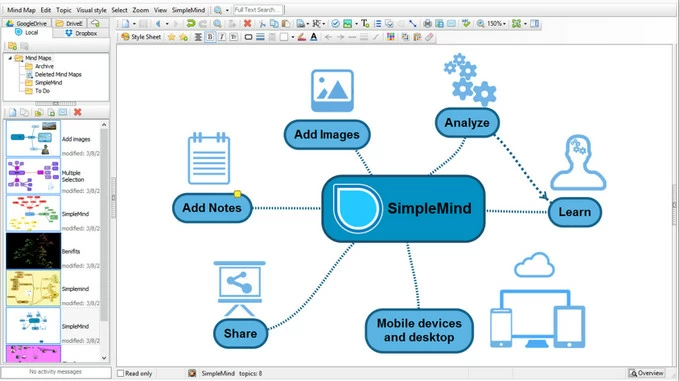
SimpleMind is as easy to use as its name implies. The most unique function of SimpleMind is you can import a PDF file and transfer it to a mind map. It’s extremely useful when you want to mind map the ideas in an e-book or an article. For mobile versions, users can add video and voice memos to mind maps. It’s dedicated to simplifying the process of making a mind map.
Features:
- Allows to convert PDF to mind maps
- Users can create reusable mind map styles
Download: SimpleMind Mac Version
FreeMind (Any OS)
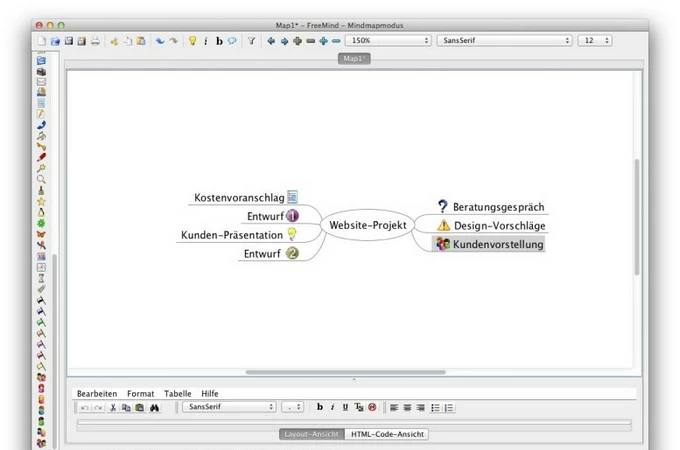
FreeMind is a premier open-source mind mapping application written in Java. Though FreeMind may not be updated any longer, it’s still very popular for making mind maps. FreeMind users built a mind map gallery voluntarily so that you can refer to it for inspiration. FreeMind allows users to export mind maps to HTML files. Moreover, since FreeMind stores maps in XML files, it takes little risks of switching away to another mind map tool.
Features:
- Can switch to other mind map tools
- Limited support for fancy graphics
Download: FreeMind
iMindMap (macOS, Windows, iOS)
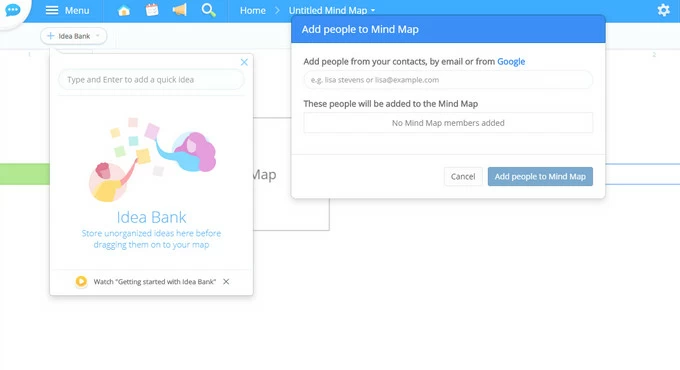
Ayoa was previously called iMindMap, but includes much more than mind mapping. If you are looking for an alternative to Trello for project and task management, Ayoa is what you need. Its task side panel stores due dates, file attachments, and checklists. What’s more, you can even receive a daily review email to check upcoming deadlines.
Features:
- Real-time collaboration on mind maps and task boards
- Instant messaging
- Sync with Google, Evernote and Dropbox
Download: iMindMap Mac Version
Mindly (macOS, iOS, Android)
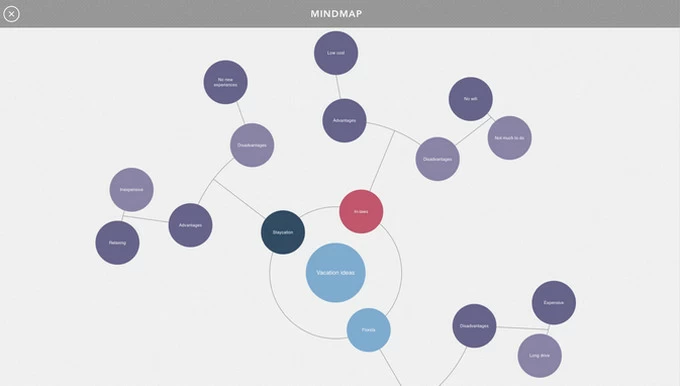
If you are looking for some tools which could maximize your creativity, Mindly is the answer. One concept leads to another and with Mindly it’s even easier to form a universe of thoughts. To some degree, its expanding hierarchical structure is not always befitting formal cases.
Features:
- Sync data on different devices
- Keeps focused on one element
Download: Mindly Mac Version
mind mapping tools free
1. Coggle
Coggle is an online tool for creating mind maps. The app lets you and your team collaborate on notes, brainstorm ideas, and create project plans. Every mind map starts with a single central topic. Click the Plus (+) button to add a branch and enter your text in the box.
You can format text, insert links, add images, and icons to elaborate the key points. From here onwards, continue adding branches as per your needs. You can even create a cross-link to other items in a mindmap. Open the context menu, press the Shift key to bring the cross-link icon. Then, drag the cross-link line.
You can create three private diagrams with a free account, collaborate in real-time, and upload unlimited images. The export options include .MM, TXT, Microsoft Visio, PDF, and JPEG. Check out the pricing page to explore premium features.
Unique Features
- Add multiple central nodes in a single workspace. Then, create loops and branches to connect other mind maps and see relationships.
- It supports keyboard shortcuts and has a vast collection of templates in Coggle Gallery to quickly start your projects.
- View the version history of the mind map. Check who last edited the map along with the date and make a copy of it at a particular time.
- Message team members, leave notes, and even chat in real-time to brainstorm ideas. You can auto-arrange branches to associate the content of each branch with the things around it.
2. GitMind
GitMind is an easy-to-use online mind map tool. With it, you can visualize complicated concepts, generate new ideas, make lists with task priorities, and prepare for the presentation. Type in the topic name, and click Insert Node.
Choose Insert subnode to create sub-branches. And click the Relation line to show any relationship between ideas. You can assign a task priority, progress meter, flag, and more with the built-in symbols. To add a symbol, select the target node and click Icon from the toolbar.
At each node, click the Attachment button to insert links, images, and comments. There are many export options available, including TXT, PNG, PDF, DOCX, and SVG.
Unique Features
- Variety of themes, including classic, colorful, and business templates. Click the Style button to customize node spacing, background color, line, border shape, and more.
- Arrange the mind map in seven different layouts and reset them at any time. Click the Layout button and change it to mind map, logic chart, tree chart, and fishbone.
- View, edit, and export the mind map in outline mode. And share the mind map you created with a link or collaborate in real-time.
3. Canva
Canva is a web-based graphic design app that makes it easy to create mind maps. Equipped with ready-to-use templates and toolset, you can use this app for educational presentations, business pitches, corporate proposals, and project planning.
Enter the term ‘mind map’ in the search field, and within a few seconds, you’ll see a variety of templates. The built-in tools let you insert elements like shapes, frames, arrows, gradients, and more. You can even modify the text, photos, and background. The export options include PNG, JPEG, GIF, and PDF.
The free account gives you 5GB of free storage space, access to 2,50,000 templates, image uploads, and collaboration with team members in real-time. Check out the pricing page for more details.
Unique Features
- Embed the mind map in any file. Then, share it on social media or email right from the app.
- Insert pictures, embed videos, links from the web or Twitter, and GIF to make the mind map informative and catchy. Use symbols, color codes, speech bubbles, and icons for informative presentations.
- Manage your design pages from inside the editor. You can add pages, rearrange them, and add notes for the presentation.
- Present your reports, discuss brainstorm sessions, pitch decks, and more. Click the Present button to get started.
Download: Android, iOS (Free, Pro Plan: $12.99/user/month)
4. InfoRapid KnowledgeBase Builder
Traditional mind mapping tools are hierarchical. When you start creating complex linkages, they quickly get confusing and unusable. But with this app, you can join multiple ideas, and yet it adjusts your map dynamically to an elegant layout. You click a topic, and everything rearranges around it automatically.
You can build a mind map from scratch, import notes, links, images, and attach them to any item or a relation. There is also an option to integrate it with a data source to create a mind map from text files, Wikipedia articles, and tweets.
To get started, type in the topic name and click New Item. For each topic, type a name and add a description. You can add descriptive linking phrases on relationship lines and select colors, dotted or solid lines. Or even customize the style of the ends, with or without arrows.
Unique Features
- Insert multiple items, edit or delete them, and use drag-and-drop for moving relations.
- Toggle between a 2D and 3D displaying mode and show or hide cross-connections. You can export 3D mind maps with hyperlinks and embed them on your website.
- Build a map from MediaWiki, including all the sister Wikipedia sites. And import outlines from CSV, RDF, XSD, and more.
- Generate flashcards to memorize items and practice the quiz sessions.
Download: Windows 10 ($10), Mac ($9) | iOS ($9), Android ($11)
5. Scapple
When you draft an outline, you can work out if the ideas connect, what order works best, identify gaps in your thinking, and confirm your thoughts with proven facts. Scapple is an intuitive app for jotting your ideas down by developing connections between them. It’s the software equivalent of pen and paper.
Unlike typical mind-mapping software, Scapple doesn’t force you to make connections, nor do you have to begin with a central idea. It’s a freeform writing app with an expandable canvas to fit all your notes. You can move notes around to make room for new connections, edit and resize them, and export them to PDF.
Unique Features
- Stack notes on top of one another to create lists or columns of text. They’re useful for maintaining a list of related ideas that don’t belong in a single note.
- Add links to the text within notes or even files on your computer. You can even draw a background shape around a group of links and concepts.
- Incrementally search through the document and even replace text. It is useful for quickly jumping from one cluster to the next on a large canvas.
- If you use Scrivener to write essays or novels, you can freely interchange notes between Scapple and Scrivener.
Conclusion
Let us know your thoughts in the comment section below.
Check out other publications to gain access to more digital resources if you are just starting out with Flux Resource.
Also contact us today to optimize your business(s)/Brand(s) for Search Engines