
Google SEO Tools is a free tool to check your website’s SEO performance and find the best keywords for your website. You can measure your website’s SEO performance by using this tool.
Table of Contents
Google Seo Tools Free
1. Google PageSpeed Insights
Check the speed and usability of your site on multiple devices
Limitations: None
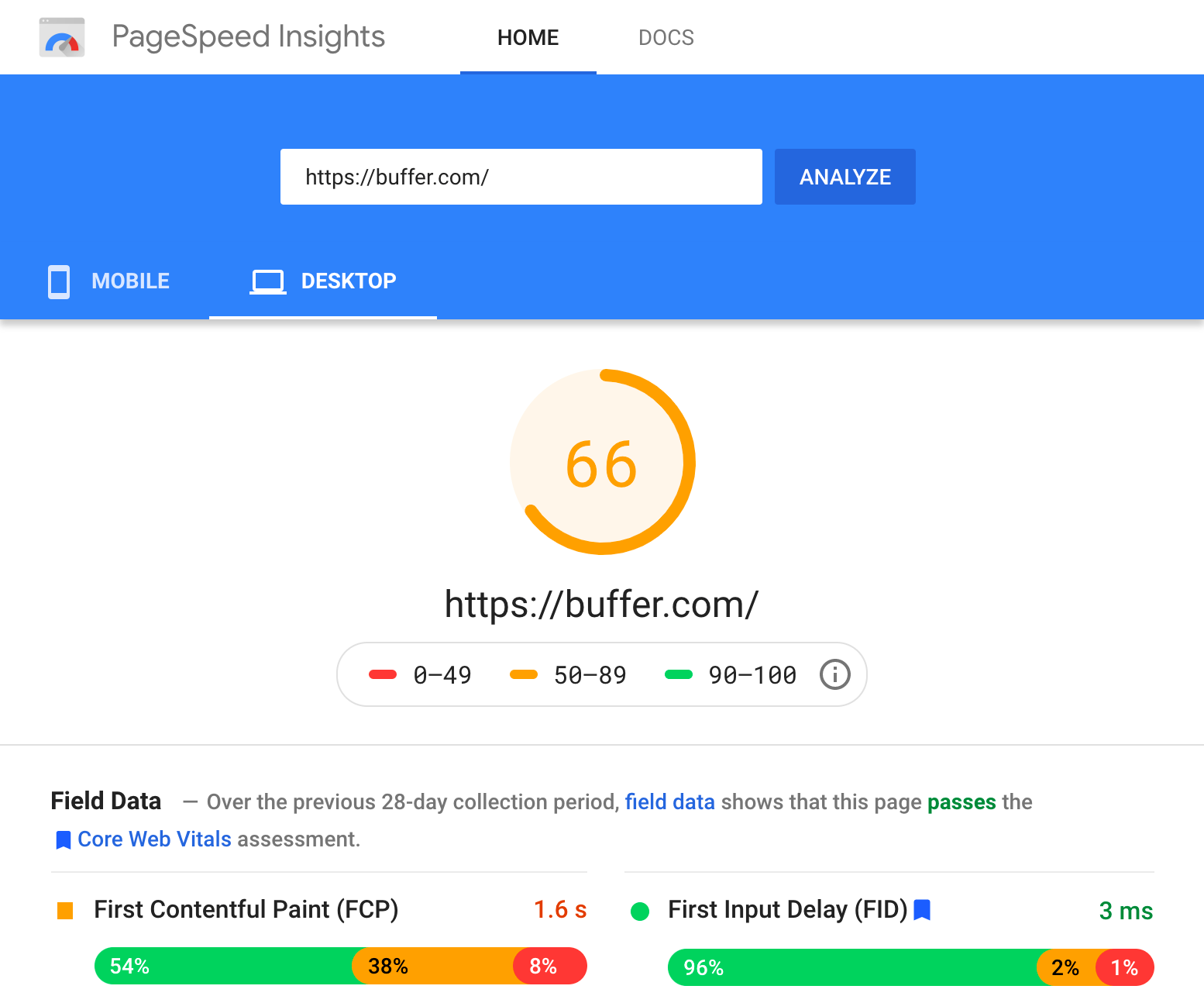
Enter a URL and this tool will test the loading time and performance for that URL on desktop and mobile. It then grades your site’s performance on a score from 0 – 100. It tells you exactly how fast it takes to load the site according to different metrics, and also suggests areas for improvements.
Alternatives:Pingdom, WebPageTest, and GTMetrix
2. Ahrefs Webmaster Tools
Run a technical audit of your site
Limitations: 5,000 crawl credits per project per month
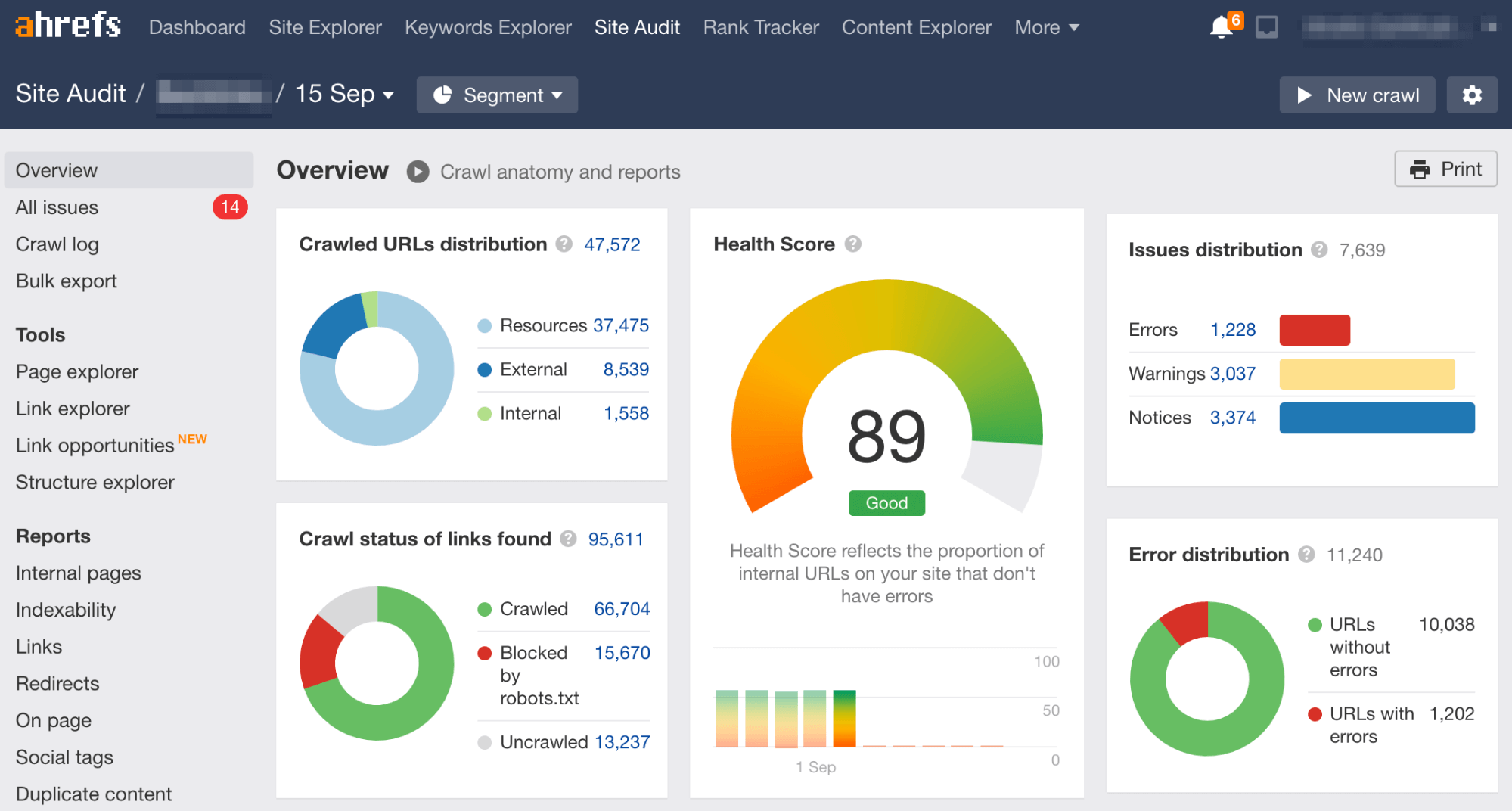
Sign up for Ahrefs Webmaster Tools, verify your website and you’ll be able to audit your website for over 100+ technical SEO issues. The tool also gives suggestions on how to fix them.
After running an audit, it also suggests areas where you can improve your internal linking, which is helpful in boosting your rankings in search engines.
This tool also allows you to see your site’s organic keyword rankings as well as who’s linking to you.
Alternatives:Screaming Frog (audit), Beam Us Up (audit)
3. Answer the Public
Hundreds of keyword ideas based on a single keyword
Limitations: Two free searches per day
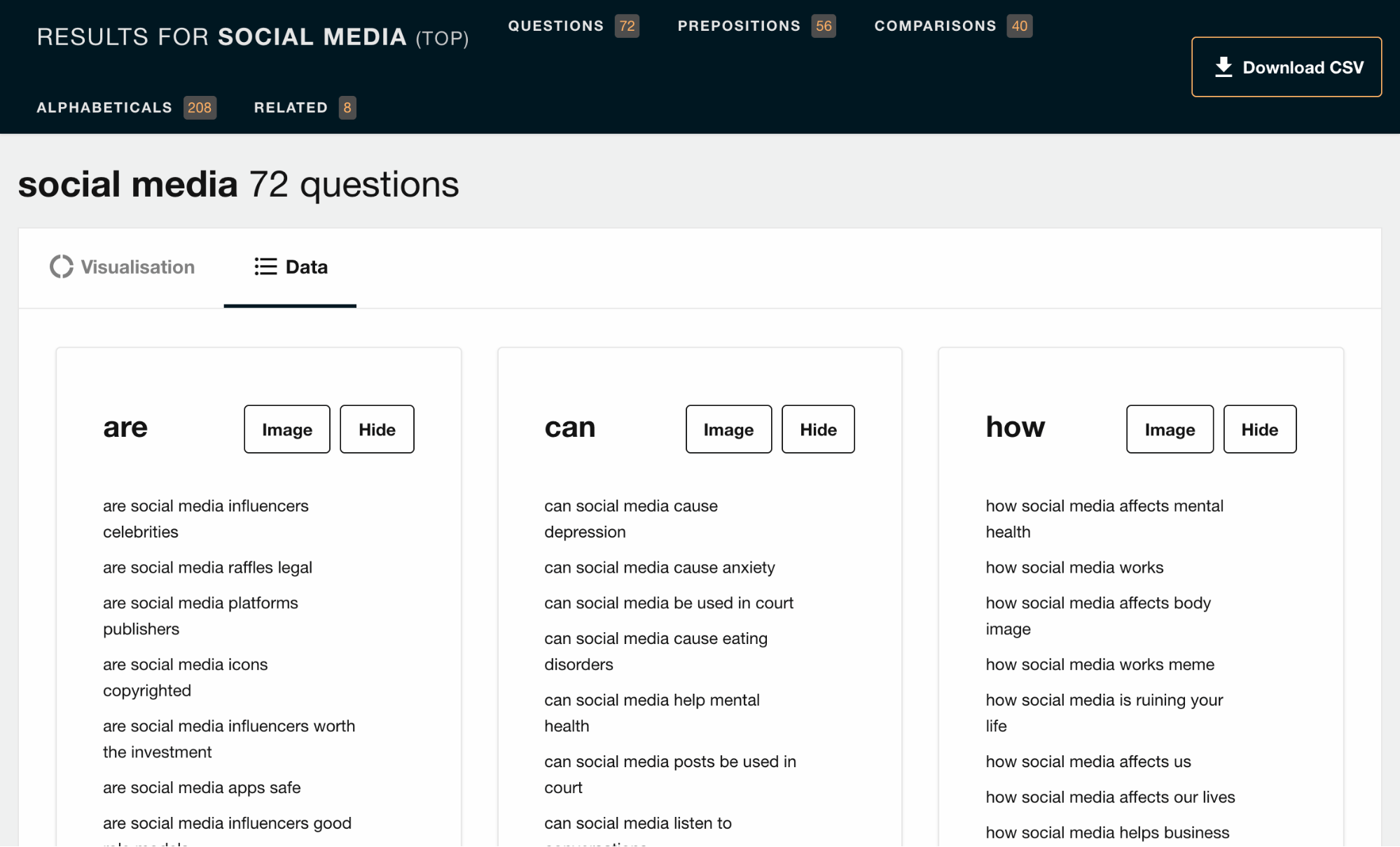
Enter any relevant keyword, and Answer the Public will provide a huge list of long-tail keyword opportunities, plus common questions asked.
Alternatives: KeywordTool.io, UberSuggest, Keyword Sheeter, Keyword Generator
4. Google Analytics
Complete web stats and search insights
Limitations: No limitations for its usage, but queries that are sending you organic traffic are hidden
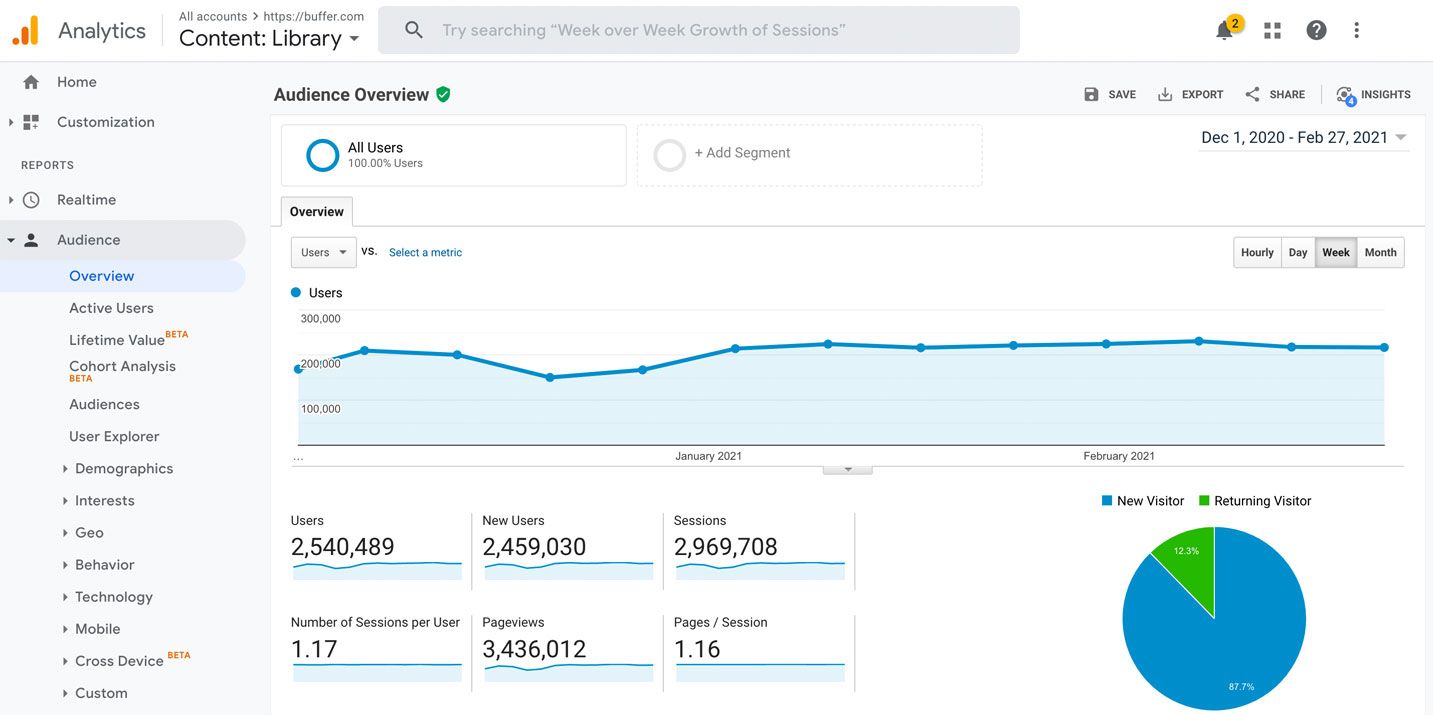
Quite possibly the most powerful free analytics tool available, Google Analytics tracks pretty much every bit of traffic you can imagine on your website—where it comes from, which page is receiving it and so on.
While it’s not purely for SEO, it’s still a helpful tool to track if you’re getting traffic from organic search.
However, Google Analytics has since stopped showing which keywords are sending you those traffic. You’ll have to pair it with a tool like Keyword Hero to uncover what’s behind “(not provided).”
Alternatives:Matomo, Open Web Analytics, and Clicky
5. Google Search Console
Constant website analysis, alerts, and error reports
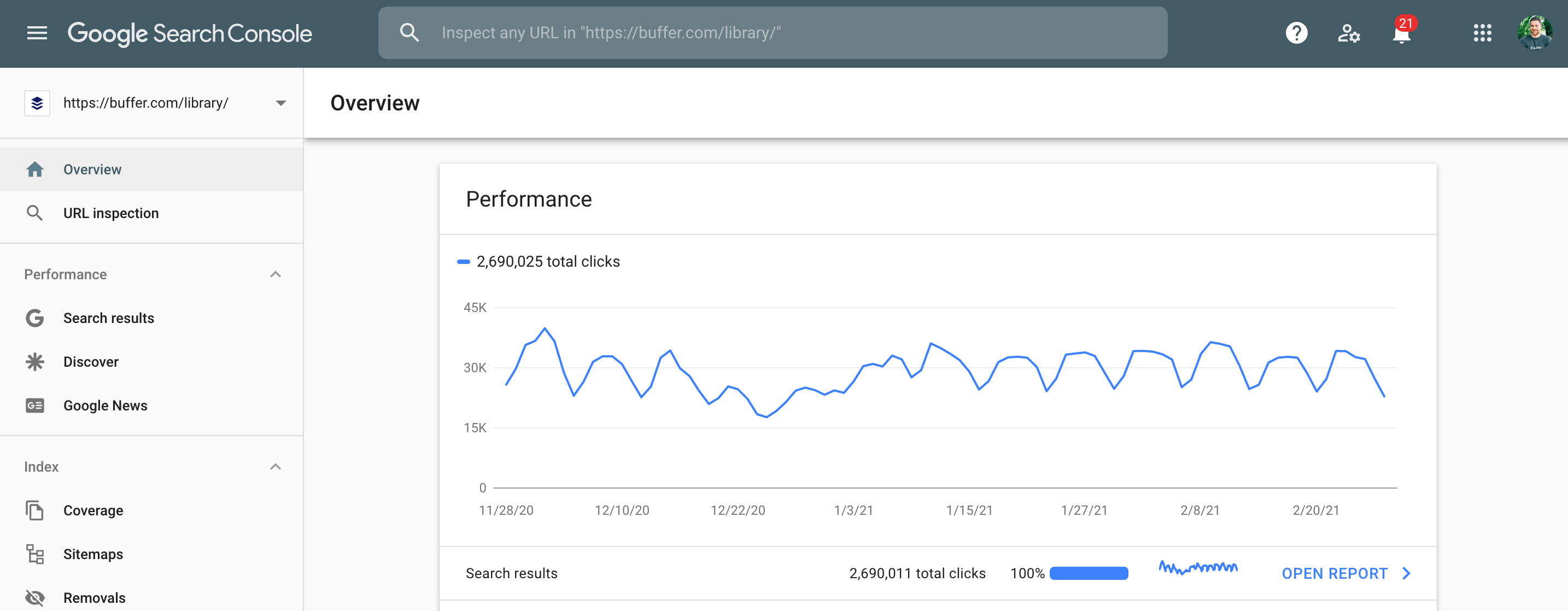
Limitations: Only shows a handful of technical SEO issues, the top 1,000 backlinks and top 1,000 organic keywords
Google Search Console gives you a taste of what the most used search engine thinks of your website. You can use it to check and fix technical issues on your website, see important SEO data like clicks, impressions and average ranking position, submit sitemaps and more.
If ranking in search engines like Bing and Yandex are important to you, then take note that they have their own “search console” too.
Alternatives:Bing Webmaster Tools, Yandex Webmaster Tools
6. Ahrefs’ Backlink Checker
Comprehensive link analysis
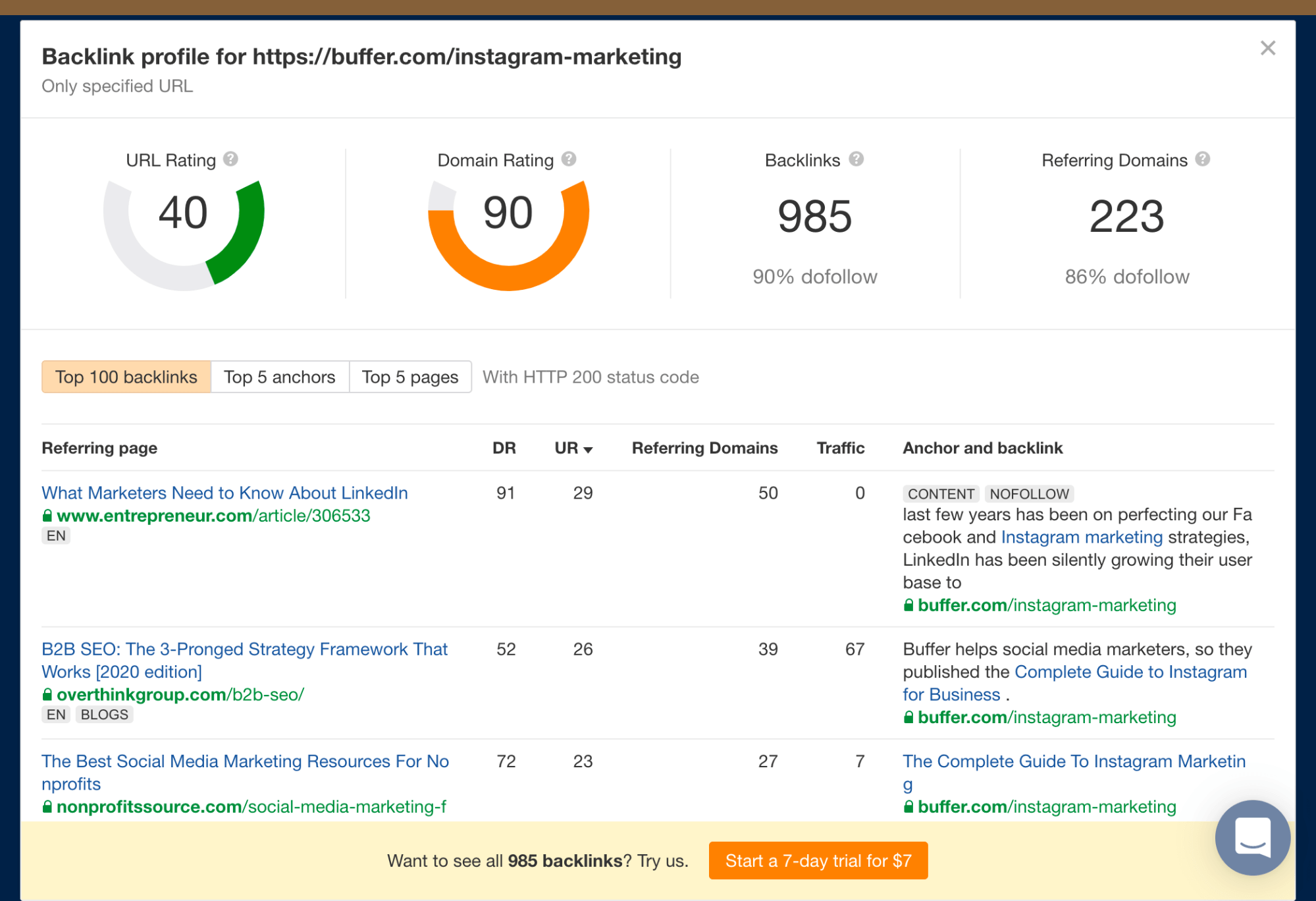
Limitations: Free for the top 100 backlinks
The free version of Ahrefs’ Backlink Checker shows the top 100 backlinks to any website or URL, along with the total number of backlinks and referring domains (links from unique sites), Domain Rating (DR), and URL Rating (UR) where applicable.
A great way to use this tool is to paste your competitor’s website and find potential link building opportunities.
Alternatives: Moz Link Explorer
7. Google Ads Keyword Planner
Know what people search for
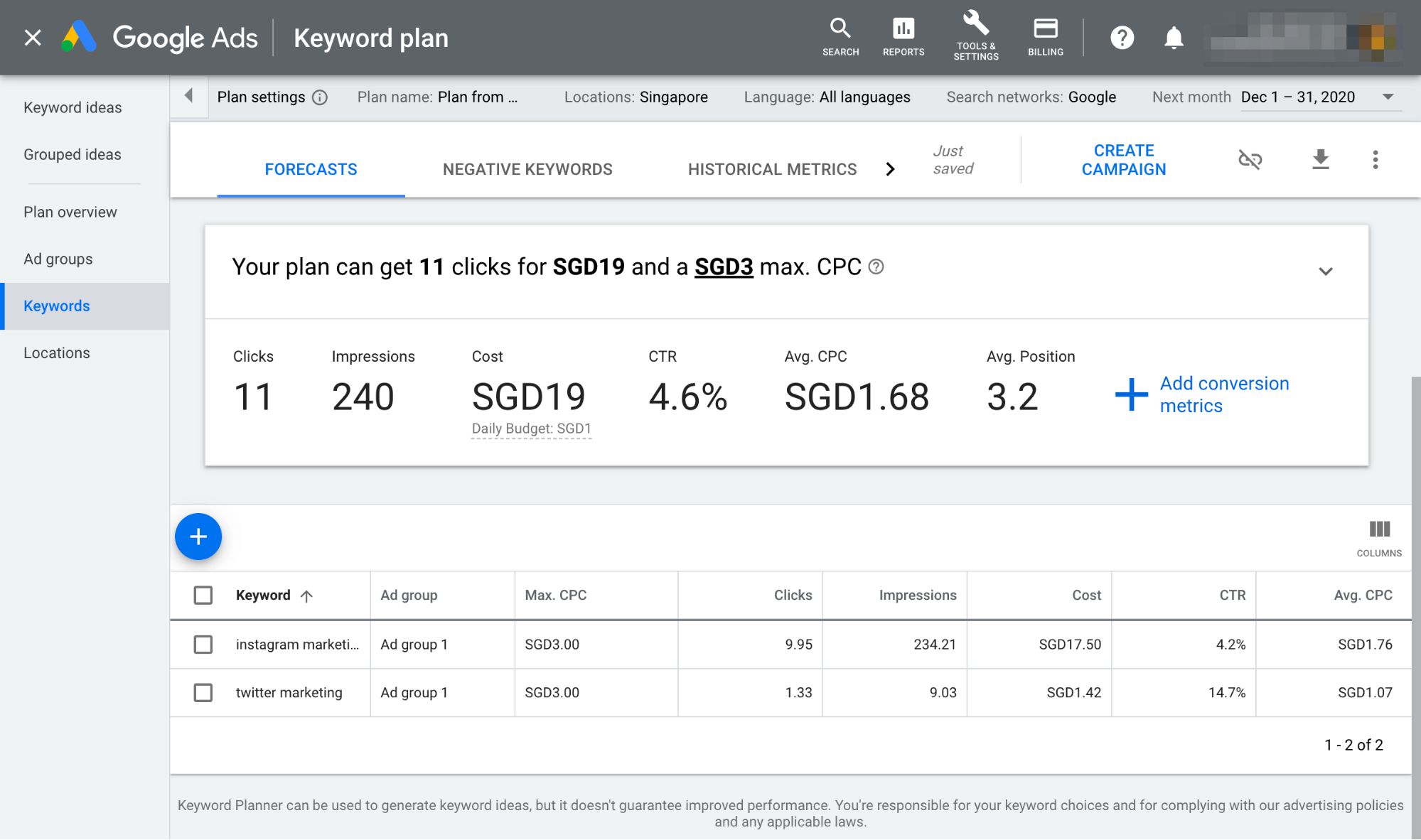
Limitations: You’ll need to run an ad campaign to see exact search volumes
Enter a keyword or group of keywords into the tool, and Google Keyword Planner will return all sorts of helpful stats to guide your keyword strategy: monthly search volume, competition, and even suggested terms you might not have considered.
Alternatives:Bing Keyword Planner
8. SERPSim
Preview how your web pages will look in Google’s search results
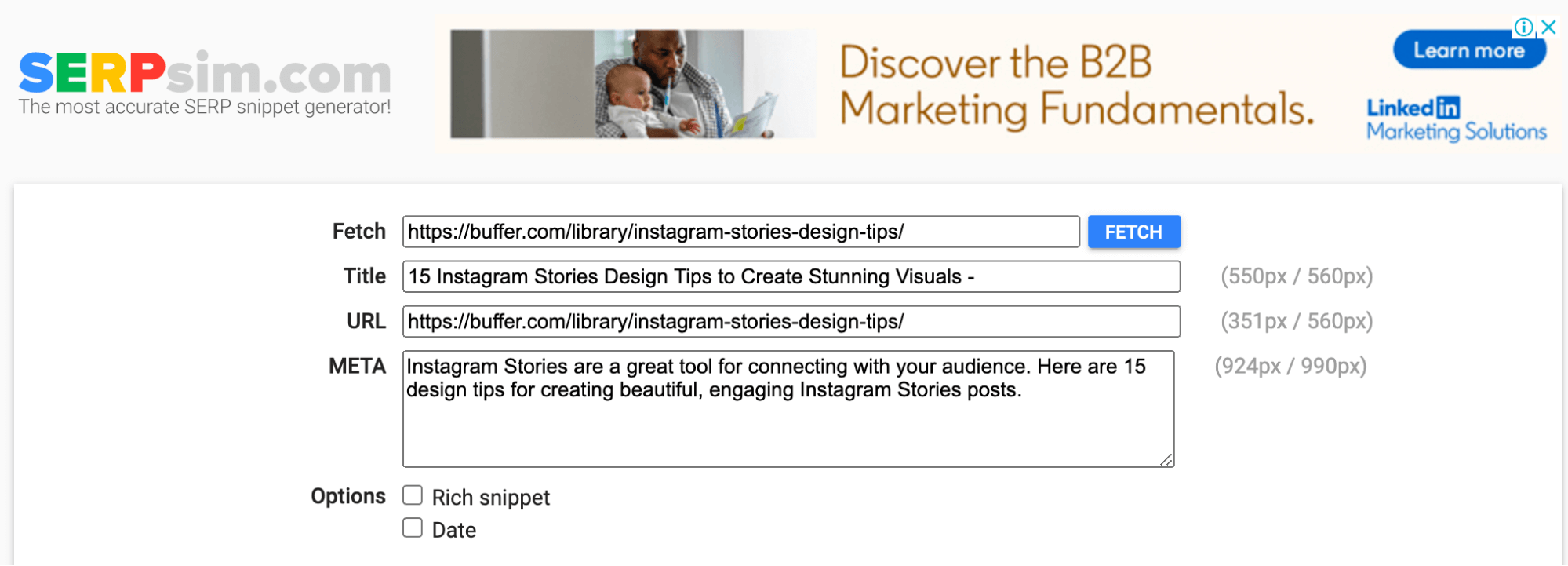
Limitations: None
See how your meta title and description will appear in the search results before you even publish your web page. Works for desktop and mobile.
Check for truncation issues and fix them instantly.
Alternatives: Portent’s SERP Preview Tool
9. Google Trends
See the relative search popularity of topics
Limitations: None
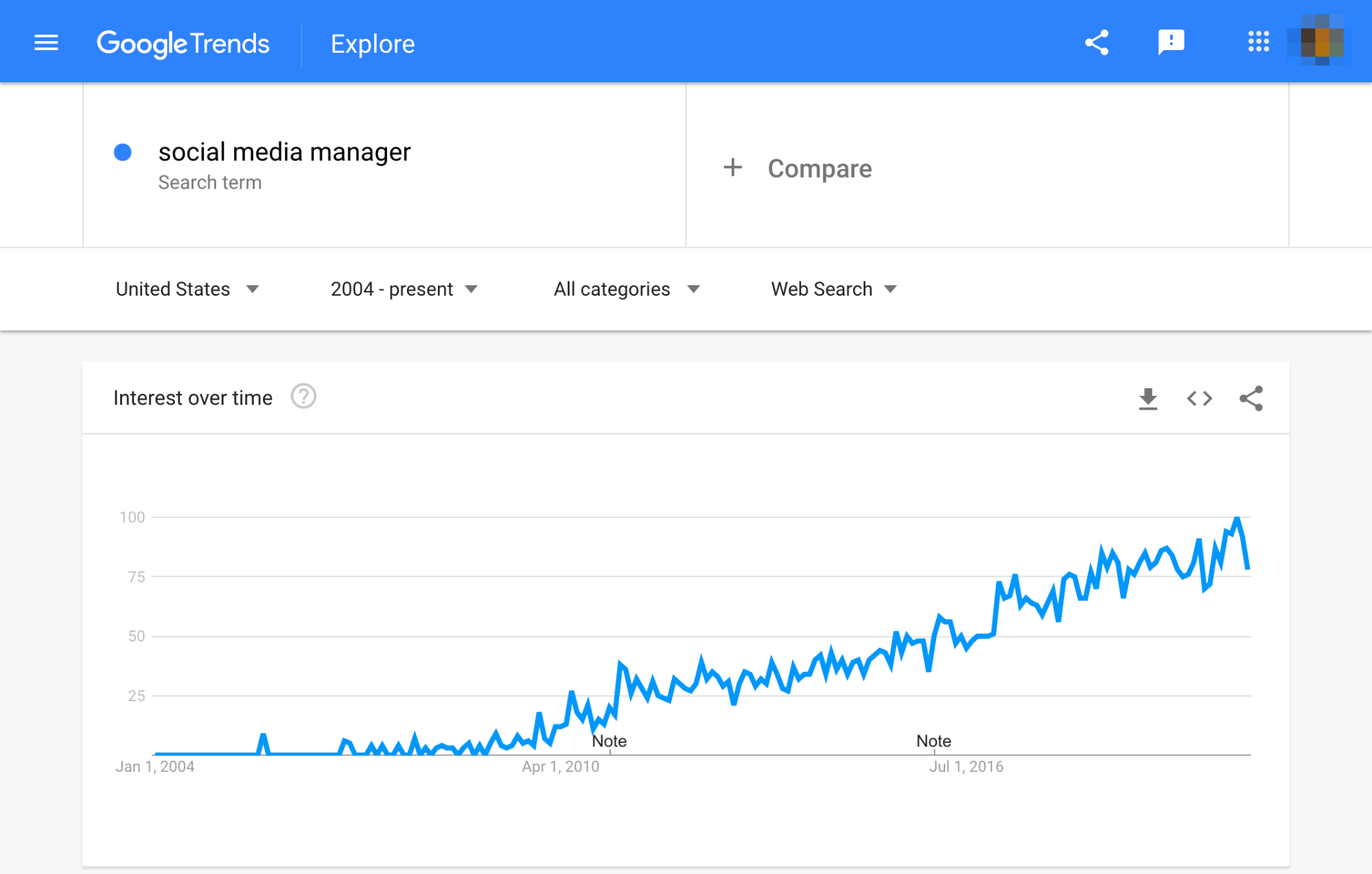
Google Trends shows the popular search terms over time, which is useful for uncovering seasonal variations in search popularity amongst other things. Compare multiple terms to see the relative popularity.
10. Ahrefs’ SEO toolbar
Check the broken links, redirect chains, nofollow links and on-page elements for any webpage
Limitations: Technical and on-page SEO features are free, but you’ll need an Ahrefs account to see SEO metrics within the SERPs
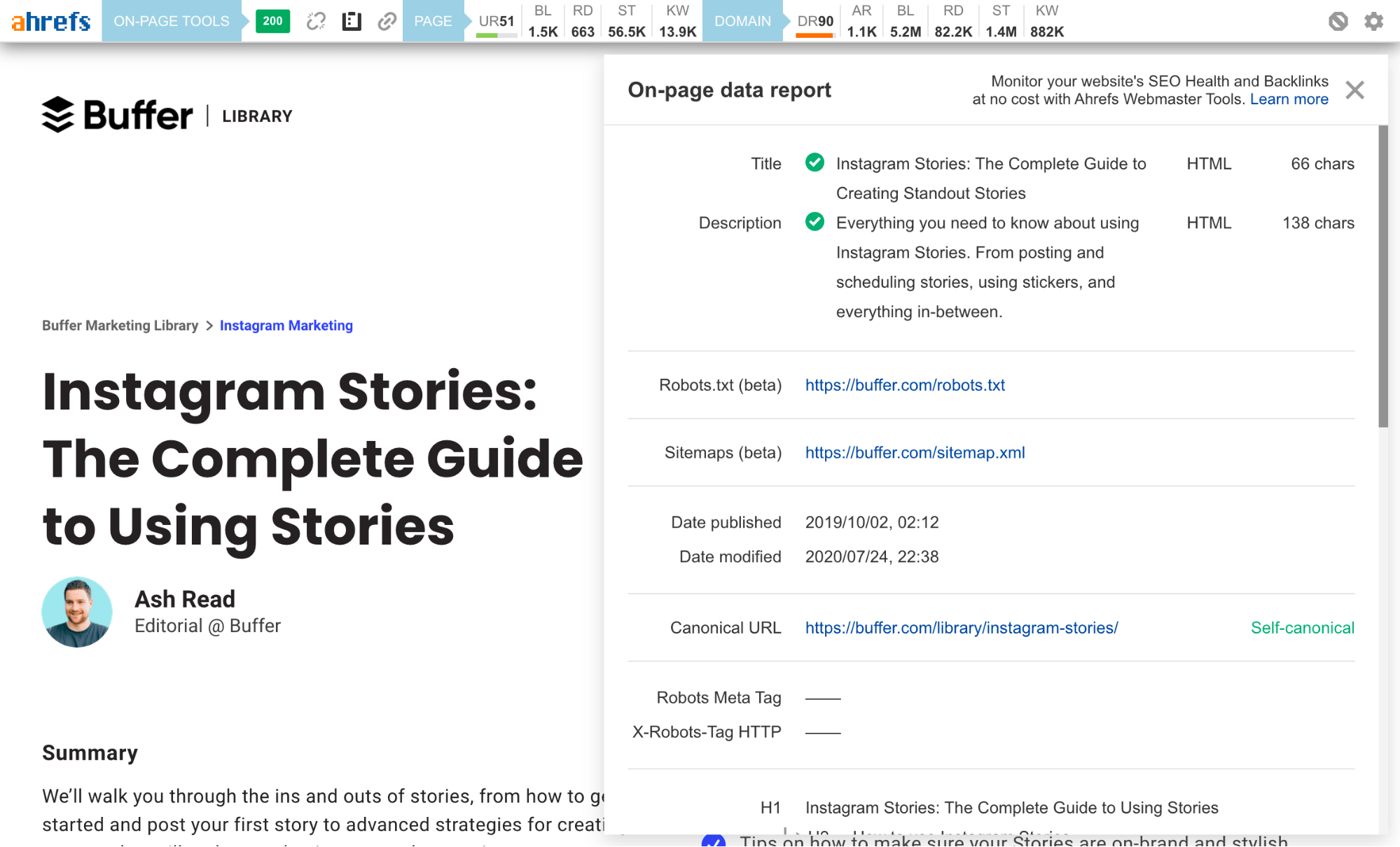
The Ahrefs SEO toolbar is a free Chrome and Firefox extension that allows you to check for broken links, trace redirect chains and highlight nofollow links for any webpage. It also generates an on-page SEO report that includes the webpage’s:
- Title
- Meta description
- Word count
- Headers
- Hreflang tags
- Canonicals
- OG tags
This makes analyzing any page much easier and faster.
If you have access to a paid Ahrefs account, you’ll also be able to see important keyword metrics like search volume, CPC and keyword difficulty within the SERPs.
Alternatives:Detailed SEO Extension, SEO Minion, LinkMiner (broken links), Ayima Redirect Path (redirect tracing)
seo free tools for google rankings
1. Google Trends
Google Trends is a go-to keyword tool. You can see how search queries change over time when people search for your keyword and compare different words or phrases to see which is best.
Let’s say you run a hardware store and you want to ramp up sales of shovels this winter. When people search for a shovel online, do they search for winter shovel or snow shovel? Compare the two using Google Trends. Here’s what you’ll see:
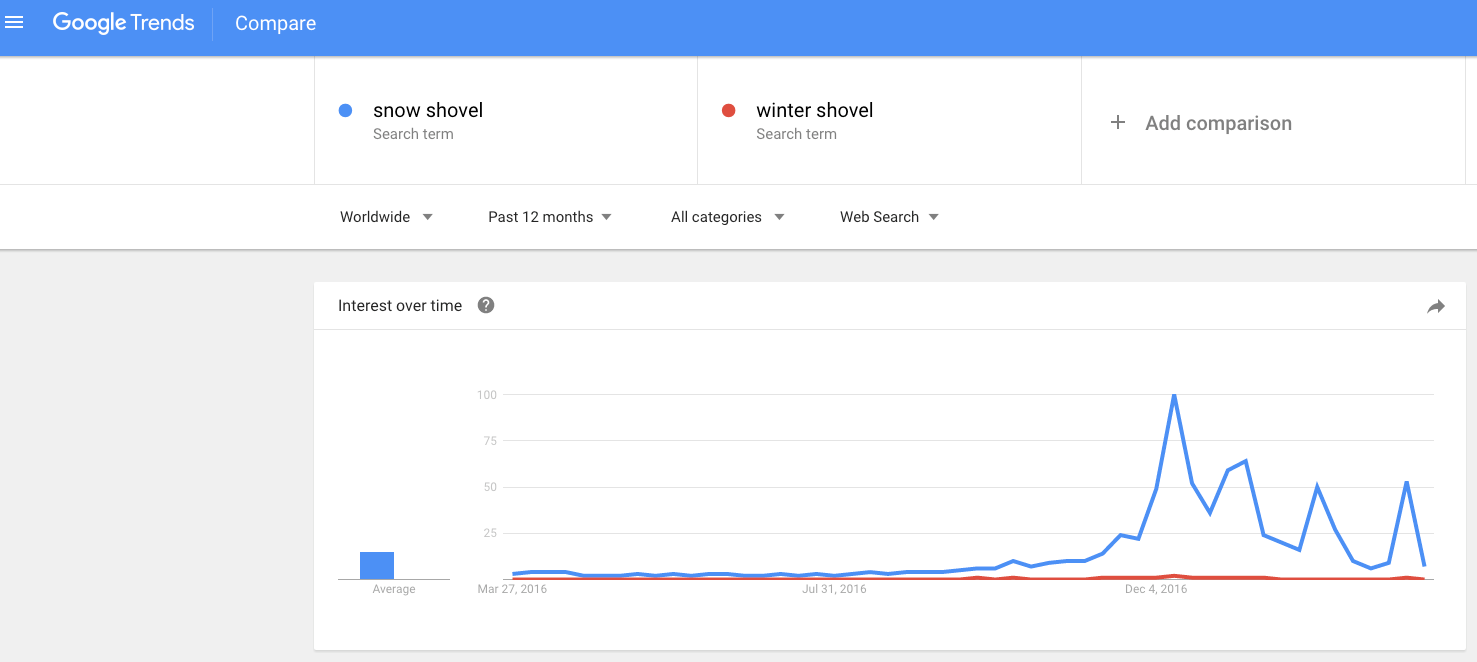
According to the chart, people search for snow shovel more frequently than winter shovel. The chart also shows you when people search for the term. In this case, it’s no surprise that the winter months are when this term is most popular.
You can also take a look at a regional breakdown that shows you where the search terms are most popular.
With this knowledge, you can use the phrase ‘show shovel’ on your website and blog posts to increase traffic.
2. BROWSEO
This tool shows you how a search engine sees your site. It strips your site down to a base level, without any fancy fonts, headers or images, and displays relevant SEO information. By looking at your site this way, you can see what needs improvement.
All you have to do is enter your URL into the site, no additional downloads necessary.
3. Screaming Frog
What SEO problems does your website face? Aren’t sure? Turn to Screaming Frog. Free for the first 500 URLs, this tool crawls your site looking for SEO roadblocks and provides a report of problem areas.
The tool looks for broken links, missing metadata, oversized files and pictures, duplicate pages and internal links, just to name a few. Think of it as an SEO audit. Use the results to improve your site and SEO.
4. GTmetrix
How fast does your website load? Do you have a page or two on your site that takes too long to come up? Sluggish page speed can hinder SEO. Site speed does play a role in search engine rankings, so you’ll want to double check the speed of your site with GTmetrix.
Just enter your URL into the site and you’ll get a page speed score and a list of ways to improve it. For example, it might suggest resizing images to improve load times.
5. Rank Checker
Where does your website land in search engine results? Find out with Rank Checker. This tool will show you where your site shows up and give you tips to improve it.
You can install a button on your toolbar so you have easy access to this information whenever you’d like. It will take time to move your site up the ranks, but with this tool you can keep an eye on where you stand.
6. Responsive Design Test
How does your site look on a smartphone? Search engines give preferential treatment to websites that look great on all devices, no matter their size or orientation.
To make sure your website looks sharp on every device, use a responsive website design. This design adapts to every device, so you don’t need to create multiple sites.
Not sure if you have a responsive design? Put your website into the Responsive Design Test to find out. If you don’t have a responsive design, consider updating your site or getting help from professional designers at our partner Deluxe.
Conclusion
Let us know your thoughts in the comment section below.
Check out other publications to gain access to more digital resources if you are just starting out with Flux Resource.
Also contact us today to optimize your business(s)/Brand(s) for Search Engines