
Graphic and web design software are tools for creating visual content for professional and personal use. These tools are primarily used by designers, artists, photographers and other creative professionals. Graphic design software is used to create all types of static images such as logos, advertisements, brochures etc. Web design tools are focused on creating the look and feel of websites.
There are many different types of graphic and web design software, which can differ based on their intended use, the tasks they can perform and the platforms they support.
Table of Contents
Graphic And Web Design Software
The following are the best graphic design software on the market right now.
1. Adobe Photoshop.
Adam’s Take
If you’re looking for the best graphic design software for your needs, I highly recommend Adobe Photoshop. Used by professionals, this software will get you the results you want.9.2out of 10
Best For
Overall Graphics
Price
$20.99+/mo
Annual Discount
No
Promotion
7-Day TrialTry Adobe Photoshop
Adobe Photoshop is synonymous with photo editing for graphic designers. It is one of the most popular photo editing software tools in the market in a robust package that offers excellent graphic design capabilities.
Key Features:
- Design Tools: Offers a lot of design tools for both mobile apps and web
- Creative Cloud: Its active synchronization with Adobe Creative Cloud offers a lot of unique features, including Content-Aware Crop, Face-Aware Liquify, Artboards, the Design Space view, synced libraries, a glyph panel, Cloud Documents, touch, and stylus input support, among others.
- User Interface: The Adobe graphic design software interface is continuously updated to provide a more customizable user interface. It offers several targeted workspace layouts, including Graphic and Web, Motion, 3D, Painting, and Photography, Designer can also create your own custom layout of panels and windows.
- Open-Source GIMP Software: If you don’t want to pay a dime, then you can download and install this software for free. Consider installing it on a powerful machine to avoid lag and other performance issues.
Pros:
- It offers a complimentary mobile application
- Its slick user interface offers a lot of assistance for easy use
- Got a rich set of typography and drawing tools
- Comes loaded with 3D design capabilities
- Offers a library and photo management with Adobe Creative Cloud
- Efficient file transfer between different programs
- Multiple design tools come with responsive graphics
- Ability to edit animation and video layers
- Users can define the size of the canvas, create custom brushes, work in 3D, isolate elements from backgrounds, among others.
Cons:
- Adobe now offers Photoshop along with the subscription of Creative Cloud. The recurring payment turns out to be more costly, and people who want to buy software forever don’t have the option to buy a perpetual license
- A plethora of features might overwhelm a new user
- Offers lessor support for raster and vector images like SVG files
Pricing Plans:
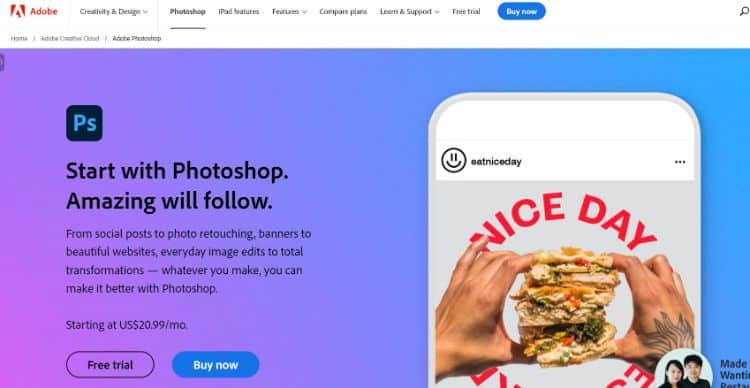
Adobe offers Photoshop at a subscription price of US$20.99 per month per license.
Get started with Adobe Photoshop today.Try Adobe Photoshop
2. Adobe InDesign.
Adam’s Take
For publishers that want to create stunning outputs that are also functional, I suggest you check out Adobe InDesign. With a lower learning curve than Photoshop, InDesign is an excellent software for those who want to create beautiful layouts for published works quickly.8.8out of 10
Best For
Publishers
Price
$20.99/mo
Annual Discount
No
Promotion
30-Day Free TrialTry Adobe InDesign
Adobe InDesign is a must-have software tool if you are in the business of publishing. It offers excellent capabilities to design stunning magazines, info sheets, and brochures while easily exporting them to PDF or HTML.
Key Features:
- Easy To Use: Unlike PhotShop, InDesign requires a low learning curve. That means new users can quickly learn how to combine text and graphics to achieve the best results.
- Adjust Layout: The ‘Adjust Layout’ feature empowers the designer just to change the text of the template, and design gets adjusted automatically, which is great for infographics.
- Sensei Technology: Adobe’s AI-powered Sensei technology ensures automatic resizing and arrangement of images.
- Adobe InCopy: Designers can leverage InCopy to work with other members of the team by sharing text, colors, and graphics.
Pros:
- Graphic designers can efficiently combine graphics and texts for easier streamlining and optimizations of files.
- It allows users to add tags to indexes, keywords, anchor text frames, footnotes, table of contents, and captions with hyperlinks.
- It supports HTML exporting that enables web developers to export clean and simple codes during the implementation of the website’s layout designs. This works great for WordPress sites.
- It can help you eliminate redundant div tags in HTML files along with insignificant content grouping.
- Has the capability of resizing multiple objects and change the width and height at the same time.
- Designers can leverage its Eyedropper tool to apply position or size instantly to another object within the document.
- It is an industry-standard for desktop publishing.
Cons:
- The less intuitive user interface can make things overwhelming for new users.
- Not positioned for general users. Suitable for enterprise use only.
- Relatively expensive than other similar software available in the market.
- PDF comment integration needs perfection
Pricing Plans:
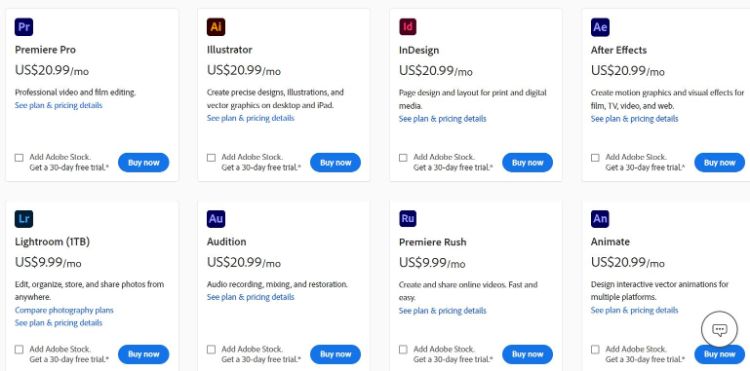
Adobe offers InDesign at a monthly subscription of $20.99. The full Creative Cloud costs $52.99 per month.
Get started with Adobe InDesign today.Try Adobe InDesign
3. CorelDraw Graphics Suite.
Adam’s Take
CorelDraw gives you all the professional-level features you need to create illustrations, logos, and marketing materials. It’s a great program for anyone who wants to create vector-based graphics. If graphic design is part of your professional life, CorelDraw is a must-have software.8.6out of 10
Best For
Pro-level Features
Price
$20.75/mo-$499/once
Annual Discount
No
Promotion
Free 15-Day TrialTry CorelDraw
CorelDraw Graphics Suite packs some pro-level features and offers a highly accessible interface that is easy to use. It is a bundle of multiple applications that deliver powerful editing features.
Key Features:
- Content Exchange: It is Corel’s online digital library through which registered users can get access to thousands of high-resolution photographs and digital images. It also offers over 2000 vehicle templates, 1000 fonts, 350 professionally designed templates, more than 500 interactive frames, over 600 gradients, vector, and bitmap fills.
- Flexible Payment: Corel offers three payment programs through which users can buy the software along with nominal charges for regular upgrades. It also offers an upgrade program for existing users.
- Customizable UI: You get a customizable UI environment for the desktop, icon sizing, toolboxes, options for how your documents open, and window border color scheme. Users can also visit Corel’s developer community website to design macros that suit their workflow.
- New Pointilizer: Corel’s new pointilizer offers a lot of variable parameters that are not just limited to regular dots.

Pros:
- It offers app-wide workflow and under-the-hood innovation and performance enhancements to boost productivity
- Works perfectly without any lag with Surface Pen
- Users get the option to choose GPU acceleration over the default CPU while working with system-intensive sophisticated vector graphics
- Smooth transition from desktop to tablet mode to leverage touch features
- It offers better EPS and third-party PDF importing capabilities and leverages with their GPL Ghostscript feature
- It is capable of exporting files in up to 48 file types, including AutoCAD, JPG, PNG, SVG, AutoCAD, JPG, and TIFF. It can also open 35 file types, including EPS, HTML, AutoCAD, PDF, PowerPoint, SVG, and even old FreeHand files
Cons:
- Unlike Adobe, there are no complimentary mobile applications offered by Corel
- Two many payment options might confuse the user
- Not easy to operate for beginners
Pricing Plans:
CorelDraw is available for a 15-day free trial. Its full version is available for $499 with a 30-days money-back guarantee. You can also pay for an annual subscription for $249 or just $20.75/month.
Get started with CorelDraw Graphics Suite.
Try CorelDRAW
4. Adobe Illustrator.
Adam’s Take
I advise you to go for Adobe Illustrator illustrative if you work with artwork, page layouts, logos, and typography regularly. It’s the industry standard for vector illustrations, providing you with all the tools you need to create beautiful designs.8.2out of 10
Best For
Graphic Illustrators
Price
$20.99/mo
Annual Discount
No
Promotion
30-Day Free TrialTry Adobe Illustrator
Adobe Illustrator is more than just a graphic design tool that is perfect for illustrative artwork, page layouts, corporate logos, website mockups, and almost anything else as per the requirement. Moreover, it’s an industry benchmark in vector creation tools.
Key Features:
- High-customizability: Adobe Illustrator is highly customizable through multiple preset layouts along with other customizability options. Users can leverage the drag and drop feature to move panels anywhere on the screen.
- In-Panel Editing: Its in-panel editing feature allows designers to edit multiple artboards simultaneously to help designers work with more efficiency.
- Highly Compatible: It is highly compatible with numerous devices that have different configurations from Mac and Windows.
- User Interface: Its user interface is highly accessible and customizable. It offers custom viewing and space-saving features to help you work on any machine.
Pros:
- Instead of stored pixels, it generates graphics based on mathematical equations to ensure crisp and sharp lines that you can print in any dimension
- It creates graphics files in relatively small sizes so that designers can share them easily through a simple email attachment
- You get access to over 90 million images, graphics, templates, and videos from Adobe Stock
- Use Adobe font integration to select thousands of fonts and implement the most suitable font for the project
- Tight integration with other Adobe products
Cons:
- It is costlier in comparison to other vector-based graphic design tools
- So many features can look a bit overwhelming for new users. It requires a steep learning curve to use it efficiently
- It could eat up a lot of space on your machine
Pricing Plans:
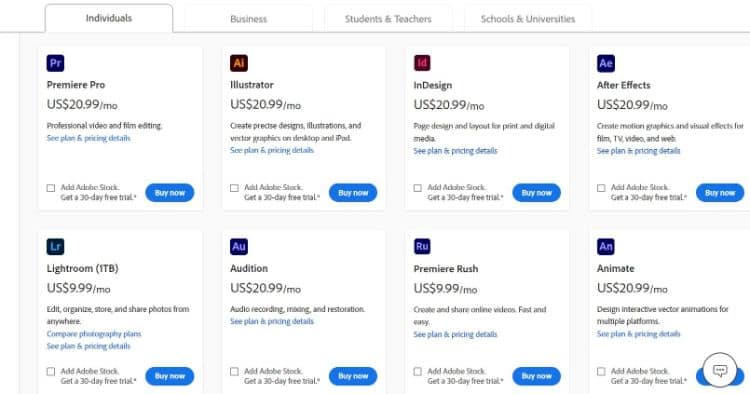
Adobe Illustrator offers a monthly subscription of US$20.99.
Get started with Adobe Illustrator today.Try Adobe Illustrator
5. Inkscape.
Adam’s Take
Inkscape is my pick for scalable graphics. It’s an open-source graphics editor, making it a great option if you’re on a budget. With images that can be as big as you need them to be, Inkscape is perfect for creating professional-quality designs at virtually no cost.7.8out of 10
Best For
Scalable Graphics
Price
Free
Annual Discount
No
Promotion
Use For FreeTry Inkscape
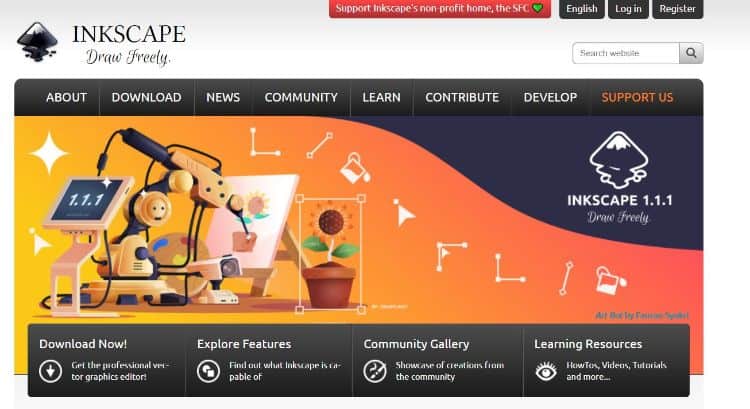
Inkscape is a capable free graphic design software that can help designers create scalable graphic designs that won’t stretch or blur during resizing. It’s a user-friendly option for hobbyists or beginners interested in vector drawing.
Key Features:
- User Experience: For free vector software, the user experience is quite impressive. Designers who are familiar with Adobe tools can efficiently operate Inkscape.
- Regular Updates: Inscape has a robust community of developers that enables it to provide updates and new features regularly. Its latest update has got mesh gradients, a checkerboard background to view transparency more comfortably, improved spray, and measurement tools.
- Free of Cost: It is one of the most robust and capable alternatives to Adobe Illustrator that is available as a free tool.
- Manual Improvement: Users can leverage the open-source code to change the lines of code and enhance or personalize the software as per the requirement.
Pros:
- Users can easily make individual text lines without frames along with the paragraph type.
- It supports multiple gradients and comes with a separate tool to create complex combinations.
- It comes equipped with Bezier handles to ensure more effortless movement of nodes.
- Inkscape offers several well-designed and full-featured tools to create, edit, and convert vectors.
- It is also capable of downloading or creating ready-made plugins.
- Users can leverage different preset categories of filters to save time and effort.
Cons:
- Inkscapes’ streaming text needs to be converted into plain text, for instance, before export.
- The Mac version is not error-free.
- Processing is a bit slower than other graphics software.
- Compatibility with Illustrator is not bulletproof.
Pricing Plans:
Inkscape is an open-source platform that is available for free.
6. Sketch.
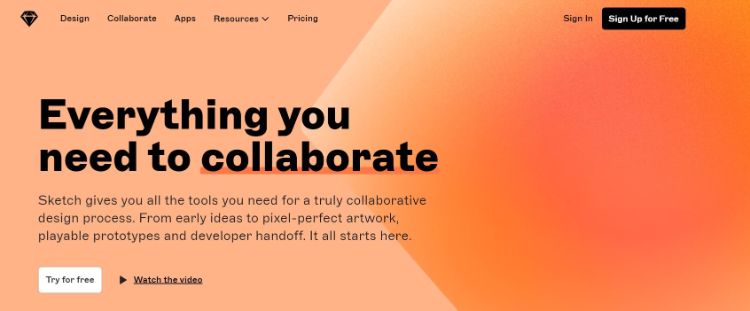
Sketch is a vector-based graphic design tool that is best suited for app, web, and interface design. It is best suited for creating interactive prototypes for UI/UX purposes.
Key Features:
- Low Cost: Sketch offers a yearly subscription that is significantly lower than other subscriptions
- Great For Mobile and Web: It leverages grids, snap to grid functionality, and snap to pixel functionality to avoid half-pixel renders or imperfect alignment. These perfections are critical to ensure perfect responsive design/multiple screen sizes and resolutions.
- Screen Templates: It offers a library of artboard templates for iOS devices and responsive web design layouts. Designers just need to select an artboard and the device.
- Custom Plugins: Designers can easily find custom plugins for specific tasks through robust community support
Pros:
- It allows easy sharing and collaboration through the cloud. Designers can share the entire interface in the cloud through a simple file sharing process
- Users can mirror designs on larger devices for team viewing to identify how the design would exactly look in a particular device
- Users can export any layer or group as a PNG file
- Sketch autosaves all the changes in the design step by step to avoid any loss of design. Significant relief for designers, indeed!
- Users can leverage libraries with standard Android icons, iOS icons, and Mac icons
- It requires a low learning curve
Cons:
- Being a new design tool, it is not entirely polished and requires a lot of enhancement
- It offers limited illustration capabilities that can hamper intricate illustration work
- Screens don’t render in high resolution while accessing from the cloud
- Available only for Mac users
- Absence of automatic layout flowing option
Pricing Plans:
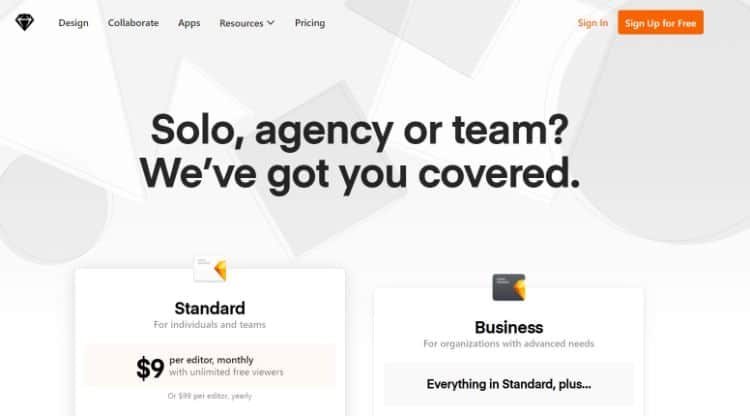
The yearly subscription costs $9 per month.
7. Affinity Designer.
Affinity Designer is a clean, capable, and cheaper alternative to Adobe Illustrator. It offers an excellent budget proposition that is also easier to use and faster than Illustrator.
Key Features:
- Grid Systems: Its versatile grid system enables designers to set up grids while creating isometric video game graphics and icons. This feature helps users in acquiring total control over angles, gutters, spacing, subdivisions to create accurate layouts.
- Snapping Option: It allows designers to lock and position objects and elements depending on multiple things, including grids, alignment guides, shapes, and nodes of other objects.
- Dual Environment: Through Affinity Designer, users can work in both pixel art environments and vector art environment without opening any other application.
- Zoom Feature: Its zoom feature can go as far as 1,000,000 percent enabling designers to design with utmost precision and accuracy.
Pros:
- Designers can leverage dynamic on-screen guides to ensure objects and designs are laid out with accurate measurement and alignment
- Users can create smooth and accurate curves through rope and window stabilizers to create beautiful vector illustrations
- Boolean operation is not only capable of combining shapes, but it is also capable of efficiently moving and editing some parts
- It offers a wide selection of colors to enhance designs.
- Users are also allowed to apply for their work on one project to multiple numbers of artboards
- Its Apple iPad app is as powerful as its desktop application
Cons:
- Doesn’t export files in AI
- Absence of natural perspective grid
- Absence of vector eraser in Designer Persona
- Some tools are missing that are available on Illustrator
Pricing Plan:
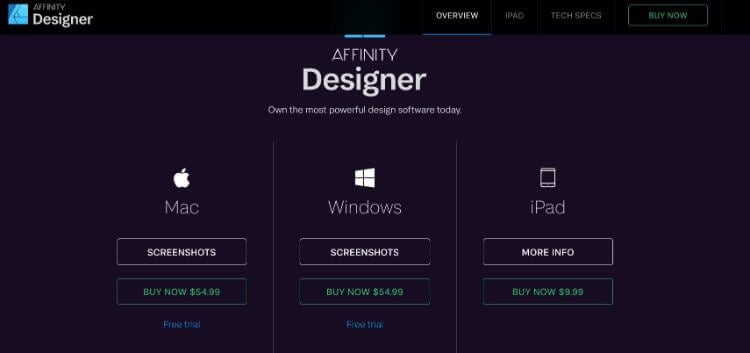
Designers can buy Affinity Designer software for a one time cost of $54.99 on desktop, or $9.99 on an iPad.
8. GIMP (GNU Image Manipulation Program).
GIMP is much more than just a photo editor that offers a lot of incredible Photoshop features for free. It provides multiple professional-quality functions to fine-tune snaps and create artworks from scratch.
Some would even consider it to be one of the best free graphic design software on the market.https://7104daa70251de394a1c83aae7173f03.safeframe.googlesyndication.com/safeframe/1-0-38/html/container.html
Key Features:
- Flexibility: The photo editing tool’s user interface is highly customizable, and the GIMP community has developed several incredible plugins for added features free of cost. People who know coding can customize it to higher levels as per the requirement.
- Regular Updates: Its active community of developers means that it keeps getting regular updates and the addition of new features.
- GEGL Scripts: It is one of the best features of GIMP that makes it an open platform for image processing.
- Compatibility: It is compatible with a plethora of operating systems including macOS, Linux, Windows, Solaris, and BDS
Pros:
- It enables users to sketch the drawing by leveraging tools, including cloning, pencil, and airbrush
- GIMP offers tutorials for every feature to help out the users
- Its Layers feature allows designers to design an image under an existing image
- Clean and easy to use user interface for users who are new to the world of image editing
- It offers the option of working on a modular and single-window interface
- It is very lightweight and uses the computing resources optimally, leading to ensure speedy performance
Cons:
- The user interface is not perfect for Mac users
- Adjustment layers come with a non-destructive way of combining multiple photo manipulations
- The developer community is not significant. As a result, it gets updated at a much slower pace
Pricing Plans:
Since it’s an open-source platform, it’s an entirely free version of design software.https://7104daa70251de394a1c83aae7173f03.safeframe.googlesyndication.com/safeframe/1-0-38/html/container.html
9. Xara Designer Pro X.
Xara offers advanced features and tools while that provide advanced design elements. The software is used extensively for web and print design solutions to create illustrations, edit photos, and design web pages.
Key Features:
- Direct Action Tools: The ‘direct action’ tools offer robust features and stable functionalities for general use.
- Drag and Drop Feature: This time saving and intuitive feature allows designers to zoom up to 25,000 percent and leverage direct action tools easily for faster execution of the job. It also allows placing any item on the page through a simple drag and drop.
- Performance: It offers faster performance and gives users an easy way to implement creativity. It also allows users to make numerous modifications through unlimited redo and undo options.
- Super Fast: Xara boasts of one of the fastest and most sophisticated vector rendering engines. This gives it the capability to deliver more complex and professional graphic designs efficiently.
Pros:
- Xara Designer Pro offers substantial editing options, including solid dragging, scaling, and rotating of objects to achieve the best in editing results
- It offers anti-aliasing that helps in improving the quality of on-screen images by softening the edges of objects through blending the edges with the background
- It comes with cloud capabilities to view, edit, and update documents through a web browser on any computer or tablet
- The zoom tool is capable of zooming up to 25,601% to enable designers to take a closer look
- Designer Pro is capable of syncing files with Dropbox and Google Drive
- It offers support to an extensive range of file formats, including bitmap types like JPEG, BMP, GIF, PNG, TIFF, PSD, and allows import of photos such as RAW or JPEG XR
- It also supports importing and exporting Adobe PSD files, including layer support, alpha channel, and 16-bit color and CMYK layer conversion
Cons:
- It is available only on Windows
- Requires a steep learning curve to use all the features efficiently
- The masking feature is cumbersome and difficult to understand
Pricing Plans:
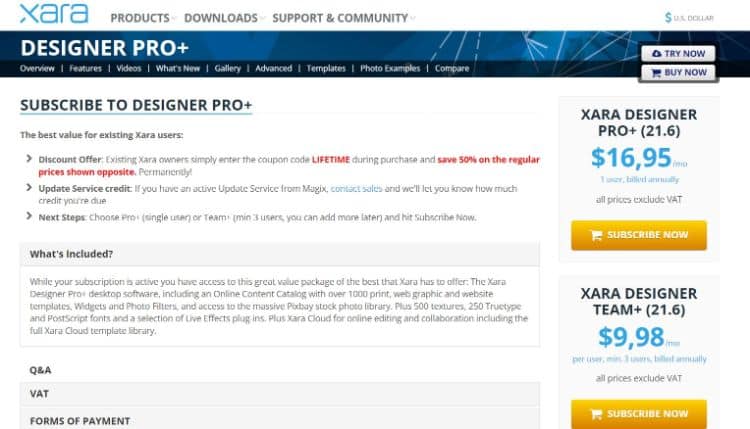
The Xara Designer Pro+ is available at a monthly subscription of $16.95 per month. The Team+ plan is available at $9.98 per month.
10. Gravit Designer.
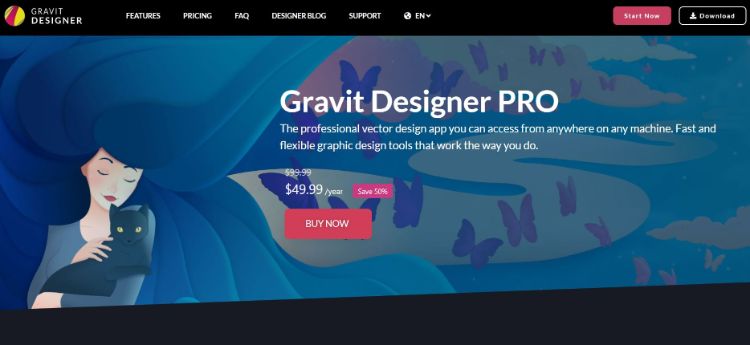
Gravit Designer is an HTML-based graphic design application to deliver high-quality vector graphics. It is one of the most suitable tools for graphic, product, or web designer professionals.
Key Features:
- Gravit Designer Dashboard: The dashboard is easy to navigate and allows to switch between the tabs or switch dark themes instantly easily. Users can also easily set the width and height of the document through the dashboard.
- Pages: Its pages feature a perfect blend of artboards and pages that comes with its canvas settings.
- Tools and Effects: It offers several tools, including the Bezigon tool, Lasso tools, and Pen tool, among others. It also allows adding multiple fills to an element.
- Portability: It offers absolute cross-platform portability for Windows, Mac, Linux, and Chrome OS to enable the designer to work from any machine efficiently.
Pros:
- It offers a modern user interface that is entirely customizable, engaging, and easy to use
- Gravit Designer offers an implicit way to design social media posts for various platforms, including Instagram and Facebook
- It offers natural flexibility through web and desktop versions of the software
- It supports multiple file formats for export as well as import
- It allows editing of scalable vector graphics
- Users get knife and tool support for non-destructive Boolean that makes it a potent tool for user interface design
- Designers can easily open multiple documents and go to the papers on the tab
- Its Pro version offers unlimited cloud storage
Cons:
- There is not a lot of information present about the software from official resources
- A real-time collaboration feature is absent
- Designers can’t run prototypes on smartphones to find out how would they look
- Fonts need an active internet connection to work
Pricing Plans:
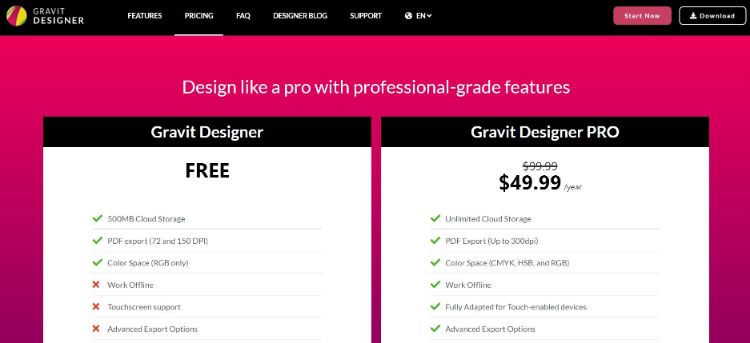
Gravit Designer comes entirely free of cost with limited features. Gravit Designer Pro is available for $49.99 yearly.
free web based graphic design software
The Best Free Graphic Design Software for Marketers and Beginners
1. DesignWizard
Platform: Windows
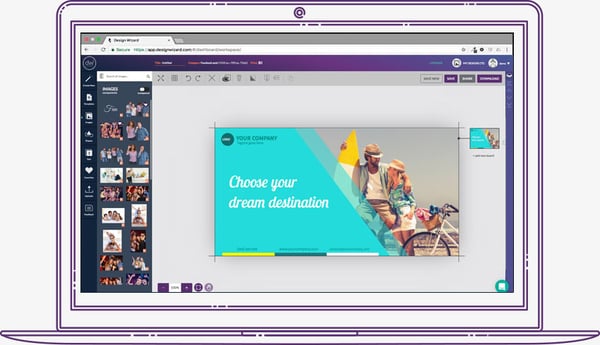
Image Source
DesignWizard ranks among the best free graphic design software for beginners. The tool offers a large database of images along with a host of free templates (over 10,000), plus a simple, easy-to-use interface. While you can also quickly create custom templates, DesignWizard excels as a front-line, free graphic design tool for beginners.
Despite an easy-to-use interface and no upfront costs, it’s worth noting that most of the more powerful options in DesignWizard are only available in its for-pay version.
2. Setka Editor
Platforms: Windows, Mac
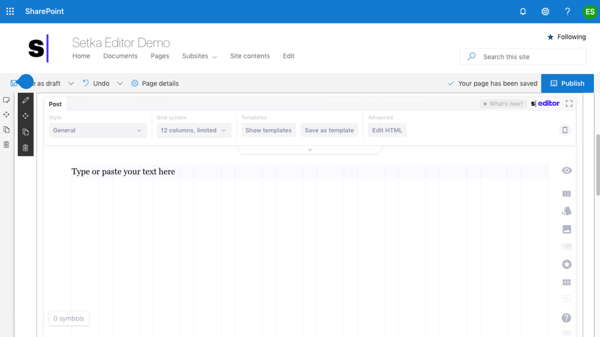
Setka bills itself as “everything you need to create content that converts.” This graphic design software is primarily focused on delivering enhanced content branding across your website, ad campaigns, and social media posts — and works from within your current CMS or in the cloud.
The caveat? Although the Setka Editor is free to try for two weeks, companies will need to select a plan — Starter, Pro, or Enterprise — to unlock the full feature set and keep using Setka.
3. Canva
Platforms: Windows, Mac, Android, iOS
Whether you’re looking to create an ebook, infographic, business card, or email header, Canva has a template to simplify your process. The free web design tool, developed by non-designers, offers professional, easy-to-customize templates for just about any design need you can think of.
The drawback? You might need to invest in the paid version or try one of the more advanced free graphic design softwares as you skill up. While Canva’s free version is great for new designers working with templates, you can access more complex tools and features — such as team sharing — in the paid version.
4. Adobe Spark
Platforms: Windows, Mac, Android, iOS
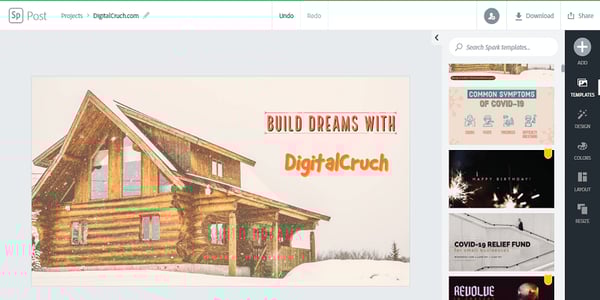
Adobe Spark is a free alternative to the company’s popular, for-pay Adobe Illustrator. While it’s not nearly as full-featured, it does support integration with other Adobe products. It’s easy to use and it comes with a host of free templates. If you’re looking to quickly create posters or videos for ad campaigns, Spark is a great choice.
The potential drawback? A limited feature set makes this a great starting point for beginners but less useful for more in-depth projects or experienced designers. The good news is that Spark is available for both web and mobile, meaning you can design anywhere, anytime.
5. Krita
Platforms: Windows, Mac, Android, Linux
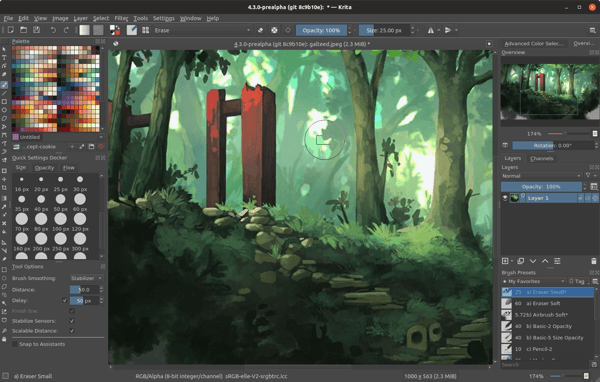 Image Source
Krita is a free, open-source painting program made by artists, for artists. Ongoing development of this tool depends on donations and is driven by the needs of the designer community at large. It’s no surprise, then, that Krita includes a customizable user interface, feature-rich toolset, and a comprehensive resource manager.
For businesses looking to boost their graphic design impact, Krita is a great tool — if they have the help of an experienced designer. For companies in need of simple, streamlined solutions, other software on this list offers a better fit for beginners.
6. Gravit
Platforms: PC, Mac, Chrome OS, Linux

Image Source
Gravit is a vector design application created by the makers of Corel Draw. With a host of tools for creating vector art and a self-adjusting interface, Gravit earns its place among the best free graphic design software for Mac and Windows — the tool is also available for ChromeOS and Linux.
Worth noting? When you sign up for a free trial of Gravit you automatically get access to “Pro” features, including the ability to work offline and see version history. However, you lose these features when your trial is up unless you’re willing to pay for a subscription.
7. Blender
Platforms: Windows, Mac, Linux
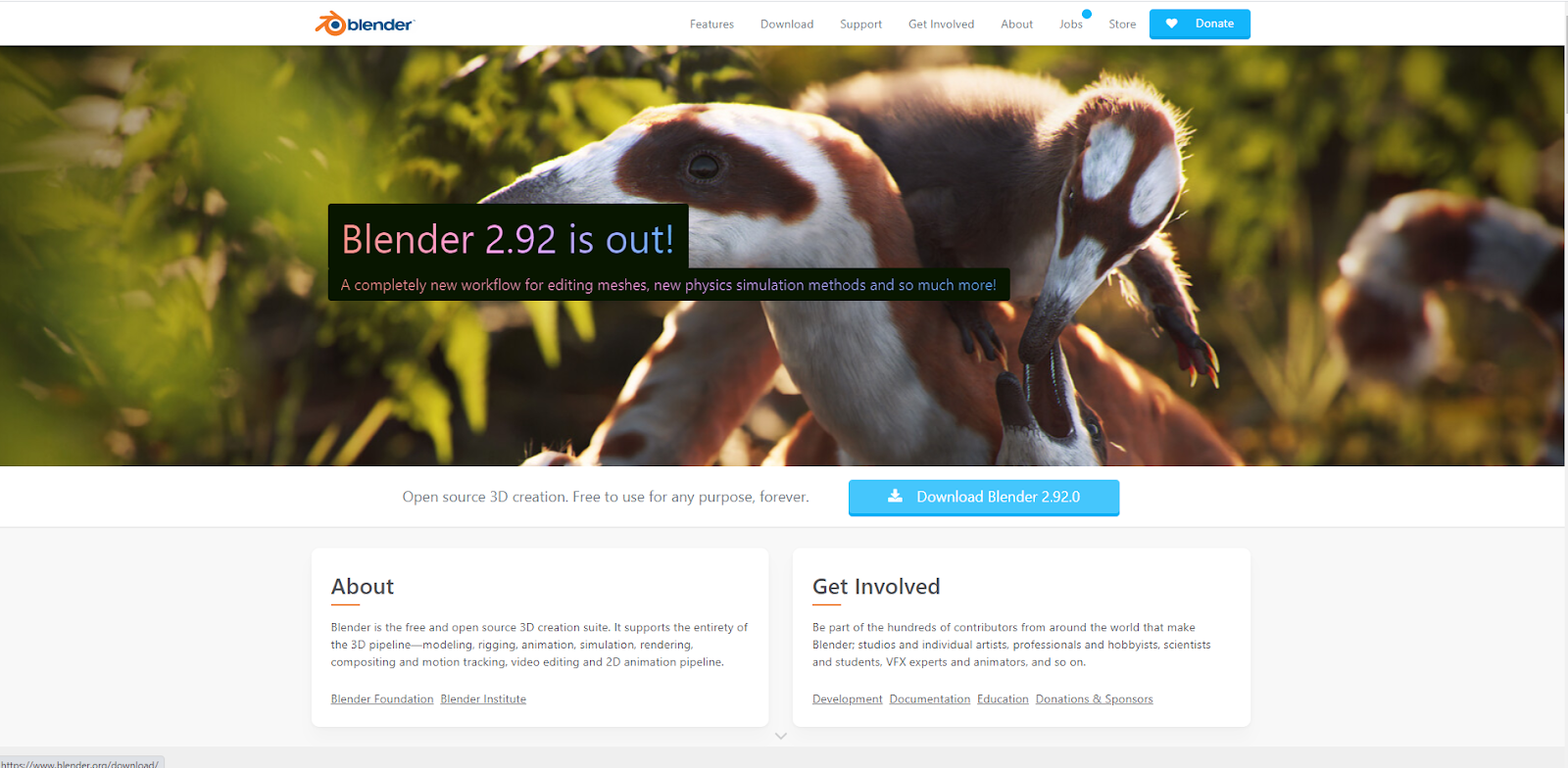
Blender is an open-source, 3D creation suite that makes it possible for graphic designers to create everything from rigging to animation to rendering and motion tracking. It also provides support for 2D animation and has an active community of users committed to helping Blender improve.
While Blender is a powerful tool, it’s not ideal for beginners — complex menus and a massive amount of design options mean you need to know your way around graphic design basics to make the best use of this tool.
8. Inkscape
Platforms: Windows, Mac, Linux
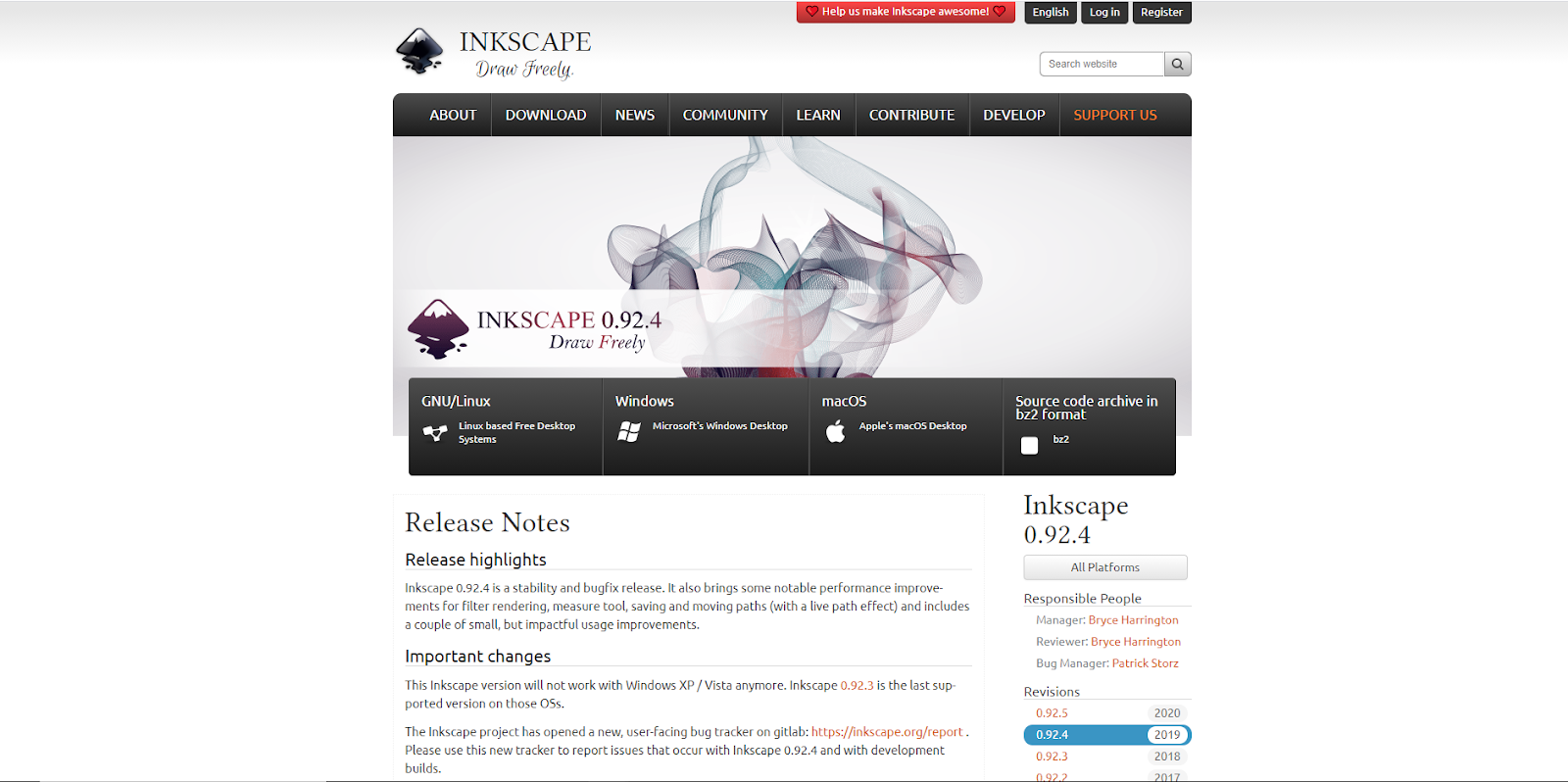
Its tagline is “draw freely” and Inkscape lives up to that mantra — there’s no cost for this graphic design tool and it packs a host of features for both beginners and experienced marketers.
In addition to cross-platform support and an active community, Inkscape is known for superior vector art options and wide format compatibility. One drawback is that the sluggish controls can frustrate some users if they’re looking to quickly create and publish designs.
9. SketchUp
Platforms: Windows, Mac
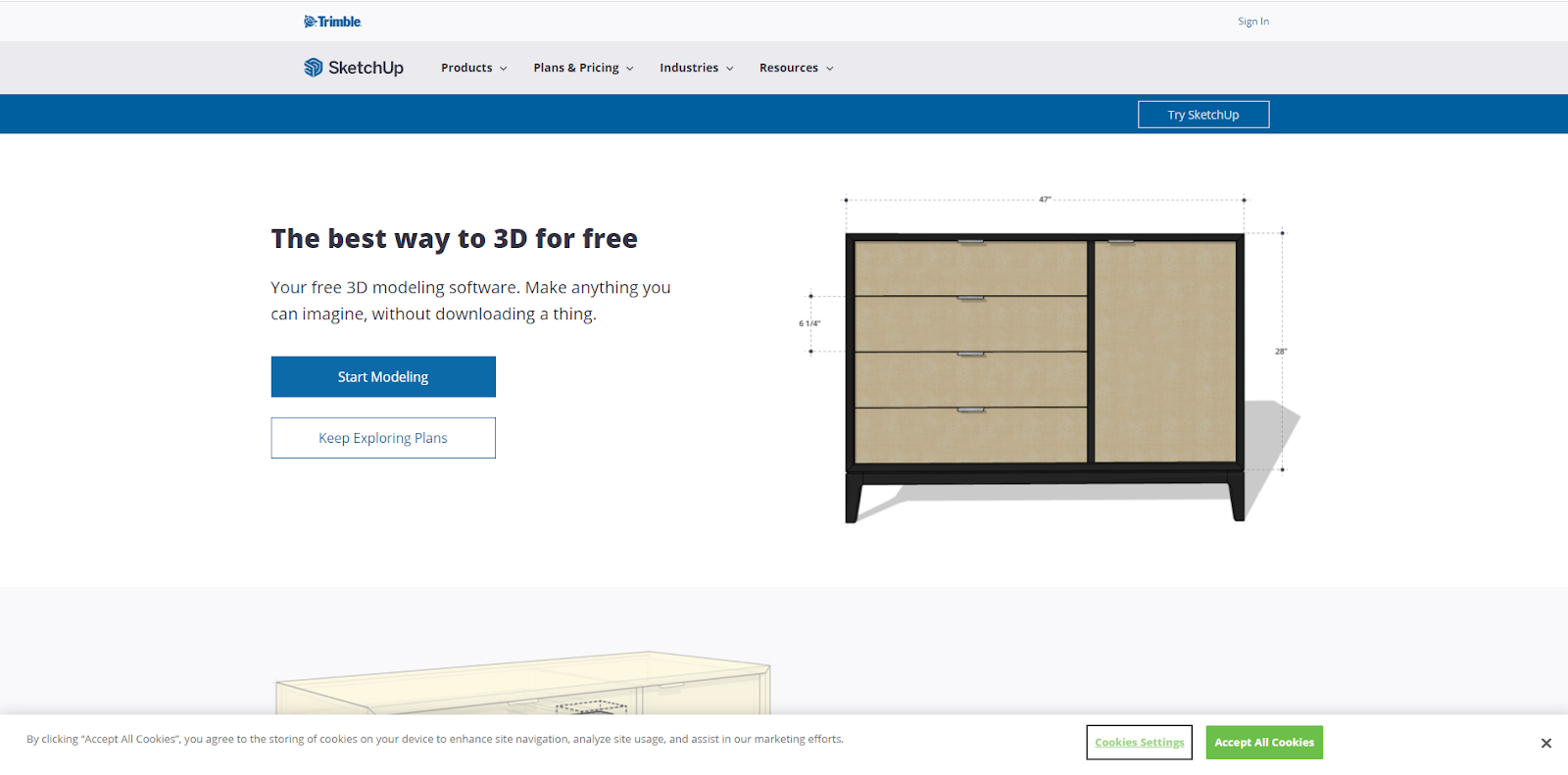
SketchUp offers both free and paid design plans, with its no-cost version still offering substantial advantages for designers. A robust modeling platform, it’s a great tool for creating 2D or 3D designs for furniture or other complex objects.
With an easy-to-use interface and great support, SketchUp is a great tool if you’re looking to create product pages that feature in-depth images and dimensions. Potential drawbacks include limited storage space for free plans and no mobile support.
10. Gimp
Platforms: Windows, Mac, Linux
One of the most popular open-source design tools, Gimp is often compared to its closest for-pay competitor, Photoshop, with users on both sides making passionate arguments for one platform over the other.
Gimp gets high praise as a free design tool for its support of all file formats, ease of digital retouching, and ability to quickly create new designs from scratch. In addition, Gimp features a customizable interface that allows more experienced designers to make use of the tool’s capabilities. Worth noting? Gimp does not support any Photoshop plugins.
11. Genially
Platform: Windows
Genially makes design easy with a user-friendly interface and robust options that allow designers to create their own artwork from scratch. With this software, you can leverage pre-built templates or add interactive features such as buttons, layers, and hidden text. The free version of Genially has no limits on the number of projects you can create and there are now more than 12,000,000 users worldwide designing with Genially and supporting the community.
There is a caveat, however. While the free version is substantive, some features — such as offline viewing and brand personalization — are reserved for paid plans only.
12. Paint 3D
Platform: Windows
The classic Microsoft design tool is back, free, and updated to deliver more functionality. While it can’t compete with some of the more robust design tools on our list, Paint 3D comes with realistic textures, 2D cutout creation, and a host of 3D tools and effects.
If you’re a beginner looking for an easy bar to entry for straightforward graphic design, Paint 3D is a great place to start. There’s virtually no learning curve and since it’s made by Microsoft, the tool naturally works well on all Windows 10 devices.
Conclusion
Let us know your thoughts in the comment section below.
Check out other publications to gain access to more digital resources if you are just starting out with Flux Resource.
Also contact us today to optimize your business(s)/Brand(s) for Search Engines