
The HTML SEOTools blog is a place to learn about the latest trends in search engine optimization, or SEO. You’ll find articles, tutorials, and news about the ever-evolving world of SEO.
Table of Contents
Html Seo Tools



1. Google Search Console
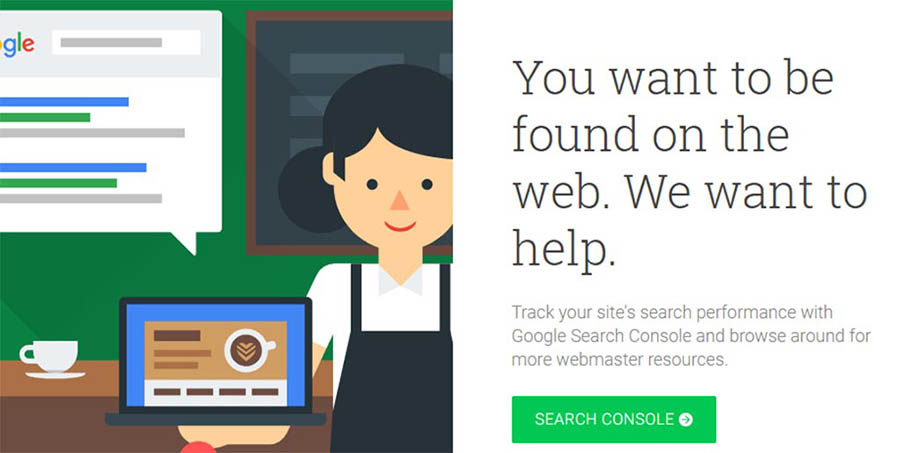
Google Search Console is a collection of services you can use to figure out how Google views your website. This service provides you with a wide array of free SEO tools, covering many different aspects of optimization.
For example, Google Search Console enables you to check out any crawl errors that have occurred on your website so you can correct them right away. It can also point out when your site is affected by malware, what keyword phrases people are using to find your site, the backlinks you’ve received, and more.
The many features this service offers makes it a near necessity if you’re concerned about your organic presence. There’s a clear focus on Google results here, but don’t worry. If you can rank well on Google, the chances are high that you’ll also do OK in other search engines.
As far as actually using the service goes, Google Search Console is very simple to understand. It’s also easy to add your website and get started, so there are no reasons to avoid it.
Key Features:
- Monitor how Google perceives your website.
- Keep track of what keywords visitors are using to reach you.
- Stay on top of any crawl, meta tag, or sitemap errors.
- Update your robots.txt file.
- Monitor your site’s backlinks.
- Get alerts if your site is infected with malware.
Price: Free
2. Semrush

Semrush is a keyword research tool that enables you to get data about how many people are looking for specific terms. On top of that, it also provides you with information on similar keywords, related ads, product listings, and a lot more.
Along with being an excellent keyword tool, Semrush can also offer information about your competitors’ strategies. For example, it can tell you how much traffic they’re getting, how much of that comes from paid ads, and what their backlinks are.
If you’re the kind of person who loves doing keyword research, you need a tool like Semrush in your arsenal. With it, you’ll be able to figure out exactly what keywords will give you the best results for your efforts and check which terms your competitors are ranking for.
This service even enables you to peek into your competitors’ text and media ads, which can save you big money when it comes to testing. However, keep in mind that all this data means the learning curve with this service can be a bit steep.
Key Features:
- Research the value of specific queries.
- Check out what keywords your competitors are ranking for and how much traffic they’re getting.
- Find information about other websites’ backlinks.
- Look into your competitors’ text and media ads.
Price: You can get up to 10 results for free per day or sign up for a premium account. The good news? We’ve worked out a special 14-day trial with Semrush so you can see if they’re a good fit for your site!
3. BuzzStream
BuzzStream offers you a collection of tools to help with domain research, email marketing, and project management. It’s a very all-in-one type of platform, and the sheer number of options it provides can be intimidating. With that in mind, let’s focus on how it can help you tackle your SEO needs.
When it comes to research, BuzzStream can help you collate lists of results for the keywords you look into. Then it provides you with information about each of those websites, including overall rankings, related social media accounts, domain age and authority, and more.
In practice, you can use these features to help you do a thorough SEO audit, researching who your competitors are and the content they’re publishing. Moreover, it can even help you create lists of their authors and what each one is up to, so you can keep an even closer eye on their strategies.
Key Features:
- Research your competitors based on any keywords you want to target.
- Collect data about domain age and authority for specific websites.
- Find out what your competitors’ rankings are in the SERPs.
- Locate the social media accounts for your competition’s sites.
- Create lists of authors who write for competing websites and follow what they’re doing.
Price: BuzzStream plans start at $24 per month.
4. DreamHost SEO Toolkit
Want to grow traffic without blowing your budget on enterprise-level tools or a private contractor? If you’re a DreamHost customer, you can take advantage of SEO Toolkit and become your own SEO pro.
With more than 100 automated checks and verifications, SEO Toolkit starts by auditing your site to find potential issues. Then, it creates a personalized SEO plan with a checklist of simple tasks you can tackle to start seeing ranking improvements. For example, SEO Toolkit analyzes your site’s pages and provides targeted recommendations on where to position keywords to optimize your content.
SEO Toolkit also makes it much easier to track competitors — we’ve talked before about the benefits to monitoring your online competition — so you can tweak your keyword strategy and land at the top of the SERPs.
Key Features:
- Get a comprehensive website audit to identify potential SEO issues.
- Generate a personalized SEO plan with tasks to improve your site’s search engine performance.
- Stay up to date with weekly progress reports.
- Take advantage of SEO toolkits on-page optimization tools to improve keyword placement.
- Track up to 20 keywords and four competitors.
Price: SEO Toolkit costs just $4.99 per month. New DreamHost customers can add SEO Toolkit when signing up for a hosting plan. Existing customers can enable SEO Toolkit directly in their panel.
5. Moz Pro
Moz Pro is a suite of SEO tools created to help you tackle optimization using a data-driven approach. To give you a quick overview, Moz Pro is somewhat similar to SEMrush, in that it enables you to research both specific long-tail keywords and other domains. You can use this information to avoid keywords with little potential and to improve on what your competitors are doing.
When you look into a keyword using Moz Pro, it will show you a difficulty score that illustrates how challenging it will likely be to rank for that term. You also get an overview of how many people are searching for that phrase, and you can even create lists of keywords for easy comparison. These are all features you’d expect from a reliable keyword research tool, but Moz Pro stands out thanks to a very intuitive interface.
As for what’s so unique about Moz Pro, the platform offers a Chrome extension you can use to get information on any domain you visit. Moreover, it can provide suggestions about on-page optimization and alert you about crawling errors, much like Google Search Console.
Key Features:
- Research how competitive a keyword is, as well as its search volume.
- Get suggestions on related keywords.
- Investigate your competitors, including which keywords they’re targeting.
- Use a Chrome extension to look into other domains without going to the Moz website.
- Compare multiple keywords using custom lists.
- Get on-page optimization suggestions and error alerts.
Price: A 30-day free trial is available for the Pro plan, while regular pricing starts at $99 per month.
6. Linkody
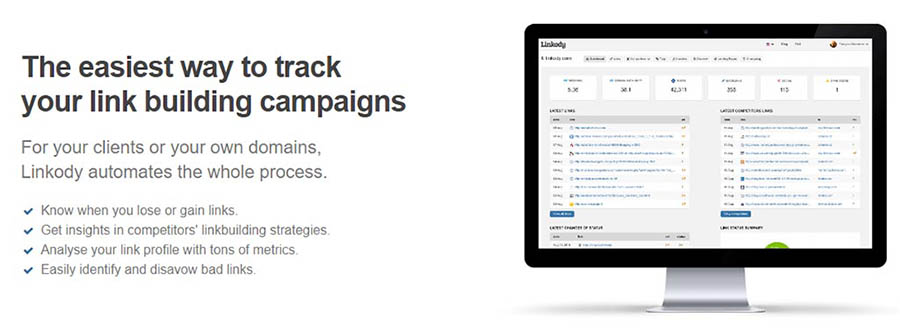
Linkody is all about backlinks. This tool allows you to find out who’s linking to your website, learn what keywords they’re using, and even “disavow” links you don’t like. That last feature can be handy if you think someone is linking to your website as spam since you don’t want search engines thinking you’re trying to game the system.
While the main attraction here is the backlink reports, Linkody also offers a few notable extras. For example, it provides you with the option to generate reports that you can send to clients, monitor your site’s social shares, and connect to Google Analytics.
Overall, it’s a pretty niche tool, but quite useful if you need some help with link building. More importantly, it’s a lot cheaper than the massive do-it-all services we’ve talked about so far.
Key Features:
- Analyze your website’s backlinks.
- Disavow bad links that might affect your SEO.
- Generate backlink reports for your clients.
- Connect to Google Analytics to gain access to more data.
- Monitor your site’s social shares.
Price: Linkody plans start at $14.90 per month for up to two domains, but you can also try it free for 30 days without a credit card.
7. Ontolo
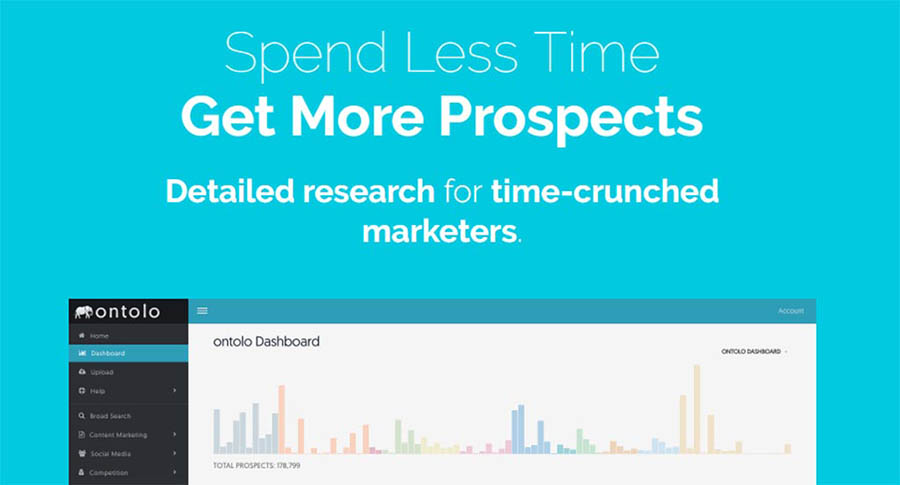
Ontolo is a research tool you can use to find marketing and SEO opportunities. It can also help you find backlinking and guest posting opportunities, which is not something you’d expect an automated tool to do so well.
The idea behind Ontolo is that it helps you find ways to grow your traffic beyond keyword research. If you want your website to become more authoritative, backlinks are essential, but finding the right opportunities can be daunting.
Ontolo helps you locate those opportunities, so all you have to do is pitch them (which sadly can’t be automated). It can pull prospects from over 80 sources, so chances are you’ll find excellent options regardless of what keywords you’re trying to rank for.
Key Features:
- Look for guest posting and backlink opportunities.
- Collect data from over 80 sources to find the best prospects.
- Carry out research using simple-to-understand reports.
- Export your prospects to share them with others.
Price: Ontolo plans start at $97 per month and come with a 30-day money-back guarantee.
8. HubSpot’s Website Grader
HubSpot’s Website Grader is a lot more straightforward than the other SEO tools we’ve featured so far. To use it, all you have to do is enter a domain and wait for HubSpot to generate a report. When you get that report back, you’ll find separate scores for your site’s performance, mobile-friendliness, SEO, and security.
It’s crucial to keep in mind that performance, mobile-friendliness, and solid security practices directly impact your SEO. In a way, your entire report is one giant analysis of how your site is faring from an SEO perspective. Better yet, this tool breaks down each part of the report and provides you with tips on how to improve every element.
HubSpot’s Website Grader is incredibly simple to use, and it can help you improve your website quickly. Plus, it won’t cost you a thing, so this one definitely deserves your attention.
Key Features:
- Analyze your website’s performance, mobile-friendliness, security, and SEO.
- Receive separate scores for each aspect of your site.
- Get recommendations for how to improve each score.
Price: Free!
9. Google AdWords Keyword Planner
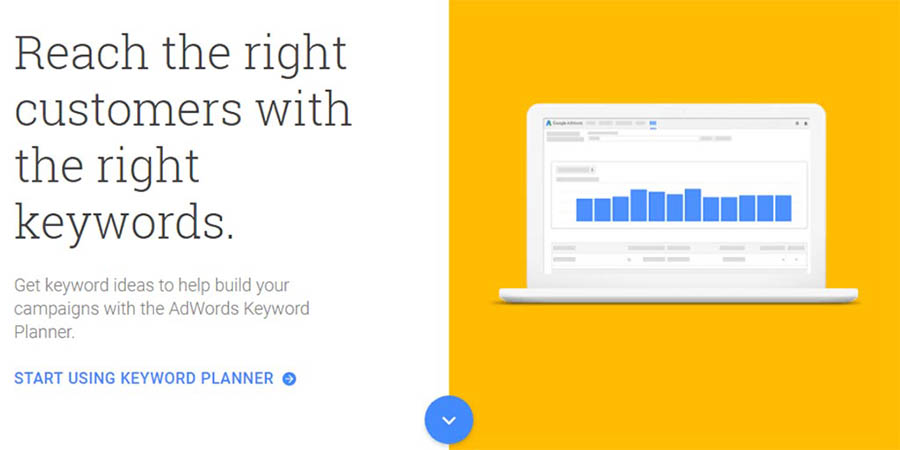
Google AdWords Keyword Planner is one of the most comprehensive keyword research tools you can use. With it, you can look up keywords and get traffic estimates about them. More importantly, it can help you figure out how competitive keywords are based on their AdWords price.
To avoid overwhelming you with information, this tool lets you filter keywords out based on Cost-per-Click (CPC) or search volume. This way, you can get reports based only on the estimates you want to aim for.
Overall, the Keyword Planner offers much of the same functionality we’ve seen from other SEO tools on this list. The difference is that this one is part of the Google ecosystem, and you can get amazingly detailed reports for free.
Key Features:
- Find out the search volume for any keyword you want.
- Determine a keyword’s competitiveness from its CPC.
- Get detailed reports for specific keywords.
Price: Free!
10. WooRank
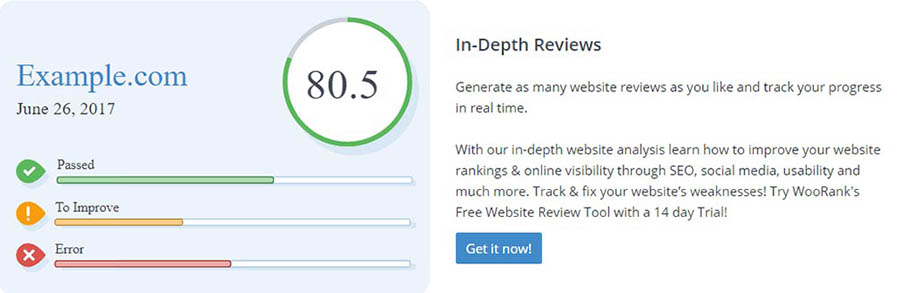
WooRank is similar to HubSpot’s Website Grader in that you give it a link, and it provides you with a full report card. In this case, it gives you a single score for your entire website. After that, it launches into a list of everything you can do to improve its SEO and mobile-friendliness.
The main selling point, in this case, is that WooRank also provides you with tips to improve your site’s usability and performance. From our experience, its recommendations are solid. To top it all off, you also get an analysis of how well you’re doing from a backlink perspective.
Overall, this is an excellent tool if you want a quick rundown of what you’re doing right and wrong on your website, including when it comes to SEO.
Key Features:
- Analyze your website’s overall status, including SEO, usability, performance, and backlinks.
- Receive tips on how to improve your website and tackle SEO tasks.
- Analyze your domain’s authority.
Price: Free, with premium options starting at $59.99 per month.
11. Varvy SEO Tool
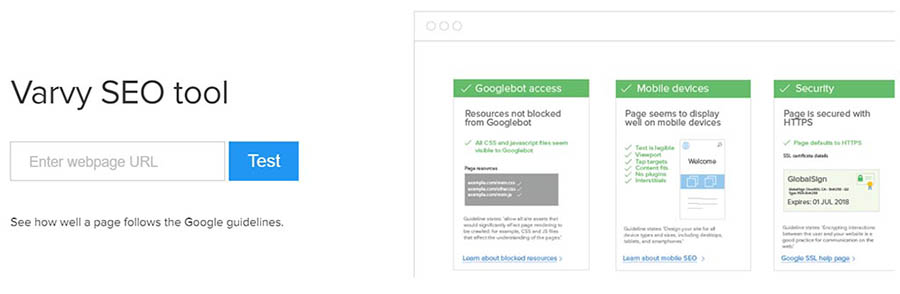
Our next pick is another tool of the “Enter a URL and get a report” variety. However, this one is different from those we’ve introduced so far. What the Varvy SEO tool does is check to see if your website is following all of Google’s SEO guidelines. It can produce a full report in seconds.
What’s more, that report is very extensive. It checks for several things, including page speed issues, mobile-friendliness, on-page SEO, and more. However, the best part is that Varvy SEO Tool really takes the time to explain why each setting is vital.
If you’re new to SEO (or website optimization in general), you’ll probably welcome all the information this tool has to offer. It even provides links to further reading for each setting it covers, in case you want to learn more about them.
Key Features:
- Check to see if your website follows Google’s SEO guidelines.
- Receive a quick report, including precise information on how to fix each issue.
Price: Free!
12. Screaming Frog
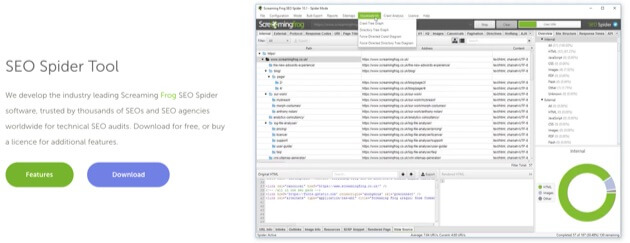
Screaming Frog offers an SEO Spider Tool, a sophisticated crawler that can accomplish a host of optimization tasks. This includes finding and fixing broken links and redirects.
If you operate an online store, Screaming Frog has some especially helpful options. For example, you can use the crawler to extract data from HTML pages on your site using CSS Path. This means you can use XPath or regex to gather data about prices, SKUs, and more.
You can even use this tool to generate XML sitemaps and connect them up to Google Analytics. What’s more, Screaming Frog has a pretty robust free version, so you can try out the main functionality before you decide to leap in.
Key Features:
- Analyze titles and metadata.
- Crawl your site to find and fix broken links.
- Discover and resolve duplicate content and pages.
Price: You can access the free version with limited features and URLs, or get the full version for £149 per year (about $191).

Be Awesome on the Internet
Join our monthly newsletter for tips and tricks to build your dream website!Sign Me Up
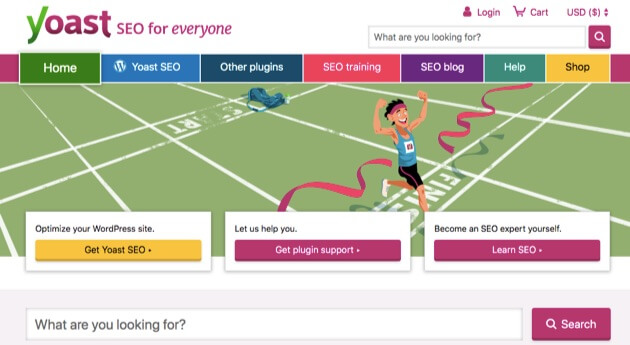
13. Yoast SEO
Yoast SEO is often touted as the number-one WordPress SEO plugin. Its features cover the full spectrum when it comes to SEO. You can conduct readability checks, for example, and set canonical URLs to avoid confusing Google with duplicate content.
Other functionality on offer includes keyword optimization and the ability to preview pages in Google, Facebook, and Twitter. With the upgraded version of the plugin, you will also get some content assistance, since Yoast will offer you internal linking suggestions as you write pages and posts.
Yoast SEO has a robust knowledge database to help you get started. Plus, with the premium version, you’ll have access to one year of 24/7 help from an expert support team.
Key Features:
- Optimize your content for specific keywords.
- Provide search engines with the metadata they need to understand your content.
- Avoid duplicate content.
- Handle critical SEO tasks automatically, such as creating a sitemap and optimizing permalinks.
Price: You can download a limited free version or get the premium version for $89 per year.
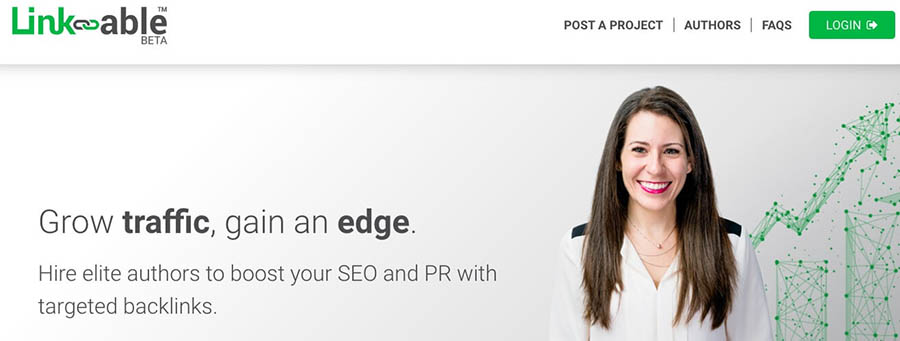
14. Link-able
Link-able offers a fairly unique approach to optimizing your website, boosting SEO, and expanding your traffic. You can think of this service as a highly-specialized job board. It’s designed to provide marketers with a reliable way to create backlinks for their content.
The process starts with a marketer posting a specific request on the Link-able website. This request will include details about the kind of backlinks the marketer wants to build. They’ll also provide any other information that might be helpful, much like a job posting.
Authors who have been thoroughly vetted by Link-able will be able to access the project database. They can submit proposals for specific projects and wait for the marketers to respond. If a marketer likes a proposal, Link-able connects the two parties, and the work is guaranteed.
Key Features:
- Find highly-qualified authors who have passed a rigorous testing process.
- Receive highly-relevant author matches and proposals for your projects.
- Focus on your content while employing others to handle link building.
Price: While this is a free service for both marketers and authors to join, Link-able does charge a percentage of the paid transactions.
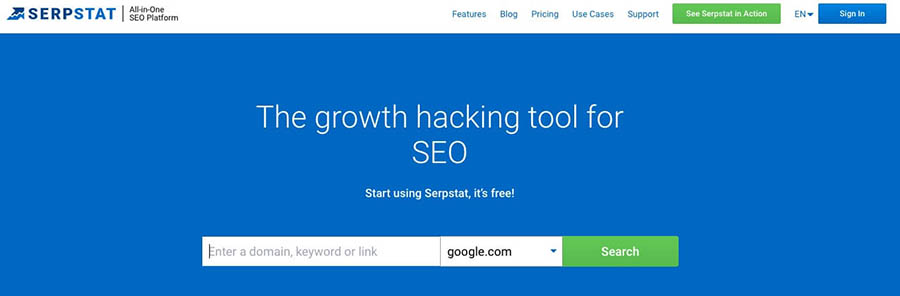
15. Serpstat
Serpstat is a relative newcomer to the SEO application market. It offers a suite of data-driven analysis tools for marketers. Among the different options, you’ll find an SEO audit tool, backlink checker, and competitor tracking features.
This is a project-oriented system, which means you can organize your websites into groups or individual projects. All of these can then be accessed through a well-organized dashboard. You’ll be able to access any of Serpstat’s features from your project list.
Serpstat is a little like a Swiss Army knife when it comes to functionality. You can use it to find broken links on your website, track down the cause of sluggish page loading times, and a lot more.
Key Features:
- Handle a high volume of website monitoring for clients.
- Use an on-site auditing tool for locating and fixing issues.
- Access to a Market Intelligence tool for sizing up your competition regionally and globally.
- Get easy compatibility with both the Mac and PC operating systems.
Price: This is technically a tool you can use for free, although there are limits to the number of searches you can conduct. To increase your query capacity, you can start with the ‘Lite’ plan at $69 per month.
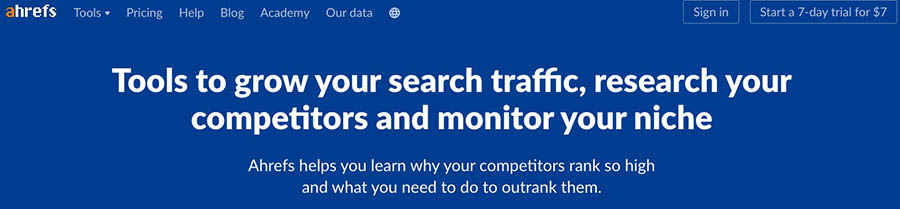
16. Ahrefs
Ahrefs offers several data analysis and optimization tools. In fact, all of its tools are included in the same pricing plans. This means you don’t have to worry about missing out on critical features. Additionally, you’ll have access to the Ahrefs Academy, an online knowledge base offering a wide variety of learning opportunities.
One of the features you’ll have access to is a content research tool. With this, you can use keywords to find out what related content has performed the best on social media or in organic searches. The Ahrefs platform also includes a comprehensive dashboard, so you can keep track of all your projects.
You’ll also be able to find content related to your specific target keywords and filter the results to highlight websites that have not linked to you before. Since Ahrefs crawls over 5 billion web pages per day, you’re sure to gain valuable insights from its data.
Key Features:
- Analyze your competitors’ organic search rankings.
- Access a vast database of information.
- Gather valuable insights from a competitive analysis tool.
- Benefit from a Search Traffic index that boasts 489 million keywords originating from 155 countries.
Price: Ahrefs offers four pricing tiers starting at $99 per month and a seven-day trial for $7.
17. Google Rich Results Test
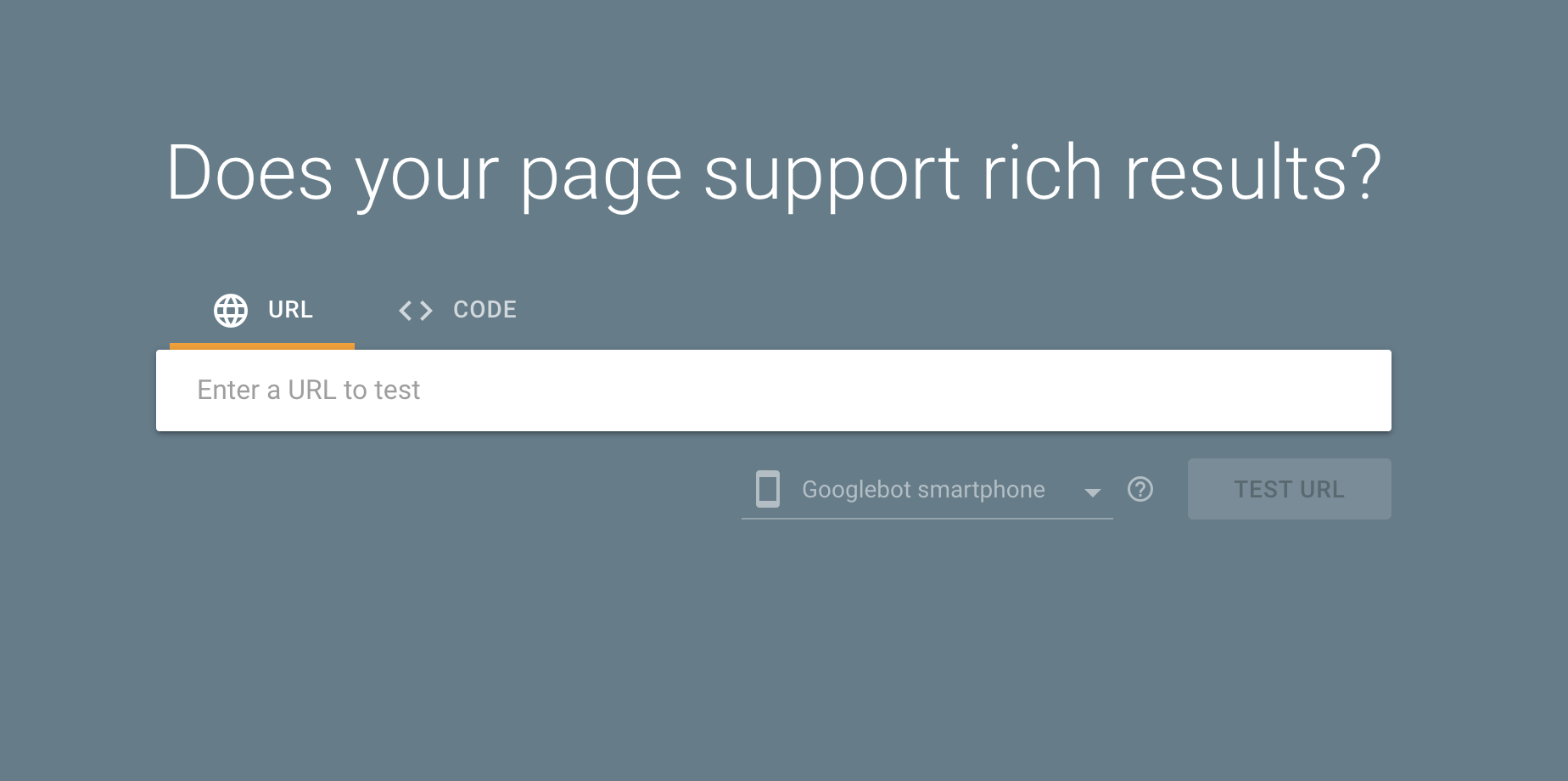
Google is always changing the way it displays search results to provide users a more enjoyable, useful experience. One of the ways it does this is by displaying “Rich Results.” You probably see examples of this every day without noticing much, from the gray knowledge panel box above traditional organic search results to a nicely organized list of the web’s best pound cake recipes.
For businesses and brands, the coveted “Featured Snippet” is a great place to answer questions and establish your authority as an expert in your respective field. See if your web pages are eligible for enhanced presentation in Google’s Search Results with their new Rich Results Test. Not sure where to start? Here’s a great introductory guide to Schema, and how it can lead to high-visibility enhanced search results.
Price: Free!
18. DreamHost’s SEO Marketing Service
Over the years, DreamHost has helped thousands of customers build websites — it’s kind of our thing! But recently, we’ve had a number of users reach out to ask if we could do more to help them reach their online goals, especially when it comes to getting more traffic.
And we get it: SEO is a complicated, multi-disciplinary marketing activity. It’s a hard thing to DIY when you’re busy running a blog or small business.
That’s why we created our SEO Marketing service. Instead of mapping out an SEO strategy or doing keyword research yourself, our team of experts handles all the nitty-gritty tasks to get your site ranking higher on search engines.
In addition to creating and publishing new content for your site each month, our team will develop a keyword strategy and continuously optimize your existing website to improve your ranking on relevant search results over time.
And you’ll never have to wonder if your efforts are paying off. We’ll compile a monthly report for you to track ranking improvements and traffic growth. Additionally, you’ll receive regular calls from your dedicated SEO manager to make sure the work we perform each month is aligned with your goals.
Key Features:
- Offload your entire SEO strategy and execution to a team of SEO experts.
- Boost on-page keywords with new custom content created every month by a professional copywriter.
- Receive an in-depth monthly report on your site’s search engine rankings and traffic.
- Sync monthly with your dedicated SEO manager to ensure the team’s efforts are aligned with your goals.
Price: We offer three plans — Startup, Business, and Enterprise — starting at just $399 per month.

Search Engine Optimization Made Easy
We take the guesswork (and actual work) out of growing your website traffic with SEO.
The Search for Website Optimization Tools
SEO is just one part of the puzzle when it comes to running a website. However, it’s a piece you have to pay special attention to if you want your website to get the traffic it deserves. After all, search engines don’t care how much effort you put into your blog posts and content if they aren’t optimized.
So are you ready to optimize your website?
You can use dozens of services to improve your search engine rankings, but some of our favorites include Google Search Console, Moz Pro, and SEMrush. The first packs a lot of free SEO tools you can use to discover how search engines view your website, whereas the latter two enable you to conduct professional-level keyword research. For beginners, we recommend starting with SEO Toolkit — it’s one of the easiest and most affordable ways to improve your site’s rankings. However, if tackling SEO on your own seems overwhelming, check out DreamHost’s SEO Marketing service; our team of experts can do all the work for you.

About the Author: Ellice
Armed with 10+ years of experience in social (a lifetime in internet years), Ellice is DreamHost’s resident social media marketing expert. A native Angeleno, her passions include trivia, bunnies, bowling, and social justice for all.https://widget.trustpilot.com/trustboxes/53aa8807dec7e10d38f59f32/index.html?templateId=53aa8807dec7e10d38f59f32&businessunitId=48752b8c000064000502dc42#locale=en-US&styleHeight=150px&styleWidth=100%25&theme=light
Register for just $1.99
Normally $29.95R
Register Now
best seo tools for beginners
1- SEMRush – All In One SEO Toolset For Beginners
SEMrush is an all-in-one SEO tool that helps you perform various tasks like keywords research, content marketing, competitors research, and backlinks research. SEMrush is a leading tool that is trusted by the world’s big brands such as Amazon, Samsung, and Apple.
Top Features:
As a beginner, it’s very difficult for you to find great keywords but SEMrush comes with an advanced keywords research tool called “Keyword Magic Tool”. It has a database of over 20 billion keywords that means you can find perfect keywords for your website in just a few clicks.

As you can see in the above image, SEMrush shows a range of keywords data including search volume, KD, CPC, keyword trend graph, SERP Features (like featured snippets), and also a total number of results in SERP.
Moreover, to help you outrank your competitors, SEMrush offers an excellent tool named “Keyword Gap” that performs a comparison of your keyword profile with your competitors to find new keyword opportunities for your website.

You are allowed to add up to 4 competitors’ domains. Moreover, the tool shows you the below opportunities:
- Shared: Keywords where you both are ranking.
- Missing: Keywords where your domain is missing rankings.
- Weak: These are the keywords where your domain has lower rankings compared to the competitor.
- Strong: These are the keywords where you are ranking good or high.

SEMrush’s “Site Audit” is very popular as it performs a technical SEO audit of the website and finds the crucial errors that are holding you back from organic rankings. The tool scans your website for over 130 technical checks.

These checks include internal linking, site page crawlability, response code errors like 404 and 403, HTTPS errors, and missing meta tags.
After that, you have an extremely useful and important “Backlink Analysis” tool by which you can discover backlinks of any domain from a database of over 43 trillion backlinks. SEMrush also displays the backlinks and link attribute types like text, image links, and follow and nofollow links.
Related: Link Building Outreach Tools
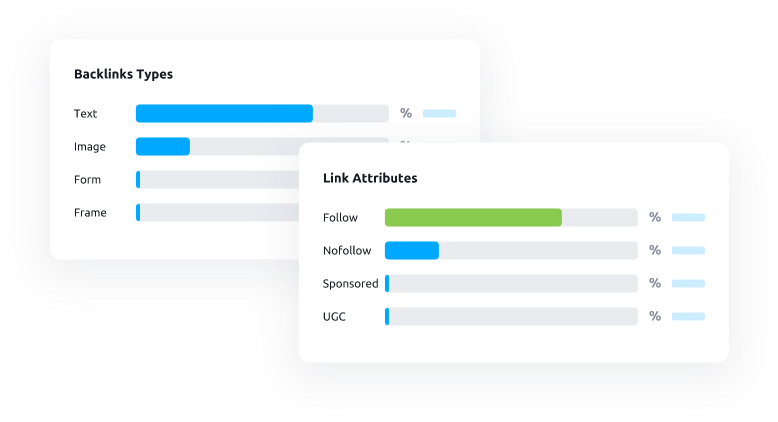
You can also the location and IP address of every referring domain.

Have multiple domains or URLs to check backlinks? If yes, then the “Bulk Analysis” tool can help you as it allows you to scan and compare backlink profiles of up to 200 URLs or domains at once

You get a clean report of your competitor’s domain backlinks that you can easily compare with your domain backlinks profile.

To make the process easy, SEMrush allows you to sort backlinks by their types like image, text, forum, or nofollow and dofollow.

Similar to Keywords Gap, you also have the Backlink Gap tool that allows you to compare up to 5 competitors’ domains to find link-building opportunities. Moreover, you can export the data in a CSV or Excel file.

Checking keywords ranking manually can be time-consuming but to make the process easy, SEMrush offers an advanced “Position Tracking” tool. By using it, you can check the organic rankings of your keywords.

Pricing
The base plan starts at $119.95 per month in which you can add up to 5 SEO projects and goes up to $449.95 per month where you are allowed to add up to 40 projects.
2- KWFinder – Perfect Keyword Research Software For Newbies
KWFinder is a keyword research tool from Mangools. By using KWFinder, you can easily find low-hanging keywords
Top Features:
You can find competitors keywords by using the “search by domain” feature as seen in the image below:

KWFinder offers hundreds of locations around the world that help you find local keywords. Also, you can choose any language from 40+ languages to get the exact keywords you want.
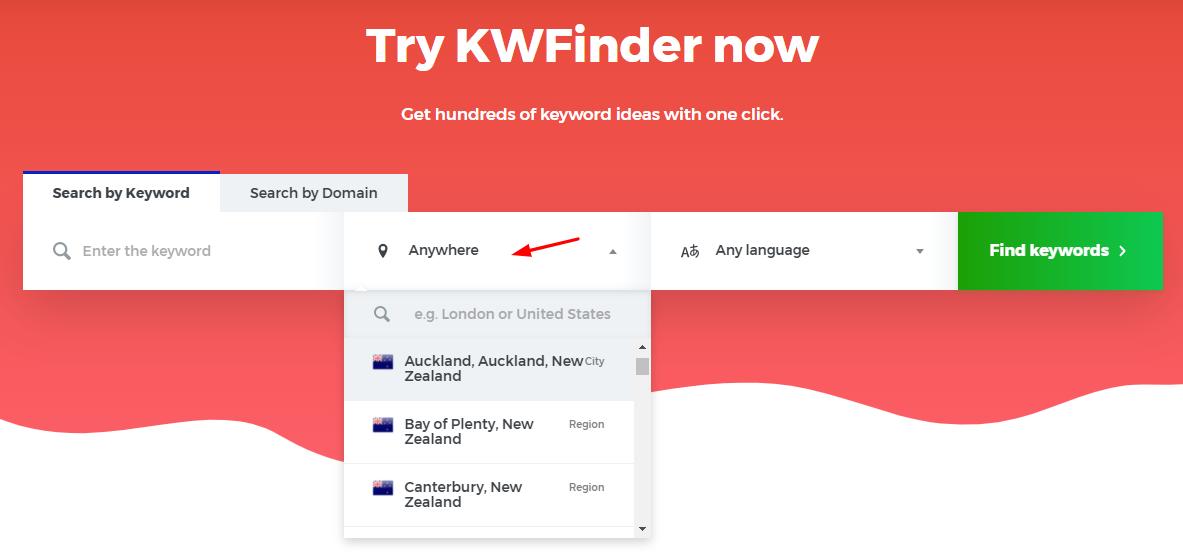
KWFindeer also comes with a unique and useful feature that allows you to find keywords with Google autocomplete. You can say that it is the best alternative to Google keyword planner.

The KWFinders keyword difficulty is one of the most accurate difficulty metrics. They calculated the difficulty by using various metrics like domain authority, page authority, trust flow, citation flow of the rankings sites on search results.

The best feature of KWFinder for beginners is the keyword search volume trend chart that you can find on the right side of your screen as shown in the image below. The chart helps you find seasonal keywords with ease.

To rank your website for any keyword, you must know where your competitors are ranking and their authority. To help you achieve it, KWFinder offers a simple yet powerful SERO overview where you can check the already ranking websites with their DA, PA, CF, TF, links, and estimated number of visitors

To save your time, KWFinder comes with a wide range of filters that helps you sort unprofitable keywords. The filter option includes options like search volume, CPC, include and exclude keywords, number of words, and KD.

You can get keywords data like search volume of up to 700 keywords at a time by either uploading the list of keywords or pasting them. After that, simply select the location and process the search.

Pricing
KWFinder offers three plans that cost $29, $39, and $79 per month where you get up to 700 keyword ideas per search.
3- Majestic – Best Backlink Research Tool For Beginners
Majestic is a link-building tool that offers deep data of backlinks. By using it, you can check both fresh and historical data of URLs or domains.
Top Features:
You can also check the most reliable metrics that are Trust Flow and Citation Flow in Majestic site explorer. Moreover, you have external links and referring domains and IPs of both fresh and historical.
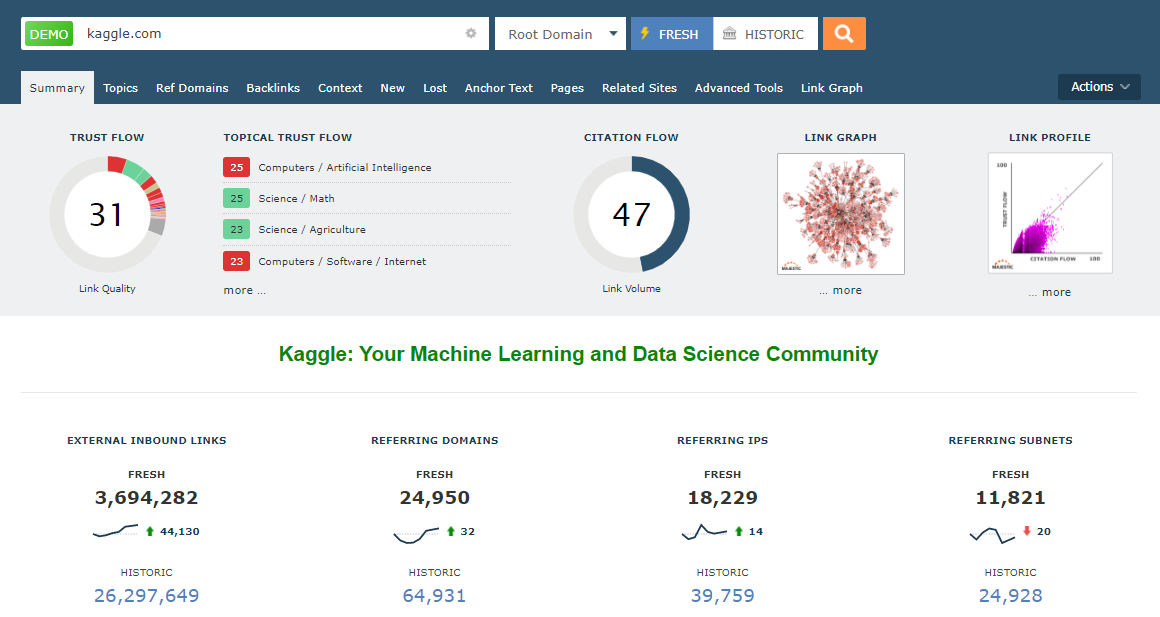
You can also check the Topic Trust Flow that tells you how many links you have from the most trusted websites in almost a thousand categories.

For every backlink, Majestic shows website category, page title, source URL, anchor text, TF, CF, first index, last seen, and even lost date.

The best part of Majestic is that it allows you to check the lost backlinks with lost dates.

Moreover, check the top anchor texts with all the essential data as shown in the image below:
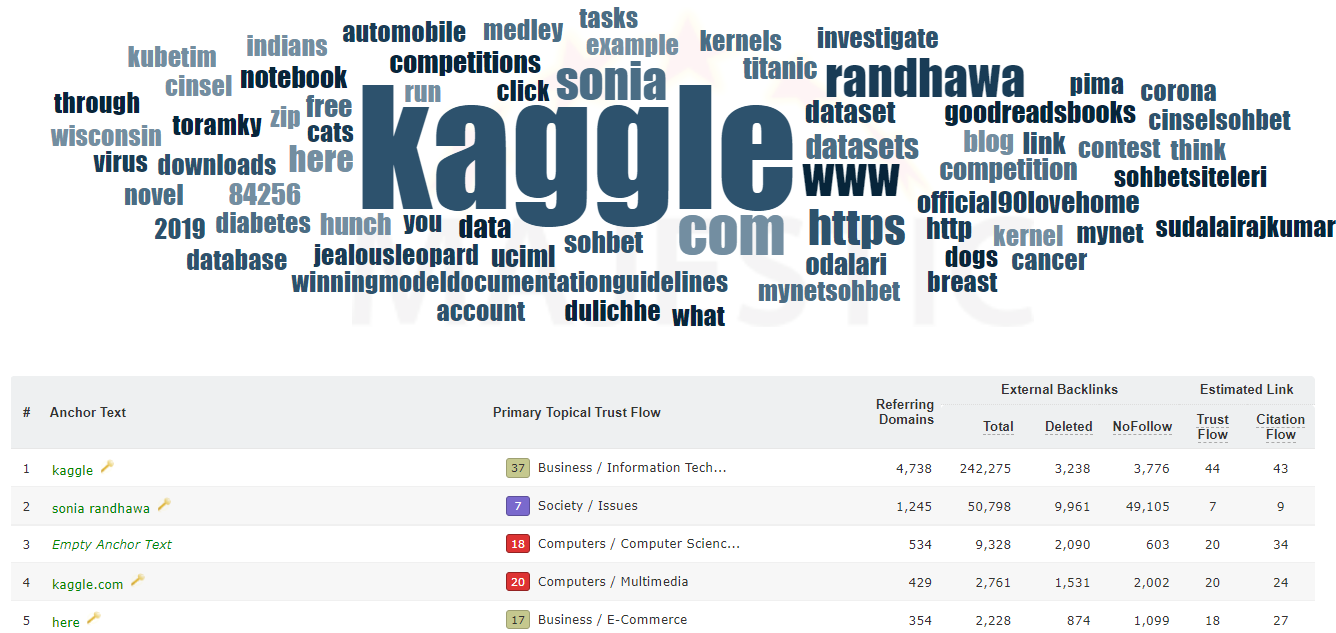
Check on which pages you have the highest number of backlinks.

One of the main feature that Majestic offers is the related sites. You can find hundreds of similar websites or competitor’s domains.

To make your work easy, Majestic offers free extensions for Chrome and Firefox. Also, you can download backlinks in Excel, TSV, CSV, and even Google Sheets.
Pricing
The Lite plan costs $49.99 per month and the Pro plan costs $99.99 where you get data exports, historical data, and also email alerts.
4- Screaming Frog – Best Technical SEO Software For Freshers
Screaming Frog offers a powerful SEO Spider that is trusted by thousands of agencies such as Google, Disney, and Amazon. The tool scans your website and extracts audit data and SEO issues.
Top Features:
The best feature of Screaming Frog is that it offers you to scan up to 500 URLs for free. Further, you can purchase their license for unlimited checks.
Screaming Frog is available for Windows, macOS, and Ubuntu.

Screaming Frog SEO Spider can help you in:
- Finding and fixing broken links and 404 errors on the website,
- Analyze all your website pages for missing, duplicate, and long meta title and description,
- You can audit URLs like finding temporary and permanent redirects on the website,
- Not only technical errors, but you can also find partially and exact duplicate content. Moreover, find the low content pages,
- You can also check the URLs that are blocked by robots.txt,
- For ease of work, Screaming Frog allows you to connect your Google Analytics and Search Console, and PageSpeed Insights account.
Here is what the Screaming Frog’s SEO Spider interface looks like:

It also allows you to bulk export the data.
Pricing
Screaming Frog SEO Spider is free for up to 500 URLs. For unlimited URLs, you can purchase the paid license that costs £149.00 per year.
5- AnswerThePublic – Longtail and Question keywords Software For Beginners
If you are looking for long-tail keywords then AnswerThePublic can help you as it lets you find untapped keyword ideas. Besides, it supports different locations and languages that enable you to find the perfect keyword that you are looking for.
Top Features:
To get started, simply enter any topic or word and hit on the search button as shown in the image below.

Now, the tool starts finding keywords opportunities and display the result in a visualized format like the example below:

You can also check the results in another text-based format like below:

AnswerThePublic gives you multiple types of keywords:
1- Question
In this section, you can find all the question keywords that are already displayed in the above example.
2- Prepositions
In this section, you can find all the keywords based on different prepositions like can, with, or without.
For example, search for “Instagram” and you will get tons of great keyword ideas:
- Instagram for business
- Instagram without ads
- Instagram to mp3 converter

3- Comparisons
In this section, you can find all the comparison type keywords such as versus, and, or like.
For example, search for “SEO” and you get plenty of great keyword ideas:
- SEO vs paid search
- SEO vs google ads
- SEO or google ads
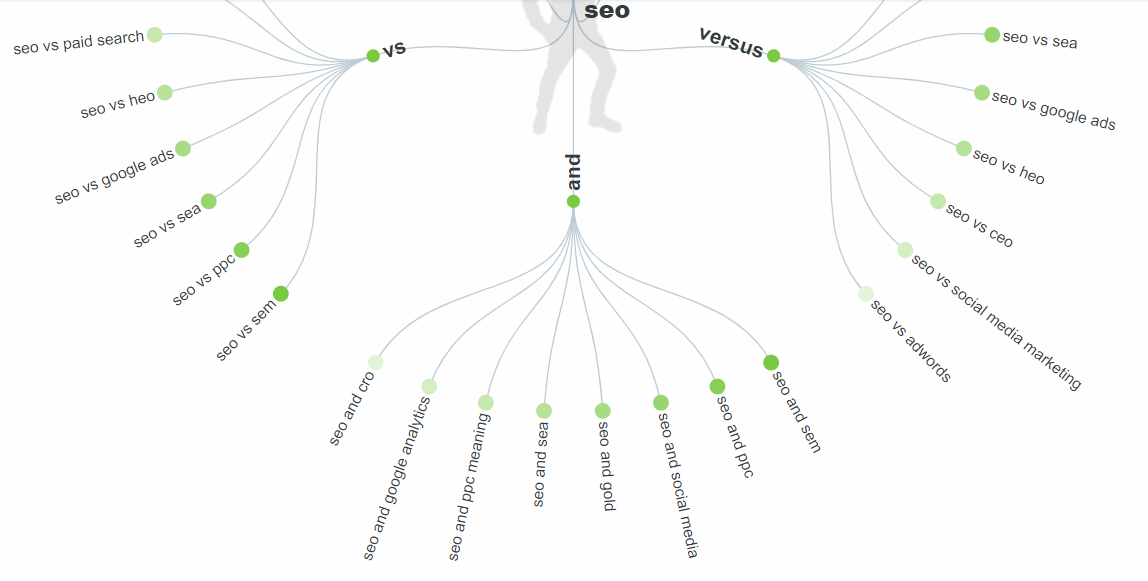
4- Alphabetical
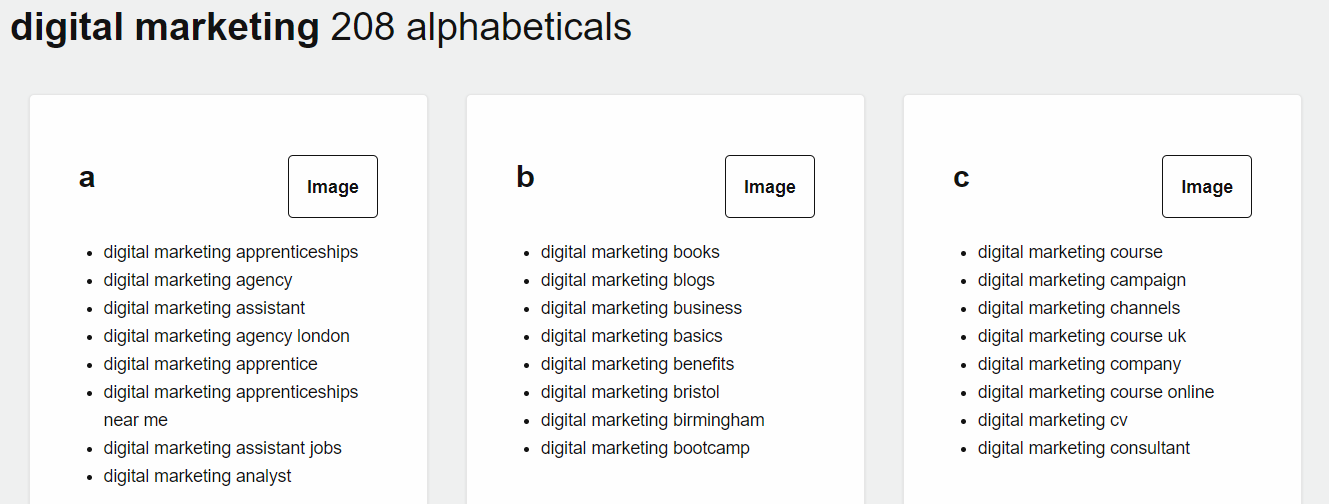
In the alphabetical section, you can find a huge list of keywords in alphabetical order.
For example, searching for “digital marketing” shows 208 keyword ideas in alphabetical order.
5- Related
In this section, you get several keywords that are highly relevant to your topic. For example:

Here are some more features that AnswerThePublic offers:
- By using “Search Listening Alerts”, you will get alerted for new suggestions.
- You can compare data over time.
- You are enabled to create different folders for easy work management.
- Export keyword ideas in a CSV file.
Pricing
AnswerThePublic is free to use but for unlimited searches, you can upgrade to the Pro plan that costs $99 per month.
6- SEO PowerSuite – Complete Toolkit for All-Round SEO
SEO PowerSuite is an SEO software tool that lets you follow a complete workflow for search optimization. There is Rank Tracker, WebSite Auditor, SEO SpyGlass, and LinkAssistant, each tool addressing one major aspect of SEO. The great thing about SEO PowerSuite is that you can do a lot of SEO stuff yet with the free version of the software.
Top Features:
The Rank Tracker tool lets you discover your top ranking keywords and check their SERP positions for your website. You can go through 20+ keyword research features to add highly profitable keywords with purchase intent that will bring you more convertible traffic to the website. The tool pulls data from sources like Google suggestions, YouTube, Amazon, and all other popular search engines in any geolocation. By integrating Keyword Planner, you can get estimates of PPC costs, compare them with organic costs-per-click, and decide which keywords will do better for paid ad campaigns.

The WebSite Auditor is another helpful tool from SEO PowerSuite that will help you handle technical SEO tasks. You can find broken pages, faulty redirects, duplicate titles, crawl issues, page speed issues, and much more. The free version lets you crawl up to 500 URLs. There are in-built webmaster tools like robots.txt generator, sitemap generator, and visualization tool to see your website structure. And there is a smart content editor app that lets copywriters rewrite or create text right in-app with the focus on SEO.

SEO SpyGlass is a backlink checker tool to analyze a website’s link profile, detect spam link issues, and resolve them. There is a quick link disavow tool generator to handle spammy links with Google.

Using SEO SpyGlass, you can discover sources that will eagerly build natural links to your website. For this, you can analyze profiles of your competitors, or pages with the biggest number of backlinks, check the referring resources and reach out to them to ask for a link. That’s where you may need LinkAssistant: to find contact emails and manage bulk email sendings.

The tool is run with the consideration of search safety: there is in-built proxy rotation and human emulation functionalities for email scraping. LinkAssistant also contains an in-built backlink checker to help link-builders discover guest post opportunities and the like.
Main features from SEO PowerSuite:
- Unlimited number of websites and keywords to check;
- Local search rankings in any possible location for over 550 search engines, including mobile rankings;
- Free tools for webmasters like disavow tool, sitemap generator, etc;
- It has several proprietary SEO metrics to do estimates of your data, such as Keyword Difficulty, Keyword Efficiency Index, InLink Rank (somewhat similar to PageRank) to estimate links and domains’ authority;
- Flexibility of filtering and adjusting workspaces;
- Unlock data from Google Analytics tools for deeper SEO insights.
Pricing
SEO PowerSuite goes in three versions: a Free edition for beginners and SEO on smaller websites; the Professional version costing $299/year, having all major features necessary for long-term SEO campaigns (such as automated rankings check, saving SERP history, comparing up to 5 competitors for keywords, etc.), and the Enterprise version has extended opportunities for all of the above, plus a powerful reporting functionality that lets you send automatic reports to your clients, run SEO tasks on autopilot, and manage data the way you prefer.
7- WooRank – Popular Website Optimization Tool For Beginners
WooRank is a website optimization tool that helps you optimize your website for higher results. If you are a beginner in SEO then WooRank should be on your list of tools.
Top Features:
With “Competitors Analysis”, you can find your competitor’s strategies and boost your search rankings. Simply add up to 3 competitors’ domains and check their SEO score, performance, keywords, and rankings.

You can use the “Site Crawl” tool to check the website for technical SEO issues and recommendations to fix them. These issues include title, description, 404 errors, redirection errors, and crawl errors.

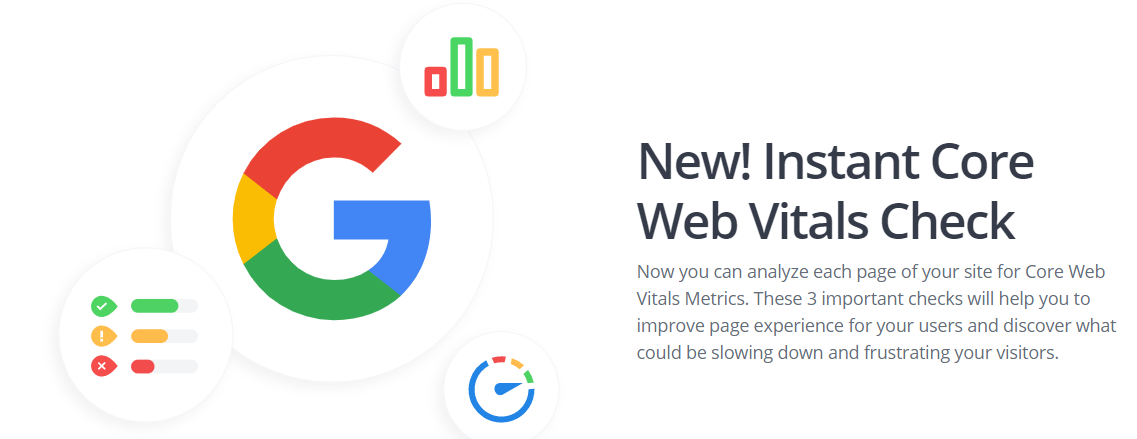
WooRank gives your website an SEO score depending on the number of errors and warnings. By using this score, you can further optimize your website SEO performance. The good news is that now, WooRank supports Core Web Vitals check.
Pricing
WooRank offers two plans, one is a Pro plan in which you can analyze up to 25000 pages and the other is a premium plan that allows you to analyze up to 10k pages. These plans cost $79.99 per month and $199.99 per month.
8- SE Ranking – 360 Degree SEO Software For New SEO Professionals
SE Ranking is a 360 degree SEO tool that has almost every feature that you need as a beginner. It is trusted by over 500k users worldwide including Zapier, Hunter, and Trustpilot.
Top Features:
Find perfect keyword ideas by using the “Keyword Suggestion Tool”. Get difficulty score, search volume, and CPC. SE Ranking supports 78 countries and has a database of over 3 billion keywords. You are also allowed to perform bulk keywords analysis.

The tool also displays organic SERP with traffic, traffic cost, and a total number of keywords.

SE Ranking also offers a powerful yet simple website audit tool that finds all the issues on your website. Not only issues but you also get an in-depth description or how-to fix guide on every issue. The best part of this website audit tool is that it supports new Google’s Core Web Vitals.

You can even compare your site audit reports from time to time to see the performance progress.
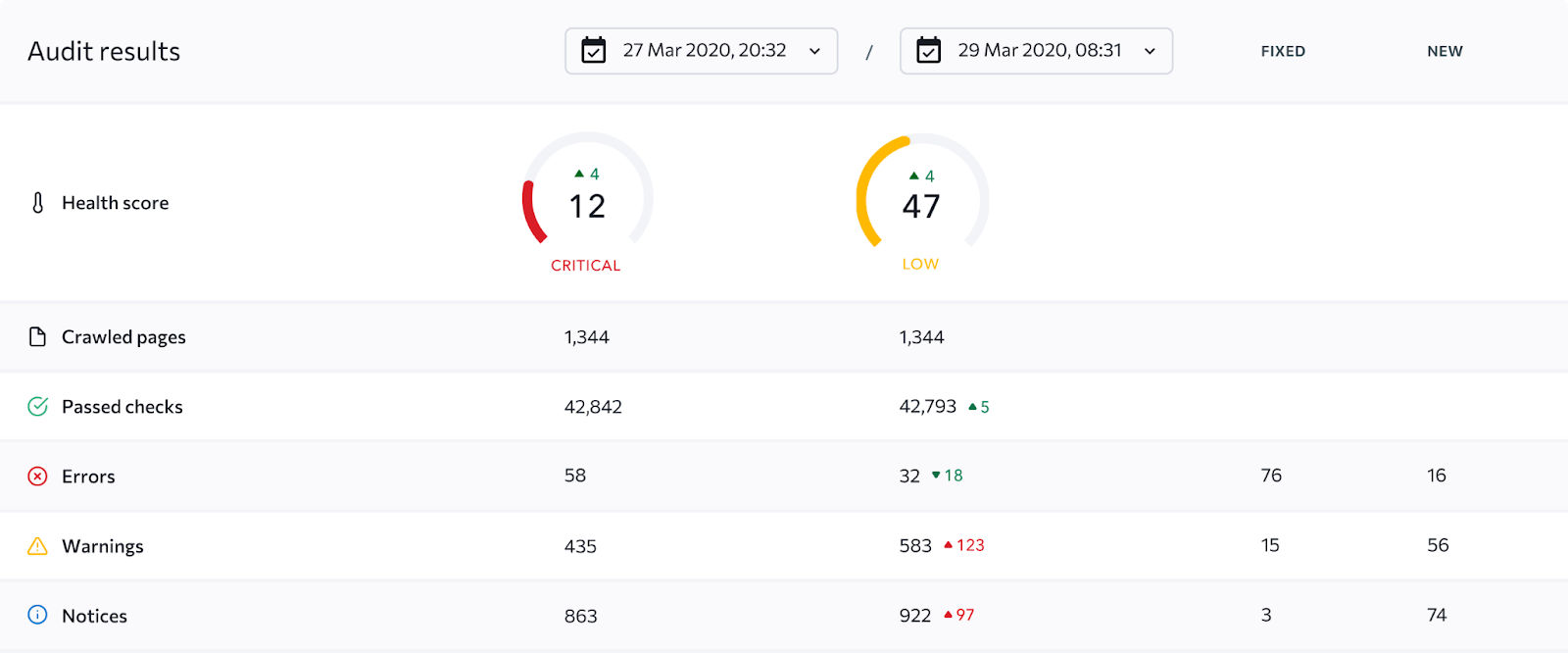
To spy on your competitor’s backlinks, SE Ranking offers a “Backlinks Checker” tool. Use it to, analyze backlinks of any domain and find link-building opportunities for your domain.

As you can see in the image above, you have different data like domain trust, page trust, anchor texts, number of backlinks, and referring domains. You can also check dofollow and nofollow tags.
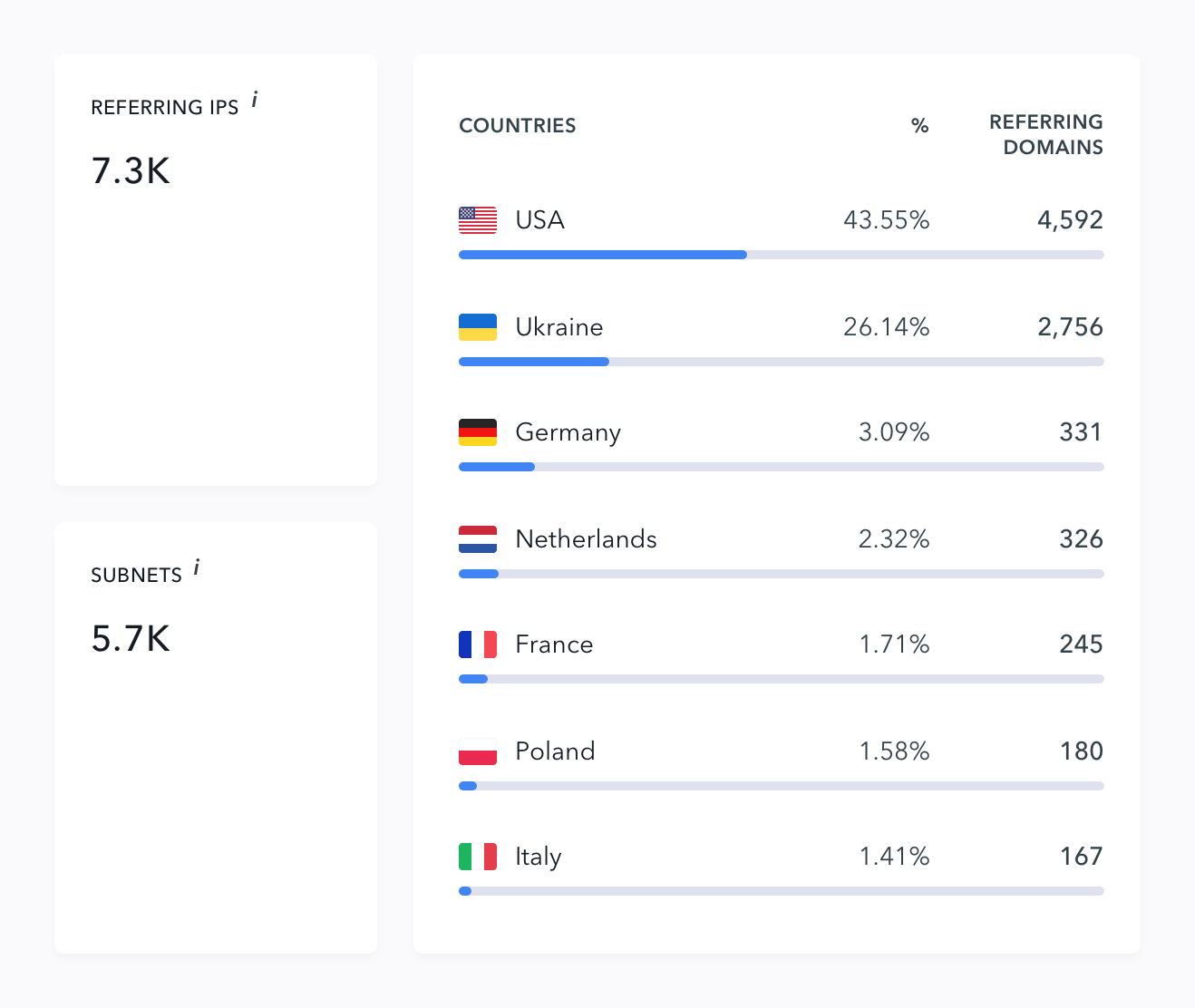
Moreover, you can also check referring IPs, subnets, and top countries.
By using “Keyword Rank Tracker”, you can get accurate search engine rankings like Google, Bing, and Yahoo for your keywords. In the ranking reports, you get SERP features like snippets or videos. Moreover, you can add up to 5 competitors’ domains to compare the rankings.
With “Page Changes Monitoring”, you get notified whenever any of your website pages is modified. The alerts include content change, meta tags like title and description, links, and robots.txt file changes.
Pricing
SE Ranking offers three pricing plans. The Essential plan costs $31 per month with a website audit of 40k pages, the Pro plan costs $71 per month where you can audit up to 250k pages, and the Business plan costs $151 per month in which you can perform audits of up to 700k pages.
9- SpyFu – Competitors Keyword Research Software For Newbies
SpyFu is one of the best competitors’ keyword research tool by using which you can find hidden keywords of your competitors.
Top Features:
To find competitor’s keywords, simply enter the domain and search. You can filter the keywords by various trends like most valuable keywords, biggest rank gains, or newly ranked keywords. Besides, you get keyword data like volume, current ranking, SEO clicks, KD, and CPC.

By using “SEO Overview”, you can analyze any domain and find various data like a total number of ranking keywords, ranking change, and estimated monthly clicks. Also, check the type of links such as news, blogs, or forums.

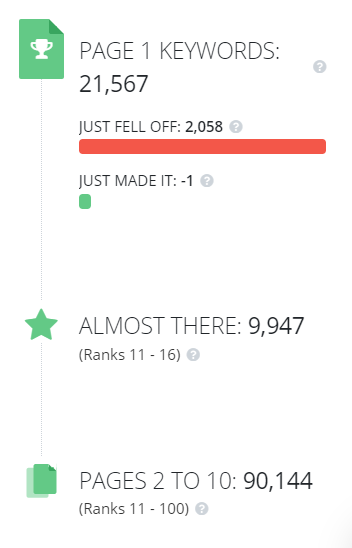
The best feature that SpyFu offers is that it shows the first page, almost there (11-16), and page 2 to 10 rankings distribution.
If you want to know your top organic competitors then you can check on the same page as shown in the image below.

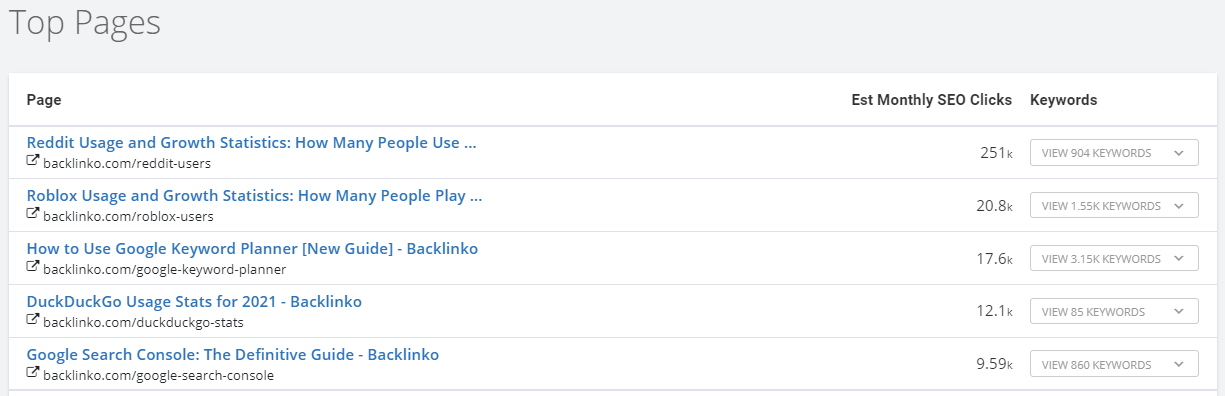
Also, check which are the top pages that are grabbing the most of the traffic or clicks.
Pricing
SpyFu plan starts at $39 per month and goes up to $299 per month where you are allowed to perform unlimited searches.
10- PageSpeed Insights – Best Page Speed Optimization Tool For Beginners
PageSpeed Insights is a free tool by Google. It allows you to check your website or webpage speed for both mobile and desktop.
Top Features:
Check what is your page speed score is on mobile and desktop.
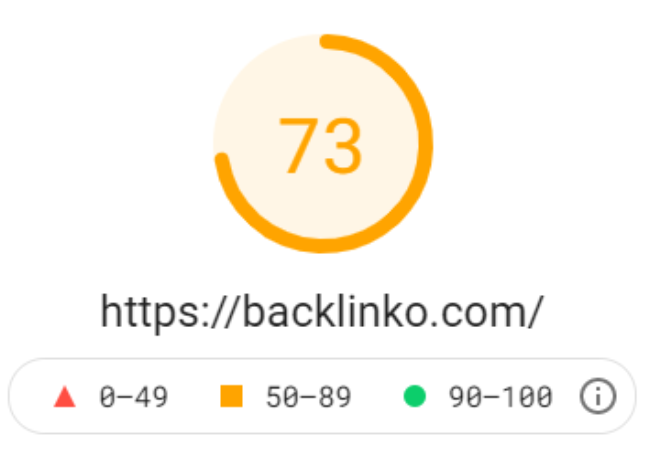
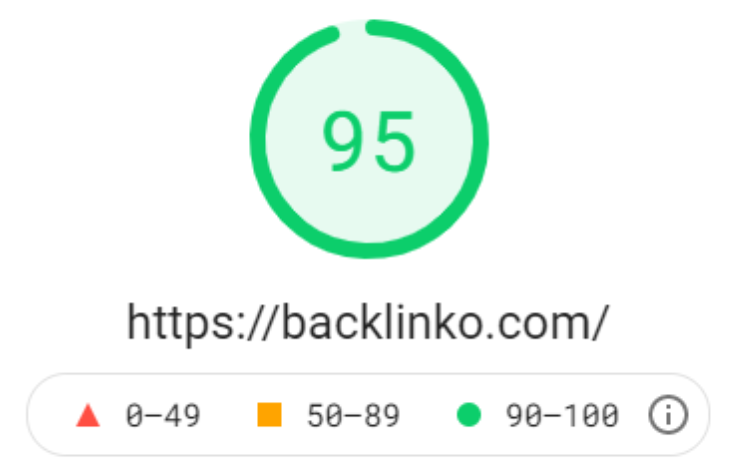
You can check the latest Core Web Vitals score including FCP, FID, LCP, and CLS. Also, check whether your site passed the Core Web Vitals test or not.
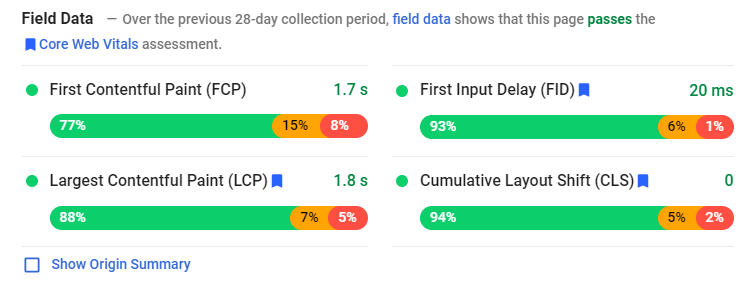
Moreover, to optimize your site speed, the tool provides various opportunities with estimated savings as shown in the image below.

When you click on any of the opportunities, you get a detailed description of how to fix the issue like image URLs, size, and potential savings

Pricing
PageSpeed Insights is free to use.
11- Google Analytics – Best Website Analysis Tool For Webmasters
If you are a website owner, then Google Analytics is a must-have tool. Google Analytics is a necessary tool that helps you analyze your website traffic and user behavior.
Top Features:
You can check the traffic sources like organic, direct, social, and referral by using the Acquisition report.

To get audience insights, check the Audience report in Google Analytics. Here, you can check users, new users, sessions, page views, and bounce rate. These data help you optimize your website for better results.

You can also check top countries from where most of the traffic is coming to the site.

For more deep analysis, check the browser and OS types such as Chrome, Safari, and Edge.
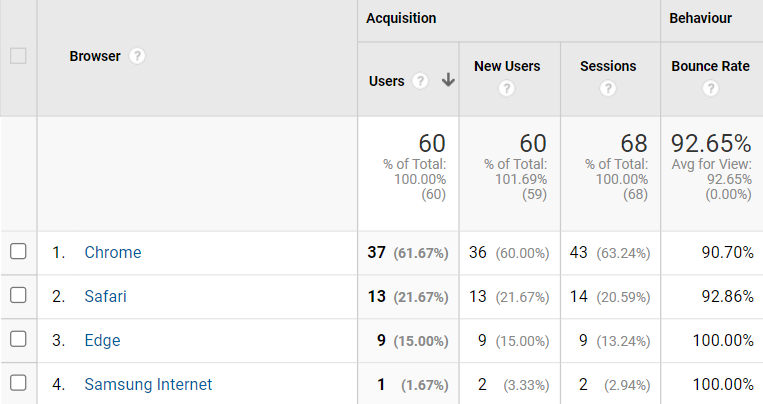
Moreover, you can create different events and goals for your website. For example, contact us, phone number click, or form submission goal.
Also, you can check at what time in a day, users are visiting your website.

Pricing
Google Analytics is free to use.
12- Google Search Console – Best Google Site Optimization Tool For Webmasters
Google Search Console is a webmasters tool that is compulsory for all website owners to use this tool. By using Search Console you can index your web pages in Google.
Top Features:
By using it, you can submit the website sitemap that helps your web pages to crawl and index on Google search.

You can check errors on your website like 404 pages under the Coverage report.

If you want to index any of your website URLs, then you can do it by URL inspection.

The Performance report shows the number of clicks, impressions, average CTR, and average position.

On the same page, you can find search queries, pages, countries, device types, and search appearance (SERP features).

You are also allowed to filter and compare the date ranges.

For more deep information, you can add the query, page, country, device, or search appearance filter.

Search Console also contains the new Page Experience report.

Moreover, the Core Web Vitals data is also there in the Search Console. Check the pages that need to be optimized to pass the Web Vitals test.

You also get the error details like type of error, status, trend, and number of URLs that are affected by the error.
Pricing
Google Search Console is free to use.
Conclusion
All of the above tools can help you start with SEO. As a beginner, you need trusted and affordable SEO tools and the above list contains all the industry’s most trusted tools.
Conclusion
Let us know your thoughts in the comment section below.
Check out other publications to gain access to more digital resources if you are just starting out with Flux Resource.
Also contact us today to optimize your business(s)/Brand(s) for Search Engines