
Nvidia Shield TV is one of the most popular streaming devices on the market. It’s a powerful, versatile Android TV box that can serve as your main media streamer, or it can be used in tandem with other devices like a TiVo or Fire Stick.
The Nvidia Shield runs on the Android TV operating system, which makes it compatible with a huge selection of apps from the Google Play Store. The device even comes preloaded with several popular apps like Netflix and YouTube, but there are tons more to discover in the app store. And if you want to take advantage of all the great online content available for free, you need to know how to find and install the best apps for Nvidia Shield 2019.
We’ve scoured the Google Play Store for some of the best apps for Nvidia Shield TV 2019, so read on to learn how you can unlock free channels and access premium content from your favorite providers.
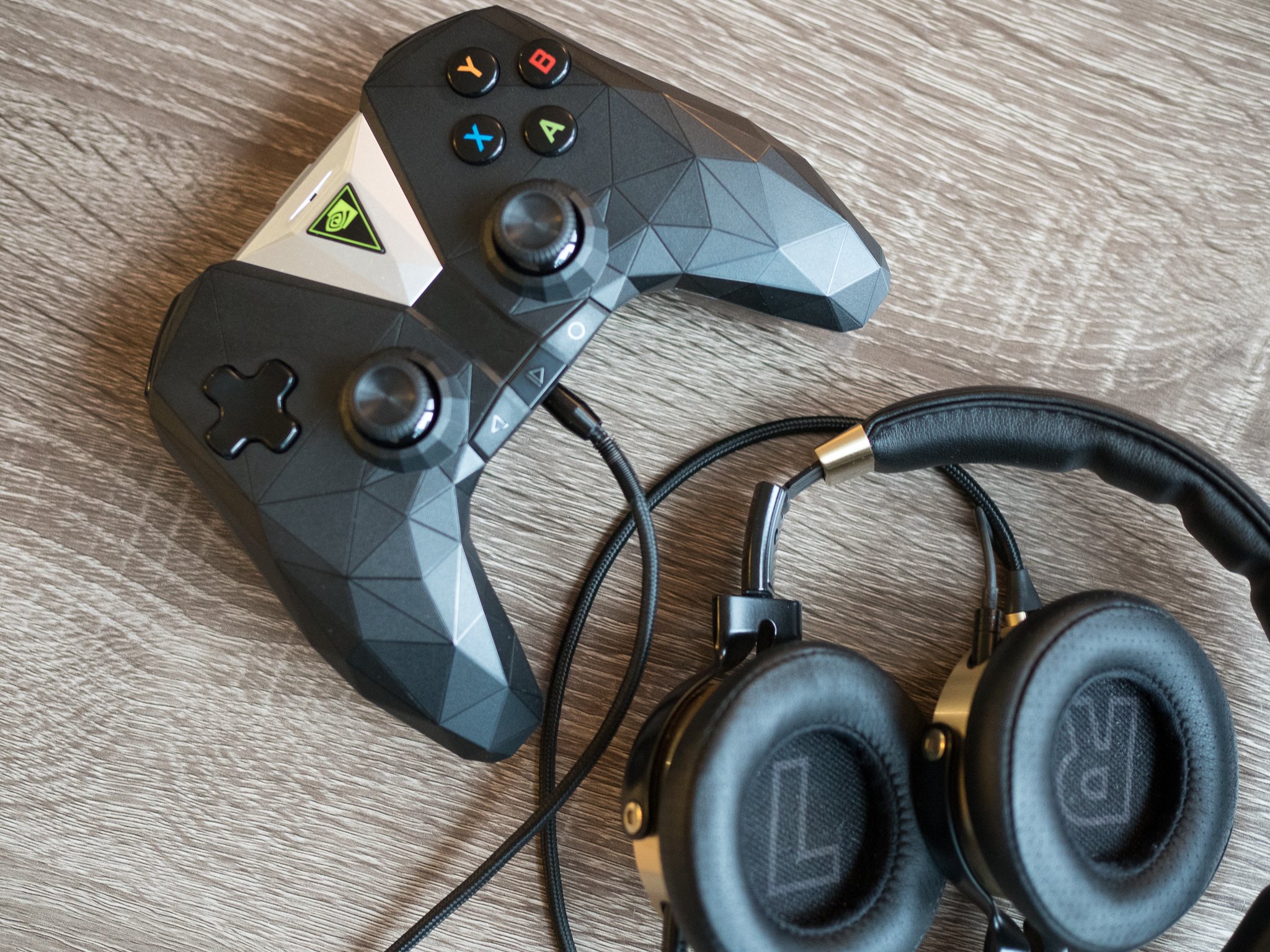
Best Apps For Nvidia Shield 2019
With the NVIDIA Shield TV, you can turn any television into a smart TV with gaming options. Since the Shield has an Android operating system, you can install thousands of apps. Down below, you can find 5 useful apps that allow you to make optimal use of the possibilities that the NVIDIA Shield has to offer.
- GeForce Now
- Netflix
- Amazon Prime
- Kodi
- Plex
- GeForce Now
GeForce Now
GeForce Now is the showpiece of the NVIDIA Shield. With this subscription service, you can play games on your NVIDIA Shield from the cloud. For example, you can play top games like Borderlands 2, Hitman Absolution, and Deus Ex: Human Revolution with a lot of details in Full HD. Some games are included in your subscriptions, others you still have to purchase.
Fun for: People who want to play top games but don’t want to spend money on hardware.
Not interesting for: People who want to game in 4K and gamers who don’t want a subscription.
- Netflix
Netflix
Netflix is an online service that lets you binge-watch unlimited movies and series for a fixed price each month. If you combine the NVIDIA Shield with a premium subscription, you can also watch more and more series and movies in 4K Ultra HD. For example, House of Cards, Narcos, Outlander, or Master of None. This way, your favorite movies and series will look even sharper.
Fun for: Real binge-watchers who love to watch unlimited movies and series.
Not interesting for: People who don’t have or don’t want a Netflix subscription.
- Amazon Prime
Amazon Prime Video
Amazon Prime is a service that’s similar to Netflix. Amazon Prime now has quite a lot of original series, most of which are available in 4K. For example, you can watch The Grand Tour, American Gods, or The Man in the High Castle. You can also watch older series like Seinfeld. One disadvantage of Amazon Prime is that most series and movies don’t have Dutch subtitles yet.
Fun for: Anyone who wants to watch even more series and movies because they’ve already seen everything on Netflix.
Not interesting for: People who don’t speak English or don’t want a subscription.
- Kodi
Kodi
With Kodi, you can turn your NVIDIA Shield into a complete media center. This app gives you access to all movies, series, and music on any network drive or external drive you connect to the Shield in a clear menu. It also has hundreds of plugins for extra content. This comes in handy, because the NVIDIA Shield doesn’t have a built-in player for your own material. This app is indispensable if you don’t want to rely on streaming services.
Fun for: Anyone who wants to play their own movies from their network on the NVIDIA Shield.
Not interesting for: People who only watch movies and series via Netflix, Amazon Prime, or Google Play.
- Plex
Plex
Plex is also a media center, but aimed at making all your movies and music available on multiple devices. You can easily add all of the movies and music from your NAS to your library. After, Plex adds all of the information to the content you’ve uploaded, such as movie posters, summaries, and more. You can open the Plex app on the Shield and stream all your movies on your home network.
best android apps for nvidia shield
While Plex and Kodi sure are nice, this sexy lil’ piece of app is IMHO by far the best player for Android TV.
Superb Leanback UI, Picture in Picture support, HD Audio passthough, SMB/network browsing and streaming, best use of the remote on the market, support for Kodi’s libraries and fast scraping, easy to fetch subtitles, the list of perks is almost endless.
Ludicrously underrated. Give it a shot.
4 – Launcher – https://play.google.com/store/apps/details?id=com.kfaraj.launcher
Let’s face it: the OG Sideload Launcher people talk about all over the forums is old, clunky and butt ugly. Get rid of this crap right now and say hello to huh.. Launcher..; a beautiful, no-frills, strictly Leanback-UI launcher.
It wont display all the system apps nobody cares about. It wont display app/games that are already on display in the regular Leanback Launcher. It just works the way it should. A must.
3 – TV App Repo – https://play.google.com/store/apps/details?id=news.androidtv.tvapprepo.playstore
By the former AndroidTV.news guru and now-Googler Nick Felker, TV App Repo (it just rolls off the tongue, doesnt it?) also tries to overcome the same Leanback Launcher limitations.
Instead of having you launch invisible apps via an alternate launcher, it allows you to create mini apks stubs visible from the stock launcher, which will then start linked apps. (Think of it as shortcuts) Sadly, Android Tv’s lack of file picker makes it super clunky to choose your own images. Oh well.
One thing tho; as far as I know, it’s the only app allowing you to create mini apks linking to a specific URL. If your favorite TV stations/sites doesnt have a proper Android TV app but still allows you to stream on regular Chrome, this might come very handy..
2 – AirScreen – https://play.google.com/store/apps/details?id=com.ionitech.airscreen&hl=en
Now the heavier stuff. This one should actually be dubbed something like “The best app you probably can’t afford”.
By adding full Miracast (think Windows extended desktop), Airplay mirroring (iOS, OSX), DLNA and Chromecast (for non-Android TV devices) reception, this beast of an app truly makes the Shield THE ULTIMATE STREAMER.
What’s more, the UI is downright beautiful and works shockingly well across phones, tablets and Android TVs alike.
The only con would be… the price.
3$/month or 20$/year for a receiver app is kind of nothing and a lot to ask for at the same time.. XD
1 – VirtualHere – https://play.google.com/store/apps/details?id=com.virtualhere.androidserver&hl=en
The jewel of the crown! The hidden gem everybody should know about and single one most useful piece of software to have graced the Play Store with Android TV compatibility: VirtualHere.
Why, you ask? Not that it’s something you should expect to use daily.. Nor even that everybody will find it useful..
It is #1 because it does things no other app can do. Simple enough, isnt it?
Let’s see:
Can’t write files to the HDD hooked on your Shield via your local network? Use VirtualHere.
Would like to use the same webcam on both your Shield and PC without having to move it everytime? Use VirtualHere.
Would like to Gamestream your favorite game and play using your favorite fancy controller/racing wheel?
You guessed it: use VirtualHere.
This app basically tricks your Linux/PC/Mac computer into thinking whatever USB device is plugged onto your Shield is actually plugged right on the computer directly. Works flawlessly with any kind of device and it’s free forever as long as you only use one USB device at a time.
The very fact that something like this even exists is mind bogling; but to see it free and easy to use makes it definately worthy of a 1st place in the hidden gem space.
Bonus – App Cloner – https://play.google.com/store/apps/details?id=com.applisto.appcloner&hl=en
This one isnt really an Android TV app per se, but it does can be very helpful with some .. poorly optimized apps.
Conclusion
Let us know your thoughts in the comment section below.
Check out other publications to gain access to more digital resources if you are just starting out with Flux Resource.
Also contact us today to optimize your business(s)/Brand(s) for Search Engines