
The best apps for Wear OS
Wear OS (previously known as Android Wear) is Google’s smartwatch operating system. It powers a range of devices from different manufacturers including the Huawei Watch, LG Watch, and more.
There are some great apps available for Wear OS, and we’ve picked out some of the best right here.
Best Apps For Wear Os
Download Cost | In-app cost (per item) | |
| Facer Watch Faces | ✕ | $0.99-$39.99 |
| Pixel Minimal Watch Face | ✕ | $1.99-$19.99 |
| FitMe | ✕ | ✕ |
| Google Keep | ✕ | ✕ |
| Google Pay | ✕ | ✕ |
| Google Maps | ✕ | ✕ |
| Wear Gesture Launcher | ✕ | ✕ |
| Wear Casts | ✕ | $0.99-$9.99 |
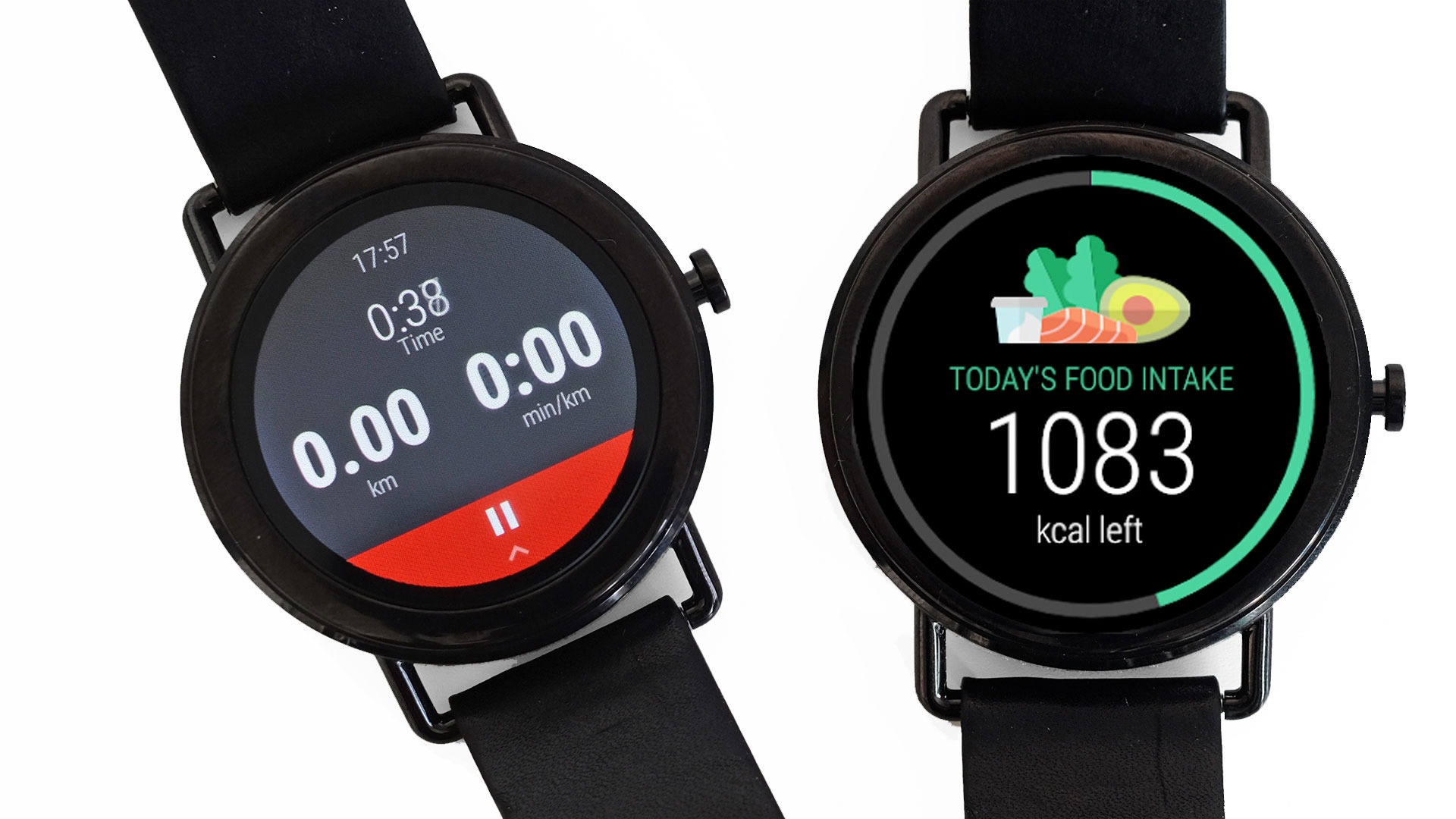
| Lifesum | ✕ | $3.75-$52.56 |
| Infinity Loop | ✕ | $0.99-$22.99 |
Facer Watch Faces
- Price: Free to download
- In-app purchases: Yes
- Android version: Varies with device
If you don’t like the watch faces that come pre-installed on your smartwatch, you can always download some new ones. You can either look through the Play Store for separate watch face apps, or install an app like Facer. Facer is essentially a hub for watch faces, for your Wear OS smartwatch. There are over 15,000 different watch faces available inside this application, so take your pick.Advertisement
The usefulness of this app doesn’t end there, though. Facer even allows you to create your very own watch face. It has a really useful tool that you can use for that purpose. Set up a layout that fits your needs, slap a background image of your choice, if you want, add some flare to it, and you’re good to go. Facer is definitely one of the first apps that you should install on your Wear OS smartwatch.
DOWNLOAD FACER WATCH FACES
Best Wear OS Watch Face App

Advertisement
Pixel Minimal Watch Face
- Price: Free to download
- In-app purchases: Yes
- Android version: 7.1+
Pixel Minimal Watch Face app is all about a single watch face, which is really good, by the way. That is the watch face used for the featured image in this article. If you like minimal watch faces that are extremely useful, this is the way to go. You don’t have an option for an analog watch look here, but a digital one is really cool. On top of that, you can also set up some widgets on the watchface itself, making it extremely useful.
For example, I set both time and date to be displayed in the middle, while the weather info is at the bottom. In the top-left corner is my currently-played media content, while next to it you’ll notice the battery percentage, and the notification counter. That way, you can have all the relevant information on your watchface. Simply alter this watch face to serve your needs. Do note that you’ll have to pay up to customize those widgets, though.
best smartwatch app for android
ParKing
Wear OS ParKing app displayed on a watch.
Lifewire
What We Like
Can automatically determine where you park, or you can tell it which location to remember.
Options to help you remember where you parked in underground and indoor parking structures.
What We Don’t Like
The interface doesn’t work right on some devices, making it difficult to access the Find My Car button.
Automatic parking feature requires a Bluetooth device, such as a Bluetooth car stereo, in your car.
ParKing is a handy app that takes the hassle out of remembering where you parked your car. When you launch the app on your smartwatch, all you do is tap the little car icon to log where you parked. When it comes time to find your car, you’ll be able to zoom in on a Google Maps view of its exact location.
Download ParKing
02
of 15
Google Keep
The Google Keep app displayed on a Wear OS watch.
Lifewire
What We Like
Simple way to create and access notes and reminders.
Create notes and reminders on your watch and access them later from your other devices.
Can connect with Android and iOS devices.
What We Don’t Like
Syncing issues can prevent you from seeing or accessing your notes.
Lacks an option to open notes on your phone from the watch interface.
Google Keep, which shows up on your Wear smartwatch as Keep Notes, is a lightweight note-taking app that’s available on a variety of devices and via a web interface.
The version of Google Keep for your smartwatch lets you access your notes on the go and jot down notes wherever you are. Notes created on your watch are synced to the cloud, so you can access them from your other devices later.
Download Google Keep
03
of 15
AccuWeather
AccuWeather app displayed on a Wear OS smartwatch.
Lifewire
What We Like
Accurate forecasts are displayed in a minimalist fashion suited to small displays.
Includes an option to launch the companion app on your phone for detailed forecast information.
What We Don’t Like
Weather information at both the top and bottom of the screen makes scrolling through hourly and daily forecasts touchy.
No support for switching between multiple locations.
The AccuWeather app brings the same forecasts you can access on the web or your phone to your Wear smartwatch. You don’t get the MinuteCast information, radar, or other bells and whistles because the information is pared down for the limited screen size on smartwatches. What you do get is a weather app that’s easy to read at a glance.
Download AccuWeather
04
of 15
Wear Casts
Wear Cast Wear OS displayed on a smartwatch.
Lifewire
What We Like
Download podcasts to your smartwatch. Go for a run and leave your phone at home.
Options to automatically or manually download new podcast episodes.
Podcast discovery feature if you’re looking for something new.
What We Don’t Like
Requires a phone to import podcasts, so it isn’t completely independent of your phone.
Requires Android 7.0 or newer on your phone. It doesn’t work with some older phones.
Wear Casts is a standalone Wear app, meaning it works independently from your phone (except for getting podcasts to the watch). You can use Wear Casts to download podcasts to your watch, pair Bluetooth earbuds, and listen to podcasts whenever you want, even if your phone isn’t within Bluetooth range.
Since Wear Casts doesn’t require a constant Bluetooth connection to your phone, it’s easier on your batteries than other apps.
Download Wear Casts
05
of 15
Listens for Alexa
Listen for Alexa WearOS app displayed on an Android smartwatch.
Lifewire
What We Like
Use your smartwatch to do almost anything your Alexa is capable of doing.
Great for extending Alexa functionality into rooms where you don’t have an Alexa, but you have smart devices.
What We Don’t Like
Not compatible with all skills and lacks some functionality of an official Alexa device or app.
Amazon has an official Alexa app for Android phones, but it isn’t compatible with Wear. That’s where the third-party app Listens for Alexa comes in. This app brings Alexa to your wrist, and it includes most of the functionality of an actual Alexa device.
You can even use this app to control any smart home devices that you usually control with your Echo.
Download Listens for Alexa
06
of 15
Bring!
Bring smartwatch app displayed on Wear OS
Lifewire
What We Like
Easy to generate shopping lists on your watch.
Store loyalty card details, so you don’t need an app for that.
Option to share your shopping lists with family members.
What We Don’t Like
No option to add items via a bar code reader.
Searchable library of items only includes generic descriptions, not specific brands or products.
Bring! is a shopping list app that lets you create, edit, and share lists right from your smartwatch. It includes a library of items with easy-to-understand icons, and you can add items to the list using your smartwatch’s voice transcription functionality.
Download Bring!
07
of 15
Citymapper
Citymapper smartwatch app displayed on Wear OS.
Lifewire
What We Like
Offers detailed trip timing for public transit options, walking, and bicycling.
Supports routes that mix transportation types, like a cab ride to a subway station.
Provides Uber details, so you can go that route if it would save time or money.
What We Don’t Like
Very limited availability. It only works in about 30 cities worldwide.
Departure times aren’t always accurate, so make sure to double-check.
Citymapper is a must-have if you use public transit in one of the cities it covers or you’re planning to visit a supported city. It brings a ton of information about bus, train, subway, ferry, and taxi data right to your wrist.
The downside is that it’s only available in a limited number of cities, and it’s useless if you don’t live in any of them and don’t plan on visiting.
Download Citymapper
08
of 15
Sleep as Android
Sleep as Android sleep tracking app displayed on a Wear OS smartwatch.
Lifewire
What We Like
Has a ton of options, including a lucid dreaming mode.
Integration with the Sleep as Android phone app allows your watch to track minor movements and disturbances as you sleep.
The only game in town for real sleep tracking on Wear.
What We Don’t Like
It doesn’t work at all without the Sleep as Android app on your phone.
Setup is confusing, as you can’t download it to your watch directly from Google Play.
One major function that Wear smartwatches lack when compared to dedicated fitness devices like Fitbit is sleep tracking. There’s also a lack of sleep tracking apps on Google Play that work with Wear but Sleep as Android fits the bill nicely.
Sleep as Android includes a ton of features, some of which aren’t available from dedicated fitness devices. For example, the lucid dreaming mode can determine when you enter rapid eye movement (REM) sleep, and it provides an auditory cue to help you realize you’re asleep without fully waking up.
The only downside to Sleep as Android is that the smartwatch app doesn’t work independently from your phone. So you have to make sure your phone is charged up, paired to your watch, and nearby when you go to sleep.
Use the Apps on Your Phone section in the Google Play store on your watch to download this.
Download Sleep as Android
09
of 15
Google Authenticator
Wear OS Authenticator app displayed on a watch.
Lifewire
What We Like
It’s your Google Authenticator, but on your watch.
What We Don’t Like
It doesn’t work without your phone.
If you use the Google Authenticator app on your phone, this app is a great accessory to add to your arsenal. It provides easy access to your authenticators via a swiping motion, and the numbers are large enough that they’re easy to read even on small smartwatch screens.
The only downside is that it relies on your phone to work, so it can’t act as a backup for the authenticator on your phone.
Download Google Authenticator
10
of 15
Calculator
Calculator Wear OS app displayed on a smartwatch.
Lifewire
What We Like
Loads and works quickly.
Places the operations buttons in a sliding drawer on the side so that the number buttons can be as large as possible.
What We Don’t Like
No scientific calculator function, so you need to look at premium apps if you want that or graphing functions.
If you’re a whiz at mental math, having a calculator on your wrist might not have that much appeal. For the rest of us, Google’s basic calculator app is an awesome answer to the clunky calculator watches of the 1980s, and it takes the headache out of calculating tips.
Conclusion
Let us know your thoughts in the comment section below.
Check out other publications to gain access to more digital resources if you are just starting out with Flux Resource.
Also contact us today to optimize your business(s)/Brand(s) for Search Engines